<?xml version="1.0" encoding="utf-8"?>
<feed xmlns="http://www.w3.org/2005/Atom"
      xmlns:media="http://search.yahoo.com/mrss/"
      xml:lang="en">

    <title type="text">Techlicious Latest Articles</title>
    <subtitle type="text">Techlicious: Tech Made Simple</subtitle>
    <link rel="alternate" type="text/html" href="https://www.techlicious.com/" />
    <link rel="self" type="application/atom+xml" href="https://www.techlicious.com/blog/atom/" />


    <updated>2026-07-09T22:06:45Z</updated>


    <rights>Copyright (c) 2026, Techlicious, LLC</rights>
    <generator uri="https://expressionengine.com/" version="1.7.0">ExpressionEngine</generator>
    <id>tag:techlicious.com,2026:07:09</id>


    <entry>
      <title>Bank&#45;draining phone scams are about to get a lot more common</title>

      <link rel="alternate" type="text/html" href="https://www.techlicious.com/blog/bank-draining-phone-scams-redwing-kit/" />

      <id>tag:techlicious.com,2026:/www.techlicious.com/blog/1.8478</id>
      <published>2026-07-09T21:24:44Z</published>
      <updated>2026-07-09T22:06:45Z</updated>

      <author>
        <name>Suzanne Kantra</name>
        <uri>https://www.techlicious.com/about/</uri>
      </author>

            <media:content url="https://www.techlicious.com/images/phones/android-phone-generic-banking-app-concept-1600px.jpg" medium="image" type="image/jpeg" />
      <media:thumbnail url="https://www.techlicious.com/images/phones/android-phone-generic-banking-app-concept-1600px.jpg" />
      

      <category term="News"
        scheme="https://www.techlicious.com/blog/category/news/"
        label="News" />

      <category term="Phones and Mobile"
        scheme="https://www.techlicious.com/blog/category/phones-mobile/"
        label="Phones and Mobile" />

      <category term="Mobile Apps"
        scheme="https://www.techlicious.com/blog/category/mobile-apps/"
        label="Mobile Apps" />

      <category term="Android Apps"
        scheme="https://www.techlicious.com/blog/category/android-apps/"
        label="Android Apps" />

      <category term="Blog"
        scheme="https://www.techlicious.com/blog/category/blog/"
        label="Blog" />

      <summary type="html"><![CDATA[
<p>Criminals no longer need hacking skills to target your bank account. A cheap rental kit is fueling a wave of these scams. Here's how to stay safe.&nbsp;</p>
      ]]></summary>

      <content type="html"><![CDATA[
  <div class="captionright"><img alt="A concept image shows a generic banking app on a phone." class="imagecenter" src="https://www.techlicious.com/images/phones/android-phone-generic-banking-app-concept-670px.jpg" style="width: 670px; height: 377px;" />
<p><span style="font-size: 80%;">Suzanne Kantra/Techlicious generated by ChatGPT</span></p>
</div>
<p>Bank-fraud malware attacks are about to get a lot more common because anyone can now rent a ready-made Android banking trojan kit off Telegram. A banking trojan is malicious software disguised as a legitimate app that, once installed, is built specifically to steal money from your bank or payment accounts. The kit making the rounds now is called RedWing, and security researchers at <a href="https://zimperium.com/blog/redwing-a-mobile-malware-as-a-service-operation">Zimperium zLabs</a> have been tracking it as it spreads through criminal channels this month.</p>
<p>RedWing is what's known as malware-as-a-service. It works a lot like Microsoft 365 or any other subscription service you already pay for: someone builds the product once, maintains it, pushes updates, and sells access to anyone willing to pay. According to <a href="https://zimperium.com/blog/redwing-a-mobile-malware-as-a-service-operation">Zimperium's research</a>, RedWing's subscribers get a working toolkit for hijacking Android banking apps: fake login screens that sit on top of your real bank's app and capture your credentials without your noticing, plus the ability to intercept the one-time codes your bank texts you and take remote control of the phone once it's infected.</p>
<p>Building something like that from scratch used to require serious malware-development expertise, the kind that takes years to acquire and constant updating to keep ahead of Android's defenses. Renting it through Telegram, where it's being <a href="https://thehackernews.com/2026/07/redwing-maas-packages-android-bank.html">marketed and sold</a>, makes assembling working bank-fraud malware about as easy as putting together a PowerPoint presentation.</p>
<p>RedWing can't do the hard work of getting itself onto your phone, so it needs you to do that part yourself, which means the entire operation still comes down to social engineering. A criminal renting this kit is counting on convincing you that a fake banking app is real: a text with a link to &quot;update your banking app,&quot; a search result for your bank that leads somewhere it shouldn't, a prompt during a phone call from someone pretending to be your bank's fraud department. Once you install what you think is a legitimate app, RedWing does the rest.</p>
<p>Everything in this story comes down to one moment: whether you install something you shouldn't. Only download banking apps through the Google Play Store, never from a link in a text or email, even one that looks like it came from your bank. Google has started fighting this exact tactic directly: a <a href="https://www.techlicious.com/blog/google-24-hour-wait-stop-scammers-android/">new mandatory 24-hour wait</a> for sideloading apps from unverified developers is designed to break the live-call pressure scammers rely on. Be skeptical of any app requesting permission to read your SMS messages or access to Android's accessibility services, since those are the permissions banking trojans need to function, and no legitimate banking app has a good reason to ask for them.</p>
<p>If your bank offers app-based login alerts or transaction notifications, turn them on, since catching fraudulent activity within minutes rather than days is often what determines whether you get your money back. A <a href="https://www.techlicious.com/guide/best-antivirus-apps-android/">good antivirus app</a> is one of the few defenses that can catch this kind of malware before it does damage, in case something slips past your other precautions.</p>
<p>If you've already installed a banking app from anywhere other than the Play Store, don't wait to find out whether it was real. Uninstall it, run a scan with a mobile security app, and call your bank's fraud line directly using the number on the back of your card, not any number the app or a text gave you. Watch your account for a few weeks afterward, since stolen credentials don't always get used immediately.</p>
<p>This rental-kit model already reshaped ransomware, turning it from a niche threat into an everyday one over the past several years. Expect the same trajectory here: once one banking trojan proves profitable as a rental, competitors typically follow with their own kits, often targeting other platforms or other categories of fraud. For us, that means remaining increasingly vigilant for these risks across all of our online activities.</p>
<p><strong>Read next</strong>: <a href="https://www.techlicious.com/guide/best-antivirus-apps-android/" target="_blank"><em>The best antivirus apps for Android in 2026</em></a></p>
      ]]></content>
    </entry>


    <entry>
      <title>MSI Stealth 16 AI+ laptop is built for both gamers and professionals</title>

      <link rel="alternate" type="text/html" href="https://www.techlicious.com/blog/msi-stealth-16-ai-plus-laptop-is-built-for-both-gamers-and-professionals/" />

      <id>tag:techlicious.com,2026:/www.techlicious.com/blog/1.8476</id>
      <published>2026-07-08T20:24:53Z</published>
      <updated>2026-07-08T20:24:54Z</updated>

      <author>
        <name>Sherri L. Smith</name>
        <uri>https://www.techlicious.com/about/</uri>
      </author>

            <media:content url="https://www.techlicious.com/images/computers/msi-stealth-16-ai-plus-1600px.jpg" medium="image" type="image/jpeg" />
      <media:thumbnail url="https://www.techlicious.com/images/computers/msi-stealth-16-ai-plus-1600px.jpg" />
      

      <category term="News"
        scheme="https://www.techlicious.com/blog/category/news/"
        label="News" />

      <category term="Partner Content"
        scheme="https://www.techlicious.com/blog/category/sponsored/"
        label="Partner Content" />

      <category term="Computers and Software"
        scheme="https://www.techlicious.com/blog/category/computers-software/"
        label="Computers and Software" />

      <category term="Computers &amp; Accessories"
        scheme="https://www.techlicious.com/blog/category/computers-accessories/"
        label="Computers &amp; Accessories" />

      <category term="Laptops"
        scheme="https://www.techlicious.com/blog/category/laptops/"
        label="Laptops" />

      <category term="Blog"
        scheme="https://www.techlicious.com/blog/category/blog/"
        label="Blog" />

      <summary type="html"><![CDATA[
<p>The MSI Stealth 16 AI+ delivers serious gaming and productivity performance in a thin, portable design that weighs just 4.4 pounds.</p>
      ]]></summary>

      <content type="html"><![CDATA[
  <p><img alt="MSI Stealth 16 AI+ laptop shown on table with gaming headphones" class="imagecenter" src="https://www.techlicious.com/images/computers/msi-stealth-16-ai-plus-670px.jpg" style="width: 670px; height: 377px;" /></p>
<p>I've seen it time and time again, an otherwise great laptop brought low by too many compromises. But not this time. Meet the <a href="https://msi.gm/S4034017">MSI Stealth 16 AI+ B3WF</a>, the laptop with the internals of a desktop replacement with the looks and feel of a thin-and-light. Outfitted with an Intel&reg; Core&trade; Ultra 9 processor and an NVIDIA GeForce RTX 5060 Laptop GPU, the 16-inch Stealth 16 AI+ is designed to do the heavy lifting while weighing no more than your average 14 inch.&nbsp;</p>
<p>The Stealth 16 AI+ is a portable badass hands down. It's capable of delivering great performance whether you're gaming, pumping out spreadsheets, editing videos, doing a livestream, creating your next masterpiece or running a local LLM. And with its sleek, elegant all-metal premium design and gorgeous OLED display, it looks good while doing it.</p>
<h2>Key Specs</h2>
<p>The Stealth 16 AI+ has several different configurations. At <a href="https://msi.gm/S4034017">$2,699.99 from Best Buy</a>, my review unit is by far the cheapest. But don&rsquo;t get confused, you&rsquo;re still getting plenty of power. For the price, you get a laptop with a 2.1-GHz Intel Core Ultra 9 386H processor with 32GB of RAM, a 1TB SSD, Nvidia GeForce RTX 5060 GPU with 8GB of VRAM, integrated Intel Graphics, and a 2560 x 1600, 16-inch OLED display with a 240Hz refresh rate.</p>
<p>Best Buy also offers a $3,999.99 iteration that doubles the storage and bumps up the GPU to a RTX 5080.</p>
<h2>Design</h2>
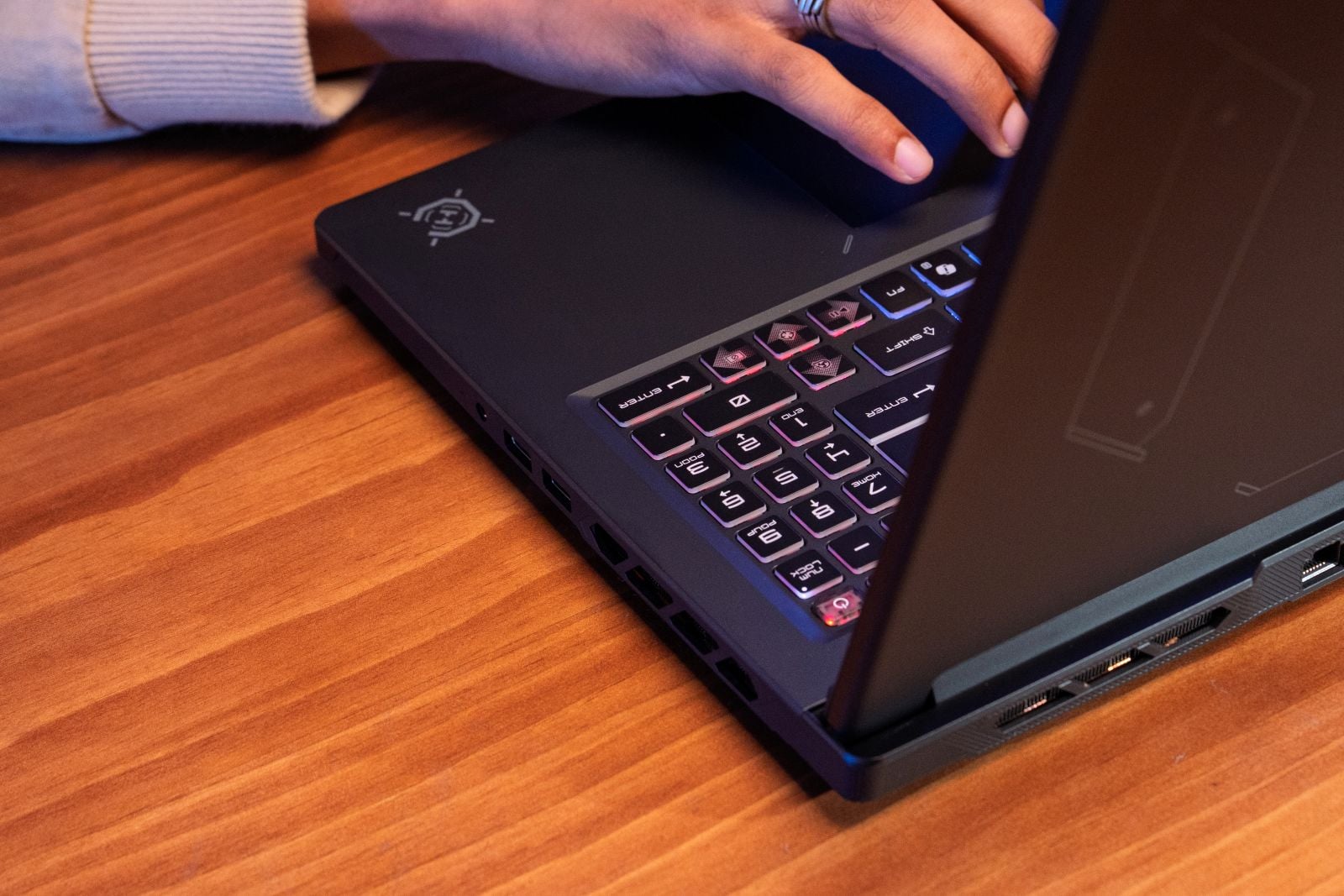
<p>MSI calls this notebook the Stealth, but there are several other &ldquo;S&rdquo; words I can think of that are equally apt including sleek, svelte, silky, sexy. Where other gaming laptops boldly announce their gamer creed loudly, the Stealth 16 AI+ comes in understated, and dare I say it &ndash; stealthy. The Charcoal Black anodized aluminum chassis exudes an understated elegance. Instead of a showy backlit logo on the lid, MSI opted for an embossed link design along the bottom left with a dragon emblem and the word Stealth on the right.</p>
<p><img alt="MSI Stealth 16 AI+ backlid showing dragon emblem and Stealth logo" class="imagecenter" src="https://www.techlicious.com/images/computers/msi-stealth-16-ai-plus-back-lid-670px.jpg" style="width: 622px; height: 414px;" /></p>
<p>That&rsquo;s not to say there&rsquo;s no RGB anywhere. You get a heaping helping of color once you open the laptop from the island-style keyboard. A speaker sits on either side keyboard with a humongous trackpad just beneath. The bezels surrounding the display are relatively slim. A 1080p webcam with a privacy shutter resides in the center of the top bezel. Flip the laptop over and you&rsquo;ll find a grid of circular cutouts that are layered on top of the true vent.</p>
<p><img alt="MSI Stealth 16 AI+ large keyboard, large trackpad, and large speaker on the left side" class="imagecenter" src="https://www.techlicious.com/images/computers/msi-stealth-16-ai-plus-keyboard-trackpad-layout-670px.jpg" style="width: 670px; height: 446px;" /></p>
<p>Measuring 13.9 x 9.7 x 0.66~0.79 inches and weighing 4.4 pounds, the Stealth 16 AI+ gives the best of both worlds: a laptop with a massive screen that&rsquo;s just as portable as a traditional thin-and-light. I stowed the Stealth 16 AI+ in my backpack on a jaunt through several boroughs &ndash; via subway, bus, and my feet. And while I was tired at the end of the day, my back wasn&rsquo;t sore.</p>
<h2>Display and Audio</h2>
<p>Playing <em>Pragmata</em>, watching the latest episode of <em>House of the Dragon</em>, or just reading the news and writing this review, looking at the Stealth 16 AI+&rsquo;s 16-inch 2560 x 1600 OLED display was an absolute pleasure. Details were so clear I saw just about every jagged tooth in Sheepstealer&rsquo;s wicked overbite. The blood that flowed during the Battle of the Gullet was a shade of red that bordered on lurid. Corlys&rsquo; silver armor gleamed against his mahogany skin as he expertly navigated his ship through the treacherous Dragon&rsquo;s Teeth passage.</p>
<p>Playing fast-paced games like <em>Pragmata </em>was no problem on the Stealth 16 AI+&rsquo;s screen is a no-brainer. Not only do you get the vivid colors, deep contrasts, and sharp details, there&rsquo;s also the 240Hz refresh rate that keeps unsightly image tears at bay.</p>
<p><img alt="MSI Stealth 16 AI+ display showing beautiful colors and contrast in Pragmata" class="imagecenter" src="https://www.techlicious.com/images/computers/msi-stealth-16-ai-plus-display-670px.jpg" style="width: 670px; height: 446px;" /></p>
<p>The Stealth 16 AI+ has a pair of speakers and woofers built in that produce sound loud enough to blanket a small room. The laptop also has Nahimic&rsquo;s audio software baked in which includes five presets (Voice, Gaming, Music, Movie, and Smart) in addition to controls to toggle the amount of bass, treble, and voice. The Music preset quickly became my preferred preset. However, if you&rsquo;re not sure, you can enable the Smart setting which will swap presets based on content.&nbsp;</p>
<p><img alt="Closeup of large MSI Stealth 16 AI+ speaker next to keyboard" class="imagecenter" src="https://www.techlicious.com/images/computers/msi-stealth-16-ai-plus-speaker-670px.jpg" style="width: 670px; height: 446px;" /></p>
<p>Other Nahimic features include Easy Surround, a spatial audio feature that creates a more immersive listening experience. There&rsquo;s also Sound Sharing that lets you connect two pairs of headphones and Sound Tracker which maps noises like footsteps and gunshots onto an in-game radar so you&rsquo;re always aware of incoming enemies.</p>
<h2>Ports and Connectivity</h2>
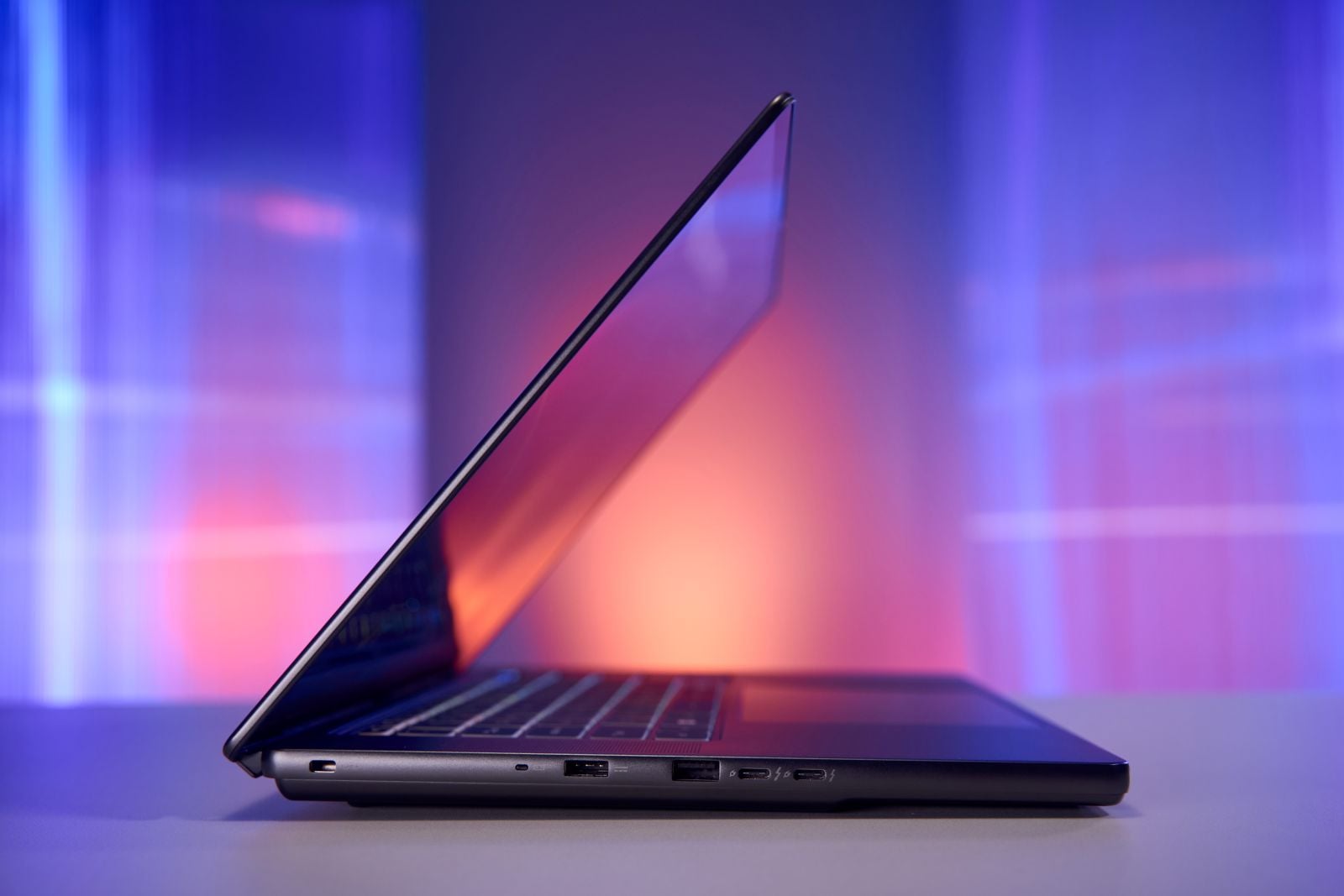
<p>Despite its slim figure, the Stealth 16 AI+ has enough portage to cover most gaming and productivity needs. In total, you have a pair of USB-A 3.2 Gen 2 ports along with two Thunderbolt 4 ports and HDMI 2.1. A Gigabit Ethernet port and a headset jack round out the lineup.</p>
<p><img alt="MSI Stealth 16 AI+ side view showing hdmi, USB-A, and two USB-C ports" class="imagecenter" src="https://www.techlicious.com/images/computers/msi-stealth-16-ai-plus-ports-670px.jpg" style="width: 670px; height: 377px;" /></p>
<p>As far as connectivity goes, you have a 802.11 be Wi-Fi 7 card, which is the latest wireless standard along with Bluetooth v6.</p>
<h2>Keyboard and Usability</h2>
<p>The Stealth 16 AI+&rsquo;s keyboard has the right amount of spring and click to make typing a good tactile and audible experience. Whether I was typing or frantically spamming out moves, I never felt my fingers bottom out. The keys are big enough to accommodate most fingers and the backlighting is nice and bright. I could read every key when I was doing a bit of late-night work in my darkened bedroom.</p>
<p><img alt="MSI Stealth 16 AI+ keyboard closeup showing generous spacing and colored led glow" class="imagecenter" src="https://www.techlicious.com/images/computers/msi-stealth-16-ai-plus-keyboard-670px.jpg" style="width: 670px; height: 377px;" /></p>
<p>Speaking of lighting, the Stealth 16 AI+&rsquo;s keyboard consists of four lighting zones that can be configured manually in the MSI Center app. Or you can use one of the six preset options. You can create up to three separate lighting profiles.</p>
<p>The trackpad offers excellent palm rejection and near instantaneous response for regular navigation or multitouch gestures like pinch-zoom and three-finger tap and swipe.</p>
<h2>Webcam</h2>
<p>Throughout the course of this review, I took more than a few test shots with the 1080p webcam and took a few video calls. The integrated shooter did a good job with the color, particularly in this shot of my teal blue shirt. It even captured the faded color in my locks. People on the video calls reported a clear image along with loud, clear audio thanks to the integrated array microphones. AI Noise Cancellation can be enabled either in the Nahimic app or MSI Care.</p>
<p><img alt="MSI Stealth 16 AI+ webcam showing Sherri Smith smiling at camera" class="imagecenter" src="https://www.techlicious.com/images/computers/msi-stealth-16-ai-plus-webcam-670px.jpg" style="width: 670px; height: 377px;" /></p>
<h2>Gaming&nbsp;</h2>
<p>The Stealth 16 AI+ has an Nvidia GeForce RTX 5060 GPU with 8GB of VRAM. It&rsquo;s a step up from the entry-level 5050 chipset. And while not as powerful as say a 5070 or 5080, I have to say, I played most of my games without having to make any adjustments to the settings. Now there are some games like <em>Cyberpunk 2077</em> and <em>Black Myth: Wukong</em> that are just that graphically demanding, but outside of notching the rendering detail down from Ultra to High (Cinematic to High for <em>Black Myth</em>), more often than not I saw frame rates that would make many a gamer happy.</p>
<p>So let&rsquo;s start with the two aforementioned games. The Stealth 16 AI+ gave 47 frames per second when I ran the in-game benchmark for <em>Cyberpunk 2077</em> at 1600p on High without DLSS (Deep Learning Super Sampling) or ray tracing enabled. The number dropped to 38 fps with everything enabled. However, that&rsquo;s still a playable result. Lowering the resolution to 1080p produced a result of 77 fps without ray tracing and DLSS and 56 fps with everything enabled.</p>
<p>During the <em>Black Myth: Wukong</em> benchmark I saw a frame rate of 49 fps sans DLSS and ray tracing and 96 fps with all the bells and whistles at native resolution at High. Ramping down to 1200p, the Stealth 16 AI+ achieved 87 fps and 102 fps (ray tracing and DLSS), respectively.</p>
<p><em>Hitman: World of Assassination</em> rounded out my testing triumvirate. At 1600p on high, the Stealth 16 AI+ notched 82 fps without effects and 104 fps with everything enabled at High settings. At 1080p resolution, the Stealth 16 AI+ reached 105 fps (no ray tracing or DLSS) and 128 fps.</p>
<p>When you're not gaming or engaging in some other GPU-heavy activity, the Stealth 16 AI+ will lean on the integrated Intel Graphics GPU.</p>
<h2>Performance</h2>
<p>At any given time, I&rsquo;m hopping between a gaggle of Google Chrome tabs, watching a YouTube video, digging through data-heavy spreadsheets, or trying to edit photos and videos. More often than not, I&rsquo;m doing one of those things with everything else still running in the background. Systems with lesser components might buckle under the workload, but not the Stealth 16 AI+</p>
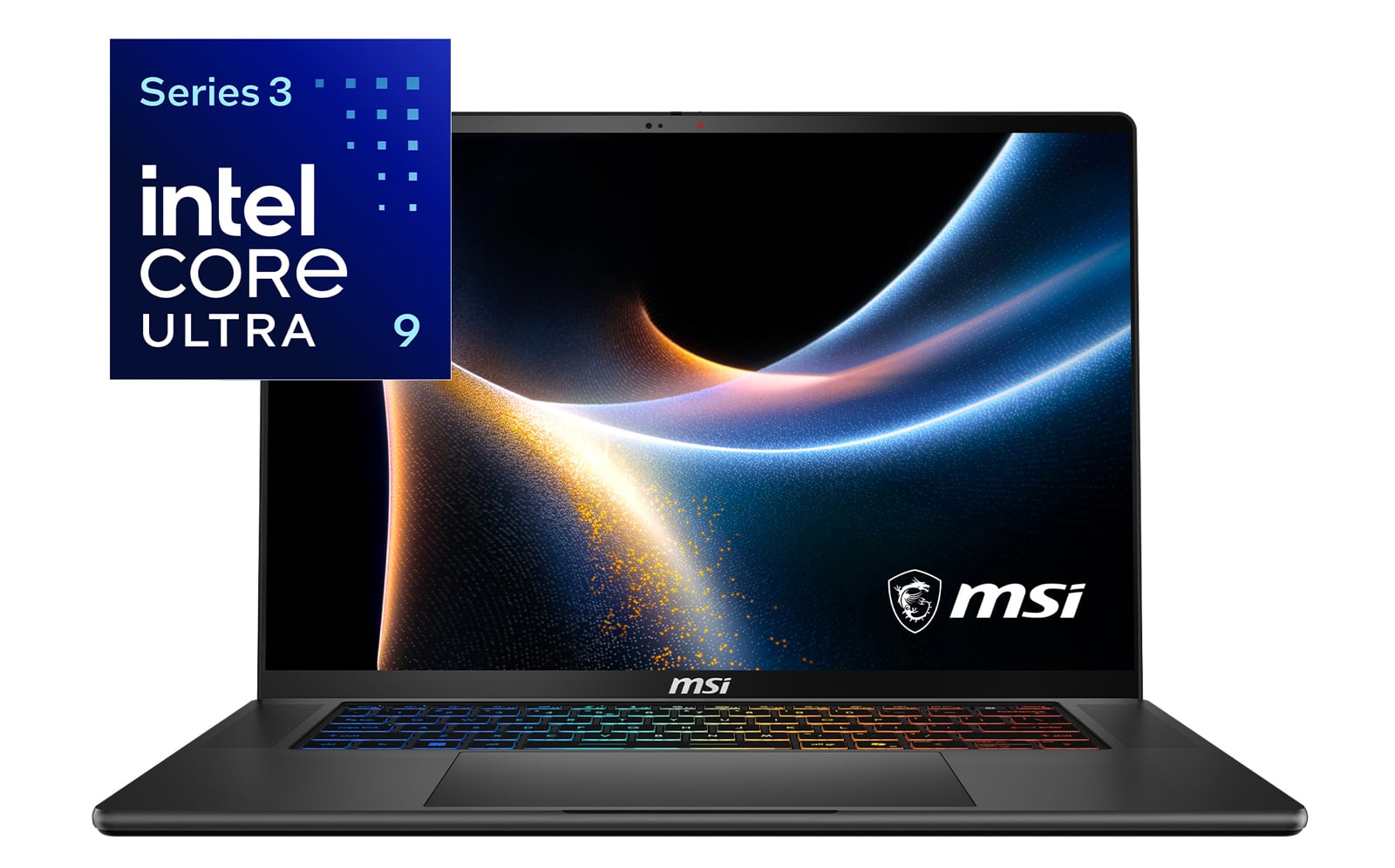
<p>Equipped with an Intel&reg; Core&trade; Ultra 9 Processor 386H, the Stealth 16 AI+ can handle most productivity and creative tasks with ease. Designed for use in high-end gaming rigs and productivity laptops, the 386H puts an emphasis on performance and AI capabilities without sacrificing efficiency.&nbsp; In fact, the integrated NPU can reach speeds up to 50 TOPS, placing it in the upper echelon of AI machines.</p>
<p><img alt="MSI Stealth 16 AI+ with powered by Intel Core Ultra 9 Series 3 language and logo" class="imagecenter" src="https://www.techlicious.com/images/computers/msi-stealth-16-ai-plus-intel-logo-670px.jpg" style="width: 670px; height: 447px;" /></p>
<p>So I unleashed my typical workload: 75 Google Chrome tabs laden with multiple G-Suite apps, several news, entertainment, and social media sites. I also encoded a 10-minute 4K video to 1080p. Although there was some slowdown when I threw the video encoding into the mix, without it, the Stealth 16 AI+ plowed through everything else.</p>
<p>But outside of gaming and working on big projects, the MSI Stealth 16 AI+ is great for something else: AI. I mean, it's in the name, so a little anticlimactic, I know. Still the Stealth 16 AI+ comes out the gate swinging when it comes to local AI, generative AI, and creative workflows.&nbsp;</p>
<p>So when it's time to bust out those resource-intensive tasks such as batch processing 60 photos in RAW in ComfyUI, the Stealth 16 AI+ nimbly rose to the challenge. The notebook can also handle heavy duty image generation with apps like FLUX.1 and Stable Diffusion.&nbsp;</p>
<p>And for the AI developers and roboticists in the building, the Stealth 16 AI+ can handle your simulation and engineering needs with programs like NVIDIA Isaac Sim and ROS 2 in play. Since it's a more graphically demanding task, the GPU will assist in the heavy lifting.&nbsp;</p>
<p>And last, but certainly not least you've got the LLM workflows or should I say the Stealth 16 AI+ has them. The laptop is more than capable of running LLMs and local AI agents via software such as Llama, LM Studio, and Ollama. All in all, the Stealth 16 AI+ is your portable one-stop shop for all things AI.&nbsp;</p>
<h2>Battery Life</h2>
<p>Since it's designed to be more mobile than some of its bigger brothers, the Stealth 16 AI+ also offers a better battery life. The notebook lasted 6 hours and 11 minutes on the PCMark Office Productivity battery test (continuous cycle of web browsing, spreadsheets, documents, social media scrolling, and video conferencing) at 50% brightness. I also ran the PCMark Gaming battery test, which runs a simulated gaming scenario on loop. The laptop ran for 4 hours and 27 minutes.</p>
<h2>Verdict</h2>
<p>Usually, when you're looking for a laptop that can deliver on power whether it's gaming, content creation or productivity, you're relegated to some chonky beast. Not with the MSI Stealth 16 AI+ B3WF. No, this is a laptop that thumbs its nose at preconceived notions and confidently says &ldquo;If you need it, I got it.&rdquo;</p>
<p>Weighing a mere 4.3 pounds, the Stealth 16 AI+ is ready to go wherever mobile professionals, gamers, and content creators are and bring a surprising level of power. Thanks to its Intel&reg; Core&trade; Ultra 9 processor, the laptop is a legitimate workhorse handling assignments with ease. And its NVIDIA RTX 50 Series GPU, while not the strongest in the lineup, has no punching above its weight class with high frame rates on some of the more graphically demanding games on the market. It's also more than capable of handling any photo or video editing tasks as well as any AI-heavy projects.</p>
<p>Ultimately, if you&rsquo;re looking for a powerhouse of a laptop that offers plenty of power without the usual heft, you can&rsquo;t go wrong with the <a href="https://msi.gm/S4034017">MSI Stealth 16 AI+ B3WF</a>.</p>
<h2>FAQ</h2>
<h3>Is the MSI Stealth 16 AI+ B3WF suitable for professional gaming?</h3>
<p>Yes. Thanks to its Nvidia GeForce RTX 5060 GPU and OLED QHD display the MSI Stealth 16 AI+ B3WF is suitable for professional gaming. If you want more gaming performance, the Stealth 16 AI+ is also available with a 5080 GPU.</p>
<h3>How portable is the MSI Stealth 16 AI+ B3WF for mobile professionals?</h3>
<p>The Stealth 16 AI+ is very portable. It only weighs 4.3 pounds, which is approximately as much as your average thin-and-light laptop, making it easy to take along on commutes both long and short.</p>
<h3>Does the MSI Stealth 16 AI+ B3WF have enough ports for gaming and professional peripherals?</h3>
<p>Yes. The Stealth 16 AI+ has plenty of ports that can be used for gaming or professional tasks including two USB-A 3.2 Gen 2 ports with two Thunderbolt 4 ports, HDMI 2.1, Gigabit Ethernet, and a headset jack.</p>
<h3>How does the MSI Stealth 16 AI+ B3WF perform with graphically demanding games like <em>Cyberpunk 2077</em>?</h3>
<p>The Stealth 16 AI+ can handle the rigors of a demanding gaming like <em>Cyberpunk 2077</em> and other GPU-taxing titles. Keep in mind that for the best performance, you might have to tweak a few settings.</p>
<h3>Does the MSI Stealth 16 AI+ B3WF offer good battery life for productivity tasks?</h3>
<p>Yes. During our testing, we found that the Stealth 16 AI+ lasted over 6 hours performing mixed productivity tasks. Gaming produced a shorter result of almost 5 hours.</p>
<h3>Can the MSI Stealth 16 AI+ B3WF handle intensive tasks like 4K video editing and Photoshop?</h3>
<p>Yes. The MSI Stealth 16 AI+ B3WF can handle 4K video editing as well as photo editing in Photoshop or any other editing software.</p>
<h3>What type of display does the MSI Stealth 16 AI+ B3WF feature, and is it good for media consumption?</h3>
<p>The MSI Stealth 16 AI+ B3WF has a 16-inch, QHD (2560 x 1600) non-touch OLED display. The OLED panel delivers vibrant, punchy color with deep contrasts and sharp detail that make it great for watching movies or gaming.</p>
      ]]></content>
    </entry>


    <entry>
      <title>How to Check Your Amazon Gift Card Balance</title>

      <link rel="alternate" type="text/html" href="https://www.techlicious.com/tip/how-to-check-your-amazon-gift-card-balance/" />

      <id>tag:techlicious.com,2026:/www.techlicious.com/tip/6.6694</id>
      <published>2026-07-08T18:50:01Z</published>
      <updated>2026-07-08T18:59:02Z</updated>

      <author>
        <name>Suzanne Kantra</name>
        <uri>https://www.techlicious.com/about/</uri>
      </author>

            <media:content url="https://www.techlicious.com/images/misc/holding-amazon-gift-card-1600px.jpg" medium="image" type="image/jpeg" />
      <media:thumbnail url="https://www.techlicious.com/images/misc/holding-amazon-gift-card-1600px.jpg" />
      

      <category term="Tips &amp; How&#45;Tos"
        scheme="https://www.techlicious.com/tips-how-to/"
        label="Tips &amp; How&#45;Tos" />

      <category term="Shopping"
        scheme="https://www.techlicious.com/shopping/"
        label="Shopping" />

      <summary type="html"><![CDATA[
<p>Check the balance on any Amazon gift card, whether it's already on your account, one you bought, one someone gave you, or has a damaged claim code.</p>
      ]]></summary>

      <content type="html"><![CDATA[
  <div class="captioncenter"><img alt="Hand holding an Amazon gift card with the Amazon smile logo." src="https://www.techlicious.com/images/misc/holding-amazon-gift-card-670px.jpg" style="width: 670px; height: 420px;" />
<p align="left"><a href="http://www.bigstockphoto.com/image-352866029/stock-photo-washington%2C-d-c-usa-february-20%2C-2020%3A-a-hand-holds-a-%2450-amazon-gift-card%2C-a-which-allows-the" target="_blank"> <span style="font-size: 80%;">BigStockPhoto</span></a></p>
</div>
<p><em>Updated 7/7/2026 with a breakdown by card type, the current customer service reality, and what to do with a damaged claim code. Additional reporting by Palash Volvoikar.</em></p>
<p>I'm constantly getting Amazon gift cards as a thank-you from people, which I love, because I know I'll actually use them. But sometimes the card doesn't have an amount printed on it, so I don't really know what I'm holding. You might be in the same spot. Maybe someone gave you a card, or you want to pass one along to someone else, and you'd like to confirm the value before you do anything with it.</p>
<p>The good news is that checking a balance is usually quick, and seeing what a card holds doesn't mean you have to spend it. Let me walk through every situation, from a balance that's already on your account to a mystery card you just unwrapped.</p>
<h2>How Amazon gift cards work</h2>
<p>Whenever you receive an Amazon gift card, whether a physical card or ecard through email, it will have a unique code associated with it. When you redeem an Amazon gift card, the money is applied to your overall gift card balance on Amazon.</p>
<p>If you have money in your gift card fund, Amazon will automatically use the gift card balance for your purchase. So when you're shopping on Amazon, you don't have to remember to use your Amazon gift card, unlike <a href="https://www.techlicious.com/tip/how-to-use-mastercard-visa-amex-gift-card-on-amazon/">using Visa or Amex gift cards on Amazon</a>.</p>
<p>And if you want to save your gift card funds for specific purchases, you can opt out of using your gift card money. In the &quot;Choose a payment method&quot; section when checking out, click on &quot;Change&quot; or &quot;Change a Payment Method,&quot; scroll down, and uncheck or toggle off &quot;Use your gift card balance.&quot;</p>
<h2>How to check an Amazon gift card balance that's already on your account</h2>
<p>If the card has already been added to your account, or you just want to see your running total, this takes about ten seconds. On the web, go to Amazon.com, click &quot;<a href="https://amzn.to/3GUFm0m" id="Amazon link to Account &amp; Lists" target="_blank">Account &amp; Lists</a>&quot; in the upper right, choose &quot;Account,&quot; then select &quot;Gift Cards.&quot; You'll see your Gift Card Balance at the top and your Gift Card Activity below. That activity list shows every card you've claimed and every time your balance was used for a purchase, which is also how you can confirm that a code you entered actually went through.</p>
<p><img alt="Amazon website screenshot of the Gift Card Balance screen showing a balance of $0.00, the option to reload your balance or redeem a gift card, and a list of gift card activities including purchases and redeeming gift cards.  " src="https://www.techlicious.com/images/misc/amazon-gift-card-balance-26-670px.jpg" style="width: 670px; height: 418px;" /></p>
<div class="captioncenter">
<p align="left"><span style="font-size: 80%;">Suzanne Kantra/Techlicious</span></p>
</div>
<p>To do the same in the Amazon app, tap the Account icon (the little person) in the bottom navigation bar, then scroll down to Gift Card Balance to see your total. Tap &quot;Gift Card Balance,&quot; and you can see when each card was claimed and when funds were spent.</p>
<div class="captioncenter"><img alt="Two screenshots of the Amazon app. On the left is the home page with the Account icon circled. On the right you see the Account screen with the Gift Card Balance screen showing a $0.00." src="https://www.techlicious.com/images/misc/amazon-gift-card-balance-app-26-670px.jpg" style="width: 500px; height: 531px;" />
<p align="left"><span style="font-size: 80%;">Suzanne Kantra/Techlicious</span></p>
</div>
<h2>How to check an Amazon gift card you bought without redeeming it</h2>
<p>Here's a handy trick a lot of people miss. If you bought the card yourself through Amazon, you can look up its value without adding it to anything. This is Amazon's own documented method. Go to Your Orders, find the gift card order, and compare the 16-digit serial number listed in the order details (it sits right beside the gift card amount) against the serial number on the back of the card. That tells you which card it is and exactly what it's worth.</p>
<p>Note that it's the serial number doing the matching here, not the claim code, and this only works for cards purchased on your own account. The serial number is basically an ID tag for the physical card, so you can't type it into Amazon to pull up a balance on its own. It only helps when you can match it back to your own order.</p>
<h2>How to check an Amazon gift card someone gave you</h2>
<p>This is the trickier one. Amazon won't show you the balance of a gift card you didn't buy until it's been added to an account, and there's no page where you can enter a code just to peek at the value first. So for a card someone handed you, the simplest way to see what it holds is to add it to your account. That sounds like a commitment, but it really isn't. The money doesn't get spent. It just moves into your balance and waits there until you want it.</p>
<p>If you specifically don't want to add it, say you're planning to regift the card, your options get thin. You can try calling Amazon customer service, but be warned: it's hit-or-miss. Some people reach an agent who is willing to look up the balance, and plenty of others are told it isn't something they can do. If you want to try, sign in first, since the call-me and chat options only appear once you're logged in, and ask for a live person, because the chatbot can't help with this.</p>
<p><strong>Read more</strong>: <em><a href="https://www.techlicious.com/tip/how-to-reach-amazon-customer-service-a-complete-guide/">How to reach Amazon customer service</a></em></p>
<h2>If your Amazon gift card claim code is damaged or unreadable</h2>
<p>If you scratched off the coating a little too hard and part of the claim code is missing, don't sit there guessing at the digits. Contact Amazon customer service and explain what happened. They'll ask for the 16-digit or 30-digit serial number on the back of the card, plus the order number if the card was bought on Amazon.com, so have that handy. With those details, they can usually track down the card and either sort out a working code or apply the funds to your account for you.</p>
<h2>A couple more things people ask</h2>
<h3>Can I stop Amazon from automatically applying my gift card balance to purchases?</h3>
<p>Yes. At checkout, click &quot;Change a Payment Method&quot; and toggle off &quot;Use your gift card balance.&quot; That way you can save it for something specific instead of having it eaten up on your next order of paper towels.</p>
<h3>Do Amazon gift cards expire?</h3>
<p>No. Once a balance is on your account, it sits there until you spend it.</p>
<h3>Can I use an Amazon gift card to buy another gift card?</h3>
<p>No. Amazon's terms specifically prohibit using your gift card balance to buy other gift cards, including Amazon gift cards.</p>
<p><strong>Read next</strong>: <a href="https://www.techlicious.com/tip/amazon-haul-vs-temu-shein/" target="_blank"><em>Is Amazon Haul worth it? How it compares to Temu and Shein</em></a></p>
      ]]></content>
    </entry>


    <entry>
      <title>Fake recruiters from Adidas, Netflix, Adobe are stealing passwords</title>

      <link rel="alternate" type="text/html" href="https://www.techlicious.com/blog/fake-google-login-popup-recruiter-phishing-scam/" />

      <id>tag:techlicious.com,2026:/www.techlicious.com/blog/1.8474</id>
      <published>2026-07-07T20:25:24Z</published>
      <updated>2026-07-07T20:26:25Z</updated>

      <author>
        <name>Suzanne Kantra</name>
        <uri>https://www.techlicious.com/about/</uri>
      </author>

            <media:content url="https://www.techlicious.com/images/computers/woman-checks-email-on-phone-concept-1200px.jpg" medium="image" type="image/jpeg" />
      <media:thumbnail url="https://www.techlicious.com/images/computers/woman-checks-email-on-phone-concept-1200px.jpg" />
      

      <category term="News"
        scheme="https://www.techlicious.com/blog/category/news/"
        label="News" />

      <category term="Computers and Software"
        scheme="https://www.techlicious.com/blog/category/computers-software/"
        label="Computers and Software" />

      <category term="Computer Safety &amp; Support"
        scheme="https://www.techlicious.com/blog/category/safety-support/"
        label="Computer Safety &amp; Support" />

      <category term="Blog"
        scheme="https://www.techlicious.com/blog/category/blog/"
        label="Blog" />

      <summary type="html"><![CDATA[
<p>Scammers are posing as recruiters from Adidas, Netflix, and other major brands to trick job seekers into revealing their Google credentials.</p>
      ]]></summary>

      <content type="html"><![CDATA[
  <div class="captionright"><img alt="A concept image shows a woman checking her phone for new email." class="imagecenter" src="https://www.techlicious.com/images/computers/woman-checks-email-on-phone-concept-670px.jpg" style="width: 670px; height: 377px;" />
<p><span style="font-size: 80%;">Suzanne Kantra/Techlicious generated by ChatGPT</span></p>
</div>
<p>Security researchers just uncovered a phishing operation that has run for five months, dangling fake job offers at well-known brands to steal people's Google passwords. If you're job hunting, or even just the kind of person who keeps half an eye on LinkedIn, this is one to be on guard against.</p>
<p><a href="http://www.bleepingcomputer.com/news/security/phishing-poses-as-big-brand-job-interview-to-steal-google-accounts/">BleepingComputer</a> broke the story yesterday, based on research by threat intelligence firm Team Cymru. The scale here is broader than most phishing campaigns that cross my desk. Attackers are impersonating recruiters at more than 30 real companies, including Adidas, Netflix, Adobe, Coca-Cola, OpenAI, Marriott, FIFA, and McKinsey, all to target marketing professionals with fake job offers.</p>
<p>In one documented case, the phishing email arrived under the name of a real Adidas recruiter, complete with her actual photo, lifted from LinkedIn. The email asks you to schedule a call about a marketing role. Click the link, and you land on a domain built to look official, something like adidas-hiring[.]com, where you're asked to sign in with your Google account before you can book the meeting.</p>
<p>The &quot;Sign in with Google&quot; pop-up that appears isn't a real browser pop-up. It's HTML and CSS built directly into the phishing page, designed to look exactly like the separate authentication window Google normally shows you. Security researchers call this a browser-in-the-browser attack, or BitB. There's no second window and no real address bar, just a convincing illustration of one, sitting on top of the fake job page.</p>
<p>The usual advice, verify the URL in the address bar before you enter your information, gets thrown for a loop here. The fake popup is drawn to include what looks like one, showing &quot;accounts.google.com&quot; even though the real address bar behind it still says adidas-hiring[.]com or whatever domain the attacker is using that week.</p>
<p>Since checking the address bar won't help, try a different test: drag the pop-up. A genuine browser window will move independently if you click and drag its title bar outside the edge of the browser. A fake one, because it's just an image rendered inside the page, stays locked in place or gets cut off at the browser's edge. It's a physical test that works even when you're too rushed or too excited about a job lead to scrutinize a URL.</p>
<p>The redirect chain that leads you to the fake login page also explains how the campaign went unnoticed for so long. It bounces through PeopleForce, a legitimate cloud-based HR platform, then through a domain tied to Salesforce's Marketing Cloud service, then through Wise Agent, a real estate CRM tool. None of those services did anything wrong. Attackers are simply routing traffic through trusted platforms so that nothing in the chain looks suspicious to email filters or a wary recipient glancing at a link.</p>
<p>The same instincts that have always applied to recruiter outreach still hold here. A real recruiter from Adidas or Netflix isn't going to interview you cold over email with no prior contact, and they're certainly not going to require you to sign into your Google account just to schedule a phone call.</p>
<p>If you use a password manager, this campaign is a good reminder of why that policy pays off. Password managers only autofill credentials on the real saved URL for the site. On a lookalike domain like adidas-hiring[.]com, your password manager won't offer to fill anything in, which is an immediate warning that something is wrong.</p>
<p>If you've received one of these emails and already entered credentials on one of these pages, change your Google password immediately on your <a href="https://myaccount.google.com/security">Google Account security page</a> and set up <a href="https://www.techlicious.com/tip/two-factor-authentication-explained-safest-ways-to-protect-your-accounts/">two-factor authentication (2FA)</a> if you haven't done so already. An account protected by 2FA keeps attackers out even if your password is stolen. Then, in the &ldquo;Your devices&rdquo; section, check the list of connected devices for anything unfamiliar. Click any unfamiliar device to see when and where it last connected, then click &ldquo;Sign out on device.&rdquo; If you&rsquo;re at all unsure, sign out of the device. If you own it, you can always sign in again.</p>
<p><strong>Read next</strong>:&nbsp;<a href="https://www.techlicious.com/guide/best-password-managers/"><em>The best password managers to protect your accounts</em></a></p>
      ]]></content>
    </entry>


    <entry>
      <title>Passive income apps like Honeygain are routing criminal traffic</title>

      <link rel="alternate" type="text/html" href="https://www.techlicious.com/blog/honeygain-passive-income-apps-criminal-traffic/" />

      <id>tag:techlicious.com,2026:/www.techlicious.com/blog/1.8468</id>
      <published>2026-07-07T02:51:17Z</published>
      <updated>2026-07-07T02:52:18Z</updated>

      <author>
        <name>Suzanne Kantra</name>
        <uri>https://www.techlicious.com/about/</uri>
      </author>

            <media:content url="https://www.techlicious.com/images/phones/phone-with-honeygain-logo-1200px.jpg" medium="image" type="image/jpeg" />
      <media:thumbnail url="https://www.techlicious.com/images/phones/phone-with-honeygain-logo-1200px.jpg" />
      

      <category term="News"
        scheme="https://www.techlicious.com/blog/category/news/"
        label="News" />

      <category term="Phones and Mobile"
        scheme="https://www.techlicious.com/blog/category/phones-mobile/"
        label="Phones and Mobile" />

      <category term="Mobile Apps"
        scheme="https://www.techlicious.com/blog/category/mobile-apps/"
        label="Mobile Apps" />

      <category term="Blog"
        scheme="https://www.techlicious.com/blog/category/blog/"
        label="Blog" />

      <category term="Privacy"
        scheme="https://www.techlicious.com/blog/category/protecting-your-privacy/"
        label="Privacy" />

      <summary type="html"><![CDATA[
<p>Investigators found traffic from a sanctioned Russian bank flowing through Honeygain. Here's why passive income apps could expose you to legal risk</p>
      ]]></summary>

      <content type="html"><![CDATA[
  <div class="captionleft"><img alt="Concept image of a phone with the Honeygain bee on the screen." class="imagecenter" src="https://www.techlicious.com/images/phones/phone-with-honeygain-logo-670px.jpg" style="width: 670px; height: 377px;" />
<p><span style="font-size: 80%">Suzanne Kantra/Techlicious generated by ChatGPT</span></p>
</div>
<p>A growing number of apps promise to pay you for something you didn't know was valuable: your idle internet bandwidth. Install the app, let it run in the background, and earn a little cash while your connection sits unused. It sounds harmless, even smart. But new research from the <a href="https://resproxy.digitalcitizensalliance.org/">Digital Citizens Alliance and cybersecurity firm risk3sixty</a> found that criminal traffic was routed through some of these apps, and if the FBI investigates, that could lead agents to your front door.</p>
<p>The researchers uncovered the pattern by installing an app called Honeygain and watching their own connection for several days. What showed up was traffic linked to Tinkoff Bank, now operating as T-Bank, an institution sanctioned by the U.S. Treasury Department, suggesting T-Bank or a reseller working on its behalf was paying to route its traffic through an ordinary household's internet connection.</p>
<p>To Honeygain's credit, the investigators found no evidence that the company knows how its network gets used once it's sold. Honeygain isn't running a criminal operation; it built a business selling access to your internet connection and, as far as anyone can tell, doesn't check what happens to that access afterward.</p>
<p>Security firm <a href="https://www.trendmicro.com">Trend Micro</a> reached the same conclusion in earlier research on Honeygain and similar apps. It documented shady and outright malicious activity moving through these networks, with no sign anyone was screening what got sent out. Trend Micro's term for this category of app is &quot;riskware.&quot; Not quite malware, but software that offloads its risk onto you without ever showing you that risk exists.</p>
<h2>Why is a residential IP address worth so much to a criminal?</h2>
<p>Fraud detection systems have long worked on a simple assumption: traffic from a data center &ndash; the kind of large commercial server farm bots run from &ndash; is probably fake, so systems block it or challenge it. Traffic from a residential address &ndash; the kind Comcast or Verizon assigns to an actual house &ndash; is probably a real customer, so it gets waved through. That gap between how the two are treated is what makes your home internet address valuable to criminals. Route their activity through a real home connection, and they look exactly like the ordinary people that fraud systems are built to trust.</p>
<p>That's what fuels a growing underground market where criminals rent access to home internet connections the same way they'd rent server space, and apps like Honeygain feed directly into it. The investigators tested seven companies that sell this kind of access and found that, on average, 85 percent of the connections being sold had already been flagged for fraud or suspicious activity by <a href="https://www.ipqualityscore.com/">IPQualityScore</a>, a tool companies use to check whether an internet address has a history of scams or abuse. Over 80 percent of those flagged connections traced back to homes rather than data centers.</p>
<p>If you or your kids are running Honeygain or a similar app for pocket money, I recommend uninstalling it. You have no way of knowing who's using your connection or for what. If your home internet address ever gets tied to fraud or a stolen-login scheme, the trail leads back to your name, not to whoever paid for the access.</p>
<p>It only takes seconds to check whether your home&rsquo;s IP address is currently registered as a proxy node. Spur, an internet intelligence firm, offers a free public tool at <a href="https://spur.us/me">spur.us/me</a> that checks whether your home IP address is currently registered as a proxy node. <a href="https://check.labs.greynoise.io/">GreyNoise IP Check</a> provides a similar analysis. If your address shows up as a known proxy node, look for and uninstall passive income apps, and run the test again to confirm your IP is no longer showing as compromised.</p>
<p><strong>Read next</strong>: <a href="https://www.techlicious.com/guide/best-antivirus-software/"><em>The Best antivirus software 2026: free and paid picks</em></a></p>
      ]]></content>
    </entry>


    <entry>
      <title>Things to Check Before Buying an eSIM for Travel in Canada</title>

      <link rel="alternate" type="text/html" href="https://www.techlicious.com/blog/things-to-check-before-buying-an-esim-for-travel-in-canada/" />

      <id>tag:techlicious.com,2026:/www.techlicious.com/blog/1.8473</id>
      <published>2026-07-06T21:47:13Z</published>
      <updated>2026-07-06T21:48:14Z</updated>

      <author>
        <name>Nomad eSim</name>
        <uri>https://www.techlicious.com/about/</uri>
      </author>

            <media:content url="https://www.techlicious.com/images/phones/banff-toronto-hero.jpg" medium="image" type="image/jpeg" />
      <media:thumbnail url="https://www.techlicious.com/images/phones/banff-toronto-hero.jpg" />
      

      <category term="News"
        scheme="https://www.techlicious.com/blog/category/news/"
        label="News" />

      <category term="Partner Content"
        scheme="https://www.techlicious.com/blog/category/sponsored/"
        label="Partner Content" />

      <category term="Phones and Mobile"
        scheme="https://www.techlicious.com/blog/category/phones-mobile/"
        label="Phones and Mobile" />

      <category term="Travel"
        scheme="https://www.techlicious.com/blog/category/travel/"
        label="Travel" />

      <category term="Blog"
        scheme="https://www.techlicious.com/blog/category/blog/"
        label="Blog" />

      <summary type="html"><![CDATA[
<p>Before buying a Canada eSIM, check network coverage, data allowance, validity dates, device compatibility, speed, cost, and customer support.</p>
      ]]></summary>

      <content type="html"><![CDATA[
  <h1><img alt="Woman with cellphone in front of Toronot skyline and Banff mountains" class="imagecenter" src="https://www.techlicious.com/images/phones/banff-toronto-hero-670.jpg" style="font-size: 12px; width: 670px; height: 377px;" /></h1>
<p>Canada offers a mix of urban sophistication and natural beauty, from the bustling streets of Toronto to the calm landscapes of Banff National Park. Travel across such vast regions requires careful preparation to ensure smooth movement between destinations. Reliable connectivity supports navigation, communication, and access to essential services during the journey. Thoughtful planning helps avoid disruptions that may affect the travel experience.</p>
<p>During trip planning, many travelers include a <a href="https://www.nomadesim.com/canada-eSIM" rel="sponsored">Canada eSIM</a> to ensure reliable access throughout their journey. Each choice requires careful evaluation to match personal travel habits and expected usage patterns. Small details can influence convenience, cost, and satisfaction during the trip. The following sections highlight key factors that deserve attention before making a final decision.</p>
<h2>Network coverage across urban and rural areas</h2>
<p>Canada spans large geographical regions that include both busy cities and remote landscapes. Coverage quality may vary between downtown Toronto and northern territories. Travelers move between locations with different signal strengths and availability. Reliable access remains essential for navigation and communication throughout the journey.</p>
<p>Checking coverage maps helps ensure service remains consistent in planned destinations. Areas like national parks may experience limited connectivity compared to urban centers. Understanding coverage differences reduces unexpected disruptions during travel. Strong network reach supports smoother movement across varied regions.</p>
<h2>Data allowance suitable for travel duration</h2>
<p>Travel duration plays a major role when selecting an appropriate data allowance. Short trips require smaller data plans compared to extended stays across multiple cities. Daily habits such as browsing, navigation, and messaging influence total usage. Travelers who share photos or stream content need higher allowances.</p>
<p>Limited plans may suit those who rely on <a href="https://www.techlicious.com/tip/how-to-protect-your-privacy-on-public-wifi-networks/">Wi-Fi in hotels or caf&eacute;s</a> in Canada. Selecting the right amount prevents both shortages and unnecessary expenses. Balanced data ensures smooth access to essential services during the trip. Careful estimation helps maintain consistent connectivity throughout the journey.</p>
<h2>Validity period aligned with itinerary plans</h2>
<p>Plan validity should match the length of the travel schedule accurately. A short visit may require only a few days of active service. Longer itineraries across cities like Vancouver and Montreal need extended validity periods. Expired plans can disrupt communication during important moments.</p>
<p>Checking activation timelines ensures service starts at the right time. Some plans begin immediately after purchase, while others activate later. Matching validity with travel dates avoids gaps in connectivity. Proper timing supports a seamless travel experience from start to finish.</p>
<h2>Device compatibility with modern network systems</h2>
<p>Not all devices support every connectivity option available in different regions. Checking compatibility ensures the device functions correctly with selected plans. Modern smartphones usually support advanced connectivity features, but verification remains important. Incompatible devices may lead to service issues or limited functionality.</p>
<p>Confirming device specifications prevents unnecessary inconvenience during travel in Canada. Travelers should review compatibility details before making any purchase decision. Proper device support ensures smooth access to data services throughout the journey. This step helps avoid technical disruptions during important moments.</p>
<h2>Speed performance for daily online tasks</h2>
<p>Speed plays an important role in supporting daily digital activities during travel. Navigation tools require quick updates to provide accurate directions. Messaging applications depend on stable speed for smooth communication. Slow connections may affect browsing and access to essential information.</p>
<p>Travelers who rely on streaming or video calls need higher performance levels. Checking speed expectations helps avoid frustration during usage. Consistent performance ensures efficient access to services across locations. Reliable speed improves the travel experience significantly.</p>
<h2>Cost comparison across available plan options</h2>
<p>Budget considerations influence decision-making when selecting suitable connectivity options. Different plans offer varying data allowances, validity periods, and pricing structures. Comparing options helps identify plans that provide better value for money. Travelers should avoid paying for features that remain unused during the trip.</p>
<p>Affordable choices should still meet essential connectivity requirements effectively. Transparent pricing ensures clarity and prevents unexpected charges later. Evaluating cost against usage needs leads to better financial decisions. Smart comparisons help maintain a balance between cost and convenience.</p>
<h2>Customer support availability during the travel period</h2>
<p>Support availability becomes important when unexpected issues arise during the journey. Travelers may need assistance with activation, usage, or troubleshooting. Reliable support ensures quick resolution of problems without long delays. Access to help channels provides reassurance during unfamiliar situations.</p>
<p>Prompt responses help maintain smooth connectivity throughout the trip. Travelers benefit from clear guidance when facing technical challenges. Strong support systems contribute to a more secure travel experience. Assistance availability enhances confidence during international journeys.</p>
<p>Travel across Canada requires careful planning to ensure smooth connectivity throughout diverse regions. Each factor, from coverage to cost, plays a role in shaping the experience. A Canada eSIM becomes easier to evaluate when travelers focus on practical needs and usage patterns. Thoughtful preparation ensures reliable access while maintaining convenience and confidence during the entire journey.</p>
<p>Check prices on cellular data plans for your next trip at <a href="https://lotusflareinc.pxf.io/YV2YKJ" rel="sponsored">Nomad eSim</a>.</p>
<p>[Image credit: Techlicious/ChatGPT]</p>
      ]]></content>
    </entry>


    <entry>
      <title>How to Get Great Fireworks Photos with Your Phone</title>

      <link rel="alternate" type="text/html" href="https://www.techlicious.com/tip/smartphone-photo-tips-for-fireworks/" />

      <id>tag:techlicious.com,2026:/www.techlicious.com/tip/6.8471</id>
      <published>2026-07-03T18:34:46Z</published>
      <updated>2026-07-03T18:36:47Z</updated>

      <author>
        <name>Suzanne Kantra</name>
        <uri>https://www.techlicious.com/about/</uri>
      </author>

            <media:content url="https://www.techlicious.com/images/phones/taking-fireworks-photos-with-phone-concept-1200px.jpg" medium="image" type="image/jpeg" />
      <media:thumbnail url="https://www.techlicious.com/images/phones/taking-fireworks-photos-with-phone-concept-1200px.jpg" />
      

      <category term="Cameras and Photography"
        scheme="https://www.techlicious.com/cameras-photo/"
        label="Cameras and Photography" />

      <category term="Phones and Mobile"
        scheme="https://www.techlicious.com/phones-mobile/"
        label="Phones and Mobile" />

      <category term="Mobile Apps"
        scheme="https://www.techlicious.com/mobile-apps/"
        label="Mobile Apps" />

      <category term="Tips &amp; How&#45;Tos"
        scheme="https://www.techlicious.com/tips-how-to/"
        label="Tips &amp; How&#45;Tos" />

      <category term="Tech 101"
        scheme="https://www.techlicious.com/tech-101/"
        label="Tech 101" />

      <summary type="html"><![CDATA[
<p>Capturing fireworks can be hard if you stick with the auto settings on your smartphone. So, try these simple tricks for photos you'll want to share.</p>
      ]]></summary>

      <content type="html"><![CDATA[
  <div class="captionleft"><img alt="Taking a photo of fireworks using a smartphone on a tripod." src="https://www.techlicious.com/images/cameras/taking-fireworks-photos-with-phone-concept-670px.jpg" style="width: 670px; height: 377px;" />
<p><span style="font-size: 80%;">Suzanne Kantra/Techlicious generated by ChatGPT</span></p>
</div>
<p>I live in New York City, where the 4th of July means fireworks in every direction &ndash; some official, some definitely not. From our apartment, I mostly see the neighborhood displays, which can start with no warning and disappear just as quickly. So I&rsquo;ve learned to set up my phone before I hear the first boom. A few simple settings and a tripod make the difference between blurry bursts and fireworks photos you&rsquo;ll actually want to keep.</p>
<h2>1. Stabilize your phone to minimize camera shake</h2>
<p>Fireworks are easiest to photograph when your phone stays perfectly still. Because the camera keeps the shutter open long enough to capture the burst, even a small movement can create motion blur. For sharper shots, I recommend securing your phone on a tripod or another stable surface and using a Bluetooth remote to take photos without tapping the screen and accidentally shaking the phone.</p>
<p>If you want a small tripod that you can adjust for uneven ground, I like JOBY&rsquo;s products, including their latest model, the <a href="https://amzn.to/4fhoe5B" id="Amazon link to buy JOBY PodZilla" target="_blank">JOBY PodZilla</a> ($39.99). It has flexible arms that can wrap around trees and poles or stand on the ground, plus small suction cups on the arms for gripping smooth surfaces. I also recommend the <a href="https://amzn.to/3QYELSP" id="Amazon link to buy TONEOF tripod" target="_blank">TONEOF 68&rdquo; Tripod</a> ($26.49, usually $29.99), which we use at Techlicious for shooting videos. It&rsquo;s lightweight and easy to set up if you have a flat surface to put it on, and it comes with a Bluetooth remote control.</p>
<p>If you just need a Bluetooth remote, the <a href="https://amzn.to/4p1uoKx" id="Amazon link to buy Xenov Shutterbug Bluetooth remote" target="_blank">Xenov Shutterbug</a> ($18.99) is my pick. It checks all the right boxes: a light to let you know it&rsquo;s paired, a physical on/off switch so you don&rsquo;t run down the battery, and a hand strap.</p>
<h2>2. Turn off the flash in your camera app</h2>
<p>Your phone&rsquo;s flash will not light up fireworks hundreds of feet away. At best, it does nothing; at worst, it lights up smoke, people, or nearby objects and throws off the shot. Turn it off before the show starts.</p>
<p>Look for the lightning-bolt icon in the Camera app. On newer Samsung Galaxy phones running One UI 7 or later, you may need to tap the Quick controls icon first, then tap Flash and choose Flash Off.</p>
<h2>3. Lock focus and exposure on the sky</h2>
<p>By default, your phone&rsquo;s camera automatically tries to find something to focus on. With fireworks, that often means a dark, mostly empty sky while you wait for the next burst. When the sky does light up, autofocus may hunt, shift focus, or react too late. Before the show starts, frame the part of the sky where the fireworks will appear, then lock focus on that area.</p>
<p>On an iPhone, open the Camera app, and press and hold on the sky until you see AE/AF Lock. This locks focus and exposure for the shot. After the first few fireworks go off, check your photo. If the bursts look washed out or too bright, tap and hold to lock focus again, then lower the exposure slightly before taking more shots. On iPhone 16 models and later, you can also use Camera Control to lock focus and exposure: go to Settings &gt; Camera &gt; Camera Control and turn on &ldquo;Lock Focus and Exposure.&rdquo; Then, in the Camera app, lightly press and hold Camera Control until you see AE/AF Lock. Keep your finger on Camera Control to maintain the lock.</p>
<p>For iPhone users who want an easy way to capture fireworks with light trails, the&nbsp;<a href="https://apps.apple.com/us/app/nightcap-camera/id754105884" target="_blank">NightCap Camera</a>&nbsp;app ($2.99) offers a Light Trails mode designed for moving lights. Once you&rsquo;ve turned on Light Trails, use a tripod, set focus on the sky, and tap the shutter button to start and stop capturing the photo.</p>
<p>On a Google Pixel, use the Pixel Camera app to tap where the fireworks will appear and use the Lock control when it appears to hold focus and exposure. After the first burst, adjust exposure only if the fireworks look blown out. On supported Pixel Pro models, Pro Controls let you manually adjust focus, shutter speed, and ISO.</p>
<p>For Samsung Galaxy and other Android phones, I recommend downloading and installing the free <a href="https://play.google.com/store/apps/details?id=net.sourceforge.opencamera&amp;hl=en_US&amp;gl=US" target="_blank">Open Camera</a> app instead of using your preloaded camera app. It offers exposure lock, infinity focus, and other manual controls.</p>
<div class="captionleft"><img alt="A screenshot of the Open Camera app has the exposure lock padlock icon highlighted, the triple dot menu pointed out, and the infinity setting highlighted." src="https://www.techlicious.com/images/cameras/open-camera-app-exposure-lock-infinity-setting-670px.jpg" style="width: 670px; height: 300px;" />
<p>The Open Camera app is easy to set up for fireworks. The padlock icon gives you exposure lock. Tapping the triple dots next to the flash icon (lightning bolt) opens additional features, including infinity focus.<br />
<span style="font-size: 80%;">Suzanne Kantra/Techlicious</span></p>
</div>
<p>If you're an advanced photographer, some Galaxy models have a Pro mode for adjusting settings such as ISO, shutter speed, exposure value, manual focus, and white balance. Exact controls vary by Galaxy model and One UI version, so check your Camera app before the fireworks begin.</p>
<h2>4. Test your setup before the fireworks start</h2>
<p>Set up your phone while there is still some light, make sure the tripod is stable, and pair your Bluetooth remote if you have one. Open your camera app, set the AE/AF lock, turn off the flash, and then take a few test shots of the sky or distant lights. You do not want to spend the best part of the show, as I have in years past, hunting through menus.</p>
<p><em>Updated on 7/3/2026 with new products and tips for current model phones.</em></p>
      ]]></content>
    </entry>


    <entry>
      <title>5 billion Apple and Android devices just became easier to attack</title>

      <link rel="alternate" type="text/html" href="https://www.techlicious.com/blog/airdrop-quick-share-security-setting/" />

      <id>tag:techlicious.com,2026:/www.techlicious.com/blog/1.8470</id>
      <published>2026-07-02T20:21:43Z</published>
      <updated>2026-07-02T20:28:44Z</updated>

      <author>
        <name>Suzanne Kantra</name>
        <uri>https://www.techlicious.com/about/</uri>
      </author>

            <media:content url="https://www.techlicious.com/images/phones/pixel-quick-share-iphone-airdrop-image-received-1200px.jpg" medium="image" type="image/jpeg" />
      <media:thumbnail url="https://www.techlicious.com/images/phones/pixel-quick-share-iphone-airdrop-image-received-1200px.jpg" />
      

      <category term="News"
        scheme="https://www.techlicious.com/blog/category/news/"
        label="News" />

      <category term="Phones and Mobile"
        scheme="https://www.techlicious.com/blog/category/phones-mobile/"
        label="Phones and Mobile" />

      <category term="Mobile Apps"
        scheme="https://www.techlicious.com/blog/category/mobile-apps/"
        label="Mobile Apps" />

      <category term="Android Apps"
        scheme="https://www.techlicious.com/blog/category/android-apps/"
        label="Android Apps" />

      <category term="iPhone/iPad Apps"
        scheme="https://www.techlicious.com/blog/category/iphone-ipad-apps/"
        label="iPhone/iPad Apps" />

      <category term="Blog"
        scheme="https://www.techlicious.com/blog/category/blog/"
        label="Blog" />

      <summary type="html"><![CDATA[
<p>A new security flaw affects AirDrop and Quick Share on over 5 billion devices. Here's the one setting to change right now to protect your phone.&nbsp;</p>
      ]]></summary>

      <content type="html"><![CDATA[
  <div class="captionright"><img alt="A phone shows a photo of a dog sent from an iPhone to a Google Pixel 10 Pro." class="imagecenter" src="https://www.techlicious.com/images/phones/pixel-quick-share-iphone-airdrop-image-received-dog-670px.jpg" style="width: 670px; height: 377px;" />
<p>Take 10 seconds to change your AirDrop or QuickShare settings.<br />
<span style="font-size: 80%;">Suzanne Kantra/Techlicious</span></p>
</div>
<p>A stranger sitting near you at an airport gate, a concert, or a coffee shop can mess with your AirDrop or Quick Share connection without ever touching your phone, sending you a link, or joining your Wi-Fi. They just need to be within about 30 meters, roughly the length of two school buses. If your device is set to accept connections from &quot;Everyone&quot; instead of &quot;Contacts Only,&quot; you're exposed.</p>
<p>Security researchers at Germany's CISPA Helmholtz Center for Information Security found six flaws behind this, spread across AirDrop and Quick Share, the features that beam photos and files to a nearby device with no cables or accounts required. Together, the two systems run on more than five billion iPhones, Android phones, Macs, and Windows PCs.</p>

<p>None of the six flaws let anyone read your texts, pull your photos, or steal your passwords. What they do is give a nearby attacker ways to disrupt your connection, and on iPhones and Macs, the same background service also powers AirPlay, Handoff, Universal Clipboard, and Continuity Camera. Knock that service out and all of those features go down with it, repeatedly, for as long as the attacker keeps at it. It's a genuine hassle, the kind that ruins an afternoon at the airport, but your money and personal data stay untouched.</p>
<p>The fix is the same regardless of which flaw an attacker uses. On an iPhone, open Settings, tap General, then AirDrop, and switch it to Contacts Only or turn receiving off entirely. On Android, open Quick Share and change &quot;Who you can share with&rdquo; to &quot;Contacts,&rdquo; &ldquo;Your devices,&rdquo; or &ldquo;No one.&rdquo; Do this even if you've never heard of these specific flaws. Leaving sharing wide open to strangers was never a great idea.</p>
<p>Apple has already patched one of the three AirDrop bugs and assigned it a tracking number; the other two are still moving through the standard disclosure process. Google fixed the Windows version of the flaw and paid the researchers who found it a bounty. Samsung's fixes are still in progress.</p>

<p><strong>Read next</strong>: <a href="https://www.techlicious.com/guide/best-antivirus-apps-android/" target="_blank"><em>The best antivirus apps for Android in 2026</em></a></p>
      ]]></content>
    </entry>


    <entry>
      <title>WhatsApp usernames mean strangers never see your phone number</title>

      <link rel="alternate" type="text/html" href="https://www.techlicious.com/blog/whatsapp-username-reservation/" />

      <id>tag:techlicious.com,2026:/www.techlicious.com/blog/1.8466</id>
      <published>2026-07-01T17:57:24Z</published>
      <updated>2026-07-01T17:57:25Z</updated>

      <author>
        <name>Yash Wate</name>
        <uri>https://www.techlicious.com/about/</uri>
      </author>

            <media:content url="https://www.techlicious.com/images/phones/whatsapp-username-coming-1200px.jpg" medium="image" type="image/jpeg" />
      <media:thumbnail url="https://www.techlicious.com/images/phones/whatsapp-username-coming-1200px.jpg" />
      

      <category term="News"
        scheme="https://www.techlicious.com/blog/category/news/"
        label="News" />

      <category term="Phones and Mobile"
        scheme="https://www.techlicious.com/blog/category/phones-mobile/"
        label="Phones and Mobile" />

      <category term="Mobile Apps"
        scheme="https://www.techlicious.com/blog/category/mobile-apps/"
        label="Mobile Apps" />

      <category term="Blog"
        scheme="https://www.techlicious.com/blog/category/blog/"
        label="Blog" />

      <category term="Privacy"
        scheme="https://www.techlicious.com/blog/category/protecting-your-privacy/"
        label="Privacy" />

      <summary type="html"><![CDATA[
<p>WhatsApp just opened username reservations, letting you message new people without giving out your phone number. Here's how to claim yours.</p>
      ]]></summary>

      <content type="html"><![CDATA[
  <p><img alt="A phone shows the announcement that WhatsApp usernames are coming." class="imagecenter" src="https://www.techlicious.com/images/phones/whatsapp-username-coming-670px.jpg" style="width: 670px; height: 377px;" /></p>
<p>If you want to message new people or join group conversations on WhatsApp, you need to exchange phone numbers. However, giving out your phone number can feel too personal or, in some cases, unsafe, when you want to join a neighborhood group, message a seller on Marketplace, or connect with someone you just met.</p>
<p>To that end, WhatsApp is rolling out a new way to connect with people. It's called usernames, and it eliminates the need to share your phone number with strangers to connect with them on WhatsApp.</p>
<p>A WhatsApp username is essentially a unique handle, such as @xyz123. It sits on top of the phone number linked to your WhatsApp account, masking it when you're messaging new people, so they can't see it. All your existing contacts who already have your phone number can still see it, though.</p>
<p>Usernames in messaging apps aren&rsquo;t entirely new. We&rsquo;ve already seen them on Telegram and Signal, though the way they work on each platform is different. Usernames on Telegram are searchable, meaning anyone can type your username in the global search to find and contact you. For Signal and WhatsApp, there is no searchable directory to browse usernames, and you won't get account suggestions as you do on Instagram.</p>
<p>WhatsApp goes one step further than Signal in giving users control over who can reach them. You can set up an optional username key, a short code you hand out alongside your handle, so anyone needs both pieces before they can message you. This reduces unwanted contacts from strangers who may discover your username (especially important if your username is, say, simply your first name/last name). Without the username key; anyone with your username can reach you directly.</p>
<p><strong>Read more</strong> <em><a href="https://www.techlicious.com/blog/whatsapp-web-can-finally-make-voice-and-video-calls/" target="_blank">WhatsApp Web can finally make voice and video calls</a></em></p>
<h2>How to reserve your WhatsApp username</h2>
<p>Usernames will be available on WhatsApp later this year. However, WhatsApp has already started sending in-app notifications to users to reserve their usernames, and you can claim your preferred username right now. With more than three billion WhatsApp users competing for short, memorable handles, I&rsquo;d advise acting now so you don&rsquo;t have to settle for something like @94JaneSmith when the feature goes live.</p>
<p>As of writing, you can only reserve your WhatsApp username on the mobile versions of the app. If you&rsquo;re on an Android phone, go to WhatsApp, tap the vertical three-dot menu in the top-right corner, and select &ldquo;Settings.&rdquo; Select &ldquo;Account&rdquo; and tap &ldquo;Username&rdquo; under &ldquo;Your account.&rdquo; If you&rsquo;re on an iPhone, tap the profile icon in the bottom-right corner and select &ldquo;Account&rdquo; and then username. You&rsquo;ll have the option to &ldquo;Create username&rdquo; or use your existing Instagram or Facebook username.</p>
<p><img alt="WhatsApp Setting for Usernames showing the options for claiming a username." class="imagecenter" src="https://www.techlicious.com/images/phones/whatsapp-username-claim-screen-670px.jpg" style="width: 500px; height: 1113px;" /></p>
<p>If you select your Instagram or Facebook username, you&rsquo;ll be linking WhatsApp to your Meta account if you haven&rsquo;t already. If you&rsquo;d rather keep those separate, pick a different handle. Note that you can only claim your Instagram or Facebook username if someone hasn&rsquo;t already taken it, and WhatsApp says it is holding names for businesses, governments, and public figures.</p>
<p><img alt="Screenshot showing WhatsApp being added to a Meta account." class="imagecenter" src="https://www.techlicious.com/images/phones/add-whatsapp-to-meta-accounts-center-670px.jpg" style="width: 500px; height: 1113px;" /></p>
<p>If you select &ldquo;Create username,&rdquo; on the next screen, type your desired username. Usernames run between 3 and 35 characters, need at least one letter, and stick to lowercase letters, numbers, periods, and underscores. WhatsApp is blocking anything that starts with &ldquo;www.&rdquo; or ends in a domain suffix like .com. If it&rsquo;s available, you&rsquo;ll see a checkmark next to it. If you can&rsquo;t think of a username, type a few characters and hit the &ldquo;Suggest a username&rdquo; button.</p>
<p>WhatsApp will now reserve your username. You can change or delete this username at any time. Once you delete a username, you have 14 days to reclaim it before it becomes available to others.</p>
<h2>How to create a WhatsApp username key</h2>
<p>By default, anyone with your username can contact you, including strangers. If you want to limit who can reach you, you&rsquo;ll need to set up your username key. To do that, go to WhatsApp Settings &gt; Account &gt; Username. Tap &ldquo;Contact me by username&rdquo; and then select &ldquo;People who know my key.&rdquo; You&rsquo;ll now see a username key on your screen.</p>
<p>Any time you give your WhatsApp username to someone, you&rsquo;ll also need to share your username key so they can message you. You can view your key on the WhatsApp Username Settings screen. I&rsquo;d also recommend saving it in your <a href="https://www.techlicious.com/guide/best-password-managers/">password manager</a>. If you generate a new username key, your old one will stop working.</p>
<p><img alt="You can find your username key in WhatsApp Username Settings, as shown in this screenshot.." class="imagecenter" src="https://www.techlicious.com/images/phones/whatsapp-username-key-670px.jpg" style="width: 500px; height: 516px;" /></p>
<p>Usernames will roll out to WhatsApp users gradually over the next few months. You&rsquo;ll receive a message in WhatsApp when it&rsquo;s available in your region and ready to use. Keep in mind that your WhatsApp username doesn&rsquo;t replace your phone number, so you&rsquo;ll still need it to log in to your account.</p>
<p><strong>Read next</strong>: <em><a href="https://www.techlicious.com/tip/how-to-use-whatsapp-web/" target="_blank">How to set up and use WhatsApp Web</a></em></p>
<p>[Image credit: Suzanne Kantra/Techlicious]</p>
      ]]></content>
    </entry>


    <entry>
      <title>Amazon fined $2.25 million for denying records to fraud victims</title>

      <link rel="alternate" type="text/html" href="https://www.techlicious.com/blog/amazon-ftc-identity-theft-settlement/" />

      <id>tag:techlicious.com,2026:/www.techlicious.com/blog/1.8467</id>
      <published>2026-07-01T14:03:03Z</published>
      <updated>2026-07-01T14:05:04Z</updated>

      <author>
        <name>Suzanne Kantra</name>
        <uri>https://www.techlicious.com/about/</uri>
      </author>

            <media:content url="https://www.techlicious.com/images/misc/amazon-customer-service-fraud-documents-concept-1200px.jpg" medium="image" type="image/jpeg" />
      <media:thumbnail url="https://www.techlicious.com/images/misc/amazon-customer-service-fraud-documents-concept-1200px.jpg" />
      

      <category term="News"
        scheme="https://www.techlicious.com/blog/category/news/"
        label="News" />

      <category term="Computer Safety &amp; Support"
        scheme="https://www.techlicious.com/blog/category/safety-support/"
        label="Computer Safety &amp; Support" />

      <category term="Blog"
        scheme="https://www.techlicious.com/blog/category/blog/"
        label="Blog" />

      <category term="Privacy"
        scheme="https://www.techlicious.com/blog/category/protecting-your-privacy/"
        label="Privacy" />

      <summary type="html"><![CDATA[
<p>Identity theft victims have a federal right to fraud records from retailers. Here's what the FTC's $2.25 million Amazon settlement means for you.&nbsp;</p>
      ]]></summary>

      <content type="html"><![CDATA[
  <p><img alt="Concept image showing a fraud victim speaking with an Amazon customer service representative. " class="imagecenter" src="https://www.techlicious.com/images/misc/amazon-customer-service-fraud-documents-concept-670px.jpg" style="width: 670px; height: 377px;" /></p>
<p>You probably already know what it feels like to get stuck in a customer service loop, explaining the same problem to a new chat agent who has no record of the last conversation. Now imagine going through that same runaround while someone else is actively using your stolen identity to make purchases in your name. That's what the Federal Trade Commission says happened to identity theft victims who turned to Amazon for help, and the company is now paying $2.25 million in civil penalties to settle the resulting complaint.</p>
<p>The Department of Justice filed the case on the FTC's referral, alleging Amazon knowingly violated the Fair Credit Reporting Act (FCRA). The specific provision at issue, Section 609(e), requires companies to hand identity theft victims copies of the transaction records tied to fraud committed in their name within 30 days of a request. Those records are often the only proof a victim has to clear their credit, file a police report, or convince a bank that a charge wasn't theirs.</p>
<p>The FTC alleged that Amazon had no written policy for handling these requests for years, even after FTC staff specifically told the company to review its compliance with Section 609(e). Amazon didn't put a policy in place until early 2025, once it learned the FTC was investigating.</p>
<p>Christopher Mufarrige, director of the FTC's Bureau of Consumer Protection, said Amazon &quot;often put identity theft victims through a Kafkaesque ordeal by demanding they identify the thief who stole their information before Amazon would release the records the law entitles them to.&quot;</p>
<p>One victim reported being told by an Amazon representative that the company couldn't release records related to a fraudulent account for &quot;security reasons&quot; unless they could name the person who had stolen their identity, according to the <a href="https://www.ftc.gov/news-events/news/press-releases/2026/06/ftc-requires-amazon-pay-225-million-resolve-charges-it-knowingly-violated-fair-credit-reporting-act">FTC</a>. That person made 30 guesses and never got it right. In other cases, Amazon agents told victims outright that they couldn't access the records, and the company refused requests from law enforcement agencies submitted on victims' behalf, something the law explicitly permits.</p>
<p>The $2.25 million penalty is the largest the FTC has secured for a Section 609(e) violation, but it barely registers against Amazon's revenue. More importantly, the proposed order mandates that Amazon comply with Section 609(e) going forward, notify victims of their right to request these records, and reach back out to anyone who asked for records since April 2024 and didn't receive them. That&rsquo;s good news for the people affected, and hopefully Amazon will make it easier for ID-theft victims going forward.</p>
<p>If you're ever the victim of identity theft and a retailer used in the fraud refuses to hand over transaction records, federal law already gives you the right to them under Section 609(e), and you don't need to identify the thief to get them. Put the request in writing, keep a record of the date, and treat a non-response after 30 days as a violation worth forwarding to the FTC. Given that this is only the second case the agency has brought under this provision in the last six years, knowing it exists is currently doing more for consumers than the FTC's enforcement record is.</p>
<p><strong>Read next</strong>: <a href="https://www.techlicious.com/blog/amazon-walmart-photo-frame-streaming-box-malware/" target="_blank"><em>Cheap Amazon TV boxes and photo frames are secretly committing crimes</em></a></p>
<p>[Image credit: Suzanne Kantra/Techlicious generated by ChatGPT]</p>
      ]]></content>
    </entry>


    <entry>
      <title>The MagSafe phone stand that made my flight to Hawaii bearable</title>

      <link rel="alternate" type="text/html" href="https://www.techlicious.com/blog/omoton-magsafe-phone-stand-hands-on/" />

      <id>tag:techlicious.com,2026:/www.techlicious.com/blog/1.8026</id>
      <published>2026-06-30T19:37:03Z</published>
      <updated>2026-06-30T21:40:04Z</updated>

      <author>
        <name>Adam Doud</name>
        <uri>https://www.techlicious.com/about/</uri>
      </author>

            <media:content url="https://www.techlicious.com/images/phones/omoton-360-rotating-phone-mount-side-1200px.jpg" medium="image" type="image/jpeg" />
      <media:thumbnail url="https://www.techlicious.com/images/phones/omoton-360-rotating-phone-mount-side-1200px.jpg" />
      

      <category term="News"
        scheme="https://www.techlicious.com/blog/category/news/"
        label="News" />

      <category term="Phones and Mobile"
        scheme="https://www.techlicious.com/blog/category/phones-mobile/"
        label="Phones and Mobile" />

      <category term="Phone Accessories"
        scheme="https://www.techlicious.com/blog/category/phone-accessories/"
        label="Phone Accessories" />

      <category term="Blog"
        scheme="https://www.techlicious.com/blog/category/blog/"
        label="Blog" />

      <category term="Guides &amp; Reviews"
        scheme="https://www.techlicious.com/blog/category/guides-reviews/"
        label="Guides &amp; Reviews" />

      <summary type="html"><![CDATA[
<p>From plane rides to shooting YouTube videos, the Omoton 360&deg; Rotating MagSafe Tripod Mount proves that one compact stand can do it all.</p>
      ]]></summary>

      <content type="html"><![CDATA[
  <p>I'm always on the hunt for a new piece of gear. As a fledgling content creator and frequent traveler, I found a neat little device that can actually help me out with both. It started with an Instagram ad &ndash; I never really trust those companies, but if I can find the same product on Amazon, I will usually give it a shot.</p>
<p>This is the <a href="https://www.amazon.com/dp/B0FCM3SLLQ?ref=t_ac_view_request_product_image&amp;campaignId=amzn1.campaign.1MOY5E1YOLZCT&amp;linkCode=tr1&amp;tag=techlicious-20&amp;linkId=amzn1.campaign.1MOY5E1YOLZCT_1782848231043" id="link to buy Omoton 360 degree Rotating MagSafe Phone Stand on Amazon" target="_blank">Omoton 360&deg; Rotating MagSafe Phone Stand</a>, and it has a great number of handy functions that can help either on the road or when shooting a video. First and foremost, this is a MagSafe stand. There is no clamp to hold a non-MagSafe (or Qi2) phone. So iPhones and the Pixel 10 series of phones will both work with this stand (without the need for a case). There are hundreds, if not thousands, of cases out there that can add a MagSafe ring to any other phone, so just about any phone can work with this phone stand.</p>
<p><strong>Read more</strong>: <em><a href="https://www.techlicious.com/tip/how-to-use-magsafe-chargers-and-accessories-with-your-android-phone/">How to Use MagSafe Chargers and Accessories with Your Android Phone</a></em></p>
<p><img alt="Omoton 360 Rotating MagSafe Tripod Mount is shown from the side in tripod mode" class="imagecenter" src="https://www.techlicious.com/images/phones/omoton-360-rotating-phone-mount-side-670px.jpg" style="width: 670px; height: 377px;" /></p>
<p>The MagSafe magnetic ring extends out from the stand with a bi-folding arm. When it's all tucked away, it neatly fits in the palm of your hand or the pocket of your backpack. Fully extended, the stand measures approximately 9 inches tall. The second part of the arm also freely rotates, so you can accommodate just about any angle you might need.</p>
<p><img alt="Omoton 360 Rotating MagSafe Tripod Mount is shown folded up" class="imagecenter" src="https://www.techlicious.com/images/phones/omoton-360-rotating-phone-mount-no-phone-670px.jpg" style="width: 670px; height: 377px;" /></p>
<p>The base of the phone stand is quite versatile, too. First of all, the back of the base is magnetic, allowing you to stick this phone stand to any metal surface, such as a door or a sign. Two legs unfold from the base to form a low tripod, so the stand can be free-standing anywhere you need it to be.</p>
<p><img alt="Omoton 360 Rotating MagSafe Tripod Mount is shown from the side in magnetic  mode" class="imagecenter" src="https://www.techlicious.com/images/phones/omoton-360-rotating-phone-mount-magnet-670px.jpg" style="width: 670px; height: 377px;" /></p>
<p>Finally, the base has a strong clamp on it, and this is where it slots in for traveling. The clamp on the base is especially good for clamping onto a tray table on an airplane, even when the tray table is closed, so you can stick your phone to it and watch a movie while you fly. I used this on a recent flight to Hawaii, and it worked very well, even in the tight quarters of economy.</p>
<p>I've had a few phone clamps like this in the past that clamp onto the tray table, but the problem with those is they usually stick out pretty far from the seat in front of you, making the phone uncomfortably close to your face. Because the Omoton's dual arms fold out, and one rotates, you can mount your phone a comfortable viewing&nbsp; distance from your face.</p>
<p><img alt="Omoton 360 Rotating MagSafe Tripod Mount is shown clipped to a table" class="imagecenter" src="https://www.techlicious.com/images/phones/omoton-360-rotating-phone-mount-clamp-670px.jpg" style="width: 670px; height: 377px;" /></p>
<p>Finally, the last bit of coolness to this gadget is the carabiner-style clip on the top that allows you to clip this phone holder to a bag or backpack without even taking up space inside the bag. I'm still new to this little device, but so far I'm very much enjoying it, and it was a key player in <a href="https://youtu.be/BdSrPKAqHbw?si=bsFZJITnsfvVBTq9">shooting a recent video for my YouTube channel</a>.</p>
<p>Overall, this one device has the potential to replace several gadgets in my travel bag, and so far it has done a great job. You can pick up the <a href="https://www.amazon.com/dp/B0FCM3SLLQ?ref=t_ac_view_request_product_image&amp;campaignId=amzn1.campaign.1MOY5E1YOLZCT&amp;linkCode=tr1&amp;tag=techlicious-20&amp;linkId=amzn1.campaign.1MOY5E1YOLZCT_1782848231043" id="link to buy Omoton 360 degree Rotating MagSafe Phone Stand on Amazon" target="_blank">Omoton 360&deg; Rotating MagSafe Phone Stand</a>&nbsp;for $33.99 (currently on sale for $24.99 on Amazon) and start using it on your own adventures. Stands are available in black, gray, green, orange, blue, and silver.</p>
<p><strong>Read next</strong>: <a href="https://www.techlicious.com/guide/the-best-flash-drives-and-ssd-drives-for-backing-up-your-phone/" target="_blank"><em>Back Up Your Phone in Minutes &ndash; Best USB-C Flash Drives &amp; SSDs</em></a></p>
<p><em>Updated on 6/30/2026 with pricing and color information.</em></p>
<p>[Image credit: Adam Doud/Techlicious]</p>
      ]]></content>
    </entry>


    <entry>
      <title>Heat Wave Hitting This Week? The Best ACs and Fans to Buy Now</title>

      <link rel="alternate" type="text/html" href="https://www.techlicious.com/guide/best-acs-fans-to-buy/" />

      <id>tag:techlicious.com,2026:/www.techlicious.com/guide/15.8465</id>
      <published>2026-06-30T18:22:19Z</published>
      <updated>2026-06-30T18:38:21Z</updated>

      <author>
        <name>Suzanne Kantra</name>
        <uri>https://www.techlicious.com/about/</uri>
      </author>

            <media:content url="https://www.techlicious.com/images/health/dreo-turbocool-misting-fan-516s-1200px.jpg" medium="image" type="image/jpeg" />
      <media:thumbnail url="https://www.techlicious.com/images/health/dreo-turbocool-misting-fan-516s-1200px.jpg" />
      

      <category term="Health and Home"
        scheme="https://www.techlicious.com/health-home/"
        label="Health and Home" />

      <category term="Home Improvement"
        scheme="https://www.techlicious.com/home-improvement/"
        label="Home Improvement" />

      <category term="Headsets"
        scheme="https://www.techlicious.com/headsets/"
        label="Headsets" />

      <category term="Guides &amp; Reviews"
        scheme="https://www.techlicious.com/guides-reviews/"
        label="Guides &amp; Reviews" />

      <summary type="html"><![CDATA[
<p>Beat this week's heat wave with the best window ACs, portable ACs, and misting fans. Expert picks, sizing tips, and fast shipping in time for July 4th.</p>
      ]]></summary>

      <content type="html"><![CDATA[
  <p><img alt="DREO TurboCool Misting Fan 516 dispenses a fine mist to drop the temperature by up to 5&#8457;." class="imagecenter" src="https://www.techlicious.com/images/health/dreo-turbocool-misting-fan-516s-table-670px.jpg" style="width: 670px; height: 377px;" /></p>
<p>A heat wave is rolling across the United States this week, and if your home doesn&#8217;t have air conditioning or your current setup isn&#8217;t cutting it, now is the time to act. I picked the best options based on products we&#8217;ve tested, brands we trust, and top consumer ratings on Amazon. All are available for fast shipping, so you can get set up before the brunt of the heat hits and in time for July 4th celebrations.</p>
<p>Read on for my tips on buying a window or portable room air conditions. Or, if you&#8217;re ready to check out my product picks, you can jump down to the sections on <a href="#window-ac-units">window AC units</a>, <a href="#portable-ac-units">portable AC units</a>, and <a href="#misting-fans">misting fans</a>.</p>
<h2>Buying the right size and type of air conditioner</h2>
<p>Bigger is not better when it comes to air conditioners. An oversized unit cools a room quickly but cycles off before it can pull humidity out of the air, leaving you with a space that feels cold and clammy. A properly sized unit runs long enough to do both jobs.</p>
<p>Air conditioners are rated in BTUs, or British Thermal Units, which measure how much heat a unit can remove from a room per hour. The more BTUs, the larger the space it can cool. According to <a href="https://www.energystar.gov/products/ask-the-experts/how-choose-right-sized-window-ac" id="DOE guide to picking room air conditioners." target="_blank">Energy Star</a>, 100 to 150 square feet need 5,000 BTUs; 300 to 350 square feet need 8,000 BTUs; 450 to 550 square feet need 12,000 BTUs. If your room gets a lot of direct sun, bump up capacity by 10 percent. If more than two people regularly use the room, add 600 BTUs per additional person.</p>
<p>But not all BTU numbers are measured the same way. Air conditioners are rated using two different testing standards, and the numbers aren&#8217;t interchangeable. ASHRAE is the older standard and tends to produce a higher BTU figure for the same physical unit. DOE/SACC (Seasonally Adjusted Cooling Capacity) is the newer, stricter Department of Energy standard that accounts for real-world conditions rather than ideal lab conditions, so it produces a lower, more accurate number. A unit advertised at 8,000 BTU ASHRAE might only be rated 6,000 BTU DOE/SACC.</p>
<p>When you&#8217;re comparing air conditioners or sizing one for your room, always look for the DOE/SACC number. That&#8217;s the figure that actually reflects how the unit will perform in your home, and it&#8217;s the number I&#8217;ve used for the products below.</p>
<p>Once you know the right BTU count, the next thing to look at is how the unit actually delivers that cooling. A standard compressor AC runs at full power until the room hits your set temperature, then shuts off completely. Once the room warms up again, it kicks back on at full power. That start-stop cycle is what causes the noise, the temperature swings, and the higher energy use you get with older or cheaper units.</p>
<p>An inverter AC uses a variable-speed compressor that adjusts its output up or down to match what the room actually needs, rather than switching fully on and off. The result is steadier temperatures, quieter operation, and meaningfully lower energy bills, since the compressor isn&#8217;t repeatedly drawing a big surge of power to restart. Inverter models cost more upfront, but the efficiency and noise difference are worth paying for if it fits your budget.</p>
<hr />
<h2><a name="window-ac-units"></a>Window air conditioners</h2>
<p>Window units are the most efficient cooling option and the easiest to live with long-term. Installation takes about 30 minutes, and they stay off your floor space. The tradeoff is that they require a double-hung window and aren&#8217;t an option if you rent and your lease prohibits them.</p>
<p><img alt="Windmill Window AC is shown installed in a window." class="imagecenter" src="https://www.techlicious.com/images/health/windmill-window-air-670px.jpg" style="width: 670px; height: 477px;" /></p>
<h2>Windmill Window AC</h2>
<p>The Windmill Window AC is a 6,000 BTU unit that cools spaces up to 250 square feet, and it looks considerably better after installation than most window units. Instead of the plastic accordion flaps that most ACs use to fill the gap on either side, Windmill uses rigid foam panels that also do a better job of blocking outdoor noise and drafts. The install kit comes pre-assembled in the box, and the unit gets high marks from consumers for being quiet and easy to set up. It also supports app and voice control via Alexa and Google Assistant, and the LED display dims automatically after 60 seconds so it won&#8217;t light up your bedroom at night.</p>
<p><strong>Price</strong>: $299 (usually $339). Also available in 8,000 BTU ($429.00), 10,000 BTU ($499.00, usually $549.00), and 12,000 BTU ($549.00, usually $599.99).</p>
<p><a href="https://amzn.to/4eBSXdy" id="Amazon link to Windmill Window AC" rel="sponsored" style="       display:inline-block;      padding:12px 20px;      background-color:#0b67a1;      color:#ffffff;      text-decoration:none;      font-weight:600;      border-radius:6px;      font-family:Arial, sans-serif;" target="_blank"> CHECK PRICE ON AMAZON </a></p>
<p><img alt="Midea U-Shaped Smart Inverter Window Air Conditioner is shown installed in a window." class="imagecenter" src="https://www.techlicious.com/images/health/midea-u-shaped-ac-670px.jpg" style="width: 670px; height: 477px;" /></p>
<h2>Midea U Shaped Smart Inverter Window Air Conditioner</h2>
<p>The Midea 6,000 BTU U-Shaped Smart Inverter uses a U-shaped design that lets you keep your window partially open after installation, so you&#8217;re not locked out of fresh air on milder days. The inverter compressor runs as low as 32 dBA, making it one of the quietest window ACs available, roughly equivalent to a whisper. We&#8217;ve tested an earlier Midea model and found it easy to install and quiet enough to sleep through. The U-shaped design is now a growing category worth seeking out if airflow matters to you; at 6,000 BTUs, it&#8217;s sized for rooms up to 250 square feet and uses 37 percent less energy than conventional units.</p>
<p><strong>Price</strong>: $349.99. Also available in 8,000 BTU ($379.99, usually $399), 10,000 BTU ($409.99, usually $449.99), and 12,000 BTU ($449.99, usually $509.99).</p>
<p><a href="https://amzn.to/4vE5R0I" id="Amazon link to Midea 6,000 BTU U Shaped Smart Inverter Window Air Conditioner" rel="sponsored" style="       display:inline-block;      padding:12px 20px;      background-color:#0b67a1;      color:#ffffff;      text-decoration:none;      font-weight:600;      border-radius:6px;      font-family:Arial, sans-serif;" target="_blank"> CHECK PRICE ON AMAZON </a></p>
<p><img alt="Frigidaire Gallery Smart Inverter Window Air Conditioner is shown installed in a window." class="imagecenter" src="https://www.techlicious.com/images/health/frigidaire-gallery-smart-inverter-ac-670px.jpg" style="width: 670px; height: 477px;" /></p>
<h2>Frigidaire Gallery Smart Inverter Window Air Conditioner</h2>
<p>The Frigidaire Gallery 8,000 BTU Smart Inverter covers rooms up to 350 square feet and runs as quietly as 41 dBA thanks to its variable-speed inverter compressor. A built-in indoor air quality sensor monitors the air continuously as it cools, displaying air quality status through the app. The washable filter means you&#8217;re not buying replacements every season, and Frigidaire&#8217;s track record for reliability is well established. It earned Energy Star&#8217;s Most Efficient certification and works with Alexa and Google Assistant.</p>
<p><strong>Price</strong>: $429.00. (usually $499.00) Also available in 10,000 BTU ($449.00, usually $529.00)</p>
<p><a href="https://amzn.to/4gcjLCn" id="Amazon link to Frigidaire Gallery 8,000 BTU Smart Inverter " rel="sponsored" style="       display:inline-block;      padding:12px 20px;      background-color:#0b67a1;      color:#ffffff;      text-decoration:none;      font-weight:600;      border-radius:6px;      font-family:Arial, sans-serif;" target="_blank"> CHECK PRICE ON AMAZON </a></p>
<hr />
<h2><a name="portable-ac-units"></a>Portable air conditioners</h2>
<p>Portable ACs are the right call for renters or anyone who can&#8217;t install a window unit. They sit on the floor and vent through a hose routed out a window or sliding door, which means some setup time and a permanent footprint in the room. They work well, but they&#8217;re louder and less efficient than window units.</p>
<p><img alt="Midea Duo Inverter Portable AC is shown installed, venting through a window." class="imagecenter" src="https://www.techlicious.com/images/health/mideo-duo-670px.jpg" style="width: 670px; height: 477px;" /></p>
<h2>Midea Duo Inverter Portable AC</h2>
<p>The Midea Duo 2026 puts out 10,000 BTUs and covers up to 450 square feet, making it a strong choice for larger rooms. Its inverter compressor runs continuously at whatever level the room needs rather than cycling on and off, delivering more than 40 percent energy savings compared to the federal standard. A dual hose-in-hose design locks cool air in and pushes hot air out, projecting cooled air up to 26 feet across the room. At 42 dBA, it&#8217;s also unusually quiet for a portable unit. It&#8217;s available in black and white.</p>
<p><strong>Price</strong>: $349.99. Also available in 12,000 BTU ($559.99, usually $609.99).</p>
<p><a href="https://amzn.to/4wfWSm4" id="Amazon link to Midea Duo" rel="sponsored" style="       display:inline-block;      padding:12px 20px;      background-color:#0b67a1;      color:#ffffff;      text-decoration:none;      font-weight:600;      border-radius:6px;      font-family:Arial, sans-serif;" target="_blank"> CHECK PRICE ON AMAZON </a></p>
<p><img alt="DREO Portable Air Conditioner 318S" class="imagecenter" src="https://www.techlicious.com/images/health/dreo-portable-ac-670px.jpg" style="width: 670px; height: 477px;" /></p>
<h2>DREO Portable Air Conditioner 318S</h2>
<p>The DREO Portable Smart AC 318S is a 5,000 BTU unit that pulls triple duty as an air conditioner, dehumidifier, and fan, covering spaces up to 150 square feet. It uses standard compressor technology rather than an inverter, which keeps the price down but means it cycles on and off rather than running continuously. It&#8217;s drainage-free in most environments, runs as quietly as 45 dB, and can be controlled via the DREO app, remote, or voice. It&#8217;s rated between 4 and 5 stars on Amazon and is currently on sale.</p>
<p><strong>Price</strong>: $389.99 (usually $439.99). Also available in 6,000 BTU ($469.99) and 7200 BTU ($499.99).</p>
<p><a href="https://www.amazon.com/dp/B0DYDRXDG3?ref=t_ac_view_request_product_image&amp;campaignId=amzn1.campaign.31SG5MFP8JTKA&amp;linkCode=tr1&amp;tag=techlicious-20&amp;linkId=amzn1.campaign.31SG5MFP8JTKA_1782752876004" id="Amazon link to DREO Portable Smart AC" rel="sponsored" style="       display:inline-block;      padding:12px 20px;      background-color:#0b67a1;      color:#ffffff;      text-decoration:none;      font-weight:600;      border-radius:6px;      font-family:Arial, sans-serif;" target="_blank"> CHECK PRICE ON AMAZON </a></p>
<hr />
<h2><a name="misting-fans"></a>Misting fans</h2>
<p>Misting fans lower the actual temperature around you rather than just moving hot air. They&#8217;re not a substitute for air conditioning in extreme heat, but as a supplement, or if you need something with no installation and fast relief, they make a real difference.</p>
<p><img alt="DREO TurboCool 765S misting fan" class="imagecenter" src="https://www.techlicious.com/images/health/dreo-turbocool-misting-fan-room-765s-670px.jpg" style="width: 670px; height: 477px;" /></p>
<h2>DREO TurboCool 765S</h2>
<p>The DREO TurboCool line produces an ultrafine mist that evaporates before it reaches your skin, so you feel the cooling effect without feeling wet, and surfaces stay dry. I&#8217;ve tested the TurboCool line and we gave it our <a href="https://www.techlicious.com/blog/ces-2026-editors-choice-award-winners/" target="_blank">CES 2026 Editor&#8217;s Choice award</a>. The <a href="http://www.amazon.com/dp/B0GN9G7NTL?ref=t_ac_view_request_product_image&amp;campaignId=amzn1.campaign.1CW7BLIR0E98T&amp;linkCode=tr1&amp;tag=techlicious-20&amp;linkId=amzn1.campaign.1CW7BLIR0E98T_1782752970131" id="Amazon link to DREO TurboCool 765S" target="_blank">DREO TurboCool 765S</a> ($199.99) is a 3-in-1 oscillating tower fan that works as a fan, misting cooler, and humidifier. The fan offers 12 speeds, the 6-liter tank runs for up to 30 hours on low, and DREO claims a temperature drop of up to 10&deg;F. The <a href="https://amzn.to/4v9YPjc" id="Amazon link to buy DREO TurboCool 516S" target="_blank">TurboCool 516S</a> ($99.99) is a more compact desktop version with a 1.3-liter tank, up to 12 hours of runtime, a 5&deg;F temperature drop, and a 150&deg; oscillating base. Both run as quietly as 20 dB at their lowest settings and can be controlled via app or voice. If you don&#8217;t need voice and app control, the&nbsp;<a href="https://www.amazon.com/dp/B0GQBPX132?ref=t_ac_view_request_product_image&amp;campaignId=amzn1.campaign.19U6D61B40FS7&amp;linkCode=tr1&amp;tag=techlicious-20&amp;linkId=amzn1.campaign.19U6D61B40FS7_1782753018860" id="Amazon link to DRTO TurboCool 516" target="_blank">TurboCool 516</a>&nbsp;is on sale for $69.99 (usually $89.99).</p>
<p><strong>Price:</strong> $199.99</p>
<p><a href="https://www.amazon.com/dp/B0GN9G7NTL?ref=t_ac_view_request_product_image&amp;campaignId=amzn1.campaign.1CW7BLIR0E98T&amp;linkCode=tr1&amp;tag=techlicious-20&amp;linkId=amzn1.campaign.1CW7BLIR0E98T_1782752970131" id="Amazon link to DREO TurboCool 765S" rel="sponsored" style="       display:inline-block;      padding:12px 20px;      background-color:#0b67a1;      color:#ffffff;      text-decoration:none;      font-weight:600;      border-radius:6px;      font-family:Arial, sans-serif;" target="_blank"> CHECK PRICE ON AMAZON </a></p>
<p><img alt="The Shark FlexBreeze HydroGo Pro Fan is sitting on a desk for scale." class="imagecenter" src="https://www.techlicious.com/images/health/shark-flexbreeze-hydrogo-pro-670px.jpg" style="width: 670px; height: 477px;" /></p>
<h2>Shark FlexBreeze HydroGo Pro Fan</h2>
<p>The Shark FlexBreeze HydroGo Pro Fan weighs 5 pounds and runs on battery for up to 29 hours on low without misting, 8 hours on medium, and 3.75 hours at maximum speed. It can also run corded if you&#8217;re near an outlet. The mist is fine enough that you won&#8217;t feel wet, but you need to sit close to feel the cooling effect, and the integrated tank needs refilling roughly every 25 to 30 minutes with heavy misting use. It&#8217;s rated between 4 and 5 stars on Amazon.</p>
<p><strong>Price</strong>: $127.99 (usually $149.99)</p>
<p><a href="https://amzn.to/4vCUiXl" id="Amazon link to Shark FlexBreeze HydroGo Pro Fan" rel="sponsored" style="       display:inline-block;      padding:12px 20px;      background-color:#0b67a1;      color:#ffffff;      text-decoration:none;      font-weight:600;      border-radius:6px;      font-family:Arial, sans-serif;" target="_blank"> CHECK PRICE ON AMAZON </a></p>
<p><img alt="Lasko Misto Outdoor Misting Blower Fan blows visible mist." class="imagecenter" src="https://www.techlicious.com/images/health/lasko-misto-fan-670px.jpg" style="width: 670px; height: 477px;" /></p>
<h2>Lasko Misto Outdoor Misting Blower Fan</h2>
<p>The Lasko Misto Outdoor Misting Blower Fan is a 15-inch pivoting blower that connects directly to a standard garden hose via a 9-foot supply hose, so there&#8217;s no tank to fill or run dry. Three speeds and a 90-degree pivot let you direct the mist flow where you need it, and automatic louvers sweep the air across a wide area. The mist is coarser than the DREO and Shark options, and reviewers report getting wet if they sit too close, but moving back to around 15 to 20 feet delivers a cooling breeze without the dampness. Lasko claims up to a 25&deg;F temperature drop, which is plausible in dry conditions. The fan is built to stay outdoors, with weather, UV, and rust-resistant construction and an in-line GFCI plug rated for outdoor use. It&#8217;s the right choice for a patio, deck, or backyard setup where a little water isn&#8217;t a concern.</p>
<p><strong>Price</strong>: $119.99 (usually $178.99)</p>
<p><a href="https://amzn.to/4fbg1Qk" id="Amazon link to Lasko Misto " rel="sponsored" style="       display:inline-block;      padding:12px 20px;      background-color:#0b67a1;      color:#ffffff;      text-decoration:none;      font-weight:600;      border-radius:6px;      font-family:Arial, sans-serif;" target="_blank"> CHECK PRICE ON AMAZON </a></p>
<hr />
<h2>3 tips for getting the most out of your AC unit</h2>
<p>Set your thermostat as high as you can comfortably tolerate. The smaller the gap between indoor and outdoor temperatures, the less your unit has to work and the lower your electricity bill.</p>
<p>On dry days, keep the fan speed high. On humid days, drop it to low: slower air movement gives the unit more time to pull moisture out of the air, which is where a lot of the discomfort comes from.</p>
<p>Use an interior fan alongside your window AC to spread cooled air through more of your home without meaningfully increasing electricity use.</p>
<p><strong>Read next</strong>:<em><a href="https://www.techlicious.com/blog/dyson-hushjet-sold-out-alternatives/" target="_blank">Our favorite portable handheld fans</a></em></p>
<p>[<em>Image credit: DREO, Windmill, Frigidaire, Midea, Shark, and Lasko</em>.]</p>

<p>&nbsp;</p>
      ]]></content>
    </entry>


    <entry>
      <title>Samsung Messages stops working July 6: how to switch</title>

      <link rel="alternate" type="text/html" href="https://www.techlicious.com/blog/samsung-messages-shutting-down/" />

      <id>tag:techlicious.com,2026:/www.techlicious.com/blog/1.8464</id>
      <published>2026-06-29T16:31:17Z</published>
      <updated>2026-06-29T16:34:18Z</updated>

      <author>
        <name>Suzanne Kantra</name>
        <uri>https://www.techlicious.com/about/</uri>
      </author>

            <media:content url="https://www.techlicious.com/images/phones/samsung-messages-shutdown-july-6-1200px.jpg" medium="image" type="image/jpeg" />
      <media:thumbnail url="https://www.techlicious.com/images/phones/samsung-messages-shutdown-july-6-1200px.jpg" />
      

      <category term="News"
        scheme="https://www.techlicious.com/blog/category/news/"
        label="News" />

      <category term="Phones and Mobile"
        scheme="https://www.techlicious.com/blog/category/phones-mobile/"
        label="Phones and Mobile" />

      <category term="Mobile Apps"
        scheme="https://www.techlicious.com/blog/category/mobile-apps/"
        label="Mobile Apps" />

      <category term="Android Apps"
        scheme="https://www.techlicious.com/blog/category/android-apps/"
        label="Android Apps" />

      <category term="Blog"
        scheme="https://www.techlicious.com/blog/category/blog/"
        label="Blog" />

      <summary type="html"><![CDATA[
<p>Samsung is discontinuing its Messages app on July 6 for US Galaxy users. Here's what stops working and how to make the switch in 2 minutes.</p>
      ]]></summary>

      <content type="html"><![CDATA[
  <p><img alt="A Samsung Galaxy S24 phone shows the notification that Google Messages is now the default messaging app." class="imagecenter" src="https://www.techlicious.com/images/phones/samsung-messages-shutdown-on-july-6-670px.jpg" style="width: 670px; height: 377px;" /></p>
<p>Samsung is <a href="https://www.samsung.com/us/apps/samsung-messages/" target="_blank">shutting down its Messages app for US Galaxy users</a> and forcing them to switch to Google Messages on July 6, 2026. After that date, the app will no longer send texts from your phone. The only exception is emergency service numbers and emergency contacts you've defined in your device settings. If you use Samsung's &quot;Call &amp; Text on Other Devices&quot; to send messages from your tablet or PC, that feature stops working, too.</p>
<p>The switch to Google Messages takes about two minutes, and your existing conversations <a href="https://www.techlicious.com/tip/move-texts-to-a-new-android-phone/" target="_blank">transfer automatically</a>. Samsung warns the transfer can take up to 24 hours for large message histories, so switching before July 6 is better than waiting until the day itself. You may also see an in-app notification inside Samsung Messages guiding you through the steps. If you get one, it's legitimate.</p>
<h2>Who needs to act</h2>
<p>Google Messages has been the pre-installed default on select Galaxy devices since the S22 series in 2022. To check whether you're already set, go to Settings, tap Apps, then Default apps, and look at the SMS app. If it shows Google Messages, no action is needed.</p>
<p>If your Galaxy phone runs Android 12 or higher and Samsung Messages is still your default, you need to switch before July 6. Phones running Android 11 or older are not affected and can keep using Samsung Messages normally.</p>
<h2>How to switch from Samsung Messages to Google Messages</h2>
<p>If Google Messages isn't already on your phone, <a href="https://play.google.com/store/apps/details?id=com.google.android.apps.messaging&amp;hl=en_US" target="_blank">download it for free from the Google Play Store</a> first. Once it's installed, open it, and you'll see a prompt to set it as your default SMS app. Tap &quot;Set default SMS app,&quot; select Google Messages (white icon with a blue conversation bubble), then tap &quot;Set as default.&quot;</p>
<p>If you're on Android 12 or 13, there's one extra step: Google Messages won't automatically move to your home screen dock when you complete the switch. Long-press the Samsung Messages icon in the dock and tap &quot;Remove,&quot; then find the Google Messages app, long-press it, and drag it into the dock.</p>
<h2>Things that change after you switch</h2>
<p>If you own an older Galaxy smartwatch running Tizen OS (Galaxy Watch 3 or earlier), you'll lose the ability to see full conversation threads on the watch after the shutdown. You can still send and receive texts from those watches, but the message history view won't be there.</p>
<p>Samsung phones released before 2022 may temporarily lose active <a href="https://www.techlicious.com/blog/texting-just-got-better-between-iphones-and-android-phones/" target="_blank">RCS conversations</a> when switching to Google Messages. SMS and MMS will work normally throughout, and RCS will resume once both you and whoever you're texting are on Google Messages.</p>
<h2>What you get with Google Messages</h2>
<p>The most useful addition is AI-powered scam detection. Google Messages flags suspicious texts automatically and can block links in messages it identifies as spam, a meaningful upgrade from Samsung Messages' more basic filtering. RCS messaging is also stronger: chats between Android users are end-to-end encrypted by default, and as of iOS 26.5, that <a href="https://www.techlicious.com/blog/iphone-android-encrypted-texting-ios-26-5/" target="_blank">encryption now extends to texts between Android and iPhone</a> users for the first time. Messages for Web lets you read and send texts from any browser on your computer without installing anything extra. And if you use Gemini, it integrates directly into conversations with smart reply suggestions and AI photo editing.</p>
<h2>Watch out for scams</h2>
<p>Scammers have already started targeting Samsung users with <a href="https://www.techlicious.com/tip/how-to-stop-spam-text-messages/" target="_blank">fake texts</a> claiming your account needs verification or that you need to click a link to complete the switch, according to <a href="https://www.foxnews.com/tech/samsung-messages-ending-android-owners-must-know" target="_blank">Fox News</a>. Samsung's actual in-app notification never asks you to click a link or enter credentials.</p>
<p>[Image credit: Suzanne Kantra/Techlicious]</p>
      ]]></content>
    </entry>


    <entry>
      <title>MSI Raider 16 Max: The Gaming Laptop That Doubles as a Pro Workstation</title>

      <link rel="alternate" type="text/html" href="https://www.techlicious.com/review/msi-raider-16-max-the-gaming-laptop-that-doubles-as-a-pro-workstation/" />

      <id>tag:techlicious.com,2026:/www.techlicious.com/review/10.8463</id>
      <published>2026-06-29T16:25:04Z</published>
      <updated>2026-06-29T16:26:05Z</updated>

      <author>
        <name>Sherri L. Smith</name>
        <uri>https://www.techlicious.com/about/</uri>
      </author>

            <media:content url="https://www.techlicious.com/images/computers/msi-raider-16-hero.jpg" medium="image" type="image/jpeg" />
      <media:thumbnail url="https://www.techlicious.com/images/computers/msi-raider-16-hero.jpg" />
      

      <category term="Computers and Software"
        scheme="https://www.techlicious.com/computers-software/"
        label="Computers and Software" />

      <category term="Laptops"
        scheme="https://www.techlicious.com/laptops/"
        label="Laptops" />

      <category term="Guides &amp; Reviews"
        scheme="https://www.techlicious.com/guides-reviews/"
        label="Guides &amp; Reviews" />

      <category term="Partner Content"
        scheme="https://www.techlicious.com/sponsored/"
        label="Partner Content" />

      <summary type="html"><![CDATA[
<div>The MSI Raider 16 Max a gaming laptop that balances top-tier gaming performance with professional-grade workstation capabilities.</div>
      ]]></summary>

      <content type="html"><![CDATA[
  <p><img alt="MSI Raider 16 shown on desk with Cyberpunk 2077 on the display" class="imagecenter" src="https://www.techlicious.com/images/computers/msi-raider-16-main.jpg" style="width: 670px; height: 377px;" /></p>
<p>Over the course of my almost 20-year career, I&rsquo;ve reviewed more than my fair share of laptops. And without a doubt, my favorite class of notebook is a gaming rig. They&rsquo;re powerful, flashy, and let me game without hogging the TV for hours on end. But these days, a gaming laptop has to do more than let you run marathon sessions. It should also handle productivity, content creation, local AI, and more. And it doesn&rsquo;t hurt if it looks good while doing it.</p>
<p>Enter the MSI Raider 16 Max, a gaming laptop that&rsquo;s chock full with power by way of the top-of-the line Intel Core Ultra 200HX Plus processors and up to NVIDIA GeForce RTX 5090 graphics. A captivating 16-inch OLED display, great battery life, comfortable keyboard, and strong speakers only sweeten the pot. The result is a mobile gaming rig that can do it all with minimal sacrifice. It&rsquo;s a perfect option for gamers, content creators, mobile professionals and people running local LLMs and AI agents.</p>
<h2>Key Specs</h2>
<p>The Raider 16 Max has several different configurations and price ranges to choose from. <a href="https://www.microcenter.com/product/709074/msi-raider-16-max-hx-b2wh-004us-oled-16-gaming-laptop-computer-platinum-collection-core-black">My review unit costs $2,099.99 ($2,999.99 MSRP) at Micro Center</a> and has a 2.7-GHz Intel Core Ultra 9 290HX Plus processor with 32GB GB of RAM, a 1TB SSD, a Nvidia GeForce RTX 5070 Ti GPU with 12GB of VRAM, integrated Intel Graphics, and a 16-inch, 2560 x 1600 non-touch OLED display with a 240Hz refresh rate.</p>
<p>If you want even more graphical oomph Micro Center has the Max configured with 5080 and 5090 cards, but it will cost your $2,499.99 ($3,299.99) and $3,099.99 ($4.299.99), respectively.</p>
<p><img alt="MSI Raider 16 Max with Intel Core Ultra 9 logo and powered by Intel Core Ultra 9 processor Series 2" class="imagecenter" src="https://www.techlicious.com/images/computers/msi-raider-16-max-hx-intel.jpg" style="width: 670px; height: 447px;" /></p>
<h2>Design</h2>
<p>Gone are the days of aggressive angles with black and red coloring that screams &ldquo;I&rsquo;M A GAMER.&rdquo; With its lighting disabled the Raider 16 Max could pass as your run-of-the-mill workstation. It can&rsquo;t completely hide that gaming pedigree. Lucky, MSI&rsquo;s dragon mascot, cuts a majestic profile on the right side of the lid. Created with a series of strategically placed embossed strips, it&rsquo;s a stylish, eye-catching interpretation of the mascot. To the immediate left is the backlit MSI logo with the words Raider Max engraved closer to the bottom.</p>
<p><img alt="Back lid of MSI Raider 16 Max showing dragon design and mascot" class="imagecenter" src="https://www.techlicious.com/images/computers/msi-raider16-back-lid.jpg" style="width: 670px; height: 377px;" /></p>
<p>Depending on whether you&rsquo;re in full gamer mode or incognito, opening the notebook will reveal a captivating light show by way of the light bar that extends the length of the keyboard deck. The RGB lighting doesn&rsquo;t stop there, radiating outward from the center of the island-style keyboard in the default lighting mode. A large trackpad sits below in the palm rests which is adorned with several striped patterns. And directly below that sits a glowing customizable RGB light bar that flashes so prettily it&rsquo;d put K.I.T.T. from Knight Rider to shame.</p>
<p>Held in place by a sturdy hinge, the display sits ensconced in some relatively slim bezels. A 1080p web webcam resides in the lip of the laptop lid ready for face recognition logins, video calls or some good old-fashioned streaming. Flip the laptop over and you&rsquo;ll find the quick access maintenance panel held in place by two screws. It gives easy access to the RAM and SSD in case you want to upgrade either.</p>
<p>At 5.73 pounds, I&rsquo;d primarily use the Raider as a desktop replacement system, especially as a New Yorker who has to seriously consider space in my apartment. But I also had no problem slipping the laptop&rsquo;s 14.3 x 10.6 x 0.86~1.14-inch frame into my backpack and schlepping around the city.</p>
<h2>Display and Audio</h2>
<p>To date, there&rsquo;s never been a time when I&rsquo;ve poopooed an OLED display. And today is definitely not going to be the day. How can it be when the Raider 16 Max&rsquo;s massive display produces stunning colors with deep contrast and sharp detail. Whether I was making my way through the neon-saturated streets of Cyberpunk 2077 or battling my way through verdant green forests and snowy fields in Black Myth Wukong, the 16-inch panel served up gorgeous vistas. Zooming in on the text of this review in Google Docs revealed smooth lines, which is always nice.</p>
<p>When I watched the trailer for the movie &ldquo;Is God Is&rdquo;, I couldn&rsquo;t help but focus on actor Kara Young&rsquo;s deep cerulean blue jacket against her warm bronze skin as her near platinum blonde braids swung wildly with frenetic energy. The views were just as good when I started gaming. The streets of Night City were a neo-Noir paradise awash in various shades of neon in Cyberpunk 2077. And after I managed to clear out a rather pesky nest of enemies in Black Myth: Wukong, I took some time to enjoy the verdant hills and snowy mountains.</p>
<p><img alt="MSI Raider 16 Max with Black Myth: Wukong gameplay on the display" class="imagecenter" src="https://www.techlicious.com/images/computers/msi-raider-16-black-myth-wukong.jpg" style="width: 670px; height: 377px;" /></p>
<p>The Raider has a side-mounted speaker on both sides with a 2-watt speaker and woofer. Paired with the preinstalled Nahimic produces clear, balanced audio that&rsquo;s loud enough to fill a small room in case you want to forgo headphones. I discovered that firing guns and explosives in Cyberpunk 2077 had a surprising amount of weight to them. Dialogue was clear, even amidst chaotic action scenes filled with the fast-paced soundtrack. I got similar results playing through Black Myth: Wukong, especially during the Headless Monk scenes where I heard the clear twang of the sanxian as his haunting melody healed The Destined One after a long, grueling battle.</p>
<p>In addition to its five audio presets (Music, Gaming, Movie, Communication, and Smart) the preinstalled utility also has surround sound, sound sharing &ndash; where you can connect two headphones, and sound tracker, which enhances softer audio like enemy footprints so you&rsquo;re never taken by surprise. I found myself using the Gaming preset the most, but for those who want to take the guesswork out of their listening experience I suggest Smart as it automatically cycles between presets depending on the current content.</p>
<h2>Ports and Connectivity</h2>
<p>MSI outfitted the Max with just enough ports to function as both a gaming battlestation and a traditional work station. There&rsquo;s three USB-A 3.2 Gen 2 ports with a pair of Thunderbolt 4 ports, HDMI 2.1, an SD card reader, a Gigabit Ethernet jack, and a headset jack. A Kensington lock slot is there as an anti-theft measure.</p>
<p><img alt="MSi Raider 16 Max ports showing SD card slot and two USB-C ports on the left side" class="imagecenter" src="https://www.techlicious.com/images/computers/msi-raider16-ports.jpg" style="width: 670px; height: 377px;" /></p>
<p>For Wi-Fi, you have an Intel Killer Wi-Fi 7 BE1750 chip with support for Bluetooth 5.4.</p>
<h2>Keyboard and Usability</h2>
<p>I really enjoyed typing on the Raider. Whether I was writing this review or playing Hades II, the keys were springy with a solid click when pressed. I easily hit my 70 word-per-minute average on the MonkeyType test. The keys are nice and big with generous spacing. The backlighting was bright enough to see in my darkened bedroom, especially with the RGB backlighting.</p>
<p>You can create your own custom backlighting on the per-key keyboard via the SteelSeries GG app. Or if you&rsquo;re not feeling particularly creative, you can choose from one of the 22 presets or six effects. The app also offers 3D Aim Trainer which can help hone those twitch reflexes that are crucial for FPS games. There&rsquo;s also Moments, which lets you quickly capture video for your greatest hits.</p>
<p>The trackpad is massive with good palm rejection and agile response for regular navigation and multitouch gestures. The bottom corners of the pad deploy with a firm, meaty click.</p>
<p><img alt="MSI Raider 16 Max keyboard" class="imagecenter" src="https://www.techlicious.com/images/computers/msi-raider16-keyboard.jpg" style="width: 670px; height: 377px;" /></p>
<h2>Webcam</h2>
<p>I took some test shots with the Max&rsquo;s 1080p webcam as well as took a few video conference calls. The stills were pretty accurate, capturing the red undertones in my skin along with the different colors in my locs. Details were sharp enough to catch some of the fine folds in the ruffles along the straps and neckline of my dress.</p>
<p>During the video calls, other participants reported clear, vivid images and loud clear audio thanks to the Hi-Res Dynaudio Array Microphone. Both the webcam and mic can definitely be used in a high-quality livestream setup.</p>
<h2>Gaming</h2>
<p>I threw a lot at the Max and its Nvidia GeForce RTX 5070 Ti, a GPU that sits firmly in the middle of Nvidia&rsquo;s Blackwell lineup of chips. That means even if you&rsquo;re gaming at native resolution with full ray tracing and Nvidia&rsquo;s DLSS (Deep Learning Super Sampling), squeezing out every bit of graphical performance, you can expect high frame rates on the most demanding games. When I wasn&rsquo;t working my way through Pragmata, I was putting the notebook through the wringer with some of my more heavy duty gaming benchmarks on my roster. But, try as I may, I couldn&rsquo;t trip the Raider up. Instead, I didn&rsquo;t see a frame rate result under 60 frames per second.</p>
<p>The Raider 16 Max was off to the races during the Cyberpunk 2077 benchmarking delivering 60 fps at 2560 x 1600 at Ultra. The frame rate jumped slightly to 62 fps with ray tracing and DLSS enabled. Dropping the resolution to 1920 x 1080 yielded more dramatic results at 142 fps and 80 fps (ray tracing and DLSS), respectively.</p>
<p>Running the benchmarks on Black Myth: Wukong was just as good. I saw frame rates of 104 fps on Cinematic (the highest game setting) at 1600p. Enabling ray tracing and DLSS boosted the result to 162 fps. At 1920 x 1200, I saw scores of 95 fps and 157 fps (ray tracing and DLSS).</p>
<p>I also saw great performance on the Hitman with an average 140 fps sans ray tracing and DLSS at 1600p at the highest settings. The frame rate jumped to 185 fps with everything enabled. And as expected, I saw higher results when I switched to 1200p. The regular run produced 159 fps while the DLSS version hit a whopping 262 fps.</p>
<p>And when you&rsquo;re not working on anything that demands a discrete chip, the laptop can switch over to the integrated Intel graphics chip via a reboot via the MUX switch. Or you can choose MSHybrid Graphics Mode in MSI Center and the computer will switch between the two automatically.</p>
<h2>Performance</h2>
<p>My workload was not enough for the Core Ultra 9 CPU, and trust me I tried. I started with my usual loadout of 80 open Google Chrome tabs with its mix of G-Suite apps, social media, videos, and news sites. Then I started batch resizing a large cache of photos in Adobe Photoshop and encoding a 4K video from 4K to 1080p. There was a slight stutter when I started video encoding, but the Raider quickly righted the ship and pushed through like a hot knife through butter. And if you&rsquo;re a heavy duty AI or LLM user, the Max can rise to the occasion with aplomb.</p>
<h2>Content Creation</h2>
<p>In addition to handling graphically demanding games, the 5070 Ti GPU is also just as capable with content creation tasks such as photo and video editing. While working on the review, I edited several 4K videos, cutting, adding sound tracks and graphics, and finally encoding from 4K to 1080p. The Raider worked nimbly, with the encoding for four 7-minute videos only taking 5 minutes and 28 seconds.</p>
<p>The Raider can also handle workstation applications like Auto CAD as well as music production. But if you need more power than default settings can provide, simply go into the MSI Center and select Extreme Performance in the User Scenario.</p>
<p>It&rsquo;s been firmly established that the Max is more than capable of handling graphically demanding games. But how does it hold it up against productivity tasks? The answer is pretty well. The laptop&rsquo;s Intel Core Ultra 9 290HX Plus processor sits at the top of Intel&rsquo;s Arrow Lake Refresh mobile chip architecture. It&rsquo;s designed specifically to handle gaming and workstation as it brings a level of desktop power to mobile systems, bridging the gap between the two.</p>
<p>The laptop took mere minutes to crunch through the SEO/GEO data in my spreadsheets along with calculating current and projected revenue. But something this powerful should be like catnip to accountants, data scientists, or anyone else that deals with large data sets.</p>
<h2>AI Usage</h2>
<p>AI is everywhere. You can even summon Microsoft's version via the Copilot key on the keyboard. Whenever you decide you're ready to ask Copilot, ChatGPT or Claude a question or run a local LLM, the Raider can provide the muscle. And the notebook can load those heavy LLM model without an internet connection so your data remains secure and private while cutting down on AI token usage.</p>
<p>AI model users can use LM Studio or Ollama for private, local LLMs directly on the Raider 16 Max. While creative professionals can utilize ComfyUI or FLUX.1 to assist with making images and concepts design. Or programs like Stable Diffusion can be used for large batch creative production projects with advanced diffusion workflows, essentially transforming the Raider into a one-stop shop of a creative studio.</p>
<p>But outside of chatbots, AI agents, and creative pursuits, the Raider 16 can also be used with robotics and AI development, placing it firmly into workstation territory. Using Nvidia Isaac Sim or ROS 2, engineers and developers can build and test systems and autonomous workflows on a portable, high-performance system. The Raider&rsquo;s portability is a bonus as it allows workers to conduct sophisticated simulations and refine robotics code without relying on remote servers. It&rsquo;s a solid solution for working on complex technical research and development on the go.</p>
<h2>Battery Life</h2>
<p>Usually most gaming laptops tend to falter at this section. Because let&rsquo;s face it, all those high-powered specs can be murder on a battery. However, I was pleasantly surprised by the Raider 16 Max. With the brightness set to 50% the notebook lasted 5 hours and 38 minutes on the PCMark Productivity battery test which is a looping script of simulated web browsing, spreadsheets, social media, photo editing, and video conferencing.</p>
<p>The time was noticeably shorter when I ran the gaming iteration of the test with the Max tapping out at 3:48. It&rsquo;s still a solid time for a gaming laptop.</p>
<h2>Verdict</h2>
<p>Don&rsquo;t call it a gaming laptop. Or rather, don&rsquo;t pigeon hole the MSI Raider 16 Max as just a gaming laptop. Look beyond the glittering light show and dragon motif and you have a powerful notebook capable of heavy multitasking, content creation, running local AI, and so much more. And yes, it can game like nobody&rsquo;s business. This is the result of the pairing of high-end specs such as the Intel Core Ultra 9 290HX Plus CPU and the RTX 5070 Ti which fully earns the Raider the designation desktop replacement.</p>
<p>But let&rsquo;s not forget the sprinkles on this power sundae. You&rsquo;ve got a massive 16-inch OLED display that serves up beautiful colors and crisp detail. Next, you&rsquo;ve got a solid pair of speakers, a great webcam, comfy, colorful keyboard, and a healthy assortment of ports. And then there&rsquo;s the battery life that places the Raider at the top of the heap for a gaming laptop of this size. And for the specs, it&rsquo;s one of the most affordable rigs in its class. Ultimately, if you&rsquo;re looking for desktop power in a mobile chassis that can handle work, play and everything in between, at a reasonable price, the MSI Raider 16 Max is the way to go.</p>
<h2>FAQ</h2>
<h3>Is the MSI Raider 16 Max suitable for professional productivity, content creation, and AI model users or is it strictly for gaming?</h3>
<p>Yes. Thanks to its high-end specs, such as the Intel Core Ultra 9 290HX Plus processor and Nvidia GeForce RTX 5070 graphics card, the Raider 16 Max can handle heavy-duty productivity tasks as well as photo and video editing as well as AI agents and local LLMs.</p>
<h3>How does the MSI Raider 16 Max perform in battery life for general productivity compared to gaming?</h3>
<p>The Raider 16 Max has a longer battery life conducting general productivity tasks such as working on documents and spreadsheets or even running local AI compared to gaming. Most productivity tasks aren&rsquo;t as demanding on the GPU as playing a game. If the notebook is in its default MSHybrid Graphics Mode in the MSI Center utility, the laptop will automatically switch between discrete or integrated graphics depending on the workload.</p>
<h3>Does the MSI Raider 16 Max offer a sufficient variety of ports to function as a professional workstation?</h3>
<p>Yes. Boasting three USB-A 3.2 Gen 2 ports, two Thunderbolt 4 ports, HDMI 2.1, and an SD card reader, the Raider 16 Max has more than enough ports to satisfy most workstation users.</p>
<h3>Can you upgrade the MSI Raider 16 Max?</h3>
<p>Yes. There&rsquo;s an easy access maintenance hatch located on the bottom of the laptop. Remove the two screws and open the hatch to gain access to the RAM and SSD which can be swapped out.</p>
<h3>How does the OLED display benefit creative professionals and gamers?</h3>
<p>The 16-inch, QHD OLED display produces stunning, vivid colors with deep contrast and sharp detail. It&rsquo;s a great choice for content creators searching for a color-accurate display for photo and video editing. For gamers, the screen provides eye-catching views that thanks to the display&rsquo;s 240Hz refresh rate, image tearing and unsightly jaggies will be practically nonexistent.</p>
      ]]></content>
    </entry>


    <entry>
      <title>Faraday Future brings its full robot lineup to Automate 2026</title>

      <link rel="alternate" type="text/html" href="https://www.techlicious.com/blog/faraday-future-brings-its-full-robot-lineup-to-automate-2026/" />

      <id>tag:techlicious.com,2026:/www.techlicious.com/blog/1.8462</id>
      <published>2026-06-26T13:09:10Z</published>
      <updated>2026-06-26T13:12:11Z</updated>

      <author>
        <name>Josh Kirschner</name>
        <uri>https://www.techlicious.com/about/</uri>
      </author>

            <media:content url="https://www.techlicious.com/images/misc/faraday-future-lineup-hero.jpg" medium="image" type="image/jpeg" />
      <media:thumbnail url="https://www.techlicious.com/images/misc/faraday-future-lineup-hero.jpg" />
      

      <category term="News"
        scheme="https://www.techlicious.com/blog/category/news/"
        label="News" />

      <category term="Partner Content"
        scheme="https://www.techlicious.com/blog/category/sponsored/"
        label="Partner Content" />

      <category term="Home Safety &amp; Security"
        scheme="https://www.techlicious.com/blog/category/safety-security/"
        label="Home Safety &amp; Security" />

      <category term="Blog"
        scheme="https://www.techlicious.com/blog/category/blog/"
        label="Blog" />

      <summary type="html"><![CDATA[
<p>From security patrols to factory floors, Faraday Future's robot lineup is built around a single AI brain that gets smarter the more its devices are deployed.</p>
      ]]></summary>

      <content type="html"><![CDATA[
  <p><img alt="Graphic showing the full lineup of Faraday Future humanoid and four-legged robots" class="imagecenter" src="https://www.techlicious.com/images/misc/faraday-future-lineup-670.jpg" style="width: 670px; height: 377px;" title="iuhuhuuhiuh" /></p>
<p>Faraday Future (FF) has spent the past year building out one of the more ambitious robotics portfolios in the U.S. market. At the Automate show in Chicago this week, the California-based company pulled it all together, unveiling the final pieces of what it calls its Full-Form EAI Robot World &ndash; the full six-series family now includes three humanoids (Futurist, Master, and Nova), two quadruped lines (Aegis and Navi), and the newly launched mobile manipulator series, Faber.</p>
<p>The strategy behind the lineup is what FF calls &quot;one brain, multiple forms.&quot; Rather than developing separate AI systems for each robot type, the company built a single AI brain that learns from everything its robots see and do and then adapts it across different hardware configurations. In practice, that means a skill developed for one robot can be transferred to another. As Hong Liu, FF's Manager of Social Media Channel Growth, put it at the show: &quot;It's basically an app store for the robots. Somebody already developed how to fold clothes, you just download that function and your robot has it.&quot;</p>
<h2>The All-New Futurist</h2>
<p>The centerpiece humanoid is the All-New Futurist, a full-size robot standing about 5'8&quot; and weighing roughly 121 pounds &ndash; about 14% lighter than the previous generation. The robot can move its joints in 31 distinct ways (not counting the hands), giving it human-like range of motion across its body. A new dual-battery system that delivers around six hours of continuous operation, three times what the previous Futurist version managed. The Ultra version can return to its charging dock autonomously when the battery runs low.</p>
<p><img alt="Faraday All-New Futurist shown dressed in human clothes standing on show floor" class="imagecenter" src="https://www.techlicious.com/images/misc/faraday-future-futurist-670.jpg" style="width: 670px; height: 504px;" /></p>
<p>What makes the Futurist useful for robotics researchers is its native compatibility with NVIDIA's SONIC whole-body motion control system &ndash; FF says it's the first full-size humanoid in the U.S. to support it natively. That gives academic labs a purpose-built platform for humanoid motion research. Price is $89,900 on the <a href="https://futurist.ff.com/us/" rel="sponsored">FF website</a>, which includes a $10,000 Skills package. The upgraded Ultra version powered by NVIDIA's Jetson Thor compute platform is planned for later this year, with pricing to be announced.</p>
<h2>Faber: the industrial mobile manipulator</h2>
<p>The bigger news for commercial buyers may be the Faber series, FF's first industrial-grade mobile manipulator. The name comes from the Latin for &quot;skilled craftsman,&quot; and the product sits in the middle ground between fixed robotic arms (precise but stationary) and autonomous mobile robots, or AMRs (which move freely but can't pick things up). Faber does both &ndash; it can navigate a factory floor or warehouse independently and then use dual arms to handle loading, unloading, sorting, and material transfer.</p>
<p><img alt="Faraday Future Faber shown sorting grocery items on a counter" class="imagecenter" src="https://www.techlicious.com/images/misc/faraday-future-faber-670.jpg" style="border-width: 0px; border-style: solid; width: 670px; height: 377px;" /></p>
<p>A single arm can lift up to 11 pounds; both arms together can tackle heavier or more delicate operations. At the show, FF was demonstrating a supermarket shelf-sorting scenario &ndash; showing how the robot handles objects of different shapes, weights, and materials. As Liu explained, teaching robots to handle varied objects is one of the genuinely hard problems: &quot;Every potato looks different. There might be 100 million different kinds. Similarly, the robot needs to learn how much force to apply so it doesn't crush a plastic bottle or dent an aluminum can.&quot;</p>
<p>According to the company, FF plans to eventually put Faber to work on its own production line to help manufacture future robots &ndash; a &quot;robots building robots&quot; use case that would serve as both a proof of concept and a way to bring down production costs over time.</p>
<p>Robot bodies are available for purchase now via <a href="https://www.ff.com/" rel="sponsored">FF's website</a>.</p>
<h2>Aegis: the security robot dog</h2>
<p>On the quadruped side, the Aegis is positioned as a practical tool for small businesses and property managers. FF says customers in Florida and Las Vegas are already using Aegis robots to patrol Airbnb complexes &ndash; communities with 15 or more units where a roving robot with flashing deterrent lights handles overnight security rounds. Car dealerships and shopping malls have also shown interest.</p>
<p><img alt="Faraday Future Aegis quadraped robot closeup" class="imagecenter" src="https://www.techlicious.com/images/misc/faraday-future-aegis-670.jpg" style="border-width: 0px; border-style: solid; width: 670px; height: 377px;" /></p>
<p>The base <a href="https://robotics.ff.com/us/fx-aegis/" rel="sponsored">Aegis Ultra</a> starts around $4,000 and scales up to roughly $12,000 for a fully configured version on wheels. What makes the platform flexible is its modular upgrade system: LiDAR, a 5G modem, a speaker, and night vision can all be added through a battery port. Battery life runs about two and a half hours per charge, but the batteries are hot-swappable &ndash; pull one out, snap in a fresh one, and the robot keeps going without waiting for a charge cycle. The robot can also return to its dock and recharge autonomously if that's your preferred setup.</p>
<h2>Navi: the $1,990 robot dog for education</h2>
<p><a href="https://www.ff.com/us/navi/" rel="sponsored">Navi</a> is a simpler robot dog that is a core piece of FF's education strategy. At $1,990, FF says it's the only robot dog in the U.S. under $2,000 that supports secondary development &ndash; meaning students and developers can actually program it, not just watch it perform pre-set routines.</p>
<p><img alt="Faraday Future Navi quadraped robot shown with cute dog head and red cape" class="imagecenter" src="https://www.techlicious.com/images/misc/faraday-future-navi-670.jpg" style="border-width: 0px; border-style: solid; width: 670px; height: 377px;" /></p>
<p>FF is already working with after-school programs and school districts through its Brain Blocks platform, a drag-and-drop coding environment aimed at younger students. Kids write code, validate it in simulation first, then deploy it to a physical robot. The platform also surfaces the underlying Python code that the visual blocks generate, giving students a bridge into real programming. For more serious developers, FF offers full SDK access and open APIs for motor control and reinforcement learning.</p>
<p><img alt="Faraday Future Brain Blocks shown on a laptop with modular programming components" class="imagecenter" src="https://www.techlicious.com/images/misc/faraday-future-brain-blocks.jpg" style="border-width: 0px; border-style: solid; width: 670px; height: 377px;" /></p>
<p>Brain Blocks isn&rsquo;t limited to the Navi, however. The same modular programming tool can be used with some of FF&rsquo;s humanoid robots, as well. Anyone who wants to give Brain Blocks a try can use it for free in a simulation environment at <a href="https://developer.ff.com/block-coding/" rel="sponsored">developer.ff.com/block-coding</a>.</p>
<h2>The ecosystem underneath</h2>
<p>The hardware is only part of what FF is selling. The company's longer-term play is a platform where developers build and share robot skills, industrial partners deploy customized solutions, and data collected across all those robots feeds back to improve the underlying AI. FF's subsidiary AIxC is also launching robotshare.com, a robot-sharing platform designed to let businesses rent out idle robots &ndash; an Uber-style model that turns a capital purchase into a revenue-generating asset.</p>
<p>On the manufacturing side, FF does final assembly at its U.S. headquarters in California. Core components including chips and batteries are sourced domestically. All data generated by the robots is stored in the U.S. &ndash; which Faraday Future sees as a critical distinction for enterprise or government buyers navigating the current tariff and supply chain environment.</p>
<p>[Image credit: Josh Kirschner/Techlicious, Faraday Future]</p>
      ]]></content>
    </entry>


    <entry>
      <title>A Bluetooth flaw let nearby attackers listen through your earbuds</title>

      <link rel="alternate" type="text/html" href="https://www.techlicious.com/blog/a-bluetooth-flaw-let-nearby-attackers-listen-through-your-earbuds/" />

      <id>tag:techlicious.com,2026:/www.techlicious.com/blog/1.8460</id>
      <published>2026-06-26T12:40:33Z</published>
      <updated>2026-06-26T12:40:34Z</updated>

      <author>
        <name>Palash Volvoikar</name>
        <uri>https://www.techlicious.com/about/</uri>
      </author>

            <media:content url="https://www.techlicious.com/images/misc/airoha-bluetooth-vulnerability-beats-studio-buds-hero-image-1200px.jpg" medium="image" type="image/jpeg" />
      <media:thumbnail url="https://www.techlicious.com/images/misc/airoha-bluetooth-vulnerability-beats-studio-buds-hero-image-1200px.jpg" />
      

      <category term="News"
        scheme="https://www.techlicious.com/blog/category/news/"
        label="News" />

      <category term="Phones and Mobile"
        scheme="https://www.techlicious.com/blog/category/phones-mobile/"
        label="Phones and Mobile" />

      <category term="Phone Accessories"
        scheme="https://www.techlicious.com/blog/category/phone-accessories/"
        label="Phone Accessories" />

      <category term="Headphones"
        scheme="https://www.techlicious.com/blog/category/headphones/"
        label="Headphones" />

      <category term="Blog"
        scheme="https://www.techlicious.com/blog/category/blog/"
        label="Blog" />

      <summary type="html"><![CDATA[
<p>Earbuds from Beats, Sony, Bose, JBL, and others had a flaw that let nearby attackers eavesdrop. Most can be patched. Here's how to check yours.</p>
      ]]></summary>

      <content type="html"><![CDATA[
  <p><img alt="image of a beats studio bud in an ear with the airoha chip showing" class="imagecenter" src="https://www.techlicious.com/images/misc/airoha-bluetooth-vulnerability-beats-studio-buds-article-image-670px.jpg" style="width: 670px; height: 365px;" /></p>
<p>Some of the most popular wireless earbuds on the market had a security flaw that let a nearby attacker secretly listen through the microphone. Brands affected include Beats, Sony, Bose, JBL, Marshall, and about six others, nearly 30 earbuds in total, because they all use the same Bluetooth chip made by a company called Airoha. Fixes have been rolling out since mid-2025, and Apple just shipped the last major patch, for Beats Studio Buds, in June 2026.</p>
<h2>How the attack worked</h2>
<p>The flaw (CVE-2025-20701), discovered by security firm <a href="https://ernw.de/en/whitepapers/issue-74.html">ERNW</a>, was in how Airoha's chip handled Bluetooth connections. It basically left a door open that was supposed to be locked, letting an attacker within Bluetooth range pair with your earbuds without you knowing and access the microphone.</p>
<p>The catch is that it only worked when your earbuds were unpaired and actively searching for a connection. That makes it a lot less scary than it sounds. If they were already connected to your phone, you were likely fine. So the actual risk window is pretty narrow. Someone would need to be physically nearby at the exact moment you were pairing your earbuds, which is not something most people do out in public all that often.</p>
<p>However, if you still want to lower that risk, I would recommend that you pair your earbuds at home when you can rather than in a crowded place. Turning Bluetooth off entirely in public is probably more than most people need to worry about.</p>
<p><strong>Read More</strong>: <a href="https://www.techlicious.com/tip/how-to-tell-if-your-phone-has-been-hacked/"><em>How to Tell if Your Phone Has Been Hacked</em></a></p>
<h2>What the fixes patched</h2>
<p>Most brands had already shipped fixes before Apple got there. JBL updated the Live Buds 3 and Endurance Race 2 in July 2025. Bose fixed the QuietComfort Earbuds by January 2026. Sony shipped its updates in early 2026.</p>
<p>Apple's patch for Beats Studio Buds, firmware version 1B211, shipped in June 2026. It installs automatically when your buds are near your paired iPhone, but you should confirm it actually landed. Open Bluetooth settings on your iPhone, tap the info icon next to your Beats Studio Buds, and look for firmware version 1B211.</p>
<p>If you have earbuds from any of the other affected brands, you should open the manufacturer's companion app and check for a firmware update. The full list includes Beats, Sony, Bose, JBL, Marshall, Jabra, JLab, Beyerdynamic, and Teufel.</p>
<p>[Image credits: Generated with Gemini]</p>
      ]]></content>
    </entry>


    <entry>
      <title>Millions of older iPhones have a security flaw Apple can&#39;t fix</title>

      <link rel="alternate" type="text/html" href="https://www.techlicious.com/blog/millions-of-older-iphones-have-a-security-flaw-apple-cant-fix/" />

      <id>tag:techlicious.com,2026:/www.techlicious.com/blog/1.8461</id>
      <published>2026-06-26T12:36:04Z</published>
      <updated>2026-06-26T12:38:05Z</updated>

      <author>
        <name>Palash Volvoikar</name>
        <uri>https://www.techlicious.com/about/</uri>
      </author>

            <media:content url="https://www.techlicious.com/images/phones/apple-iphone-a13-vulnerability-hero-image-1200px.jpg" medium="image" type="image/jpeg" />
      <media:thumbnail url="https://www.techlicious.com/images/phones/apple-iphone-a13-vulnerability-hero-image-1200px.jpg" />
      

      <category term="News"
        scheme="https://www.techlicious.com/blog/category/news/"
        label="News" />

      <category term="Phones and Mobile"
        scheme="https://www.techlicious.com/blog/category/phones-mobile/"
        label="Phones and Mobile" />

      <category term="Cell Phones"
        scheme="https://www.techlicious.com/blog/category/cell-phones/"
        label="Cell Phones" />

      <category term="Blog"
        scheme="https://www.techlicious.com/blog/category/blog/"
        label="Blog" />

      <summary type="html"><![CDATA[
<p>Researchers found an unpatchable flaw in iPhones XR through 11. If your phone gets stolen, thieves now have a documented way to bypass its startup security.</p>
      ]]></summary>

      <content type="html"><![CDATA[
  <p><img alt="graphic of an Apple iPhone a13 chip showing a breach" class="imagecenter" src="https://www.techlicious.com/images/phones/apple-iphone-a13-vulnerability-article-image-670px.jpg" style="width: 670px; height: 365px;" /></p>
<p>If you're on an iPhone XR, XS, or 11, your phone has a security flaw that Apple can't patch. Researchers at <a href="https://ps.tc/pages/blog-usbliter8.html">Paradigm Shift</a> published details of the exploit, called &quot;usbliter8,&quot; which lives in read-only memory baked into Apple's A12 and A13 chips. Because it's in the hardware itself, no iOS update can reach it. It also affects several iPad models and the Apple Watch Series 4 and 5. For thieves who get hold of one of these devices, the exploit could be the missing piece that lets them bypass the iCloud lock and make a stolen phone fully usable again.</p>
<p><strong>Read More</strong>: <a href="https://www.techlicious.com/tip/how-to-tell-if-your-phone-has-been-hacked/"><em>How to Tell if Your Phone Has Been Hacked</em></a></p>
<h2>What the exploit does</h2>
<p>The flaw lets an attacker who has physical possession of your phone plug it into a specialized USB device while in DFU mode, a recovery state normally used for restoring iPhones, and take control of the startup process before iOS loads. From there, they can get around the security measures that would normally keep a stolen, locked phone from being accessed. It does require the right equipment and hands-on access to your device, which limits the risk for most people going about their daily lives.</p>
<p>But stolen iPhones don't just disappear. A lot of people have experienced getting a text weeks after their phone was stolen asking them to remove the iCloud lock, with the phone showing up in a completely different country on Find My. Thieves already ship these devices overseas specifically because there's a market for them, even locked. This exploit gives them a more reliable way to unlock these older models and make them fully resalable. I think that changes how seriously you should think about losing one of these phones.</p>
<h2>Which devices are affected and what you can do</h2>
<p>The exploit affects iPhones built on Apple's A12 and A13 chips. That covers the iPhone XR, XS, XS Max, 11, 11 Pro, and 11 Pro Max. Several iPad models using the same chips are also affected, along with the Apple Watch Series 4 and 5 and the second-generation Apple TV 4K. The iPhone 12 and anything newer uses different chip architecture and isn't affected by this.</p>
<p>There's no software fix Apple can push for this one. Upgrading to an iPhone 12 or later is your only option if you want to fully address it. If you've been on the fence about moving on from an older model, this is a pretty concrete reason to do it.</p>
<p>In the meantime, keeping Find My enabled and a strong passcode on your device are still your best tools if your phone gets stolen. I hope this kind of flaw stays limited to older hardware and doesn't find its way into newer chips. But it's a good reminder that when your phone gets stolen, it's not just gone. Thieves now have a better shot at unlocking these older models and putting them back on the market.</p>
<p>[Image credits: Generated with Gemini]</p>
      ]]></content>
    </entry>


    <entry>
      <title>Prime Day deals on laptops and gear for back to school</title>

      <link rel="alternate" type="text/html" href="https://www.techlicious.com/blog/prime-day-deals-on-laptops-and-gear-back-to-school/" />

      <id>tag:techlicious.com,2026:/www.techlicious.com/blog/1.8459</id>
      <published>2026-06-25T19:35:35Z</published>
      <updated>2026-06-25T19:49:36Z</updated>

      <author>
        <name>Palash Volvoikar</name>
        <uri>https://www.techlicious.com/about/</uri>
      </author>

            <media:content url="https://www.techlicious.com/images/computers/back-to-school-prime-day-deals-hero-image-1200px.jpg" medium="image" type="image/jpeg" />
      <media:thumbnail url="https://www.techlicious.com/images/computers/back-to-school-prime-day-deals-hero-image-1200px.jpg" />
      

      <category term="News"
        scheme="https://www.techlicious.com/blog/category/news/"
        label="News" />

      <category term="Computers and Software"
        scheme="https://www.techlicious.com/blog/category/computers-software/"
        label="Computers and Software" />

      <category term="Computers &amp; Accessories"
        scheme="https://www.techlicious.com/blog/category/computers-accessories/"
        label="Computers &amp; Accessories" />

      <category term="Laptops"
        scheme="https://www.techlicious.com/blog/category/laptops/"
        label="Laptops" />

      <category term="Printers &amp; Scanners"
        scheme="https://www.techlicious.com/blog/category/printers-scanners/"
        label="Printers &amp; Scanners" />

      <category term="Computer Monitors"
        scheme="https://www.techlicious.com/blog/category/computer-monitors/"
        label="Computer Monitors" />

      <category term="Internet &amp; Networking"
        scheme="https://www.techlicious.com/blog/category/internet-networking/"
        label="Internet &amp; Networking" />

      <category term="Tablets &amp; eReaders"
        scheme="https://www.techlicious.com/blog/category/tablets-ereaders/"
        label="Tablets &amp; eReaders" />

      <category term="Blog"
        scheme="https://www.techlicious.com/blog/category/blog/"
        label="Blog" />

      <category term="Hot Deals"
        scheme="https://www.techlicious.com/blog/category/hot-deals/"
        label="Hot Deals" />

      <summary type="html"><![CDATA[
<p>Prime Day runs through June 26. Our back-to-school picks: a MacBook Air, an HP laptop, an iPad Pro, a 4K monitor, a hub, a router, headphones, and a printer.</p>
      ]]></summary>

      <content type="html"><![CDATA[
  <p><img alt="A student sitting at a desk fully equipped with a laptop, large monitor, tablet, and other back-to-school tech gear." class="imagecenter" src="https://www.techlicious.com/images/computers/back-to-school-prime-day-deals-article-image-670px.jpg" style="width: 670px; height: 374px;" /></p>
<p>Getting set for a new school year starts with a laptop that holds up, plus all the stuff that piles up around it. Prime Day runs through June 26, so this is the time to grab that gear before the fall rush and skip full price. I went through the deals and put together the back-to-school kit I'd actually buy: a couple of laptops, a tablet, and the desk stuff that makes them usable. All of these deals are over at Amazon.</p>
<p><img alt="Macbook Air M5 being put into a backpack" class="imagecenter" src="https://www.techlicious.com/images/misc/apple-macbook-air-m5-13-inch-prime-day-article-image-670px.jpg" style="width: 670px; height: 377px;" /></p>
<h2>Apple MacBook Air M5 13-inch: The default answer for most students</h2>
<h3>The deal: $949.00, down from $1,099.00 (14% off)</h3>
<p>When someone asks me what laptop to get and they don't have a strong opinion, I tell them the MacBook Air. The 2026 M5 model is the current one, so you're not buying something a year out of date. You're looking at 16GB of memory and 512GB of storage here, which handles a messy stack of browser tabs and a few apps without slowing down, and leaves room for four years of files. It runs fanless, so it never makes a sound, and the M5 chip gets you through a full day of lectures on one charge. The $949 price knocks $150 off. It briefly hit $900 in May, so this isn't a record, but laptop prices look set to climb later in the year, and I wouldn't gamble on a deeper cut. If you just want a laptop you can stop thinking about the day you buy it, this is it.</p>
<p><a href="https://amzn.to/4uU8N7W" id="Amazon link to buy MacBook Air" rel="sponsored" style="       display:inline-block;      padding:12px 20px;      background-color:#0b67a1;      color:#ffffff;      text-decoration:none;      font-weight:600;      border-radius:6px;      font-family:Arial, sans-serif;" target="_blank"> GET THE DEAL ON AMAZON </a></p>
<hr />
<p><img alt="hp omnibook 5 16-inch on a table with three people at it" class="imagecenter" src="https://www.techlicious.com/images/computers/hp-omnibook-5-16-inch-prime-day-article-image-670px.jpg" style="width: 670px; height: 377px;" /></p>
<h2>HP OmniBook 5 16-inch: A big-screen Windows laptop with battery to spare</h2>
<h3>The deal: $749.99, down from $1,099.99 (32% off)</h3>
<p>Want Windows and a bigger screen to work on? The OmniBook 5 gives you a 16-inch 2K display, which is a lot more room for two documents side by side than the 13- and 14-inch laptops most students carry around. It's a Copilot+ PC running Qualcomm's Snapdragon X chip, the same efficient kind of design that stretches battery across a full day of classes. You also get 16GB of memory and a 512GB SSD, so it won't bog down with a wall of tabs open or fill up by sophomore year. It is fairly new, with only a handful of reviews so far, so it doesn't have the track record of something like the MacBook. But at $749.99, a third off its $1,099.99 list, you're getting a lot of screen and battery for the money. This one suits a student who'd rather have a roomy display than the lightest laptop in the room.</p>
<p><a href="https://amzn.to/4g1uFuw" id="Amazon link to buy HP OmniBook 5 16-inch " rel="sponsored" style="       display:inline-block;      padding:12px 20px;      background-color:#0b67a1;      color:#ffffff;      text-decoration:none;      font-weight:600;      border-radius:6px;      font-family:Arial, sans-serif;" target="_blank"> GET THE DEAL ON AMAZON </a></p>
<hr />
<h2><img alt="Apple iPad Pro 13-inch (M4)" class="imagecenter" src="https://www.techlicious.com/images/misc/apple-ipad-pro-13-inch-m4-prime-day-article-image-670px.jpg" style="font-size: 12px; font-weight: 400; width: 670px; height: 377px;" /></h2>
<h2>Apple iPad Pro 13-inch (M4): The tablet for note-takers</h2>
<h3>The deal: $1,649.99, down from $1,999.99 (18% off)</h3>
<p>This is the expensive one, and it only earns a spot for a certain kind of student. If you write notes by hand, mark up readings, or sketch, and you'd rather carry one slab to class, the iPad Pro covers a lot of that ground. The 13-inch Ultra Retina XDR panel is the nicest screen on any tablet, and the M4 chip is fast enough for actual coursework, not just streaming. You also get Apple Intelligence, a LiDAR scanner, Face ID, Wi-Fi 6E, and battery that lasts the day. This is the 1TB model, so you won't be deleting things to make room. Two things to be clear about: the keyboard and Apple Pencil are sold separately, and the M5 version is already out, so you're getting last year's iPad cheaper. I'd steer a creative or a heavy note-taker here, and point everyone else at the <a href="https://amzn.to/4eDu7Zn" id="Amazon Link to Apple iPad A16" target="_blank">11-inch iPad A16</a>, which is on sale for $299 (usually $349).</p>
<p><a href="https://amzn.to/4xVIfWX " id="Amazon link to buy Apple iPad Pro 13-Inch (M4)" rel="sponsored" style="       display:inline-block;      padding:12px 20px;      background-color:#0b67a1;      color:#ffffff;      text-decoration:none;      font-weight:600;      border-radius:6px;      font-family:Arial, sans-serif;" target="_blank"> GET THE DEAL ON AMAZON </a></p>
<hr />
<p><img alt="Dell 32 Plus 4K Monitor (S3225QS) being used in a classroom" class="imagecenter" src="https://www.techlicious.com/images/misc/dell-32-plus-4k-monitor-s3225qs-prime-day-article-image-670px.jpg" style="width: 670px; height: 377px;" /></p>
<h2>Dell 32 Plus 4K (S3225QS): A big, sharp screen that's easy on the eyes</h2>
<h3>The deal: $284.99, down from $369.99 (23% off)</h3>
<p>A 4K monitor under $300 is a lot of screen for the money, and this 32-incher is a real jump up from a laptop display. It's a 31.5-inch VA panel at 3840 by 2160, so text and fine detail look crisp, and it runs up to 120Hz, which keeps scrolling smooth and handles the odd game without smearing. Color is better than I'd expect at this price, covering 99% of sRGB and 95% of DCI-P3, so photos and video look right rather than washed out. The part I'd care about for school is Comfortview, Dell's low-blue-light mode that takes some of the strain out of staring at it past midnight. The Ash White finish is a nice break from the usual black slab, too. If you spend long stretches reading and writing on a screen, the extra size and sharpness earn their desk space.</p>
<p><a href="https://amzn.to/4vqCI8V" id="Amazon link to buy Dell 32 Plus 4K Monitor" rel="sponsored" style="       display:inline-block;      padding:12px 20px;      background-color:#0b67a1;      color:#ffffff;      text-decoration:none;      font-weight:600;      border-radius:6px;      font-family:Arial, sans-serif;" target="_blank"> GET THE DEAL ON AMAZON </a></p>
<hr />
<p><img alt="photo of Anker 10-in-1 USB-C hub" class="imagecenter" src="https://www.techlicious.com/images/misc/anker-10-in-1-usb-c-hub-article-image-670px.jpg" style="width: 670px; height: 377px;" /></p>
<h2>Anker 10-in-1 USB-C Hub: The dongle that ends the dongle problem</h2>
<h3>The deal: $59.99, down from $119.99 (50% off)</h3>
<p>Thin laptops cut ports to stay thin, and this hub hands them all back at once. You get two 4K HDMI outputs for a dual-monitor setup, four USB-A and USB-C data ports, gigabit ethernet, and an SD card reader, plus up to 100W of pass-through power so the laptop keeps charging while everything's plugged in. I'd pay up for Anker over a no-name hub, because the cheap ones run hot and drop the connection right when you're mid-export. At half off this isn't really paying up, either. Anyone running an external monitor, a wired keyboard, and a card reader off two laptop ports will get a lot of mileage out of it.</p>
<p><a href="https://amzn.to/4vgllqN" id="Amazon link to buy Anker USB-C Hub" rel="sponsored" style="       display:inline-block;      padding:12px 20px;      background-color:#0b67a1;      color:#ffffff;      text-decoration:none;      font-weight:600;      border-radius:6px;      font-family:Arial, sans-serif;" target="_blank"> GET THE DEAL ON AMAZON </a></p>
<hr />
<p><img alt="photo of NETGEAR Nighthawk RAX150 router" class="imagecenter" src="https://www.techlicious.com/images/misc/netgear-nighthawk-wifi-7-router-rs150-prime-day-article-image-670px.jpg" style="width: 670px; height: 377px;" /></p>
<h2>NETGEAR Nighthawk RS150: An affordable WiFi 7 router for a dorm or apartment</h2>
<p><strong>The deal: $117.59, down from $199.99 (41% off)</strong></p>
<p>If you're in an apartment or house with your own internet, a better router is one of the easier upgrades to make, and the RS150 is a cheap way to get a current one. It runs WiFi 7, the newest standard, which is rare to find at $117.59 since most WiFi 7 routers still cost a good bit more. It's rated BE5000, or up to 5 Gbps, and covers about 2,250 square feet and 80 devices, so it's plenty for a shared place with a few people online at once. There's a 2.5 Gig internet port for faster plans, so the router won't be the bottleneck if your internet is quick. It's dual-band rather than tri-band, which keeps the price down, and in a normal-sized place you won't miss the third band. If you're still running the router your ISP handed you, this is an easy step up.</p>
<p><a href="https://amzn.to/4aQlSrQ" id="Amazon link to buy NETGEAR Nighthawk Dual-Band WiFi 7 Router (RS150)" rel="sponsored" style="       display:inline-block;      padding:12px 20px;      background-color:#0b67a1;      color:#ffffff;      text-decoration:none;      font-weight:600;      border-radius:6px;      font-family:Arial, sans-serif;" target="_blank"> GET THE DEAL ON AMAZON </a></p>
<hr />
<p><img alt="photo of Kasa Smart Power Strip KP303" class="imagecenter" src="https://www.techlicious.com/images/misc/kasa-smart-power-strip-kp303-prime-day-article-image-670px.jpg" style="width: 670px; height: 377px;" /></p>
<h2>Kasa Smart Power Strip (KP303): Smart outlets for a tiny dorm desk</h2>
<h3>The deal: $24.99, down from $29.99 (17% off)</h3>
<p>Some of the best dorm upgrades are boring, and this is one of them. The KP303 gives you three outlets you can switch on and off one at a time, plus two USB ports, all from your phone or through Alexa and Google Assistant. There's no hub to buy on top of it. It comes into its own in a cramped room where outlets are scarce and you want a lamp on a timer or a quick way to cut power to whatever you're not using. Don't buy it thinking it will protect your devices from power surges. With a clamping voltage of 1200V, surges can reach damaging levels before the protection activates. If you need a surge protector, check out our picks in <a href="https://www.techlicious.com/guide/how-to-pick-the-best-surge-protector/" target="_blank">our guide to picking out a surge protector</a>.</p>
<p><a href="https://amzn.to/4xNQuE9" id="Amazon link to buy Kasa Smart Power Strip" rel="sponsored" style="       display:inline-block;      padding:12px 20px;      background-color:#0b67a1;      color:#ffffff;      text-decoration:none;      font-weight:600;      border-radius:6px;      font-family:Arial, sans-serif;" target="_blank"> GET THE DEAL ON AMAZON </a></p>
<hr />
<p><img alt="photo of EarFun Tune Pro headphones worn by a person" class="imagecenter" src="https://www.techlicious.com/images/misc/earfun-tune-pro-headphones-prime-day-article-image-670px.jpg" style="width: 670px; height: 377px;" /></p>
<h2>EarFun Tune Pro: Cheap headphones that block out a noisy hall</h2>
<h2>The deal: $50.34, down from $69.99 (28% off)</h2>
<p>Studying in a loud dorm or a packed library is the whole reason these make the cut. The Tune Pro are over-ear headphones with active noise cancelling, and EarFun packs a lot in for the money: Bluetooth 5.4, five mics for calls, Hi-Res audio, and a custom EQ in the app. Battery is the headline, at up to 120 hours, so you'll go weeks between charges instead of hunting for a cable mid-week. Multipoint keeps them connected to your laptop and phone at the same time. These get you most of the way to quiet focus without spending Sony or Bose money.</p>
<p><a href="https://amzn.to/4eQH826" id="Amazon link to buy EarFun Tune Pro Active Noise Canceling Headphones" rel="sponsored" style="       display:inline-block;      padding:12px 20px;      background-color:#0b67a1;      color:#ffffff;      text-decoration:none;      font-weight:600;      border-radius:6px;      font-family:Arial, sans-serif;" target="_blank"> GET THE DEAL ON AMAZON </a></p>
<hr />
<p><img alt="photo of HP Smart Tank 5000 all-in-one printer" class="imagecenter" src="https://www.techlicious.com/images/misc/hp-smart-tank-5000-printer-prime-day-article-image-670px.jpg" style="width: 670px; height: 377px;" /></p>
<h2>HP Smart Tank 5000: A print-scan-copy combo that won't gouge you on ink</h2>
<h3>The deal: $139.99, down from $189.99 (26% off)</h3>
<p>A printer feels optional right up until you need to hand in something physical or scan a form at 11 p.m. The Smart Tank 5000 is an all-in-one, so it prints, scans, and copies over Wi-Fi from a laptop or a phone. The reason I'd pick this over a cheap inkjet is the ink. It uses refillable tanks instead of cartridges, HP throws in two years' worth in the box, and refills cost a fraction of what cartridge ink runs, so you're not getting nickel-and-dimed every semester. The reviews are mixed, to be fair, and it's more workhorse than looker. For a household that actually prints and scans on the regular, the low running cost is what earns it the space.</p>
<p><a href="https://amzn.to/4oOpK2t" id="Amazon link to buy HP Smart Tank 5000 Wireless All-in-One Ink Tank Printer" rel="sponsored" style="       display:inline-block;      padding:12px 20px;      background-color:#0b67a1;      color:#ffffff;      text-decoration:none;      font-weight:600;      border-radius:6px;      font-family:Arial, sans-serif;" target="_blank"> GET THE DEAL ON AMAZON </a></p>
<hr />
<p>[Image credit: Apple/ASUS/Dell/Anker/NETGEAR/Kasa/EarFun/HP, cover image generated with Gemini]</p>
      ]]></content>
    </entry>


    <entry>
      <title>Prime Day deals on Samsung TVs you should grab</title>

      <link rel="alternate" type="text/html" href="https://www.techlicious.com/blog/prime-day-deals-on-samsung-tvs-grab/" />

      <id>tag:techlicious.com,2026:/www.techlicious.com/blog/1.8458</id>
      <published>2026-06-25T19:13:38Z</published>
      <updated>2026-06-25T19:26:39Z</updated>

      <author>
        <name>Palash Volvoikar</name>
        <uri>https://www.techlicious.com/about/</uri>
      </author>

            <media:content url="https://www.techlicious.com/images/misc/samsung-prime-day-hero-image-1200px.jpg" medium="image" type="image/jpeg" />
      <media:thumbnail url="https://www.techlicious.com/images/misc/samsung-prime-day-hero-image-1200px.jpg" />
      

      <category term="News"
        scheme="https://www.techlicious.com/blog/category/news/"
        label="News" />

      <category term="Music and Video"
        scheme="https://www.techlicious.com/blog/category/music-video/"
        label="Music and Video" />

      <category term="TVs &amp; Video Players"
        scheme="https://www.techlicious.com/blog/category/televisions-video-players/"
        label="TVs &amp; Video Players" />

      <category term="Blog"
        scheme="https://www.techlicious.com/blog/category/blog/"
        label="Blog" />

      <category term="Hot Deals"
        scheme="https://www.techlicious.com/blog/category/hot-deals/"
        label="Hot Deals" />

      <summary type="html"><![CDATA[
<p>Prime Day runs through June 26. Our Samsung TV picks: the 75-inch Frame Pro at 40% off, a 48-inch OLED, the new 55-inch Frame Pro, and a big Neo QLED.</p>
      ]]></summary>

      <content type="html"><![CDATA[
  <p><img alt="Samsung Frame Pro TV" class="imagecenter" src="https://www.techlicious.com/images/misc/samsung-prime-day-sale-article-image-670px.jpg" style="width: 670px; height: 377px;" /></p>
<p>Samsung threw a lot at Prime Day, but the TVs are where the discounts actually get interesting. You'll find deals on the art-friendly Frame Pro, a compact OLED, and a couple of big-screen sets, live on Amazon through June 26. I went through the whole lineup and pulled the four I'd actually spend money on. Prices on these move around during Prime Day, so may not see the listed price when you buy.</p>
<hr />
<p><img alt="Samsung the frame pro 2025 TV" class="imagecenter" src="https://www.techlicious.com/images/misc/samsung-75-the-frame-pro-2025-prime-day-article-image-670px.jpg" style="width: 670px; height: 377px;" /></p>
<h2>Samsung 65&quot; The Frame Pro (2025): the biggest art-TV discount in the sale</h2>
<h3>The deal: $1,497.99, down from $2,199.99 (32% off)</h3>
<p>The Frame Pro is the one I'd point people to in Samsung's art-TV lineup. It launched at $2,199.99, and right now it's $1,497.99, so that's $702 off. Under the matte screen it's a Mini LED panel running at 144Hz that peaks around 900 nits, which means it holds up as an actual TV and not just a pretty frame on the wall. That matte coating is the best anti-glare you'll find on a TV, and it's the whole reason the art trick works in a bright room. The other clever bit is the wireless One Connect Box, which beams the 4K 144Hz picture to the screen from about 10 meters away, so the only thing running to the TV is the power cable. The bundle even tosses in an Amazon Echo Dot Max and a bezel of your choice to match your wall. If you want a big art TV and you don't care that there's a slightly newer model out, this is the one to buy.</p>
<p><a href="https://amzn.to/43VmMzG" id="Amazon link to buy Samsung the Frame Pro" rel="sponsored" style="       display:inline-block;      padding:12px 20px;      background-color:#0b67a1;      color:#ffffff;      text-decoration:none;      font-weight:600;      border-radius:6px;      font-family:Arial, sans-serif;" target="_blank"> GET THE DEAL ON AMAZON </a></p>
<hr />
<p><img alt="Samsung 48-inch S90F OLED TV" class="imagecenter" src="https://www.techlicious.com/images/misc/samsung-48-s90f-oled-prime-day-article-image-670px.jpg" style="width: 670px; height: 377px;" /></p>
<h2>Samsung 48&quot; S90F OLED: a current OLED at a price that doesn't come around often</h2>
<h3>The deal: $797.99, down from $1,397.99 (43% off)</h3>
<p>A current OLED at $800 doesn't happen often, which is what makes this one stand out. At $797.99 it's $600 off. You get self-lit OLED pixels for true blacks, a 120Hz panel that pushes to 144Hz with a gaming PC, and four full HDMI 2.1 ports with input lag around 10ms, so it's as happy with a console as it is with a movie night. One thing to keep in mind is the panel itself. The 42-inch, 48-inch, and 83-inch TVs use a WOLED panel, not the QD-OLED that the 55-inch, 65-inch, and 77-inch&nbsp;S90F sets get. In plain terms, it's a touch less bright and less punchy on color than its siblings, though it still hits around 1,300 nits, so it's hardly dim. I'd grab this for a bedroom, a desk, or a smaller living room where you want OLED contrast without committing to a 55-inch screen.</p>
<p><a href="https://amzn.to/4wen0Os" id="Amazon link to buy Samsung 48-inch S90F" rel="sponsored" style="display: inline-block; padding: 12px 20px; background-color: rgb(11, 103, 161); color: rgb(255, 255, 255); font-weight: 600; border-radius: 6px; font-family: Arial, sans-serif;" target="_blank">GET THE DEAL ON AMAZON</a></p>
<hr />
<p><img alt="Samsung 55-inch The Frame Pro (2026) TV" class="imagecenter" src="https://www.techlicious.com/images/misc/samsung-55-the-frame-pro-2026-prime-day-article-image-670px.jpg" style="width: 670px; height: 377px;" /></p>
<h2>Samsung 55&quot; The Frame Pro (2026): the newest art TV, finally in a smaller size</h2>
<h3>The deal: $1,267.99, down from $1,497.99 (15% off)</h3>
<p>Here's the interesting one. The 2026 Frame Pro finally comes in a 55-inch size, which it never did before, so this is the smallest and cheapest model you can get if you want a top art TV from Samsung. It's also the only set here with the newest tricks. There's a new Advanced Glare-Free matte coating that Samsung says scatters about 99% of the light in your room, plus an upgraded wireless One Connect Box that reaches the screen from roughly 30 feet, so nothing but the power cord touches the TV. Behind the glass it's a 144Hz Neo QLED Mini LED panel with the NQ4 AI Gen3 processor, and Art Mode pulls from Samsung's Art Store. At $1,267.99 it's 15% off, which is the smallest cut of the bunch, so temper your excitement a little there. The bundle does add an Amazon Echo Show 11 and a year of the Art Store, which is the subscription that actually unlocks those 5,000-plus paintings. This one makes sense for a smaller room where you still want the framed-art look, just with the better anti-glare screen.</p>
<p><a href="https://amzn.to/4y7aF0j" id="Amazon link to buy Samsung 55-inch The Frame Pro LS03HW Series " rel="sponsored" style="       display:inline-block;      padding:12px 20px;      background-color:#0b67a1;      color:#ffffff;      text-decoration:none;      font-weight:600;      border-radius:6px;      font-family:Arial, sans-serif;" target="_blank"> GET THE DEAL ON AMAZON </a></p>
<hr />
<p><img alt="Samsung 75-inch M80H Neo QLED 4K TV" class="imagecenter" src="https://www.techlicious.com/images/misc/samsung-75-qn70h-neo-qled-4k-prime-day-article-image-670px.jpg" style="width: 670px; height: 377px;" /></p>
<h2>Samsung 75&quot; M80H Neo QLED 4K (2026 model): the cheapest way into a big Mini LED</h2>
<h3>The deal: $897.99.99, down from $1,197.99 (25% off)</h3>
<p>This is the size-for-your-dollar pick. The 75-inch M80H is the cheapest entry point to get yourself a big Samsung Mini LED, at $897.99, which works out to 25% off the $1,197.99 list. It's a straight Mini LED set &ndash; no quantum dots &ndash; with 4K and Samsung's Vision AI features running on Tizen. The M80H runs at 144Hz, so if you've got a console pushing 120fps, this is your TV. For regular watching, sports, movies, whatever's on, that Mini LED backlight still gets bright and punchy in a sunny room. Treat this as a big, bright living-room screen for everyday viewing and gaming.</p>
<p><a href="https://amzn.to/4oNRJPy" id="Amazon link to buy Samsung 75-inch M70H " rel="sponsored" style="       display:inline-block;      padding:12px 20px;      background-color:#0b67a1;      color:#ffffff;      text-decoration:none;      font-weight:600;      border-radius:6px;      font-family:Arial, sans-serif;" target="_blank"> GET THE DEAL ON AMAZON </a></p>
<p>[Image credit: Samsung]</p>
      ]]></content>
    </entry>


    <entry>
      <title>Best iPad A16 keyboard case deals for Prime Day</title>

      <link rel="alternate" type="text/html" href="https://www.techlicious.com/blog/ipad-a16-keyboard-cases-prime-day-sale-2026/" />

      <id>tag:techlicious.com,2026:/www.techlicious.com/blog/1.8457</id>
      <published>2026-06-24T19:37:20Z</published>
      <updated>2026-06-25T20:48:21Z</updated>

      <author>
        <name>Suzanne Kantra</name>
        <uri>https://www.techlicious.com/about/</uri>
      </author>

            <media:content url="https://www.techlicious.com/images/computers/logitech-combo-touch-1200px.jpg" medium="image" type="image/jpeg" />
      <media:thumbnail url="https://www.techlicious.com/images/computers/logitech-combo-touch-1200px.jpg" />
      

      <category term="News"
        scheme="https://www.techlicious.com/blog/category/news/"
        label="News" />

      <category term="Computers and Software"
        scheme="https://www.techlicious.com/blog/category/computers-software/"
        label="Computers and Software" />

      <category term="Computers &amp; Accessories"
        scheme="https://www.techlicious.com/blog/category/computers-accessories/"
        label="Computers &amp; Accessories" />

      <category term="Tablets &amp; eReaders"
        scheme="https://www.techlicious.com/blog/category/tablets-ereaders/"
        label="Tablets &amp; eReaders" />

      <category term="Blog"
        scheme="https://www.techlicious.com/blog/category/blog/"
        label="Blog" />

      <category term="Hot Deals"
        scheme="https://www.techlicious.com/blog/category/hot-deals/"
        label="Hot Deals" />

      <category term="Apple iPad"
        scheme="https://www.techlicious.com/blog/category/apple-ipad/"
        label="Apple iPad" />

      <summary type="html"><![CDATA[
<p>The iPad A16 is $50 off for Prime Day, and the best keyboard cases we tested are on sale too, including our top pick at 41% off.</p>
      ]]></summary>

      <content type="html"><![CDATA[
  <p><img alt="The Logitech Cpombo Touch sits among boxes for the other cases we tested." class="imagecenter" src="https://www.techlicious.com/images/computers/logitech-combo-touch-670px.jpg" style="width: 670px; height: 377px;" /></p>
<p>Prime Day is a good time to pick up an iPad A16 keyboard case, and this year the <a href="https://amzn.to/4w6t4Z0">iPad A16</a> itself is on sale too, down to $299 from $349. We tested and hand-picked the cases below for our <a href="https://www.techlicious.com/guide/apple-ipad-a15-keyboard-cases/">best iPad A16 keyboard cases</a> roundup, and several are discounted right now &ndash; including our top pick, a case that can turn the iPad into a laptop replacement for travel, at 41% off.</p>
<hr />
<p><img alt="The Logitech Cpombo Touch shown with hands typing." class="imagecenter" src="https://www.techlicious.com/images/computers/logitech-combo-touch-for-ipad-kitchen-670px.jpg" style="width: 670px; height: 477px;" /></p>
<h2>Logitech Combo Touch: best overall for replacing a laptop</h2>
<h3>The deal: $106.39 (usually $159.99) &mdash; 34% off</h3>
<p>The <a href="https://amzn.to/4g69d7N" target="_blank">Logitech Combo Touch</a> is our top pick and the only case we tested that works as both a tablet case and a compact laptop replacement. The protective hard shell stays on when the keyboard is detached, so you get real protection whether you're typing or holding it to read. The backlit keyboard connects via Smart Connector (no pairing, no charging), the trackpad is responsive enough for real work sessions, and the adjustable kickstand covers a wide range of viewing angles.</p>
<p><a href="https://amzn.to/4g69d7N" id="Amazon link to buy Logitech Combo Touch" rel="sponsored" style="       display:inline-block;      padding:12px 20px;      background-color:#0b67a1;      color:#ffffff;      text-decoration:none;      font-weight:600;      border-radius:6px;      font-family:Arial, sans-serif;" target="_blank"> GET THE DEAL ON AMAZON </a></p>
<hr />
<p><img alt="Zagg Pro Keys shown next to a phone" class="imagecenter" src="https://www.techlicious.com/images/computers/zagg-pro-keys-670px.jpg" style="width: 670px; height: 513px;" /></p>
<h2>Zagg Pro Keys: best keyboard feel without a trackpad</h2>
<h3>The deal: $80.89 (usually $99.99) &mdash; 19% off</h3>
<p>The <a href="https://amzn.to/3QlnBi5" id="Amazon link to buy Zagg Pro Keys" target="_blank">Zagg Pro Keys'</a> hard outer shell feels solid rather than plasticky, the Bluetooth battery life is excellent, and multi-device pairing works reliably. The folding stand makes it easy to switch viewing angles, and there's a pencil slot that stays out of the way when you're holding the iPad. The only real absence is a trackpad. If that's not a dealbreaker, this case punches above its price.</p>
<p><a href="https://amzn.to/3QlnBi5" id="Amazon link to buy Zagg Pro Keys" rel="sponsored" style="       display:inline-block;      padding:12px 20px;      background-color:#0b67a1;      color:#ffffff;      text-decoration:none;      font-weight:600;      border-radius:6px;      font-family:Arial, sans-serif;" target="_blank"> GET THE DEAL ON AMAZON </a></p>
<hr />
<p><img alt="ESR Flex Keyboard Case show with the keyboard detached" class="imagecenter" src="https://www.techlicious.com/images/computers/esr-flex-keyboard-case-670px.jpg" style="width: 670px; height: 504px;" /></p>
<h2>ESR Flex: best lightweight budget case</h2>
<h3>The deal: $47.99 (usually $64.99) &mdash; 26% off</h3>
<p>The <a href="https://amzn.to/4eHHZSm" id="Amazon link to buy ESR Flex" target="_blank">ESR Flex</a> is the lightest case we tested, with two viewing angles, a larger-than-expected trackpad, and about 60 days of battery life on a USB-C charge. The outer shell feels plasticky and there's no backlighting or pencil holder. For students or commuters who need something functional and affordable, it delivers. For anyone else, the <a href="http://amzn.to/4oMdDmh" id="Amazon link to buy Logitech Combo Touch" target="_blank">Combo Touch</a> at $76.99 is close enough in price to be worth the step up.</p>
<p><a href="https://amzn.to/4eHHZSm" id="Amazon link to buy ESR Flex" rel="sponsored" style="       display:inline-block;      padding:12px 20px;      background-color:#0b67a1;      color:#ffffff;      text-decoration:none;      font-weight:600;      border-radius:6px;      font-family:Arial, sans-serif;" target="_blank"> GET THE DEAL ON AMAZON </a></p>
<hr />
<p><img alt="The Logitech Slim Folio Case shown with hands typing" class="imagecenter" src="https://www.techlicious.com/images/computers/logitech-slim-folio-keyboard-case-670px.jpg" style="width: 670px; height: 485px;" /></p>
<h2>Logitech Slim Folio: best for writers</h2>
<h3>The deal: $74.99 (usually $99.99) &mdash; 25% off</h3>
<p>The <a href="https://amzn.to/3R0EO0j" id="Amazon link to buy Logitech Slim Folio" target="_blank">Logitech Slim Folio</a> is a straightforward typing case with a full-size keyboard, iPadOS shortcut keys, and replaceable coin cell batteries rated for up to three years. There's no backlit keyboard and no trackpad, but if you're a writer who wants a clean, low-maintenance setup, that's a reasonable trade. The soft fabric exterior keeps weight down.</p>
<p><a href="https://amzn.to/3R0EO0j" id="Amazon link to Logitech Slim Folio" rel="sponsored" style="       display:inline-block;      padding:12px 20px;      background-color:#0b67a1;      color:#ffffff;      text-decoration:none;      font-weight:600;      border-radius:6px;      font-family:Arial, sans-serif;" target="_blank"> GET THE DEAL ON AMAZON </a></p>
<hr />
<p><img alt="Logitech Keys-to-Go 2 held in a hand" class="imagecenter" src="https://www.techlicious.com/images/computers/logitech-keys-to-go-2-cover-670px.jpg" style="width: 670px; height: 377px;" /></p>
<h2>Logitech Keys-To-Go 2: best for travelers</h2>
<h3>The deal: $59.99 (usually $79.99) &mdash; 25% off</h3>
<p>The <a href="https://amzn.to/4am6Ytb" id="Amazon link to Logitech Keys-to-Go 2 keyboard" target="_blank">Keys-To-Go 2</a> is the right pick if you already have an iPad case you like and just want a keyboard for travel. It's slim, pairs with multiple devices, and has a built-in cover. The roomy keys make it more comfortable to type on than its size suggests.</p>
<p><a href="https://amzn.to/4am6Ytb" id="Amazon link to buy Logitech Keys-To-Go 2" rel="sponsored" style="       display:inline-block;      padding:12px 20px;      background-color:#0b67a1;      color:#ffffff;      text-decoration:none;      font-weight:600;      border-radius:6px;      font-family:Arial, sans-serif;" target="_blank"> GET THE DEAL ON AMAZON </a></p>
<hr />
<p>[<em>Image credit: Andrea Smith/Techlicious, Logitech, ESR, Zag</em>g]</p>
      ]]></content>
    </entry>


    <entry>
      <title>Prime Day open&#45;ear earbud deals: up to 41% off our top picks</title>

      <link rel="alternate" type="text/html" href="https://www.techlicious.com/blog/best-open-ear-buds-clip-on-ear-hook-styles-prime-day-sale/" />

      <id>tag:techlicious.com,2026:/www.techlicious.com/blog/1.8456</id>
      <published>2026-06-24T19:29:25Z</published>
      <updated>2026-06-24T19:37:26Z</updated>

      <author>
        <name>Suzanne Kantra</name>
        <uri>https://www.techlicious.com/about/</uri>
      </author>

            <media:content url="https://www.techlicious.com/images/phones/open-ear-buds-prime-day-sale-1200px.jpg" medium="image" type="image/jpeg" />
      <media:thumbnail url="https://www.techlicious.com/images/phones/open-ear-buds-prime-day-sale-1200px.jpg" />
      

      <category term="News"
        scheme="https://www.techlicious.com/blog/category/news/"
        label="News" />

      <category term="Phones and Mobile"
        scheme="https://www.techlicious.com/blog/category/phones-mobile/"
        label="Phones and Mobile" />

      <category term="Headphones"
        scheme="https://www.techlicious.com/blog/category/headphones/"
        label="Headphones" />

      <category term="Blog"
        scheme="https://www.techlicious.com/blog/category/blog/"
        label="Blog" />

      <category term="Shopping"
        scheme="https://www.techlicious.com/blog/category/shopping/"
        label="Shopping" />

      <category term="Hot Deals"
        scheme="https://www.techlicious.com/blog/category/hot-deals/"
        label="Hot Deals" />

      <summary type="html"><![CDATA[
<p>Bose, Cleer, Soundcore open-ear earbuds are on sale for Prime Day with discounts up to 41% off. Here are the 7 deals worth buying.&nbsp;</p>
      ]]></summary>

      <content type="html"><![CDATA[
  <p><img alt="First row: left to right, top row: Cleer ARC 5, Soundcore AeroFit 2 Pro, Viaim Open Note. Second row: left to right, bottom row: UGREEN FitBuds, Bose Ultra Open Earbuds, Soundcore AeroClip, Baseus Bowie MC2" class="imagecenter" src="https://www.techlicious.com/images/phones/open-ear-buds-prime-day-sale-670px.jpg" style="width: 670px; height: 377px;" /></p>
<p>Open-ear buds, which leave your ear canal open to ambient noise, have matured fast. A couple of years ago, the category was a niche novelty with mediocre sound and one dominant design. Now there are two distinct styles (ear-hook and clip-on) and models with features like Dolby Atmos, AI note-taking, and rotating bud designs that flip between open-ear and active noise cancellation. We tested 24 of the most promising pairs and found <a href="https://www.techlicious.com/guide/best-open-ear-buds-clip-on-ear-hook-styles/" target="_blank">nine open-ear buds that were worthy of our Techlicious Top Pick and Editor's Choice awards</a> &ndash; seven of those nine are on sale for Prime Day.</p>
<p>The discounts range from 20% to 41% off, with the Bose Ultra Open Earbuds dropping $100 to $199 and the Soundcore AeroClip hitting its lowest price yet at $100. If open-ear buds have been on your list, this is a great moment to pull the trigger.</p>
<hr />
<p><img alt="The Cleer ARC 5 buds are shown with their case." class="imagecenter" src="https://www.techlicious.com/images/phones/cleer-arc-5-with-case-670px.jpg" style="width: 670px; height: 477px;" /></p>
<h2>Cleer ARC 5: The feature-packed ear-hook bud that earns its price</h2>
<h3>The deal: $175.99 (usually $219.99) &mdash; 20% off</h3>
<p>The ARC 5 is the rare pair of open-ear buds that actually justifies a premium price. The 16.2mm drivers are unusually large for the category, and the sound to match: big, present, and spatially immersive, especially with Dolby Atmos content engaged. It's the only open-ear bud with both THX Spatial Audio and Dolby Atmos processing on board, and it handles Atmos mixes particularly well. The AMOLED touchscreen on the charging case lets you manage playback and settings without touching your phone. On calls, Qualcomm aptX Voice processing means the person at the other end hears you clearly. You get 12 hours of play time per charge, with UV-C sterilization built into the case and IPX7 water resistance. At $176, this is close to the lowest price it's been. Best for open-ear listeners who want the most features available right now.</p>
<p><a href="https://www.amazon.com/dp/B0GQ3TNJFN?ref=t_ac_view_request_product_image&amp;campaignId=amzn1.campaign.2478D8JE7U0X4&amp;linkCode=tr1&amp;tag=techlicious-20&amp;linkId=amzn1.campaign.2478D8JE7U0X4_1782154374546" id="Amazon link to buy Cleer ARC 5" rel="sponsored" style="       display:inline-block;      padding:12px 20px;      background-color:#0b67a1;      color:#ffffff;      text-decoration:none;      font-weight:600;      border-radius:6px;      font-family:Arial, sans-serif;" target="_blank"> GET THE DEAL ON AMAZON </a></p>
<hr />
<p><img alt="Soundcore AeroFit 2 Pro" class="imagecenter" src="https://www.techlicious.com/images/phones/soundcore-aerofit-2-with-case-670px.jpg" style="width: 670px; height: 477px;" /></p>
<h2>Soundcore AeroFit 2 Pro: Two buds in one, with actual noise cancellation</h2>
<h3>The deal: $139.99 (usually $179.99) &mdash; 22% off</h3>
<p>Most open-ear buds make a trade-off: you get ambient awareness or noise cancellation, not both. The AeroFit 2 Pro skips that compromise with a rotating bud design. Twist the bud upward, and you get a relaxed, open-ear experience with the world filtering in. Rotate it down toward your ear canal and ANC kicks in, cutting steady droning sounds like bus engines and vacuum cleaners by around 50 percent, while the sound signature shifts to something bolder and bassier. The transition isn't just mechanical: Soundcore actively re-equalizes and re-tunes the drivers when the bud rotates into ANC mode, which you can actually hear if you're paying attention. Battery runs 7 hours in open-ear mode (5 hours with ANC on), and wireless charging is supported. The design is larger and heavier than most competitors, which Soundcore acknowledges with a 30-day return policy. Best for people who want a single pair of buds that handles both focused listening and casual, ambient wear.</p>
<p><a href="https://amzn.to/4oIYBh9" id="Amazon link to buy Soundcore AeroFit 2 Pro" rel="sponsored" style="       display:inline-block;      padding:12px 20px;      background-color:#0b67a1;      color:#ffffff;      text-decoration:none;      font-weight:600;      border-radius:6px;      font-family:Arial, sans-serif;" target="_blank"> CHECK PRICE ON AMAZON </a></p>
<hr />
<h3><img alt="" src="https://www.techlicious.com/images/phones/viam-opennote-670px.jpg" /></h3>
<h2>Viaim OpenNote: The AI note-taker that also plays music</h2>
<h3>The deal: $127.36 (usually $169.95) &mdash; 25% off</h3>
<p>The OpenNote buds do something no other open-ear bud does: they record and transcribe conversations in real time, with a microphone rated to pick up voices at up to 23 feet. One tap starts a recording. The AI assistant then transcribes it, identifies individual speakers by name if they've been introduced, summarizes key points, and suggests follow-up actions. It handles 78 languages and can transcribe and translate bilingual conversations simultaneously. The AI models doing the heavy lifting include GPT-5, Google Gemini 3, and Claude Haiku 4.5. Real-time translation can lag if speakers don't pause, but the post-session summaries are accurate and impressively analytical. The tradeoff is music quality: optimized for voice, the playback is hard-edged and occasionally harsh. But if your main use case is meetings and lectures, with music as a secondary function, battery life is exceptional at 19 hours per charge. At 25% off, this is among the deepest discount in the roundup. Best for students, journalists, and professionals who spend a lot of time in meetings or lectures.</p>
<p><a href="https://www.amazon.com/dp/B0F9X2LGF9?ref=t_ac_view_request_product_image&amp;campaignId=amzn1.campaign.1P2VSL780FNX7&amp;linkCode=tr1&amp;tag=techlicious-20&amp;linkId=amzn1.campaign.1P2VSL780FNX7_1782155427227" id="Amazon link to buy Vaim Open Note" rel="sponsored" style="       display:inline-block;      padding:12px 20px;      background-color:#0b67a1;      color:#ffffff;      text-decoration:none;      font-weight:600;      border-radius:6px;      font-family:Arial, sans-serif;" target="_blank"> CHECK PRICE ON AMAZON </a></p>
<hr />
<h3><img alt="UGREEN FitBuds" class="imagecenter" src="https://www.techlicious.com/images/phones/ugreen-fitbuds-with-case-670px.jpg" style="width: 670px; height: 477px;" /></h3>
<h2>UGREEN FitBuds: The $32 open-ear buds worth keeping</h2>
<h3>The deal: $31.99 (usually $39.99) &mdash; 20% off</h3>
<p>Under $32 for open-ear buds sounds like a recipe for disappointment, but the FitBuds deliver far more than the price suggests. The sound is nicely balanced, without the muddy bass or brittle highs that usually betray budget earbuds. Vocals come through cleanly, hooks fit securely and comfortably, and the companion app covers the basics: battery gauge, control customization, 8 EQ presets, dual-device connection, a spatial sound mode, and a find-my-earbuds feature. Battery life hits 8 hours per charge, respectable at any price. The compromises are real: no fast charging, no high-res codec support, and no ear-detection sensors (music keeps playing until the buds go back in the case). Controls on the buds take some practice to land reliably. But for a first pair of open-ear buds, or an inexpensive backup, the FitBuds make a strong case. Best for open-ear newcomers or anyone who wants a no-risk way to try the format.</p>
<p><a href="https://amzn.to/4gxykAn" id="Amazon link to buy UGREEN FitBuds" rel="sponsored" style="       display:inline-block;      padding:12px 20px;      background-color:#0b67a1;      color:#ffffff;      text-decoration:none;      font-weight:600;      border-radius:6px;      font-family:Arial, sans-serif;" target="_blank"> CHECK PRICE ON AMAZON </a></p>
<hr />
<h2><img alt="" class="imagecenter" src="https://www.techlicious.com/images/phones/bose-ultra-open-ear-with-case-white-670px.jpg" style="font-size: 12px; width: 670px; height: 477px;" /></h2>
<h2>Bose Ultra Open Earbuds: Still the best clip-on, now at a real discount</h2>
<h3>The deal: $199.00 (usually $299.00) &mdash; 33% off</h3>
<p>Bose launched the Ultra Open Earbuds in early 2024 and hasn't changed them since, which tells you something. These remain the clip-on to beat for overall performance: rich, present sound that pinpoints small details in a way most open-ear buds can't match, especially with Immersion mode switched on. High-impact tracks hit hardest here, closer to what you'd expect from over-ear headphones than earbuds. The patented flex arms use a half-rigid, half-pliant design to grip the ear's natural curvature rather than clamping down on the lobe, and the physical buttons on the rear barrels are easy to find by feel. Battery runs 7.5 hours (4.5 hours with Immersive audio), with 27 hours total from the case and a 10-minute quick charge giving 2 hours of play. At $199, that's $100 off list, the lowest price I've seen on them. Best for listeners who want the best-sounding open-ear clip-on buds available.</p>
<p><a href="https://amzn.to/4eXHTHD" id="Amazon link to buy Bose Ultra Open Earbuds" rel="sponsored" style="       display:inline-block;      padding:12px 20px;      background-color:#0b67a1;      color:#ffffff;      text-decoration:none;      font-weight:600;      border-radius:6px;      font-family:Arial, sans-serif;" target="_blank"> CHECK PRICE ON AMAZON </a></p>
<hr />
<h3><img alt="Soundcore AeroClip" class="imagecenter" src="https://www.techlicious.com/images/phones/soundcore-aeroclip-with-case-670px.jpg" style="width: 670px; height: 477px;" /></h3>
<h2>Soundcore AeroClip: The everyday clip-on at an everyday price</h2>
<h3>The deal: $99.99 (usually $169.99) &mdash; 41% off</h3>
<p>At $100, the AeroClip is the clip-on buy of Prime Day. The sound is natural and balanced, not trying to impress you with exaggerated bass or artificial brightness, and it holds up across genres without falling apart. Phone call quality is the best of any open-ear bud I've tested, with AI noise reduction on the outgoing audio that both sides of the call can appreciate. The ergonomics are equally considered: Soundcore kept the front acoustic chamber small to minimize ear contact, and the silicone-coated band connecting the two sections has the right curve and elasticity for long-wear comfort. Tap anywhere on the band to trigger controls, which is far more intuitive than the small button surfaces on most competitors. Eight hours of battery per charge handles a full workday, and fast charging delivers 3 hours of playtime from just 10 minutes plugged in. Attachable ear grips are included for smaller ears. Best for all-day desk workers or commuters who want a comfortable, capable clip-on without paying flagship prices.</p>
<p><a href="https://amzn.to/4xK3wTi" id="Amazon link to buy Soundcore AeroClip" rel="sponsored" style="       display:inline-block;      padding:12px 20px;      background-color:#0b67a1;      color:#ffffff;      text-decoration:none;      font-weight:600;      border-radius:6px;      font-family:Arial, sans-serif;" target="_blank"> CHECK PRICE ON AMAZON </a></p>
<hr />
<h3><img alt="Baseus Bowie MC2" class="imagecenter" src="https://www.techlicious.com/images/phones/baseus-bowie-mc2-with-case-670px.jpg" style="width: 670px; height: 477px;" /></h3>
<h2>Baseus Bowie MC2: The budget clip-on that changes the value calculus</h2>
<h3>The deal: $49.99 (usually $79.99) &mdash; 38% off</h3>
<p>The Bowie MC2 arrived late enough that it forced a rewrite of this roundup. At $50 it outperforms what the price suggests by a margin that's hard to ignore. Sound quality won't satisfy perfectionists, but it is consistently clean and balanced across every EQ preset, without the soggy coloring that plagues most budget earbuds. The spatial modes add a convincing sense of width without sounding processed. Comfort is the other standout: the soft silicone &quot;air cushion&quot; on the speaker side reduces contact pressure against your ear, and the oval band loops sit far enough away from the lobe that they don't press or rub, even after extended wear. Battery runs 13 hours per charge, 60 hours total with the case, which is exceptional at any price. IP67 water resistance rounds out a spec sheet that would be impressive at twice the cost. Best for anyone who wants to try clip-on open-ear buds without spending more than a dinner out.</p>
<p><a href="https://www.amazon.com/dp/B0GY89X4PJ?ref=t_ac_view_request_product_image&amp;campaignId=amzn1.campaign.92MCDY25UYO5&amp;linkCode=tr1&amp;tag=techlicious-20&amp;linkId=amzn1.campaign.92MCDY25UYO5_1782157021386" id="Amazon link to buy  Baseus Bowie MC2 " rel="sponsored" style="       display:inline-block;      padding:12px 20px;      background-color:#0b67a1;      color:#ffffff;      text-decoration:none;      font-weight:600;      border-radius:6px;      font-family:Arial, sans-serif;" target="_blank">CHECK PRICE ON AMAZON </a></p>
<p>[Image credit: Jonathan Takiff/Techlicious]</p>
      ]]></content>
    </entry>


    <entry>
      <title>Cool new tech from the Global Connect Show in China</title>

      <link rel="alternate" type="text/html" href="https://www.techlicious.com/blog/cool-new-tech-from-global-connect-show-in-china/" />

      <id>tag:techlicious.com,2026:/www.techlicious.com/blog/1.8451</id>
      <published>2026-06-24T16:39:25Z</published>
      <updated>2026-06-24T16:39:26Z</updated>

      <author>
        <name>Josh Kirschner</name>
        <uri>https://www.techlicious.com/about/</uri>
      </author>

            <media:content url="https://www.techlicious.com/images/misc/global-connect-show-hero.jpg" medium="image" type="image/jpeg" />
      <media:thumbnail url="https://www.techlicious.com/images/misc/global-connect-show-hero.jpg" />
      

      <category term="News"
        scheme="https://www.techlicious.com/blog/category/news/"
        label="News" />

      <category term="Phones and Mobile"
        scheme="https://www.techlicious.com/blog/category/phones-mobile/"
        label="Phones and Mobile" />

      <category term="Headphones"
        scheme="https://www.techlicious.com/blog/category/headphones/"
        label="Headphones" />

      <category term="Health and Home"
        scheme="https://www.techlicious.com/blog/category/health-home/"
        label="Health and Home" />

      <category term="Kitchen"
        scheme="https://www.techlicious.com/blog/category/kitchen/"
        label="Kitchen" />

      <category term="Travel &amp; Entertainment"
        scheme="https://www.techlicious.com/blog/category/travel-entertainment/"
        label="Travel &amp; Entertainment" />

      <category term="Travel"
        scheme="https://www.techlicious.com/blog/category/travel/"
        label="Travel" />

      <category term="Blog"
        scheme="https://www.techlicious.com/blog/category/blog/"
        label="Blog" />

      <summary type="html"><![CDATA[
<p>The Global Connect Show in China offers a preview of gadgets that will be hitting store shelves and a few that give a sneak peek of the future.</p>
      ]]></summary>

      <content type="html"><![CDATA[
  <p><img alt="Josh Kirschner standing with company representatives on the Global Connect Showfloor" class="imagecenter" src="https://www.techlicious.com/images/misc/global-connect-show-670.jpg" style="width: 670px; height: 377px;" /></p>
<p>Recently, I had the opportunity to attend the Global Connect Show in China, which offers a preview of gadgets that will be hitting store shelves &ndash; and a few that make you wonder what the future even looks like. From a machine that turns any drink into a nitro creation to a waterborne aircraft that defies easy categorization, here are some of the most interesting products I encountered.</p>
<hr />
<p><img alt="NAVEE WaveFly 5X on the water" class="imagecenter" src="https://www.techlicious.com/images/misc/navee-wavefly-5x.jpg" style="width: 670px; height: 377px;" /></p>
<h2>NAVEE WaveFly 5X</h2>
<p>Do I need a flying boat? No. Do I want one? Absolutely. The <a href="https://www.instagram.com/p/DZKFDYmiith/" target="_blank">WaveFly 5X from NAVEE</a> is billed as the world's first consumer-grade crewed waterborne aircraft, and watching it skim across a lake in Suzhou was genuinely one of the more surreal things I've seen at a tech event. It uses a tandem wing configuration with a high-pressure air cushion to lift off any calm body of water &ndash; no runway, no pilot's license required &ndash; and cruises at up to 53 mph just 12 to 20 inches above the surface. The ground effect keeps energy consumption dramatically lower than free flight, and the battery is hot-swappable, so you can keep going without a long charge stop.</p>
<p>At around $200,000, the WaveFly 5X is really a showpiece for what NAVEE can do when it swings for the fences. And it's a very cool showpiece. There's no U.S. availability announced, and it may never come here in any practical sense. But as a demonstration of where personal mobility technology is heading, it's hard to top.</p>
<hr />
<p><img alt="XBREW EverNitro shown vith a variety of drinks" class="imagecenter" src="https://www.techlicious.com/images/health/evernitro-xbrew.jpg" style="width: 670px; height: 377px;" /></p>
<h2>XBREW EverNitro</h2>
<p>Nitro coffee has been a caf&eacute; staple for years, but getting that silky, cascading pour at home has always meant buying cartridges or lugging around a bulky CO2 setup. The <a href="https://xbrewlab.com/" target="_blank">EverNitro from XBREW</a> solves that with a countertop machine that pulls nitrogen directly from the air using PSA molecular sieve technology &ndash; the same approach used in medical and food-grade nitrogen systems &ndash; delivering up to 95% pure nitrogen without a cartridge in sight.</p>
<p>What I love about it is the range. This isn't just a coffee gadget. You can nitro juice, beer, cocktails, or pretty much any cold drink you want. It also doubles as a whipped cream maker &ndash; which would be perfect on a nitro Irish coffee, if you're looking for a reason to justify the purchase. A fast mode gets you a pour in about 15 seconds; the high-concentration mode takes closer to a minute for a richer, creamier result.</p>
<hr />
<p><img alt="INMO GO3 smart glasses worn by the reporter" class="imagecenter" src="https://www.techlicious.com/images/misc/inmo-go3.jpg" style="width: 670px; height: 377px;" /></p>
<h2>INMO GO3</h2>
<p>Smart glasses have been promising hands-free AI translation for years, but most of them have a fundamental limitation: you have no way to speak back in the native language of the person you're conversing with. <a href="https://www.inmoxr.com/pages/inmo-go3-ai-glasses" target="_blank">The INMO GO3</a> is the first pair I've seen that actually cracks two-way translation in a way that feels functional. Pair it with the optional INMO Speaker and you get real-time dialogue translation across 78 source languages &ndash; one person speaks, each party hears their native language. That's a genuine leap forward.</p>
<p>The glasses themselves are built around a dual-eye green Micro-LED display with diffractive waveguide optics, which keeps the visuals crisp and discreet &ndash; nobody across the table can tell you're looking at a screen. The swappable battery system is clever: two 270mAh batteries charge in the case while you wear the other, giving you effectively all-day use. At about 58 grams, they look close enough to ordinary eyewear that you won't get stares. Beyond translation, they handle AI meeting summaries, teleprompter mode, navigation, and notifications &ndash; all hands-free.</p>
<hr />
<p><img alt="iClever QuietShield Q950 kids headphones" class="imagecenter" src="https://www.techlicious.com/images/health/iclever-quietshield-q950.jpg" style="width: 670px; height: 377px;" /></p>
<h2>iClever QuietShield Q950</h2>
<p>As a parent of three, getting your kids to listen is hard enough without also worrying about whether the headphones they're using are slowly damaging their hearing. <a href="https://iclever.com/" target="_blank">The QuietShield Q950 from iClever</a>&nbsp;addresses that directly: it's the first kids' headphone to earn T&Uuml;V Hearing Care Certification, with a strict 80dBA volume limit that aligns with WHO safe-listening guidelines for young ears. Noise-induced hearing damage is irreversible, which makes prevention &ndash; not correction &ndash; the only real option.</p>
<p>Beyond the safety credentials, the Q950 is genuinely well-built for daily kid use. It has hybrid ANC up to 35dB (active even in wired mode, which matters for in-flight entertainment), Bluetooth 6.0, up to 60 hours of battery life with ANC off, wear detection that auto-pauses when the headphones come off, and a 10-level adjustable headband that grows with the child. The Q950 goes on sale in July.</p>
<hr />
<p><img alt="Realsee Galois P4 3D Spatial camera" class="imagecenter" src="https://www.techlicious.com/images/health/galois-p4.jpg" style="width: 670px; height: 377px;" /></p>
<h2>Realsee Galois P4</h2>
<p>Virtual tours have become table stakes for commercial real estate, but the gap between what a professional firm can produce and what a small business can afford has been wide. The <a href="https://www.realsee.ai/products/realsee-galois-p4-1" target="_blank">Galois P4 from Realsee</a> is aimed squarely at closing it. For any business owner who wants to offer big-business 3D spatial experiences on a small-business budget, this is the hardware to look at.</p>
<p>Each scan point takes about 16 seconds, and the camera supports an app-free blind capture mode that makes it fast to deploy on-site. The 24K visual quality is good enough for premium spaces &ndash; hotels, showrooms, high-end listings &ndash; and the 100-meter LiDAR range with 125,600 points per second produces dense enough point clouds for AEC-ready outputs like CAD files, floor plans, and 3D models. Realsee's platform runs on a credit-based model rather than a mandatory monthly subscription, so photographers and small service teams can activate tours and download deliverables project by project without paying for capacity they don't use.</p>
<hr />
<p><img alt="Brolan ClearX shoe-cleaning robot" class="imagecenter" src="https://www.techlicious.com/images/health/brolan-shoe-cleaning-robot.jpg" style="width: 670px; height: 377px;" /></p>
<h2>Brolan ClearX</h2>
<p>The <a href="https://brolanai.com/" target="_blank">ClearX from Brolan</a> is a home robot that cleans, dries, and sterilizes shoes &ndash; marketed toward sneaker enthusiasts and sports users who care about keeping their footwear in shape. The pitch is straightforward: drop your shoes in, walk away, come back to clean and dry kicks. The sterilization cycle handles the odor problem that sneaker bags definitely do not.</p>
<p>This is intended for sneaker collectors, but honestly, I kept thinking about my two teenage boys during their active sports years. Cleats, running shoes, basketball shoes &ndash; all coming in the door reeking and caked in whatever they'd been running through. A machine that handled all of that automatically would have been worth its weight in laundry detergent.</p>
<hr />
<p><img alt="Baseus Bowie MC2 open-ear headphones" class="imagecenter" rel="sponsored" src="https://www.techlicious.com/images/phones/baseus-bowie-mc2.jpg" style="width: 670px; height: 377px;" /></p>
<h2>Baseus Bowie MC2</h2>
<p>Open-ear headphones have had a moment over the past couple of years, and Baseus &ndash; a brand better known for chargers and cables &ndash; has been quietly building a credible audio lineup. <a href="https://www.amazon.com/dp/B0GY89X4PJ?ref=t_ac_view_request_product_image&amp;campaignId=amzn1.campaign.92MCDY25UYO5&amp;linkCode=tr1&amp;tag=techlicious-20&amp;linkId=amzn1.campaign.92MCDY25UYO5_1782319019162" target="_blank">The Bowie MC2</a> is their latest open-ear wireless earbud, and after spending time with them, the short version is: they sound great, they feel great, and they are priced great. That's a rare three-peat.</p>
<p>At just 5 grams per earbud, you genuinely forget you're wearing them. Call quality is handled by four microphones with AI enhancement, Bluetooth 6.0 keeps the connection tight, and IP67 water resistance means sweat and rain aren't a concern. Battery life runs 13 hours per charge with 60 hours total from the case &ndash; competitive with anything at this price point</p>
<p>[Image credit: Josh Kirschner/Techlicious, Brolan, Global Connect Show, Realsee, XBREW]</p>
      ]]></content>
    </entry>


    <entry>
      <title>Prime Day deals on essentials for summer travel</title>

      <link rel="alternate" type="text/html" href="https://www.techlicious.com/guide/summer-travel-essentials-amazon-prime-day-2026/" />

      <id>tag:techlicious.com,2026:/www.techlicious.com/guide/15.8452</id>
      <published>2026-06-24T13:40:35Z</published>
      <updated>2026-06-24T13:43:36Z</updated>

      <author>
        <name>Palash Volvoikar</name>
        <uri>https://www.techlicious.com/about/</uri>
      </author>

            <media:content url="https://www.techlicious.com/images/misc/summer-travel-essentials-prime-day-deals-hero-image-1200px.jpg" medium="image" type="image/jpeg" />
      <media:thumbnail url="https://www.techlicious.com/images/misc/summer-travel-essentials-prime-day-deals-hero-image-1200px.jpg" />
      

      <category term="Computers and Software"
        scheme="https://www.techlicious.com/computers-software/"
        label="Computers and Software" />

      <category term="Phones and Mobile"
        scheme="https://www.techlicious.com/phones-mobile/"
        label="Phones and Mobile" />

      <category term="Headphones"
        scheme="https://www.techlicious.com/headphones/"
        label="Headphones" />

      <category term="Music and Video"
        scheme="https://www.techlicious.com/music-video/"
        label="Music and Video" />

      <category term="TVs &amp; Video Players"
        scheme="https://www.techlicious.com/televisions-video-players/"
        label="TVs &amp; Video Players" />

      <category term="Headsets"
        scheme="https://www.techlicious.com/headsets/"
        label="Headsets" />

      <category term="Guides &amp; Reviews"
        scheme="https://www.techlicious.com/guides-reviews/"
        label="Guides &amp; Reviews" />

      <category term="Hot Deals"
        scheme="https://www.techlicious.com/hot-deals/"
        label="Hot Deals" />

      <category term="Gifts"
        scheme="https://www.techlicious.com/gifts/"
        label="Gifts" />

      <summary type="html"><![CDATA[
<p>Prime Day runs through June 26. Our picks for summer travel: a slim INIU power bank, AirPods Pro 3, a Bose speaker, a 360 camera, and more, all on sale.</p>
      ]]></summary>

      <content type="html"><![CDATA[
  <p><img alt="Photo of a charger being placed into a suitcase" class="imagecenter" src="https://www.techlicious.com/images/misc/summer-travel-essentials-prime-day-deals-article-image-670px.jpg" style="width: 670px; height: 377px;" /></p>
<p>Summer travel has a way of multiplying your gadgets. Phone, earbuds, camera, a tracker for the bag you are about to check, they all need charging and they all add up. <a href="https://amzn.to/4xIPgtW" id="Link to Amazon Prime Day Deals" target="_blank">Amazon Prime Day</a>, which runs through June 26, is the rare window to stock up before a trip without paying full price. We went through the deals and pulled the eight things actually worth grabbing for travel, with prices and discounts confirmed at the time of writing. Prime Day pricing can shift, so it is worth checking the current number before you buy.</p>
<hr />
<p><img alt="photo of Apple AirPods Pro 3 in a person's ear" class="imagecenter" src="https://www.techlicious.com/images/misc/airpods-pro-3-prime-day-article-image-670px.jpg" style="width: 670px; height: 377px;" /></p>
<h2>Apple AirPods Pro 3: Flagship noise cancellation for the flight</h2>
<h3>The deal: $179.00 (usually $249.00) &mdash; 28%&nbsp;off</h3>
<p>The AirPods Pro 3 are Apple&#8217;s flagship earbuds, and the reason to pack them for a trip is the noise cancellation. Apple says the H2 chip cancels up to twice as much noise as the last generation, which is what tunes out jet-engine drone and terminal chatter. You get up to 8 hours of listening on a charge with cancellation on, and 24 hours total with the case. They are rated IP57 against sweat and rain, and the foam-infused ear tips help seal out sound. New this time is live translation, which can translate a conversation in real time through the earbuds, along with heart-rate sensing and an FDA-authorized hearing aid mode. At about $70 off they are close to their lowest price yet. Best for anyone who flies often and wants the strongest cancellation you can get in a pair of earbuds.</p>
<p><a href="https://amzn.to/44r2zSl" id="Amazon link to buy Apple AirPods Pro 3" rel="sponsored" style="       display:inline-block;      padding:12px 20px;      background-color:#0b67a1;      color:#ffffff;      text-decoration:none;      font-weight:600;      border-radius:6px;      font-family:Arial, sans-serif;" target="_blank"> GET THE DEAL ON AMAZON </a></p>
<hr />
<p><img alt="photo of Bose SoundLink Flex (2nd Gen) speaker" class="imagecenter" src="https://www.techlicious.com/images/misc/bose-soundlink-flex-2nd-gen-prime-day-article-image-670px.jpg" style="width: 670px; height: 377px;" /></p>
<h2>Bose SoundLink Flex (2nd Gen): A rugged speaker for the beach or pool&nbsp;Deck</h2>
<h3>The deal: $99.00 (usually $149.00)&nbsp;&mdash; 34% off</h3>
<p>The SoundLink Flex is built for the outdoors, which is what makes it a travel speaker rather than a desk one. It carries an IP67 rating, so dust and water do not bother it, and it floats if it ends up in the pool. It runs up to 12 hours on a charge, weighs about 1.3 pounds, and is small enough at roughly 8 inches wide to drop in a bag. Bluetooth 5.3 with multipoint keeps it paired to a phone and a laptop at the same time. Bose tuning means it sounds fuller than most speakers this size, with more bass than you would expect. At $99 it is $50 off and matches its all-time low, so this is about as cheap as it gets. Best for beach days, pool trips, and rentals that came with no speaker.</p>
<p><a href="https://amzn.to/4oGIYa2" id="Amazon link to buy Bose SoundLink Flex (2nd Gen)" rel="sponsored" style="       display:inline-block;      padding:12px 20px;      background-color:#0b67a1;      color:#ffffff;      text-decoration:none;      font-weight:600;      border-radius:6px;      font-family:Arial, sans-serif;" target="_blank"> GET THE DEAL ON AMAZON </a></p>
<hr />
<p><strong><em>IN PARTNERSHIP WITH INIU</em></strong></p>
<p><img alt="INIU SnapGo Air 1000mAh Power Bank attached to an iPhone." class="imagecenter" src="https://www.techlicious.com/images/phones/iniu-snapgo-air-10000mah-power-bank-670px.jpg" style="width: 670px; height: 477px;" /></p>
<h2>INIU SnapGo Air 1000mAh power bank: The slimmest Qi2.2 magnetic charger</h2>
<h3>The deal: $49.49 (usually $54.99) &mdash; 10% off</h3>
<p>The SnapGo Air is a 10,000mAh magnetic power bank, enough to refill a phone roughly twice, and the headline is how thin it is at 0.5 inches (13.8mm). It is officially Qi2.2 certified for 25W wireless charging, and INIU says that takes an iPhone 17 Pro to 50% in 33 minutes, versus 63 minutes on a standard 7.5W charger. A 13N magnetic grip holds it to the back of an iPhone 12 through 17 and the iPhone Air, so it stays put while you walk through an airport. When you need power faster, a built-in USB-C cable, which INIU calls the GoCord, delivers up to 45W wired. INIU says that takes an iPhone 17 Pro from 20% to 78% in 25 minutes, and the same cable refills the bank itself in about 1.8 hours. A small side display shows the charge left, and the anodized aluminum body and soft-touch finish are a step up from the plastic most banks this size use. Best for iPhone owners who want fast wireless top-ups without a brick weighing down their bag.</p>
<p><a href="https://www.amazon.com/dp/B0G4PSM98M?ref=t_ac_view_request_product_image&amp;campaignId=amzn1.campaign.10T3EA3G9FAE1&amp;linkCode=tr1&amp;tag=techlicious-20&amp;linkId=amzn1.campaign.10T3EA3G9FAE1_1782262605301" id="Amazon link to INIU SnapGo Air 1000mAh Power Bank" rel="sponsored" style="       display:inline-block;      padding:12px 20px;      background-color:#0b67a1;      color:#ffffff;      text-decoration:none;      font-weight:600;      border-radius:6px;      font-family:Arial, sans-serif;" target="_blank"> GET THE DEAL ON AMAZON </a></p>
<hr />
<p><img alt="photo of Insta360 X5 cameras" class="imagecenter" src="https://www.techlicious.com/images/cameras/insta360-x5-prime-day-article-image-670px.jpg" style="width: 670px; height: 377px;" /></p>
<h2>Insta360 X5: 360-degree video you can reframe later</h2>
<h3>The deal: $479.99 (usually $599.99) &mdash; 20%&nbsp;off</h3>
<p>The X5 is the camera to get if you want travel footage that goes beyond what your phone can do. It captures everything around it in 8K at 30fps with dual 1/1.28-inch sensors, so you frame the shot afterward in the app and never have to point it perfectly in the moment. Those sensors are bigger than the 1/2.3-inch chip in the rival GoPro Max 2, which is why the X5 holds up better in low light, and it shoots higher resolution than both the Max 2 (5.6K) and DJI&#8217;s Osmo 360. It is waterproof to 15 meters without a case, deeper than the GoPro&#8217;s 5 meters, has replaceable lenses if you scratch one, and its 2400mAh battery records up to about 185 minutes. Note that this discount is on the Standard bundle, which gets you the basics: the camera and its battery, but no microSD card and none of the extras like the selfie stick or spare battery that come in the pricier Essentials bundle. Best for travelers and action-sports types who want one rugged camera that captures everything so they can sort the framing out later.</p>
<p><a href="https://amzn.to/4akVeXT" id="Amazon link to buy Insta360 X5 with Starter bundle" rel="sponsored" style="       display:inline-block;      padding:12px 20px;      background-color:#0b67a1;      color:#ffffff;      text-decoration:none;      font-weight:600;      border-radius:6px;      font-family:Arial, sans-serif;" target="_blank"> GET THE DEAL ON AMAZON </a></p>
<hr />
<p><img alt="photo of JISULIFE Life3 portable neck fan on a woman's neck" class="imagecenter" src="https://www.techlicious.com/images/misc/jisulife-life3-neck-fan-prime-day-article-image-670px.jpg" style="width: 670px; height: 377px;" /></p>
<h2>JISULIFE Life3 portable neck fan: Hands-free cooling for the queue</h2>
<h3>The deal: $24.23 (usually $33.99) &mdash; 29%&nbsp;off</h3>
<p>Standing in line in summer heat is the exact problem that this fan solves. The fan hangs around your neck and pushes air up at your face hands-free, with a bladeless design so there is nothing to catch your hair or a kid&#8217;s fingers. The 4,000mAh battery runs from about 4 hours on the highest setting to 16 hours on the lowest, across 5 speeds, and recharges over USB-C in 3 to 5 hours. It weighs about 9 ounces and runs quietly at around 25 decibels, which is the part cheaper neck fans get wrong, since most of them are loud. It also twists open into a handheld fan when you want to point it somewhere. Best for theme parks, long queues, and outdoor events where you want both hands free.</p>
<p><a href="https://www.amazon.com/dp/B08911JGGW?ref=t_ac_view_request_product_image&amp;campaignId=amzn1.campaign.WZ38FQ7GO13L&amp;linkCode=tr1&amp;tag=techlicious-20&amp;linkId=amzn1.campaign.WZ38FQ7GO13L_1782264307250" id="Amazon link to JISULIFE Life 3 Portable Neck Fan" rel="sponsored" style="       display:inline-block;      padding:12px 20px;      background-color:#0b67a1;      color:#ffffff;      text-decoration:none;      font-weight:600;      border-radius:6px;      font-family:Arial, sans-serif;" target="_blank"> GET THE DEAL ON AMAZON </a></p>
<hr />
<p><img alt="photo of INIU 100W GaN wall charger charging two laptops" class="imagecenter" src="https://www.techlicious.com/images/misc/iniu-100w-gan-charger-prime-day-article-image-670px.jpg" style="width: 670px; height: 377px;" /></p>
<h2>INIU 100W GaN wall charger: One brick for your laptop and phone</h2>
<h3>The deal: $27.99 (usually $32.99) &mdash; 15% off</h3>
<p>This is the charger that replaces three. It has three ports, two USB-C and one USB-A, and a single USB-C port pushes up to 100W, enough to charge most laptops at full speed. Plug in everything at once and it splits to 45W, 30W, and 18W, so a laptop, a phone, and earbuds all charge together. It uses GaN internals to stay compact, the plug folds flat for a bag, and INIU includes a 100W USB-C cable in the box, which a lot of chargers make you buy separately. At $27.99 it is a Prime member exclusive, so you need a membership to get the discount. Best for anyone who travels with a laptop and is tired of packing a separate charger for every device.</p>
<p><a href="https://amzn.to/4oPyPYW" id="Amazon link to buy INIU 100W GaN Charger" rel="sponsored" style="       display:inline-block;      padding:12px 20px;      background-color:#0b67a1;      color:#ffffff;      text-decoration:none;      font-weight:600;      border-radius:6px;      font-family:Arial, sans-serif;" target="_blank"> GET THE DEAL ON AMAZON </a></p>
<hr />
<p><img alt="photo of Pebblebee Card 5 in a wallet" class="imagecenter" src="https://www.techlicious.com/images/misc/pebblebee-card-5-prime-day-article-image-670px.jpg" style="width: 670px; height: 377px;" /></p>
<h2>Pebblebee Card 5: A wallet tracker that works with iPhone and Android</h2>
<h3>The deal: $24.49 (usually $34.99) &mdash; 30%&nbsp;off</h3>
<p>Most trackers are thick discs made for keys. The Card 5 is the size of a credit card and 1.8mm thin, so it actually fits in a wallet or a passport holder. The reason to pick it over an AirTag comes down to two things. It is rechargeable, lasting up to 18 months before you top it up wirelessly, so there are no coin batteries to fish out and replace. And it works with both Apple Find My and Google Find Hub, so it tracks the same whether you carry an iPhone or an Android phone. It is IP66 rated against dust and water, holds a Bluetooth signal up to 500 feet, and weighs half an ounce. Best for keeping tabs on a wallet, bag, or passport, especially in a household split between iPhone and Android.</p>
<p><a href="https://amzn.to/4xJnaP5" id="Amazon link to buy Pebblebee Card 5" rel="sponsored" style="       display:inline-block;      padding:12px 20px;      background-color:#0b67a1;      color:#ffffff;      text-decoration:none;      font-weight:600;      border-radius:6px;      font-family:Arial, sans-serif;" target="_blank"> GET THE DEAL ON AMAZON </a></p>
<hr />
<p><img alt="photo of amazon kindle paperwhite in a flight" class="imagecenter" src="https://www.techlicious.com/images/misc/kindle-paperwhite-16gb-prime-day-deals-article-image-670px.jpg" style="width: 670px; height: 377px;" /></p>
<h2>Amazon Kindle Paperwhite: A Travel Library That Lasts the Whole Trip</h2>
<h3>The deal: $124.99 (usually $159.99) &mdash; 22% off</h3>
<p>A Kindle earns its spot in a travel bag by doing one thing a phone cannot: it stays readable in direct sun and lasts the whole trip on a charge. This 12th-generation Paperwhite has a 7-inch, 300ppi glare-free screen, so it reads like paper from a beach chair, and the battery goes weeks between charges instead of hours. It holds thousands of books in 16GB, charges over USB-C, and is IPX8 waterproof, so a splash at the pool is not a problem. There are no apps or notifications to pull you out of a book. At $124.99 it is $35 off and back to its lowest price. Best for anyone who reads on vacation and would rather not drain their phone doing it.</p>
<p><a href="https://www.amazon.com/All-new-Amazon-Kindle-Paperwhite-glare-free/dp/B0CFPJYX7P/" id="Amazon link to " rel="sponsored" style="       display:inline-block;      padding:12px 20px;      background-color:#0b67a1;      color:#ffffff;      text-decoration:none;      font-weight:600;      border-radius:6px;      font-family:Arial, sans-serif;" target="_blank"> GET THE DEAL ON AMAZON</a></p>
<hr />
<p>[Image credit: Apple/Bose/INIU/Insta360/JISULIFE/Pebblebee/Amazon]</p>

<p>&nbsp;</p>
      ]]></content>
    </entry>


    <entry>
      <title>The best password managers to protect your accounts</title>

      <link rel="alternate" type="text/html" href="https://www.techlicious.com/guide/best-password-managers/" />

      <id>tag:techlicious.com,2026:/www.techlicious.com/guide/15.8431</id>
      <published>2026-06-23T16:37:48Z</published>
      <updated>2026-06-23T16:37:49Z</updated>

      <author>
        <name>Yash Wate</name>
        <uri>https://www.techlicious.com/about/</uri>
      </author>

            <media:content url="https://www.techlicious.com/images/computers/1password-screenshot-macbook-1200px.jpg" medium="image" type="image/jpeg" />
      <media:thumbnail url="https://www.techlicious.com/images/computers/1password-screenshot-macbook-1200px.jpg" />
      

      <category term="Computers and Software"
        scheme="https://www.techlicious.com/computers-software/"
        label="Computers and Software" />

      <category term="Computer Safety &amp; Support"
        scheme="https://www.techlicious.com/safety-support/"
        label="Computer Safety &amp; Support" />

      <category term="Phones and Mobile"
        scheme="https://www.techlicious.com/phones-mobile/"
        label="Phones and Mobile" />

      <category term="Mobile Apps"
        scheme="https://www.techlicious.com/mobile-apps/"
        label="Mobile Apps" />

      <category term="Guides &amp; Reviews"
        scheme="https://www.techlicious.com/guides-reviews/"
        label="Guides &amp; Reviews" />

      <category term="Privacy"
        scheme="https://www.techlicious.com/protecting-your-privacy/"
        label="Privacy" />

      <category term="Top Picks"
        scheme="https://www.techlicious.com/top-picks/"
        label="Top Picks" />

      <summary type="html"><![CDATA[
<p>Seven password managers tested. One clear winner for most people, one for privacy-first users, and one that costs nothing. Here's the breakdown.</p>
      ]]></summary>

      <content type="html"><![CDATA[
  <p><img alt="Screenshot of 1Password on a MacBook on a desk" class="imagecenter" src="https://www.techlicious.com/images/computers/1password-screenshot-macbook-670px.jpg" style="width: 670px; height: 477px;" /></p>
<p>Somewhere in the billions of stolen credentials circulating on the dark web, your email address and passwords are almost certainly included. Breaches at retailers, healthcare providers, and banks have become so routine that security researchers no longer treat them as rare events. They treat them as infrastructure. The stolen data floods into underground markets, gets compiled into searchable databases, and gets tested against every major service you likely have an account with.</p>
<p>This has a name: credential stuffing. Automated tools take stolen username-password combinations from one breach and test them, at scale, against hundreds of other sites. The attack works because most people use the same password, or a recognizable variation of it, across multiple accounts. A breach at a site you barely remember can unlock your email, your bank, your Amazon account, and anything else where you recycled that password.</p>
<p>Strong, unique passwords break this chain. If every site gets its own randomly generated password, a breach at one can&#8217;t compromise the others. The problem is that no human being can actually create and remember a hundred different random strings, which is the reason password managers exist.</p>
<p>I tested the five most popular, highly rated password managers (1Password, Proton Pass, RoboForm, Dashlane, and Bitwarden), plus Google Password Manager and Apple Passwords, to find out which truly is the best.</p>
<h2>Quick Picks</h2>
<table align="center" border="0" cellpadding="0" cellspacing="0" style="width:100%; max-width:670px; border-collapse:collapse; border:none;">
	<tbody>
		<tr>
			<td style="padding:16px 10px; width:150px; vertical-align:top;">
				<img alt="1Password screenshot" src="https://www.techlicious.com/images/computers/1password-150px.jpg" style="width: 150px; max-width: 100%; height: 84px; display: block;" /></td>
			<td style="padding:16px 10px; vertical-align:top; font-family:Arial, sans-serif; font-size:16px; line-height:23px;">
				<strong>Best overall password manager</strong><br />
				1Password<br />
				<span style="display:block; margin-top:4px; font-size:15px;"> <a href="#1password" style="color:#4a4a4a; text-decoration:underline;">Jump to details</a> <span style="color:#888;"> &darr;</span> </span></td>
		</tr>
		<tr>
			<td>
				&nbsp;</td>
			<td style="padding:0 10px 18px 10px;">
				<a href="https://sovrn.co/apfm8bz" rel="sponsored" style="display:inline-block; padding:12px 16px; background-color:#0b67a1; color:#ffffff; text-decoration:none; font-weight:600; border-radius:6px; font-family:Arial, sans-serif;" target="_blank">DOWNLOAD 1PASSWORD</a></td>
		</tr>
		<tr>
			<td colspan="2" style="padding:0 10px;">
				<hr style="border:0; border-top:1px solid #f0f0f0; margin:0;" />
			</td>
		</tr>
		<tr>
			<td style="padding:16px 10px; width:150px; vertical-align:top;">
				<img alt="Proton Pass screenshot" src="https://www.techlicious.com/images/computers/proton-pass-150px.jpg" style="width: 150px; max-width: 100%; height: 81px; display: block;" /></td>
			<td style="padding:16px 10px; vertical-align:top; font-family:Arial, sans-serif; font-size:16px; line-height:23px;">
				<strong>Best password manager for privacy</strong><br />
				Proton Pass<br />
				<span style="display:block; margin-top:4px; font-size:15px;"> <a href="#proton-pass" style="color:#4a4a4a; text-decoration:underline;">Jump to details</a> <span style="color:#888;"> &darr;</span> </span></td>
		</tr>
		<tr>
			<td>
				&nbsp;</td>
			<td style="padding:0 10px 18px 10px;">
				<a href="https://www.amazon.com/dp/B0DP32SXSS?th=1&amp;linkCode=ll2&amp;tag=techlicious-20&amp;linkId=8d3481f6037e2bd24a38fd103af6fbc7&amp;language=en_US&amp;ref_=as_li_ss_tl" rel="sponsored" style="display:inline-block; padding:12px 16px; background-color:#0b67a1; color:#ffffff; text-decoration:none; font-weight:600; border-radius:6px; font-family:Arial, sans-serif;" target="_blank">DOWNLOAD PROTON PASS</a></td>
		</tr>
		<tr>
			<td colspan="2" style="padding:0 10px;">
				<hr style="border:0; border-top:1px solid #f0f0f0; margin:0;" />
			</td>
		</tr>
		<tr>
			<td style="padding:16px 10px; width:150px; vertical-align:top;">
				<img alt="Bitwarden screenshot" src="https://www.techlicious.com/images/computers/bitwarden-password-manager-150px.jpg" style="width: 150px; max-width: 100%; height: 79px; display: block;" /></td>
			<td style="padding:16px 10px; vertical-align:top; font-family:Arial, sans-serif; font-size:16px; line-height:23px;">
				<strong>Best free password manager</strong><br />
				Bitwarden<br />
				<span style="display:block; margin-top:4px; font-size:15px;"> <a href="#bitwarden" style="color:#4a4a4a; text-decoration:underline;">Jump to details</a> <span style="color:#888;"> &darr;</span> </span></td>
		</tr>
		<tr>
			<td>
				&nbsp;</td>
			<td style="padding:0 10px 18px 10px;">
				<a href="https://bitwarden.com/products/personal" rel="sponsored" style="display:inline-block; padding:12px 16px; background-color:#0b67a1; color:#ffffff; text-decoration:none; font-weight:600; border-radius:6px; font-family:Arial, sans-serif;" target="_blank">DOWNLOAD BITWARDEN</a></td>
		</tr>
		<tr>
			<td colspan="2" style="padding:0 10px;">
				<hr style="border:0; border-top:1px solid #f0f0f0; margin:0;" />
			</td>
		</tr>
	</tbody>
</table>
<h2>How to choose a password manager</h2>
<p>Picking a password manager comes down to a few key factors: how it protects your data, whether it works across all your devices and browsers, what features it includes, how easy it is to use, and what it costs, ranging from free to around $4/month. Here&rsquo;s what we evaluated in each area.</p>
<h3>Security and privacy</h3>
<p>The most important thing a password manager does is keep your passwords away from everyone, including the company running it. Reputable services encrypt your data on your own device before it&rsquo;s ever sent or stored anywhere, so their servers hold only a scrambled version that&rsquo;s useless without your master password. This is called zero-knowledge architecture, and it&rsquo;s non-negotiable. We also looked for services that bring in outside security researchers for regular audits, which is how vulnerabilities get caught before attackers find them.</p>
<p>A vault health report is equally important. It scans your saved passwords and flags weak ones, reused credentials, and accounts that have turned up in known data breaches. Without it, you have no real picture of how exposed your accounts actually are.</p>
<h3>Ease of use</h3>
<p>The interface should make it easy to add new logins, generate passwords, and find what you need quickly. The best password managers also let you import your existing passwords. If you&rsquo;re moving from another service or your browser&rsquo;s built-in storage, you don&rsquo;t want to type everything in by hand.</p>
<h3>Platform and device support</h3>
<p>You&rsquo;ll use your password manager on your phone, your computer, and probably both. We made sure each has apps for iOS, Android, Windows, and macOS, plus extensions for whichever browser you use. We also confirmed that syncing across devices is included in the plan, as some services keep it behind a paywall, which means changes you make on your phone won&rsquo;t automatically show up on your laptop.</p>
<h3>Core features</h3>
<p>A configurable password generator is essential. You should be able to set the length and character types to meet whatever a given site requires. Some managers also offer a passphrase option, which generates a string of random words instead of a scramble of characters, making it easier to type when you need to and still very secure.</p>
<p>Auto-fill is equally important, but implementation quality varies more than people realize. A good auto-fill system checks that the web address matches before it fills in your credentials, which protects you against fake sites designed to look like the real thing. This matters especially against homograph attacks, where scammers swap in visually identical characters from other alphabets (say, a Cyrillic &lsquo;a&rsquo; for a Latin &lsquo;a&rsquo;) to create a convincing fake domain. A manager that fills without verifying the address gives you a false sense of security.</p>
<p>Biometric app lock is a must: Face ID on iPhone and Mac, fingerprint on Android, Windows Hello on Windows. Re-entering your master password every time you open the app gets old fast, and that friction leads people to turn off security they should keep on.</p>
<p>Two-factor authentication for the vault itself matters just as much. Your master password is a single point of failure. With two-factor authentication turned on, even if someone gets hold of your master password, they&rsquo;d still need a second verification step (a code from an authenticator app, a one-time passcode sent to your phone, or a login approval) to actually get in.</p>
<p>Secure notes let you store more than passwords in the same encrypted vault: Wi-Fi passwords, account recovery codes, security questions, and anything else sensitive enough to protect.</p>
<h3>Extra features worth paying for</h3>
<p>Some managers include advanced features in paid tiers. Secure sharing lets you send login credentials to someone else without exposing the actual password. Emergency access lets you designate a trusted person who can get into your vault if something happens to you.</p>
<p>Email aliasing is particularly useful. It creates a separate forwarding address for each site you sign up for, keeping your real email private. If a site starts spamming you, you can kill that alias without affecting anything else.</p>
<p>Travel mode is niche but worth knowing about if you cross international borders. It lets you temporarily hide sensitive vaults from your device before you travel. The data stays backed up in the cloud and restores as soon as you turn travel mode off when you&rsquo;re home.</p>
<h3>Passkey support</h3>
<p>Passkeys replace passwords with device-based verification (your face, fingerprint, or PIN), and because there&rsquo;s no password involved, there&rsquo;s nothing to steal. Your password manager should be able to store passkeys alongside your regular logins, keeping everything in one place. Adoption is still uneven, but it&rsquo;s accelerating, and you want your manager ready when a site you use makes the switch.</p>
<h3>Pricing</h3>
<p>Free tiers vary enormously in what they actually include. Some services give you the essentials at no cost but charge for advanced features; others skip the free tier entirely. My picks below cover the range, from a very capable free option to the premium all-in-one.</p>
<h2>How I tested</h2>
<p>All five shortlisted managers I tested offer a diverse feature set, solid cross-platform reliability, and zero-knowledge architecture. I ran each through several days of real use, evaluating apps and extensions on both mobile and desktop. The criteria included security and privacy practices, usability (creating logins, copying passwords, changing credentials), core feature completeness, and passkey support.</p>
<p>RoboForm and Dashlane both fell short on features that matter in daily use. RoboForm&rsquo;s free tier limits you to a single device and blocks access to the web vault unless you upgrade, which undercuts one of the main reasons to use a password manager at all. Dashlane&rsquo;s problem is the absence of a native desktop app. You&rsquo;re always working through the browser extension or the web portal, which handles website logins well enough but gets awkward for standalone desktop apps: you have to open the portal in a browser, copy the password, and paste it manually into the app. Offline access runs into the same problem.</p>
<p>I also tested Google Password Manager and found it too bare-bones to serve as a dependable standalone solution. It misses secure notes, trusted contacts, and granular sharing, and lacks dedicated apps across all platforms, pushing you toward Chrome dependency. Apple Passwords has similar limitations. It works well inside the Apple ecosystem, but it isn&rsquo;t a cross-platform solution and can&rsquo;t be recommended for most people.</p>
<p>The final three (1Password, Proton Pass, and Bitwarden) covered all the must-have criteria with a genuinely good user experience. I&rsquo;ve been a Bitwarden user for years. I like its no-frills approach, though I&rsquo;d welcome a design overhaul to match the cleaner interfaces the other two now offer.</p>
<hr />
<h2><a name="1password"></a>The best overall password manager: 1Password</h2>
<p><img alt="Screenshot of 1Password on a MacBook with Techlicious Top Pick award logo" class="imagecenter" src="https://www.techlicious.com/images/computers/1password-screenshot-macbook-desk-top-pick-670px.jpg" style="width: 670px; height: 477px;" /></p>
<p>1Password is the leader in the password manager space. It&rsquo;s an all-rounder with all the bells and whistles, an intuitive interface, and rock-solid security. There&rsquo;s no free tier, just a 14-day trial, but 1Password keeps it paid to deliver a high-end experience where everything is available from day one.</p>
<p>What sets 1Password apart from most competitors is its dual-layer security model. Where other services rely on just a master password, 1Password requires a unique secret key stored locally on your device in addition to your master password to access the vault. You&rsquo;re prompted to save this key as a PDF when you sign up and must enter it the first time you log in on any new device.</p>
<p>On features, 1Password covers all the essentials, but its real value lies in a few specialized ones. The Watchtower feature provides detailed insights into your vault&rsquo;s health, flagging weak passwords, breached sites, and accounts missing two-factor authentication. Travel mode lets you remove sensitive vaults from your device before crossing international borders, with the removed data remaining backed up in the cloud until you&rsquo;re home. Built-in Fastmail integration lets you generate email aliases on the fly.</p>
<p><strong>Price: </strong>$3.99/month billed annually ($4.99/month billed monthly); no free tier.</p>
<p><a href="https://sovrn.co/apfm8bz" rel="sponsored" style="       display:inline-block;      padding:12px 20px;      background-color:#0b67a1;      color:#ffffff;      text-decoration:none;      font-weight:600;      border-radius:6px;      font-family:Arial, sans-serif;" target="_blank">DOWNLOAD 1PASSWORD</a></p>
<hr />
<h2><a name="proton-pass"></a>The best password manager for privacy-conscious users: Proton Pass</h2>
<p><img alt="Screenshot of Proton Pass on a MacBook with Teclicious Editor's Choice award logo" class="imagecenter" src="https://www.techlicious.com/images/computers/proton-pass-screenshot-macbook-desk-editors-choice-670px.jpg" style="width: 670px; height: 477px;" /></p>
<p>Proton Pass comes from the Swiss company behind Proton Mail and Proton VPN, known for building privacy-first products under some of Europe&rsquo;s strongest data protection laws. It covers the core security features you&rsquo;d expect, including end-to-end encryption, passkey support, secure sharing, and access across devices, but its real strength is making masked email a built-in part of the experience rather than a separate add-on.</p>
<p>Proton Pass builds email alias creation directly into the product through SimpleLogin by Proton, so you can create a different forwarding address for each account without treating it as a separate step. The practical result is that aliasing feels more like part of Proton Pass itself, especially for people already using Proton Mail or Proton Unlimited.</p>
<p>The free plan includes all the essential features with no caps on passwords or devices, but restricts you to two vaults and ten email aliases. Upgrading to Proton Pass Plus lifts those restrictions and adds dark web monitoring, emergency access, file attachments, and Proton Authenticator, one of our picks for <a href="https://www.techlicious.com/guide/the-best-two-factor-authentication-apps/" target="_blank">the best authenticator apps</a>.</p>
<p><strong>Price: </strong>Free; Proton Pass Plus from $2.99/month billed annually ($4.99/month billed monthly).</p>
<p><a href="https://account.proton.me/pass/signup" rel="sponsored" style="       display:inline-block;      padding:12px 20px;      background-color:#0b67a1;      color:#ffffff;      text-decoration:none;      font-weight:600;      border-radius:6px;      font-family:Arial, sans-serif;" target="_blank">DOWNLOAD PROTON PASS</a></p>
<hr />
<h2><a name="bitwarden"></a>The best free password manager: Bitwarden</h2>
<p><img alt="Screenshot of Bitwarden Password Manager on a MacBook with Techlicious Editor's Choice award logo" class="imagecenter" src="https://www.techlicious.com/images/computers/bitwarden-free-screenshot-macbook-desk-editors-choice-670px.jpg" style="width: 670px; height: 477px;" /></p>
<p>Bitwarden doesn&rsquo;t compromise on security despite the zero price tag. It&rsquo;s fully open-source, meaning the source code is publicly available for security researchers to review, and it goes through regular third-party audits.</p>
<p>What makes Bitwarden&rsquo;s free tier stand out is how generous it actually is. No cap on the number of saved passwords, no cap on devices. It&rsquo;s also one of the few managers that lets you store your vault on your own hardware rather than the company&rsquo;s servers, if you want full control. Beyond passwords, it handles notes, cards, IDs, and SSH keys (for those using GitHub).</p>
<p>Some features require the paid version: Bitwarden Send for file sharing, a built-in code generator for two-factor authentication, detailed vault health reports, encrypted file attachments, and emergency access.</p>
<p><strong>Price: </strong>Free; premium from $1.65/month billed annually.</p>
<p><a href="https://bitwarden.com/products/personal" rel="sponsored" style="       display:inline-block;      padding:12px 20px;      background-color:#0b67a1;      color:#ffffff;      text-decoration:none;      font-weight:600;      border-radius:6px;      font-family:Arial, sans-serif;" target="_blank">DOWNLOAD BITWARDEN FREE</a></p>
<hr />
<h2>How I tested</h2>
<p>All five shortlisted managers offer a diverse feature set, solid cross-platform reliability, and zero-knowledge architecture. I ran each through several days of real use, evaluating apps and extensions on both mobile and desktop. The criteria included security and privacy practices, usability (creating logins, copying passwords, changing credentials), core feature completeness, and passkey support.</p>
<p>RoboForm and Dashlane both fell short on features that matter in daily use. RoboForm&rsquo;s free tier limits you to a single device and blocks access to the web vault unless you upgrade, which undercuts one of the main reasons to use a password manager at all. Dashlane&rsquo;s problem is the absence of a native desktop app. You&rsquo;re always working through the browser extension or the web portal, which handles website logins well enough but gets awkward for standalone desktop apps: you have to open the portal in a browser, copy the password, and paste it manually into the app. Offline access runs into the same problem.</p>
<p>I also tested Google Password Manager and found it too bare-bones to serve as a dependable standalone solution. It misses secure notes, trusted contacts, and granular sharing, and lacks dedicated apps across all platforms, pushing you toward Chrome dependency. Apple Passwords has similar limitations. It works well inside the Apple ecosystem, but it isn&rsquo;t a cross-platform solution and can&rsquo;t be recommended for most people.</p>
<p>The final three (1Password, Proton Pass, and Bitwarden) covered all the must-have criteria with a genuinely good user experience. I&rsquo;ve been a Bitwarden user for years. I like its no-frills approach, though I&rsquo;d welcome a design overhaul to match the cleaner interfaces the other two now offer.</p>
<h2>Frequently asked questions</h2>
<h3>Is it safe to store all your passwords in one place?</h3>
<p>Yes, provided the service uses zero-knowledge architecture. Your passwords are encrypted on your device before they ever reach the company&rsquo;s servers, so even if those servers are breached, the data is unreadable without your master password. All three picks above use this model.</p>
<h3>What happens if my computer gets hacked or my phone gets stolen?</h3>
<p>The password data stored on your devices is encrypted and unreadable without your master password or biometric identification. So, you should use a strong, unique password for your password manager (this is the only one you will need to remember). And even if someone has the username and password for your password manager account, they will not be able to access your data on a new device without authenticating it from one of your existing devices</p>
<h3>What&rsquo;s the difference between a password manager and my browser&rsquo;s built-in password storage?</h3>
<p>Browser-based password storage (Google Password Manager, Apple Passwords, or the built-in storage in Chrome and Safari) is convenient but limited. These tools don&rsquo;t offer secure notes, emergency access, or granular sharing, and they&rsquo;re locked to a single ecosystem. Apple Passwords won&rsquo;t follow you to Android; Google Password Manager ties you to Chrome. A dedicated manager works across all your devices and browsers regardless of platform.</p>
<h3>Should I pay for 1Password or use Bitwarden for free?</h3>
<p>Both are strong picks, and the answer comes down to what you&rsquo;re willing to pay. 1Password has a more polished interface and helpful features like vault health reports and Travel Mode. Bitwarden gives you most of what you actually need for free, with a premium upgrade at $1.65/month if you want the extras. If budget isn&rsquo;t a factor, <a href="https://sovrn.co/apfm8bz" id="Link to download 1Password" target="_blank">1Password</a> is the better experience. If it is, <a href="https://bitwarden.com/products/personal" target="_blank">Bitwarden</a>&nbsp;will serve you perfectly fine.</p>
<h3>Are passkeys replacing passwords?</h3>
<p>Eventually, yes, but not yet. A growing number of sites now support passkeys, including Apple, Amazon, Microsoft, eBay, PayPal, and Target, but the majority don&rsquo;t. Your password manager should support them now so you&rsquo;re ready when the sites you use make the switch.</p>
<p>[Image credit: Screenshots via Yash Wate]</p>

<p>&nbsp;</p>
      ]]></content>
    </entry>


    <entry>
      <title>The best open ear earbuds of 2026, tested</title>

      <link rel="alternate" type="text/html" href="https://www.techlicious.com/guide/best-open-ear-buds-clip-on-ear-hook-styles/" />

      <id>tag:techlicious.com,2026:/www.techlicious.com/guide/15.8449</id>
      <published>2026-06-23T16:07:20Z</published>
      <updated>2026-06-30T16:38:22Z</updated>

      <author>
        <name>Jonathan Takiff</name>
        <uri>https://www.techlicious.com/about/</uri>
      </author>

            <media:content url="https://www.techlicious.com/images/phones/open-ear-buds-group-shot-cases-open-1200px.jpg" medium="image" type="image/jpeg" />
      <media:thumbnail url="https://www.techlicious.com/images/phones/open-ear-buds-group-shot-cases-open-1200px.jpg" />
      

      <category term="Phones and Mobile"
        scheme="https://www.techlicious.com/phones-mobile/"
        label="Phones and Mobile" />

      <category term="Headphones"
        scheme="https://www.techlicious.com/headphones/"
        label="Headphones" />

      <category term="Guides &amp; Reviews"
        scheme="https://www.techlicious.com/guides-reviews/"
        label="Guides &amp; Reviews" />

      <category term="Top Picks"
        scheme="https://www.techlicious.com/top-picks/"
        label="Top Picks" />

      <summary type="html"><![CDATA[
<p>We tested 24 open ear earbuds and picked the best 9 of 2026. Here are the top ear hook and clip models, from a $36 budget pick to premium buds that top $299.</p>
      ]]></summary>

      <content type="html"><![CDATA[
  <p><img alt="Top ear hook open buds, left to right, top row: Cleer ARC 5, Shokz OpenFit Pro 2, Soundcore AeroFit 2 Pro, Viaim Open Note, UGREEN FitBuds. Best clip style open ear buds, left to right, bottom row: Bose Ultra Open Earbuds, Sony LinkBuds Clip, Soundcore AeroClip, Baseus Bowie MC2" class="imagecenter" src="https://www.techlicious.com/images/phones/open-ear-buds-group-shot-cases-open-670px.jpg" style="width: 670px; height: 377px;" /></p>
<p>Open-ear (OE) buds, which leave your ear canal open, are more comfortable and kinder to your hearing than conventional buds stuffed tightly into the ears, or large headphone &quot;cans&quot; imposing a tight seal around your ears. And, because you still hear the world around you, you can relish the music <em>and</em> carry on a conversation at the same time.</p>
<p>Start shopping around and you&#8217;ll find that OE buds now come in two dominant varieties that both answer to the technical description &quot;Air Conduction.&quot;</p>
<p>&quot;Ear-hook&quot; models, a bit more headphone-<em>ish</em>, suspend an oval-shaped combination speaker, microphone and control component so it hovers over the opening to your ear canal. This business end is held in place by a springy, supportive, rubber-coated hook that wraps around the back of the ear, with a weighted stabilizer piece at the end. These suspension rigs have gotten slimmer and more flexible in recent models, so they coexist better with the temples (arms) of your glasses frames.</p>
<p>The &quot;Clip-on&quot; variety of open-ear buds resembles cuff-style earrings. A springy, grippy, semi-circular band (silicone-wrapped) connects front and back components and wraps the package around your ear lobe. Electronics are split between the two sections. The rounded front speaker sits inside the bottom bowl of your ear, millimeters away from the ear canal. Controls and battery are fitted into the back portion tucked behind your ear lobe, which can be a little problematic for long-haired users. But there&#8217;s no interference when wearing glasses or most hats.</p>
<p>There&#8217;s also a third variety of non-isolating, ears-wide-open headphones: &quot;Bone Conduction.&quot; As the name suggests, drivers press against and vibrate soundwaves directly into your cheeks and jaw bones to reach the inner ear (cochlea). Secured with both hooks and a separate band that wraps around the back of your head, bone conduction headphones work well for runners and swimmers. But they&#8217;re not as pocketable or sonically pleasing, and quite frankly, this species hasn&#8217;t evolved much with new models in the past couple of years. So for this roundup I&#8217;m focusing just on the two open-ear types that answer to &quot;Air Conduction.&quot; (If you&#8217;re hunting for bone conduction models, I recommended the <a href="https://www.amazon.com/dp/B0D2HHDKTD?ref=t_ac_view_request_product_image&amp;campaignId=amzn1.campaign.3CGA5P0H01ZIN&amp;linkCode=tr1&amp;tag=techlicious-20&amp;linkId=amzn1.campaign.3CGA5P0H01ZIN_1782143464574">Shokz OpenRun Pro 2</a> ($179.95).</p>
<p>Some audiophiles have complained in the past that <em>all</em> open-ear models sacrifice performance. They cite under-nourished bass, muffled voices, brittle high-end response and poor phone call quality that sparked grumbling: &quot;Are you stuck in a tunnel?&quot;</p>
<p>But in the well-finessed models I&#8217;m highlighting here, those limitations are overcome, with larger and better-focused drivers, more microphones and enhanced digital processing. Today, devotees don&#8217;t wear OE buds just because they&#8217;re &quot;good for you,&quot; but also because they&#8217;re more comfortable and perform quite well.</p>
<h2>Quick Picks</h2>
<table align="center" border="0" cellpadding="0" cellspacing="0" style="width:100%; max-width:670px; border-collapse:collapse; border:none;">
	<tbody>
		<tr>
			<td colspan="2" style="padding:16px 10px; vertical-align:top; font-family:Arial, sans-serif; font-size:16px; line-height:23px;">
				<h3>Top ear-hook open-ear buds</h3><p>
			</p></td><p>
		</p></tr><p>
		</p><tr><p>
			</p><td style="padding:16px 10px; width:150px; vertical-align:top;"><p>
				<img alt="Cleer ARC 5 buds are shown with their case" src="https://www.techlicious.com/images/phones/cleer-arc-5-with-case-150px.jpg" style="width: 150px; max-width: 100%; height: 107px; display: block;" /></p></td><p>
			</p><td style="padding:16px 10px; vertical-align:top; font-family:Arial, sans-serif; font-size:16px; line-height:23px;"><p>
				<strong>Best ear-hook all-around performance</strong><br /><br />
				Cleer ARC 5<br /><br />
				<span style="display:block; margin-top:4px; font-size:15px;"> <a href="#cleer-arc-5" style="color:#4a4a4a; text-decoration:underline;">Jump to details</a> <span style="color:#888;"> &darr;</span> </span></p></td><p>
		</p></tr><p>
		</p><tr><p>
			</p><td><p>
				&nbsp;</p></td><p>
			</p><td style="padding:0 10px 18px 10px;"><p>
				<a href="https://www.amazon.com/dp/B0GQ3TNJFN?ref=t_ac_view_request_product_image&amp;campaignId=amzn1.campaign.2478D8JE7U0X4&amp;linkCode=tr1&amp;tag=techlicious-20&amp;linkId=amzn1.campaign.2478D8JE7U0X4_1782154374546" id="Link to buy Cleer ARC 5 on Amazon" rel="sponsored" style="display:inline-block; padding:12px 16px; background-color:#0b67a1; color:#ffffff; text-decoration:none; font-weight:600; border-radius:6px; font-family:Arial, sans-serif;" target="_blank">CHECK PRICE ON AMAZON</a></p></td><p>
		</p></tr><p>
		</p><tr><p>
			</p><td colspan="2" style="padding:0 10px;"><p>
				</p><hr style="border:0; border-top:1px solid #f0f0f0; margin:0;" /><p>
			</p></td><p>
		</p></tr><p>
		</p><tr><p>
			</p><td style="padding:16px 10px; width:150px; vertical-align:top;"><p>
				<img alt="Shokz OpenFit Pro 2" src="https://www.techlicious.com/images/phones/shokz-open-fit-pro-2-with-case-150px.jpg" style="width: 150px; max-width: 100%; height: 107px; display: block;" /></p></td><p>
			</p><td style="padding:16px 10px; vertical-align:top; font-family:Arial, sans-serif; font-size:16px; line-height:23px;"><p>
				<strong>Best ear-hook sound quality</strong><br /><br />
				Shokz OpenFit Pro 2<br /><br />
				<span style="display:block; margin-top:4px; font-size:15px;"> <a href="#shokz-openfit-pro-2" style="color:#4a4a4a; text-decoration:underline;">Jump to details</a> <span style="color:#888;"> &darr;</span> </span></p></td><p>
		</p></tr><p>
		</p><tr><p>
			</p><td><p>
				&nbsp;</p></td><p>
			</p><td style="padding:0 10px 18px 10px;"><p>
				<a href="https://amzn.to/4oEOH01" id="Link to buy Shokz OpenFit Pro " rel="sponsored" style="display:inline-block; padding:12px 16px; background-color:#0b67a1; color:#ffffff; text-decoration:none; font-weight:600; border-radius:6px; font-family:Arial, sans-serif;" target="_blank">CHECK PRICE ON AMAZON</a></p></td><p>
		</p></tr><p>
		</p><tr><p>
			</p><td colspan="2" style="padding:0 10px;"><p>
				</p><hr style="border:0; border-top:1px solid #f0f0f0; margin:0;" /><p>
			</p></td><p>
		</p></tr><p>
		</p><tr><p>
			</p><td style="padding:16px 10px; width:150px; vertical-align:top;"><p>
				<img alt="Soundcore AeroFit 2 Pro" src="https://www.techlicious.com/images/phones/soundcore-aerofit-2-with-case-150px.jpg" style="width: 150px; max-width: 100%; height: 107px; display: block;" /></p></td><p>
			</p><td style="padding:16px 10px; vertical-align:top; font-family:Arial, sans-serif; font-size:16px; line-height:23px;"><p>
				<strong>Best noise-cancelling open-ear buds</strong><br /><br />
				Soundcore AeroFit 2 Pro<br /><br />
				<span style="display:block; margin-top:4px; font-size:15px;"> <a href="#soundcore-aerofit-2-pro" style="color:#4a4a4a; text-decoration:underline;">Jump to details</a> <span style="color:#888;"> &darr;</span> </span></p></td><p>
		</p></tr><p>
		</p><tr><p>
			</p><td><p>
				&nbsp;</p></td><p>
			</p><td style="padding:0 10px 18px 10px;"><p>
				<a href="https://bitwarden.com/products/personal" rel="sponsored" style="display:inline-block; padding:12px 16px; background-color:#0b67a1; color:#ffffff; text-decoration:none; font-weight:600; border-radius:6px; font-family:Arial, sans-serif;" target="_blank">CHECK PRICE ON AMAZON</a></p></td><p>
		</p></tr><p>
		</p><tr><p>
			</p><td colspan="2" style="padding:0 10px;"><p>
				</p><hr style="border:0; border-top:1px solid #f0f0f0; margin:0;" /><p>
			</p></td><p>
		</p></tr><p>
		</p><tr><p>
			</p><td style="padding:16px 10px; width:150px; vertical-align:top;"><p>
				<img alt="Viaim OpenNote with case" src="https://www.techlicious.com/images/phones/viam-opennote-150px.jpg" style="width: 150px; max-width: 100%; height: 107px; display: block;" /></p></td><p>
			</p><td style="padding:16px 10px; vertical-align:top; font-family:Arial, sans-serif; font-size:16px; line-height:23px;"><p>
				<strong>Best note-taking open-ear buds</strong><br /><br />
				Viaim OpenNote<br /><br />
				<span style="display:block; margin-top:4px; font-size:15px;"> <a href="#viaim-open-note" style="color:#4a4a4a; text-decoration:underline;">Jump to details</a> <span style="color:#888;"> &darr;</span> </span></p></td><p>
		</p></tr><p>
		</p><tr><p>
			</p><td><p>
				&nbsp;</p></td><p>
			</p><td style="padding:0 10px 18px 10px;"><p>
				<a href="https://www.amazon.com/dp/B0F9X2LGF9?ref=t_ac_view_request_product_image&amp;campaignId=amzn1.campaign.1P2VSL780FNX7&amp;linkCode=tr1&amp;tag=techlicious-20&amp;linkId=amzn1.campaign.1P2VSL780FNX7_1782155427227" id="Amazon link to buy Viaim OpenNote " rel="sponsored" style="display:inline-block; padding:12px 16px; background-color:#0b67a1; color:#ffffff; text-decoration:none; font-weight:600; border-radius:6px; font-family:Arial, sans-serif;" target="_blank">CHECK PRICE ON AMAZON</a></p></td><p>
		</p></tr><p>
		</p><tr><p>
			</p><td style="padding:16px 10px; width:150px; vertical-align:top;"><p>
				<img alt="UGREEN FitBuds with case" src="https://www.techlicious.com/images/phones/ugreen-fitbuds-with-case-150px.jpg" style="width: 150px; max-width: 100%; height: 107px; display: block;" /></p></td><p>
			</p><td style="padding:16px 10px; vertical-align:top; font-family:Arial, sans-serif; font-size:16px; line-height:23px;"><p>
				<strong>Best budget ear-hook buds</strong><br /><br />
				UGREEN FitBuds<br /><br />
				<span style="display:block; margin-top:4px; font-size:15px;"> <a href="#ugreen-fitbuds" style="color:#4a4a4a; text-decoration:underline;">Jump to details</a> <span style="color:#888;"> &darr;</span> </span></p></td><p>
		</p></tr><p>
		</p><tr><p>
			</p><td><p>
				&nbsp;</p></td><p>
			</p><td style="padding:0 10px 18px 10px;"><p>
				<a href="https://amzn.to/4gxykAn" id="Amazon link to buy UGREEN FitBuds" rel="sponsored" style="display:inline-block; padding:12px 16px; background-color:#0b67a1; color:#ffffff; text-decoration:none; font-weight:600; border-radius:6px; font-family:Arial, sans-serif;" target="_blank">CHECK PRICE ON AMAZON</a></p></td><p>
		</p></tr><p>
		</p><tr><p>
			</p><td colspan="2" style="padding:0 10px;"><p>
				</p><hr style="border:0; border-top:1px solid #f0f0f0; margin:0;" /><p>
			</p></td><p>
		</p></tr><p>
		</p><tr><p>
			</p><td colspan="2" style="padding:16px 10px; vertical-align:top; font-family:Arial, sans-serif; font-size:16px; line-height:23px;"><p>
				</p><h3>Top clip-on open-ear buds</h3><p>
			</p></td><p>
		</p></tr><p>
		</p><tr><p>
			</p><td style="padding:16px 10px; width:150px; vertical-align:top;"><p>
				<img alt="Bose Ultra Open Earbuds with case" src="https://www.techlicious.com/images/phones/bose-ultra-open-ear-with-case-white-150px.jpg" style="width: 150px; max-width: 100%; height: 107px; display: block;" /></p></td><p>
			</p><td style="padding:16px 10px; vertical-align:top; font-family:Arial, sans-serif; font-size:16px; line-height:23px;"><p>
				<strong>Best clip-on all-around performance</strong><br /><br />
				Bose Ultra Open Earbuds<br /><br />
				<span style="display:block; margin-top:4px; font-size:15px;"> <a href="#bose-ultra-open-earbuds" style="color:#4a4a4a; text-decoration:underline;">Jump to details</a> <span style="color:#888;"> &darr;</span> </span></p></td><p>
		</p></tr><p>
		</p><tr><p>
			</p><td><p>
				&nbsp;</p></td><p>
			</p><td style="padding:0 10px 18px 10px;"><p>
				<a href="https://amzn.to/4aiQIcy" id="Amazon link to buy Bose Ultra Open Earbuds" rel="sponsored" style="display:inline-block; padding:12px 16px; background-color:#0b67a1; color:#ffffff; text-decoration:none; font-weight:600; border-radius:6px; font-family:Arial, sans-serif;" target="_blank">CHECK PRICE ON AMAZON</a></p></td><p>
		</p></tr><p>
		</p><tr><p>
			</p><td colspan="2" style="padding:0 10px;"><p>
				</p><hr style="border:0; border-top:1px solid #f0f0f0; margin:0;" /><p>
			</p></td><p>
		</p></tr><p>
		</p><tr><p>
			</p><td style="padding:16px 10px; width:150px; vertical-align:top;"><p>
				<img alt="Sony LinkBuds Clip with case" src="https://www.techlicious.com/images/phones/sony-linkbuds-with-case-150px.jpg" style="width: 150px; max-width: 100%; height: 107px; display: block;" /></p></td><p>
			</p><td style="padding:16px 10px; vertical-align:top; font-family:Arial, sans-serif; font-size:16px; line-height:23px;"><p>
				<strong>Best for accurate sound <em>and</em> active use</strong><br /><br />
				Sony LinkBuds Clip<br /><br />
				<span style="display:block; margin-top:4px; font-size:15px;"> <a href="#sony-linkbuds-clip" style="color:#4a4a4a; text-decoration:underline;">Jump to details</a> <span style="color:#888;"> &darr;</span> </span></p></td><p>
		</p></tr><p>
		</p><tr><p>
			</p><td><p>
				&nbsp;</p></td><p>
			</p><td style="padding:0 10px 18px 10px;"><p>
				<a href="https://amzn.to/4oIB6VG" id="Amazon link to buy Sony LinkBuds Clip" rel="sponsored" style="display:inline-block; padding:12px 16px; background-color:#0b67a1; color:#ffffff; text-decoration:none; font-weight:600; border-radius:6px; font-family:Arial, sans-serif;" target="_blank">CHECK PRICE ON AMAZON</a></p></td><p>
		</p></tr><p>
		</p><tr><p>
			</p><td colspan="2" style="padding:0 10px;"><p>
				</p><hr style="border:0; border-top:1px solid #f0f0f0; margin:0;" /><p>
			</p></td><p>
		</p></tr><p>
		</p><tr><p>
			</p><td style="padding:16px 10px; width:150px; vertical-align:top;"><p>
				<img alt="Soundcore AeroClip with case" src="https://www.techlicious.com/images/phones/soundcore-aeroclip-with-case-150px.jpg" style="width: 150px; max-width: 100%; height: 107px; display: block;" /></p></td><p>
			</p><td style="padding:16px 10px; vertical-align:top; font-family:Arial, sans-serif; font-size:16px; line-height:23px;"><p>
				<strong>Best mid-priced clip-on buds</strong><br /><br />
				Soundcore AeroClip<br /><br />
				<span style="display:block; margin-top:4px; font-size:15px;"> <a href="#soundcore-aeroclip" style="color:#4a4a4a; text-decoration:underline;">Jump to details</a> <span style="color:#888;"> &darr;</span> </span></p></td><p>
		</p></tr><p>
		</p><tr><p>
			</p><td><p>
				&nbsp;</p></td><p>
			</p><td style="padding:0 10px 18px 10px;"><p>
				<a href="https://amzn.to/4xK3wTi" id="Amazon link to buy Soundcore AeroClip" rel="sponsored" style="display:inline-block; padding:12px 16px; background-color:#0b67a1; color:#ffffff; text-decoration:none; font-weight:600; border-radius:6px; font-family:Arial, sans-serif;" target="_blank">CHECK PRICE ON AMAZON</a></p></td><p>
		</p></tr><p>
		</p><tr><p>
			</p><td colspan="2" style="padding:0 10px;"><p>
				</p><hr style="border:0; border-top:1px solid #f0f0f0; margin:0;" /><p>
			</p></td><p>
		</p></tr><p>
		</p><tr><p>
			</p><td style="padding:16px 10px; width:150px; vertical-align:top;"><p>
				<img alt="Baseus Bowie MC2 with case" src="https://www.techlicious.com/images/phones/baseus-bowie-mc2-with-case-150px.jpg" style="width: 150px; max-width: 100%; height: 107px; display: block;" /></p></td><p>
			</p><td style="padding:16px 10px; vertical-align:top; font-family:Arial, sans-serif; font-size:16px; line-height:23px;"><p>
				<strong>Best budget clip-on buds</strong><br /><br />
				Baseus Bowie MC2<br /><br />
				<span style="display:block; margin-top:4px; font-size:15px;"> <a href="#baseus-bowie-mc2" style="color:#4a4a4a; text-decoration:underline;">Jump to details</a> <span style="color:#888;"> &darr;</span> </span></p></td><p>
		</p></tr><p>
		</p><tr><p>
			</p><td><p>
				&nbsp;</p></td><p>
			</p><td style="padding:0 10px 18px 10px;"><p>
				<a href="https://www.amazon.com/dp/B0GY89X4PJ?ref=t_ac_view_request_product_image&amp;campaignId=amzn1.campaign.92MCDY25UYO5&amp;linkCode=tr1&amp;tag=techlicious-20&amp;linkId=amzn1.campaign.92MCDY25UYO5_1782157021386" id="Amazon link to buy  Baseus Bowie MC2 " rel="sponsored" style="display:inline-block; padding:12px 16px; background-color:#0b67a1; color:#ffffff; text-decoration:none; font-weight:600; border-radius:6px; font-family:Arial, sans-serif;" target="_blank">CHECK PRICE ON AMAZON</a></p></td><p>
		</p></tr><p>
		</p><tr><p>
			</p><td colspan="2" style="padding:0 10px;"><p>
				</p><hr style="border:0; border-top:1px solid #f0f0f0; margin:0;" /><p>
			</p></td><p>
		</p></tr><p>
	</p></tbody>
</table>
<h2>How I tested</h2>
<p>In picking &quot;Best of 2026&quot; OE buds faves, accurate, true-to-life sound reproduction remains the highest priority. But novel features and seriously sharp pricing are also worthy of attention and praise.</p>
<p>For comparison&#8217;s sake, I repeatedly played well-engineered, high-resolution tracks (sourced mostly from Qobuz) that challenged the earbuds&#8217; ability to reproduce voices and instruments as I&#8217;ve heard them sound in person. Comparisons were initially done with all the buds left at their factory default EQ setting, though I&#8217;d later revisit and fuss with settings to see if I could correct deficiencies.</p>
<p>For starters, I cycled Icelandic jazz pop darlin&#8217; Laufey&#8217;s lyrical waltz <em>Carousel</em> and the Steely Dan classic <em>Doctor Wu</em>. Both are numbers I could tolerate hearing <em>many</em> times over. Then I moved to some heavier tracks, including the fresh and boisterous neo-soul tune <em>She Knows Too Much</em> from Thundercat (with the late Mac Miller) and a 2025 remastered rendering of the orchestral rock classic <em>Kashmir</em> from Led Zeppelin.</p>
<p>And yeah, what proved good for the goose was good for the gander too.</p>
<p>Other factors also were considered in culling the herd (from two dozen to a final nine). My best-of-the-bunch offer extended (multi-hour) wearing comfort, reliable controls, lengthy battery run time and (at least) reasonably clear sound on phone calls.</p>
<p>This year&#8217;s top crop also includes more applications of noise cancellation, spatial audio, and the first OE buds I&#8217;ve encountered with AI note-taking and translating skills. And even the bargain buds we&#8217;re spotlighting offer multi-point connection, useful when bouncing between audio sources on your computer and smartphone.</p>
<hr />
<h2>Top ear hook open-ear buds</h2>
<p><a name="cleer-arc-5"></a><img alt="The Cleer ARC 5 buds are shown with their case." class="imagecenter" src="https://www.techlicious.com/images/phones/cleer-arc-5-with-case-670px.jpg" style="width: 670px; height: 477px;" /></p>
<h3>Cleer ARC 5: Best all-around performance</h3>
<p>With this fifth-generation update, the <a href="https://www.amazon.com/dp/B0GQ3TNJFN?ref=t_ac_view_request_product_image&amp;campaignId=amzn1.campaign.2478D8JE7U0X4&amp;linkCode=tr1&amp;tag=techlicious-20&amp;linkId=amzn1.campaign.2478D8JE7U0X4_1782154374546" id="Amazon link to buy Cleer ARC 5" target="_blank">Cleer ARC 5</a> earns &quot;primo&quot; status with dramatic, over-sized sonics (from 16.2 mm drivers!), a slimmed-down ear hook design and a host of added features you won&#8217;t find elsewhere.</p>
<p>The ARC 5s are the first OEs with two name-brand options for spatial sound processing: all-occasion THX Spatial Audio as well as Dolby Atmos decoding. With the latter engaged, the ARC 5s outdazzled the likewise Atmos-adept Shokz OpenFit Pro 2 buds (see below) on Atmos mixes old (The Who&#8217;s <em>Baba O&#8217;Riley</em>), blue (Taj Mahal and Keb&#8217; Mo&#8217;s <em>Junkyard Dog</em>) and new (Robyn&#8217;s aptly named <em>Blow My Mind</em>). This spatial processing enhances video game and movie soundtracks, too.</p>
<p>Controls on the ARC 5 are super-abundant, a treat for listeners who like to &quot;fuss.&quot; A very spiffy AMOLED color touchscreen on the case lid offers a good array of music monitoring and operation options, freeing up your phone for other chores. With some form of motion detection on board, just shaking your head can pick up or reject a phone call. Thermal Touch control pads on the buds are maybe <em>too</em> sensitive (be careful). But I&#8217;ve got only good things to say about the uncommon button that reliably triggers power on/off.</p>
<p>For germaphobes, UV-C light sterilization kicks on every time you return the ARC 5 buds to the case. That&#8217;s a nice thing to have working after your snot-nosed kid borrowed them.</p>
<p>Phone pals were impressed by the sound of my voice at their end of a Cleer-miked call, thanks to Qualcomm aptX Voice processing.</p>
<p>The Cleers also impress with their unusually long play time per charge, superior water/sweat resistance rating and rare embrace of alternative, high-res codecs. Yeah, the ARC 5s check <em>almost</em> all the right boxes.</p>
<p><strong>Key specs</strong>: Playtime: 12 hours/60 hours total with case recharges. Quick charge: 5 min = 2 hours. IPX7 water resistance. Bluetooth 5.4. Driver: 16.2 mm. 2-mic system. Codecs: aptX Adaptive, aptX Lossless, LC3, SBC, AAC, LDAC. Weight: 11.5 g/0.4 oz per earbud; 117 g/4.1 oz total in case.</p>
<p>Price: $219.99</p>
<p><a href="https://www.amazon.com/dp/B0GQ3TNJFN?ref=t_ac_view_request_product_image&amp;campaignId=amzn1.campaign.2478D8JE7U0X4&amp;linkCode=tr1&amp;tag=techlicious-20&amp;linkId=amzn1.campaign.2478D8JE7U0X4_1782154374546" id="Amazon link to buy Cleer ARC 5" rel="sponsored" style="       display:inline-block;      padding:12px 20px;      background-color:#0b67a1;      color:#ffffff;      text-decoration:none;      font-weight:600;      border-radius:6px;      font-family:Arial, sans-serif;" target="_blank"> CHECK PRICE ON AMAZON </a></p>
<hr />
<p><a name="shokz-openfit-pro-2"></a><img alt="Shokz OpenFit Pro 2" class="imagecenter" src="https://www.techlicious.com/images/phones/shokz-open-fit-pro-2-with-case-670px.jpg" style="width: 670px; height: 477px;" /></p>
<h3>Shokz OpenFit Pro 2: Best sound reproduction</h3>
<p>There&#8217;s serious competition going on in the &quot;most accurate sound&quot; category amongst ear hook buds. But the very forward, tightly articulated and sometimes even visceral sound coming out of the <a href="https://amzn.to/4oEOH01" id="Amazon link to buy Shokz OpenFit Pro" target="_blank">Shokz OpenFit Pro 2</a> won this category by a sliver, besting the also worthy <a href="https://amzn.to/4agzjBj" id="Amazon link to buy beyerdynamic AMIRON 200" target="_blank">Beyerdynamic Amiron 200</a> and the aforementioned <a href="https://amzn.to/4oEOH01" target="_blank">Cleer ARC 5</a>.</p>
<p>What&#8217;s this winner&#8217;s ace-in-the-hole? The Shokz OpenFit Pro 2 stands apart with a rare, two-driver configuration in each bud plus an open-backed sound chamber. Both contribute to the extra-impressive musical airiness and clarity. And when the low-frequency EQ boost is activated, these things deliver a bass response so tingly they could pass for bone conduction headphones (Shokz&#8217; original claim to fame).</p>
<p>The well-featured OpenFit Pro 2 also stands out with an Active Noise Reduction option that tamps down persistent sounds (like fan noise). And its licensed Dolby Atmos processing mode does work some cute location-shifting trickery on your senses with spatial mixed content. Wiggling your noggin with &quot;head tracking&quot; engaged likewise enhances the soundfield-expanding sensations.</p>
<p>Key specs: Playtime: 12 hours/50 hours total; 6 hours with Noise Reduction. Quick charge: 10 min = 4 hours. Wireless mag-case charging option. 3-mic call system with AI noise reduction. Superior button controls. IP55 water resistance. Weight: 13 g/0.4 oz each; 99 g/3.4 oz in case.</p>
<p><strong>Price</strong>: $249.95</p>
<p><a href="https://amzn.to/4oEOH01" id="Amazon link to buy Shokz OpenFit Pro" rel="sponsored" style="       display:inline-block;      padding:12px 20px;      background-color:#0b67a1;      color:#ffffff;      text-decoration:none;      font-weight:600;      border-radius:6px;      font-family:Arial, sans-serif;" target="_blank"> CHECK PRICE ON AMAZON </a></p>
<hr />
<p><a name="soundcore-aerofit-2-pro"></a><img alt="Soundcore AeroFit 2 Pro" class="imagecenter" src="https://www.techlicious.com/images/phones/soundcore-aerofit-2-with-case-670px.jpg" style="width: 670px; height: 477px;" /></p>
<h3>Soundcore AeroFit 2 Pro: Best noise-cancelling open-ear buds</h3>
<p>Two-two-two buds in one. That&#8217;s the novel &quot;Dual Form&quot; <a href="https://amzn.to/43QdPHQ" id="Link to buy Soundcore AeroFit 2 Pro on Amazon" target="_blank">AeroFit 2 Pro</a> from Soundcore, billed by the company as the world&#8217;s first earbuds to function differently, in two separate modes, as both open-ear <em>and</em> active noise-cancelling earbuds.</p>
<p>Shift each rotating bud upwards into the first or second &quot;click&quot; position (so they sit north of your ear canal) and you get to enjoy a sedate, laid-back sound, with lots of the outside world filtering in. Deploy this mode for calming companionship as you go about your daily routines.</p>
<p>But then when you rotate the almond-shaped buds downwards to their bottom (4 or 5) click stop position, you get to enjoy a whole &#8216;nother listening experience. Hovering extra close to the ear canal, the sound is bright, bold, brassy and bassy.</p>
<p>Closer proximity of the bud drivers to your ear canal accounts for part of the change, but Soundcore also actively retunes and re-equalizes the buds when they&#8217;re shifted downwards (you can hear it transitioning if listening closely). And now a substantial level of true Active Noise Cancellation kicks in, too. The ANC works especially well at eliminating steady droning sounds like the hum of a vacuum cleaner or bus engine. While they weren&#8217;t a match for the 95-percent cabin-shushing Bose QC Ultra Earbuds 2nd gen on an airplane ride, the Soundcores did cut the jet engine roar by about 50 percent.</p>
<p>Phone calls also sound terrific with the buds in their down-pointing position. You might think the other party was literally whispering in your ear.</p>
<p>An AeroFit 2 Pro wearer also gets to weigh in on the musical soundscape tuning, more so than with any other OE buds in my testing. There are two dozen EQ preset options, including a hearing-test-generated (then automatically re-tuning) &quot;Preference Mode&quot; and a &quot;Volume Boost&quot; option that makes these entries the loudest of the lot.</p>
<p>While comfort level was consistently good for me, Soundcore knows their hybrid design might not be a good fit for everyone&#8217;s ears. So these things come with a 30-day return policy. The maker also is upfront that the 56-degree bud-rotating chassis (and an equally accommodating carry case) do make this package a little larger and heavier than the competition.</p>
<p>Key specs: Playtime: 7 hours/34 hours total with case in open-ear form; 5 hours/24 hours total with ANC on. Fast charging: 10 min = 3.5 hours via USB-C; wireless case charging also available. IP55 water resistance. Bluetooth 6.1. 4-mic AI clear call system. Drivers: 11.8 mm. Codecs: LDAC, SBC, AAC. Weight: 11 g/0.3 oz each; 108 g/3.8 oz total in case.</p>
<p><strong>Price</strong>: $179.95</p>
<p><a href="https://amzn.to/4oIYBh9" id="Amazon link to buy Soundcore AeroFit 2 Pro" rel="sponsored" style="       display:inline-block;      padding:12px 20px;      background-color:#0b67a1;      color:#ffffff;      text-decoration:none;      font-weight:600;      border-radius:6px;      font-family:Arial, sans-serif;" target="_blank"> CHECK PRICE ON AMAZON </a></p>
<hr />
<h3><a name="viaim-open-note"></a><img alt="" src="https://www.techlicious.com/images/phones/viam-opennote-670px.jpg" /></h3>
<h3>Viaim OpenNote: Best note-taking open-ear buds</h3>
<p><a href="https://www.amazon.com/dp/B0F9X2LGF9?ref=t_ac_view_request_product_image&amp;campaignId=amzn1.campaign.1P2VSL780FNX7&amp;linkCode=tr1&amp;tag=techlicious-20&amp;linkId=amzn1.campaign.1P2VSL780FNX7_1782155427227" id="Link to buy Viaim OpenNoteot" target="_blank">Viaim&#8217;s new AI-enhanced OpenNote buds</a> have special skills that could serve you well in the workplace or classroom.</p>
<p>If an important call comes in or a lecturer starts talking while you&#8217;re wearing them, a single tap on the buds (or on the companion Viaim app for Android, iPhone and iPad) triggers a recording to start and a text transcription you can then share. What happens if you&#8217;re stuck in the back of the room? No problem. Mic sensitivity is rated at 7 meters, or 23 feet.</p>
<p>If multiple people are engaged in your (recording in progress) conversation and refer to each other by name, the buds&#8217; integrated AI assistant differentiates between the voices and tags comments with the speaker&#8217;s name. The smart transcriber also summarizes the session with key points (effectively creating a study guide) and strategically suggests next avenues or actions to pursue.</p>
<p>What if the conversation is in another language or bilingual? OpenNote can perform a transcription and translation in both languages (it&#8217;s adept in 78!) that you can share on your connected phone&#8217;s screen.</p>
<p>Just as with the &quot;real time&quot; translation feature on the Apple AirPod 3, I found the Viaim language conversion is laggy and skips lines when transcribing, if the speakers don&#8217;t pause after every sentence. But the Smart Assistant summarization (available shortly thereafter) proves more accurate, thorough and shockingly analytical.</p>
<p>Can&#8217;t say I love the Viaim OpenNote buds on all levels. Optimized for voice clarity, music playback is hard-edged and at times scratchy even at the optimized (default) &quot;Master EQ&quot; position.</p>
<p>That said, the Viaim OpenNotes are lightweight, securely snug, and comfortable. The claimed run time is dramatically long, best of the species. Pinch and voice-activated control options work well.</p>
<p>One last thought: the OpenNote buds would benefit from a more reassuring, dedicated recording trigger button on the carry case, as found in the maker&#8217;s <a href="https://www.amazon.com/dp/B0F7KMG9F5?ref=t_ac_view_request_product_image&amp;campaignId=amzn1.campaign.1BPOS70DJTB3G&amp;linkCode=tr1&amp;tag=techlicious-20&amp;linkId=amzn1.campaign.1BPOS70DJTB3G_1782155650360" id="Amazon link to buy Viaim RecDot Recorder Earbuds" target="_blank">RecDot in-ear true wireless earbuds</a>.</p>
<p><strong>Key specs</strong>: Playtime:19 hours/53 total with charging case. Fast charge: 10 min = 4 hours. 7-meter voice pickup range. Bluetooth 5.3. Weight: 6 g/0.2 oz each; 40 g/1.4 oz total in case. Real-time translation in 78 languages. Transcription time included with purchase: 600 minutes free per month. Works with AI models: GPT-5, Google Gemini-3, Claude Haiku-4.5.</p>
<p><strong>Price</strong>: $169.95</p>
<p><a href="https://www.amazon.com/dp/B0F9X2LGF9?ref=t_ac_view_request_product_image&amp;campaignId=amzn1.campaign.1P2VSL780FNX7&amp;linkCode=tr1&amp;tag=techlicious-20&amp;linkId=amzn1.campaign.1P2VSL780FNX7_1782155427227" id="Amazon link to buy Vaim Open Note" rel="sponsored" style="       display:inline-block;      padding:12px 20px;      background-color:#0b67a1;      color:#ffffff;      text-decoration:none;      font-weight:600;      border-radius:6px;      font-family:Arial, sans-serif;" target="_blank"> CHECK PRICE ON AMAZON </a></p>
<hr />
<h3><a name="ugreen-fitbuds"></a><img alt="UGREEN FitBuds" class="imagecenter" src="https://www.techlicious.com/images/phones/ugreen-fitbuds-with-case-670px.jpg" style="width: 670px; height: 477px;" /></h3>
<h3>UGREEN FitBuds: Best budget ear hook buds</h3>
<p>Still not sure if open-ear buds are worth a serious investment? The <a href="https://amzn.to/4gxykAn" id="Amazon link to buy UGREEN FitBuds" target="_blank">UGREEN FitBuds</a> let you wade into the waters at a surprisingly modest (under $40) price, with much better than expected performance. And even when you later work up to a primo &quot;Hi-Res Audio&quot; rated pair, I bet you&#8217;ll hold onto these things as backups or kindly give them away to a pal or child.</p>
<p>Yes, there&#8217;s a little telltale cost-cutting going on here. Control tapping operations on the bud backs are delicate, take practice to get right. Lacking in-ear sensors, music keeps playing until the FitBuds are back in their case. There&#8217;s no fast charge option. Nor support for high-resolution codecs.</p>
<p>Still, these things are plenty pleasing. The case is sturdy, the buds look nice and are feather light. The silicone-wrapped hooks fit around my ears securely and very comfortably.</p>
<p>Best of all? You&#8217;ll like what you hear: nicely balanced, uncolored music reproduction, neither burying nor exaggerating any instruments on a track. Vocals have presence, lyrics are cleanly telegraphed, which made for a fine first encounter with the clever Canadian singer-songwriter Boy Golden (aka Liam Duncan) who&#8217;s now touring the States.</p>
<p>These OE buds&#8217; 8-hour play time per charge is respectable. And the UGREEN app features most all the essentials: battery gauge, control customization, 8 EQ presets (though not a user tune-up option), Dual Link device switching. There&#8217;s even a (modestly effective) Spatial Sound mode and &quot;Find your Earbuds&quot; homing feature.</p>
<p>Key specs: Playtime: 8 hours/28 hours total with case. Charge time: 1.5 hours; 2 hours for case. IPX5 splash/sweat rating. Bluetooth 6.0. 4-mic design with AI noise cancelling for calls and voice activation. Codecs: AAC and SBC. Weight: 5 g/0.1 oz each.</p>
<p><strong>Price</strong>: $35.99</p>
<p><a href="https://amzn.to/4gxykAn" id="Amazon link to buy UGREEN FitBuds" rel="sponsored" style="       display:inline-block;      padding:12px 20px;      background-color:#0b67a1;      color:#ffffff;      text-decoration:none;      font-weight:600;      border-radius:6px;      font-family:Arial, sans-serif;" target="_blank"> CHECK PRICE ON AMAZON </a></p>
<hr />
<h2>Top clip-on open-ear buds</h2>
<p><a name="bose-ultra-open-earbuds"></a><img alt="" class="imagecenter" src="https://www.techlicious.com/images/phones/bose-ultra-open-ear-with-case-white-670px.jpg" style="width: 670px; height: 477px;" /></p>
<h3>Bose Ultra Open Earbuds: Best clip-on all-around experience</h3>
<p>If at first you do things right, why mess with a good thing? That&#8217;s the message I&#8217;m sensing from Bose with its <a href="https://amzn.to/4eXHTHD" id="Amazon link to buy Bose Ultra Open Earbuds" target="_blank">Ultra Open Earbuds</a>. Apart from some new color options, they&#8217;re the same model that jump-started the clip-style open-ear buds revolution in early 2024. And the Bose Ultra OEs are still sitting at the same lofty price point, $299, though sales often knock &#8216;em down to about $250.</p>
<p>Yeah, others are nipping at their heels, maybe surpassing the originators in one aspect or another. Say, with longer battery run time. Or expanded high-res codec support.</p>
<p>But the Bose Ultra Opens continue to offer, to my mind and ears, the best balance of ingredients.</p>
<p>Start with rich sonic performance, attention-grabbing and super present, best at spreading out (and thus pinpointing) small details, especially with the Immersion mode engaged. With high-impact music (like our Led Zep test track), these dynamos kick major butt, closest to what you&#8217;d relish in over-the-ear &quot;cans.&quot;</p>
<p>Simultaneously, the Bose Open Ears keep you kindly in touch with the outside world.</p>
<p>What&#8217;s the secret to this neat balancing act? I&#8217;m thinking it&#8217;s the special way the Ultra Opens are angled to cling and exploit the curvature of your ears with (Bose-patented) half-rigid/half-pliant flex arms. These clip-on bud suspenders still make for a pretty comfy fit, easy to shift around until you find your sweet spot. Controls are also a cut above, with physical buttons topping the rear ear barrels that are easy to locate (by &quot;feel&quot;) and deploy.</p>
<p><strong>Key specs</strong>: Playtime: 7.5 hours/27 hours total with in-case charging; 4.5 hours with Immersive audio on/16.5 hours total. Quick charge: 10 min = 2 hours playback; full charge time 1 hour. Bluetooth 5.3. Codecs: SBC, AAC, aptX. IPX4 water and sweat resistance. Weight: 6 g/0.2 oz each; 57 g/2.0 oz in case.</p>
<p><strong>Price</strong>: $299</p>
<p><a href="https://amzn.to/4eXHTHD" id="Amazon link to buy Bose Ultra Open Earbuds" rel="sponsored" style="       display:inline-block;      padding:12px 20px;      background-color:#0b67a1;      color:#ffffff;      text-decoration:none;      font-weight:600;      border-radius:6px;      font-family:Arial, sans-serif;" target="_blank"> CHECK PRICE ON AMAZON </a></p>
<hr />
<h3><a name="sony-linkbuds-clip"></a><img alt="Sony LinkBuds Clip" class="imagecenter" src="https://www.techlicious.com/images/phones/sony-linkbuds-with-case-670px.jpg" style="width: 670px; height: 477px;" /></h3>
<h3>Sony LinkBuds Clip: Best clip-style for sound accuracy <em>and</em> active use</h3>
<p>Sony&#8217;s audio team has long been sticklers for sonic accuracy and snazzy, ultra-compact industrial design. Both traits are celebrated in the <a href="https://amzn.to/4oIB6VG" id="Amazon link to Sony LinkBuds Clip" target="_blank">LinkBuds Clip</a>.</p>
<p>Spinning Laufey&#8217;s wistfully waltzing <em>Carousel</em>, the Sonys brought out the intimate, breathy nature of her vocals (both lead and multilayered background) best of any in my test.</p>
<p>Likewise with the track&#8217;s atmospheric tinkling bells. When played back on other buds the bells were generic &quot;ringy-dingy.&quot; Here I could accurately identify them as the output of a Celeste, a bell tone-emulating keyboard instrument. Not a glockenspiel, nor orchestral bells. If you&#8217;re a recording engineer or musician with a perfectionist streak, these might be the check monitors for you.</p>
<p>Not sure if it&#8217;s because product designers insisted on a very compact bud and carry cube package, but I also found the LinkBuds Clip have a slightly shorter &quot;wing-span&quot; on the elasticized band connecting front and rear sections. So they squeeze tighter on the ear lobes than most other OEs. That pinching got to me after just a couple hours.</p>
<p>On the bright side, fear of buds flying off is an ongoing concern with active wearers, especially runners, so there is a receptive audience for these extra clingy things. Also playing to the exercise crowd: the Scene Sensing (movement tracking) feature triggers your favorite music service and an appropriate playlist to auto-start when you&#8217;re walking, running or commuting. Spooky.</p>
<p>Sony flaunts its audio credentials with special sound-contouring options as well. Their AI noise reduction contributes to excellent-sounding phone calls on both ends of the line. DSEE processing refines the fidelity of compressed tracks. Preset listening modes can boost voices in a music mix (or podcast), reduce the music to &quot;background&quot; level or lower the sound leakage from the buds (essentially by cutting the high-end response). And Sony&#8217;s 360 Reality Audio spatial decoding is applicable if you&#8217;re a subscriber to Amazon Music Unlimited or the jam bands-lovin&#8217; nugs.net service.</p>
<p><strong>Price</strong>: $199.99. Playtime: 9 hours max per charge; 37 hours total. 10 mm drivers. Bluetooth 5.3. IPX4 water resistance. Codecs: SBC, AAC. Weight: 6 g/0.2 oz each; 54 g/1.9 oz in case.</p>
<p><a href="https://amzn.to/4aeJXbJ" id="Amazon link to Sony LinkBuds Clip" rel="sponsored" style="       display:inline-block;      padding:12px 20px;      background-color:#0b67a1;      color:#ffffff;      text-decoration:none;      font-weight:600;      border-radius:6px;      font-family:Arial, sans-serif;" target="_blank"> CHECK PRICE ON AMAZON </a></p>
<hr />
<h3><a name="soundcore-aeroclip"></a><img alt="Soundcore AeroClip" class="imagecenter" src="https://www.techlicious.com/images/phones/soundcore-aeroclip-with-case-670px.jpg" style="width: 670px; height: 477px;" /></h3>
<h3>Soundcore AeroClip: Best mid-tier clip-on buds</h3>
<p>Here&#8217;s my favorite mid-priced value buy of the OE pack: easy on price, strong on performance. <a href="https://amzn.to/4xK3wTi" id="Amazon link to buy Soundcore AeroClip" target="_blank">Soundcore AeroClip&#8217;</a>s music-purveying charms are substantial. Not quite as nit-picking precise as the Sonys, not as bold and three-dimensional as I hear on the Bose. But natural, balanced, unstressed. Entertaining with whatever you feed them.</p>
<p>Phone call performance proved best of the bunch, well rated by listeners at both ends of the line. AI &quot;Situational Awareness&quot; noise reduction is applied to your outgoing murmurings.</p>
<p>Ergonomics are spot-on as well, making these a fine choice for all-day desk use. Soundcore has downsized the front acoustic chamber to minimize ear contact. The silicone-coated band connecting front and back pieces has just the right curvature and elasticity, at least for my ears. Sliding them on and off is easy. Yet once in place the AeroClips don&#8217;t feel loose or (conversely) overly grippy. (User note: while certainly intended to be pulled <em>open</em>, you should never <em>twist</em> the bands of any clip-on buds. That&#8217;s a recipe for eventual failure.)</p>
<p>I also was quite pleased by how well Soundcore&#8217;s curved connecting bands do double duty as oversized touch controls. Virtually anywhere you tap on the band triggers the appropriate response, reliably. The bands&#8217; brushed metallic look lends a nice touch of &quot;bling,&quot; too.</p>
<p>More to know: Attachable ear grips are included in the package (as on the Sony buds) to tighten things up even more for teeny tiny ears.</p>
<p>For the stressed-out, the Soundcore app offers calming, sleep-inducing ambient soundscapes and narrated stories. The buds&#8217; 8-hour run time per charge should also help you through the night.</p>
<p>My only disappointment: Product literature touts language translation skills working through the AeroClips&#8217; microphones with the connected app and smartphone. But the software (still in &quot;Beta&quot; development) failed to emerge on my iPhone 16 Pro.</p>
<p><strong>Price</strong>: $109.99 at Amazon ($169.99 list). Battery run time: 8 hours/32 hours total with case. Fast charge: 10 min = 3 hours. 12 mm driver. 4 microphones with AI enhancement on calls. Bluetooth 5.4. IP55 water resistance. Weight: 6 g/0.2 oz each; 54 g/1.9 oz in case.</p>
<p><a href="https://amzn.to/4xK3wTi" id="Amazon link to buy Soundcore AeroClip" rel="sponsored" style="       display:inline-block;      padding:12px 20px;      background-color:#0b67a1;      color:#ffffff;      text-decoration:none;      font-weight:600;      border-radius:6px;      font-family:Arial, sans-serif;" target="_blank"> CHECK PRICE ON AMAZON </a></p>
<hr />
<h3><a name="baseus-bowie-mc2"></a><img alt="Baseus Bowie MC2" class="imagecenter" src="https://www.techlicious.com/images/phones/baseus-bowie-mc2-with-case-670px.jpg" style="width: 670px; height: 477px;" /></h3>
<h3>Baseus Bowie MC2: Best budget clip-on buds</h3>
<p>One of several late entries, the <a href="https://www.amazon.com/dp/B0GY89X4PJ?ref=t_ac_view_request_product_image&amp;campaignId=amzn1.campaign.92MCDY25UYO5&amp;linkCode=tr1&amp;tag=techlicious-20&amp;linkId=amzn1.campaign.92MCDY25UYO5_1782157021386" id="Amazon link to buy  Baseus Bowie MC2 " target="_blank">Baseus Bowie MC2</a> so impressed me I had to call back this review for a rewrite/update. And scrub the previously planned winner in this category.</p>
<p>The Baseus clip-ons don&#8217;t quite pass my Laufey test, but come close. And if you don&#8217;t make direct comparisons (or raise the question) you&#8217;ll be happy with the playback of almost anything you pump through the Bowie MC2s, from &quot;Aladdin Sane&quot; to &quot;Ziggy Stardust.&quot; (Sorry, I couldn&#8217;t resist.)</p>
<p>Smart tuning of the 11 mm tri-magnet drivers is key. Doesn&#8217;t matter which pre-set equalization option you select. The EQ always sounds clean and balanced on its own terms, doesn&#8217;t crumble into a soggy mess as I&#8217;ve often experienced in earbuds and headphone models that strive too hard to cover all bases (and basses) with separate EQ mixes for rock, jazz, acoustic, classical, et al. That even-tempered playback also holds true (most of the time) when activating the buds&#8217; non-branded but reasonably effective Spatial modes for music and movies. (The processing lends an Atmos-like sense that sound is coming from a wider field, outside your head.)</p>
<p>Also on the subject of non-partnerships: I must note that Baseus didn&#8217;t license Bose tuning technology for the Bowie MC2s as the maker did on an earlier OE clip bud model (Inspire XC1). Still, I gotta presume that pointers picked up then have helped sharpen the engineers&#8217; aim on these new and better buds. The warmly rounded EQ peaks and valleys of the &quot;Baseus Classic&quot; EQ option comes closest to the Bose sound aesthetic, I think.</p>
<p>The comfort card also is getting played here, big time. Slip on these buds and what you don&#8217;t feel is as important as what you do. The speaker side of the bud that rests inside your ear has a soft silicone cover, what Baseus calls an &quot;air cushion,&quot; that enhances fit and long-term comfort. (Swappable small, medium and large cushions are included.) If these silicone covers also blunt the high-end clarity just a tad or make these buds slightly less open to outside sounds, I&#8217;d argue those are sacrifices worth making for many people.</p>
<p>While not offering the prettiest representation of the clip-on species, the oval-shaped loop bands connecting the front and back portions of these OE buds likewise contribute to the superior comfort level. The Bowie MC2 loops poke out farther than I&#8217;ve noticed on competitors&#8217; models. So there&#8217;s barely any sense of the bands rubbing or pressing against ear lobes, which can get to be annoying after a while (especially on the Sonys). I kept these things on and humming for 7 hours straight without feeling any need to take a break.</p>
<p>Good thing I didn&#8217;t hang in until the battery went dead. With a staggering 13-hour maximum run time per charge, I&#8217;d have missed my bedtime.</p>
<p>Key specs: Playtime: 13 hours/60 hours total with charging case. 4 microphone with AI enhancement on calls. Bluetooth 6.0. IP67 water resistance. Weight: 5 g each; 1.8 oz in case.</p>
<p><strong>Price</strong>: $79.95 ($59.95 with coupon)</p>
<p><a href="https://www.amazon.com/dp/B0GY89X4PJ?ref=t_ac_view_request_product_image&amp;campaignId=amzn1.campaign.92MCDY25UYO5&amp;linkCode=tr1&amp;tag=techlicious-20&amp;linkId=amzn1.campaign.92MCDY25UYO5_1782157021386" id="Amazon link to buy  Baseus Bowie MC2 " rel="sponsored" style="       display:inline-block;      padding:12px 20px;      background-color:#0b67a1;      color:#ffffff;      text-decoration:none;      font-weight:600;      border-radius:6px;      font-family:Arial, sans-serif;" target="_blank">CHECK PRICE ON AMAZON </a></p>
<p>[Image credit: Jonathan Takiff/Techlicious]</p>

<p>&nbsp;</p>
      ]]></content>
    </entry>


    <entry>
      <title>Poposoap&#39;s solar pump turns any pond or birdbath into a fountain</title>

      <link rel="alternate" type="text/html" href="https://www.techlicious.com/blog/poposoap-solar-pump-turns-any-pond-or-birdbath-into-a-fountain/" />

      <id>tag:techlicious.com,2026:/www.techlicious.com/blog/1.8444</id>
      <published>2026-06-22T18:46:34Z</published>
      <updated>2026-06-22T18:49:35Z</updated>

      <author>
        <name>Josh Kirschner</name>
        <uri>https://www.techlicious.com/about/</uri>
      </author>

            <media:content url="https://www.techlicious.com/images/health/poposoap-solar-fountain-hero.jpg" medium="image" type="image/jpeg" />
      <media:thumbnail url="https://www.techlicious.com/images/health/poposoap-solar-fountain-hero.jpg" />
      

      <category term="News"
        scheme="https://www.techlicious.com/blog/category/news/"
        label="News" />

      <category term="Health and Home"
        scheme="https://www.techlicious.com/blog/category/health-home/"
        label="Health and Home" />

      <category term="Outdoor Living"
        scheme="https://www.techlicious.com/blog/category/outdoor-living/"
        label="Outdoor Living" />

      <category term="Blog"
        scheme="https://www.techlicious.com/blog/category/blog/"
        label="Blog" />

      <summary type="html"><![CDATA[
<p>A 12-watt solar panel and a small pump are all it takes to add a moving water feature to a pond, birdbath, or garden tub, no wiring required.</p>
      ]]></summary>

      <content type="html"><![CDATA[
  <p><img alt="Poposoap fountain shown in birdbath with book-size solar panel next to it" class="imagecenter" src="https://www.techlicious.com/images/health/poposoap-solar-fountain-670.jpg" style="width: 670px; height: 377px;" /></p>
<p>A backyard pond doesn't need a trench full of electrical conduits to get the sound of moving water. <a href="https://www.amazon.com/dp/B0D47GF7VH?ref=t_ac_view_request_product_image&amp;campaignId=amzn1.campaign.1CA4YU5NFDHF8&amp;linkCode=tr1&amp;tag=techlicious-20&amp;linkId=amzn1.campaign.1CA4YU5NFDHF8_1781620635965" target="_blank">Poposoap's 12-watt solar fountain pump</a> pairs a palm-sized submersible pump with a solar panel about the size of a hardcover book, and together they're enough to keep a small fountain, birdbath, or garden pond bubbling all day without anyone touching an outlet.</p>
<p>The panel and pump connect through a 16.4-foot cable, long enough to tuck the panel somewhere that gets full sun even if the water feature itself sits in partial shade. The pump moves up to 160 gallons an hour through an adjustable flow valve, with a maximum lift of 4.9 feet, so the same unit can run a gentle bubbler or a taller spray depending on how far you open the valve. A half-inch outlet and 6.6 feet of tubing are included for routing the water wherever it needs to land.</p>
<p>Poposoap built in a couple of protections to improve durability. If the water level drops too low, the pump shuts itself off instead of running dry and burning out the motor, which is a common failure point on some cheap solar pumps. A two-way filter blocks debris before it reaches the impeller, and the housing comes apart for cleaning, because algae and pollen can build up fast on anything that sits in standing water all summer.</p>
<p>The tradeoff for skipping the wiring is that this base pump runs on sunlight alone. There's no battery in the box, so it stops once the sun goes down and slows noticeably on heavily overcast days, even though enough light usually filters through thin cloud cover to keep it limping along. If you want nighttime use, Poposoap sells add-on battery backups in varying capacities that store daytime sun to keep it running for roughly four to six hours after sunset. However, with poor reviews for the batteries on Amazon, it's probably best to stick to nighttime use.</p>
<p>Setup is about as close to plug-and-play as solar gets, minus the plug. Submerge the pump, point the panel at the sun, and the water starts moving. There's no permit, no GFCI outlet to install near standing water, and no extension cord crossing the lawn. For ponds, birdbaths, fish tanks, and small hydroponic setups where running electrical service isn't worth the cost or the hassle, it's hard to beat that simplicity.</p>
<p>For a small pond, birdbath, or potted water garden, the solar pump covers most needs. Anyone with an established fish pond will outgrow it fast, since real filtration matters more there than a pretty spray. <a href="https://amzn.to/4uGKuKR" target="_blank">Poposoap's 40-watt pond filter and fountain kit</a> plugs into household power and pairs a 660-gallon-per-hour pump with a self-contained filter box rated for ponds up to 1,180 gallons. It can run a fountain and a second feature, like a small waterfall, at the same time through a built-in diverter valve, and the filter sponges and bio-ceramic rings inside are sized to keep water clear enough for fish, not just clean enough to look nice from the porch.</p>
<p><img alt="Poposoas LED waterfall flowing into pond showing subtle blue lighting" class="imagecenter" src="https://www.techlicious.com/images/health/poposoap-led-waterfall-670.jpg" style="width: 670px; height: 377px;" /></p>
<p>For something more dramatic, Poposoap also sells <a href="https://www.amazon.com/dp/B0G7G7W9H3?ref=t_ac_view_request_product_image&amp;campaignId=amzn1.campaign.1CA4YU5NFDHF8&amp;linkCode=tr1&amp;tag=techlicious-20&amp;linkId=amzn1.campaign.1CA4YU5NFDHF8_1781621461378" target="_blank">a 304 stainless steel waterfall spillway</a> built around the same 40-watt, 660-gallon-per-hour pump. The stainless construction is meant to survive years outdoors without rusting or warping, and the kit ships with 9.8 feet of pre-assembled tubing, a filter bag, and the hardware needed to tuck a 12-inch spillway box into a corner, against a wall, or as the centerpiece of a larger landscaped pond. A newer version adds LED strip lighting built into the spillway, for anyone who wants a little waterfall bling after dark.</p>
<p>[Image credit: Poposoap]</p>
      ]]></content>
    </entry>


    <entry>
      <title>570 days with WHOOP: How this screenless band transformed my health</title>

      <link rel="alternate" type="text/html" href="https://www.techlicious.com/blog/how-whoop-transformed-my-health-570-day-review/" />

      <id>tag:techlicious.com,2026:/www.techlicious.com/blog/1.8447</id>
      <published>2026-06-22T15:35:25Z</published>
      <updated>2026-06-22T15:36:26Z</updated>

      <author>
        <name>Palash Volvoikar</name>
        <uri>https://www.techlicious.com/about/</uri>
      </author>

            <media:content url="https://www.techlicious.com/images/health/whoop-on-wrist-editors-choice1200px.jpg" medium="image" type="image/jpeg" />
      <media:thumbnail url="https://www.techlicious.com/images/health/whoop-on-wrist-editors-choice1200px.jpg" />
      

      <category term="News"
        scheme="https://www.techlicious.com/blog/category/news/"
        label="News" />

      <category term="Health and Home"
        scheme="https://www.techlicious.com/blog/category/health-home/"
        label="Health and Home" />

      <category term="Health &amp; Fitness"
        scheme="https://www.techlicious.com/blog/category/health-fitness/"
        label="Health &amp; Fitness" />

      <category term="Exercise Monitors"
        scheme="https://www.techlicious.com/blog/category/exercise-monitors/"
        label="Exercise Monitors" />

      <category term="Blog"
        scheme="https://www.techlicious.com/blog/category/blog/"
        label="Blog" />

      <summary type="html"><![CDATA[
<p>After 570-plus days on a WHOOP 4.0 and now the MG, it has flagged illness before I felt sick and helped me get into the best shape of my life.</p>
      ]]></summary>

      <content type="html"><![CDATA[
  <p><img alt="The WHOOP band on Palash Volviokar's wrist." class="imagecenter" src="https://www.techlicious.com/images/health/whoop-on-wrist-editors-choice-670px.jpg" style="width: 670px; height: 377px;" /></p>
<p>I had just unboxed my first WHOOP, a 4.0, when I ended up in emergency sinus surgery. A cold had turned into a sinus infection I let run too long, mostly because I couldn't quite tell I was sick. By the time it got bad enough, I was on an operating table. The band stayed home through all of it, because I could not wear it until I was back and recovering. Once I put it on and started tracking, I quickly realized it was a great way to keep tabs on my body, and that it might have caught the problem before I realized something was wrong.</p>
<p>More than 570 days later, I am still wearing one. In that stretch, the band has gone from a recovery gadget I half-ignored to the most useful piece of tech I own. This is not a typical two-week review but my experience wearing one through sickness, a serious lifestyle change, and a lot of gym sessions I never used to bother with.</p>
<p>WHOOP provided both the 4.0 I started on in late 2024 and the WHOOP MG I moved to in November 2025, along with the membership. For the record, I would pay for it myself, even though it is pricier than I would like.</p>
<h2>What you need to know</h2>
<p>WHOOP does not work like most wearables. The band comes bundled with a membership, so you are really paying for a subscription, not buying a gadget outright. Subscriptions are billed annually, and while you can schedule a downgrade, it does not take effect until your next billing date. If you do not renew, WHOOP stops collecting and analyzing your biometric data.</p>
<p>In the U.S., you pick from three tiers. <a href="https://amzn.to/4eSxEnS" id="Amazon link to buy WHOOP One" target="_blank">WHOOP One</a> starts at $199 a year and covers the core metrics: sleep, strain, recovery, personalized coaching, VO2 Max, heart-rate zones, and women&rsquo;s hormonal insights. <a href="https://amzn.to/4eBGNAa" id="Amazon link to buy WHOOP Peak" target="_blank">WHOOP Peak</a> starts at $239 a year and adds Healthspan and Pace of Aging, the Health Monitor with health alerts, and real-time stress tracking. <a href="https://amzn.to/4uDuKbj" id="Amazon link to buy WHOOP Life" target="_blank">WHOOP Life</a> starts at $359 a year and adds ECG-based heart screening and AFib detection, plus daily Blood Pressure Insights, which WHOOP currently labels beta.</p>
<p>Today, WHOOP One and WHOOP Peak come with the new WHOOP 5.0 band, while WHOOP Life comes with the WHOOP MG band. The big change from the first generation WHOOP 4.0 to the next gen WHOOP 5.0 and WHOOP MG is battery life. The 4.0 lasted me four to five days. WHOOP rates the 5.0 and MG for 14+ days, and in my experience that holds up. None of these bands have a screen, so everything you see lives in the phone app. The WHOOP MG also incorporates additional sensors for its advanced detection features.</p>
<h2>The WHOOP knew I was sick before I did</h2>
<p>My sinusitis is not exactly chronic, but it can flare up when I catch a cold or the flu, and when it does, it can get serious fast. The first time, I had no early warning at all, and that&rsquo;s how I ended up in surgery. So the thing I value most about WHOOP has nothing to do with workouts.</p>
<p>When I am getting sick, the numbers move before I am sure anything is wrong. My resting heart rate climbs overnight, my heart rate variability drops, and my sleeping readings look off the next morning, with a low recovery score to match. The band is basically telling me I am coming down with something a little before my body makes it obvious, and that head start is the part that matters to me.</p>
<p>The best example I have is from earlier this year. Three days before I was due to travel to Lollapalooza India 2026, my readings went sideways. I had a cold coming on, and over the next two days the numbers got worse instead of better. Instead of brushing it off the way I used to, I booked an appointment with my ENT, who confirmed it was a mild sinusitis recurrence, put me on medication, and cleared me for travel. The old me would have waited until it was obvious. I have caught and treated a flare-up early at least twice now, and none of those episodes came anywhere near the one that put me under the knife.</p>
<p>I want to be clear that the band does not diagnose anything. It just nudges me to pay attention and to see a doctor sooner. For someone whose sinus issues once nearly cost me an eye, that nudge counts for a lot. The MG adds an ECG that can flag AFib, which is reassuring to have, even if my situation rarely calls for it. The blood pressure insight is a nifty extra, but I do not trust it blindly, because a real cuff reading is a real cuff reading, and you have to calibrate the band against one anyway.</p>
<p><strong>Read More</strong>: <a href="https://www.techlicious.com/blog/fda-approved-withings-beamo-tracks-heart-lung-health-at-home/"><em>This FDA-Cleared Tool Lets You Track Heart and Lung Health at Home</em></a></p>
<h2>How the data actually made me fitter</h2>
<p>I will be honest. When I had the 4.0, I got complacent. I paid attention to the sickness side and ignored almost everything else. Then the MG showed up, I was about to start going to the gym, and I decided to go all in on the data.</p>
<p>The number I care about most is WHOOP Age, which is part of WHOOP's Healthspan feature and WHOOP Lifestimates your physiological age from nine health metrics. My goal was to get fitter overall, so this number seemed like a good one to focus on. When I started taking it seriously, mine read 41. I am 31. Six months later, it&rsquo;s down to 34.3. Getting that number down means a lot of things have to improve at once, so watching it fall has kept me motivated.</p>
<p><img alt="Two screenshots of the Healthspan report showing results from September 2025 and June 2026." class="imagecenter" src="https://www.techlicious.com/images/health/whoop-app-healthspan-670px.jpg" style="width: 670px; height: 717px;" /></p>
<p>Sleep is where the data changed me the most. I was always a decent sleeper, but seeing a low recovery score because I cut my night short annoys me enough that I now fight hard for a full eight hours. I do not treat the band as a set of rules, though. If I wake up to a red recovery but feel rested and want to push at the gym, I push. I use the numbers to position my effort, not to limit it.</p>
<p>The bigger surprise was how much it helped me stick with it. It&rsquo;s the thing that got me to actually keep a gym habit, and these days I have added racket sports on top of lifting. I also lean on the app's AI workout logging to estimate muscular load, which makes tracking sessions much easier. When I started, I was wildly unfit, after nearly a decade without much real activity. Now I am inching toward the fittest I have ever been. WHOOP is no magic band, but it has been a crucial part of that journey.</p>
<h2>Living with a screenless band</h2>
<p>The WHOOP MG is the most comfortable wearable I have owned. I am the type who hates feeling anything on my skin, and most of the time I forget this one is even there. I wear it on my wrist and have not bothered swapping the strap yet, mostly because WHOOP's own bands are priced steeply. I am tempted to import some cheap ones from China to mix things up, since I am not convinced the comfort gap between materials justifies the official prices.</p>
<p>I came to a screenless band on purpose. I was a first-generation Android Wear adopter and a first-generation Apple Watch adopter, and I have tried plenty since. I just do not like smartwatches as watches, because I wear automatic watches and I want a piece to earn the space on my wrist. Take away the watch part and a screenless band makes far more sense for me. I have tried a smart ring too, and while I like the idea, the comfort was not there, and you simply cannot wear one while lifting. A band with no screen does the best job for how I live.</p>
<h2>My one real gripe with WHOOP</h2>
<p>I would happily pay a chunk of money to own this thing outright, but the subscription model means you never stop paying. I wish it were cheaper. That said, WHOOP delivers enough that I cannot stay mad about it. The app is excellent, the battery does what it promises, and the health stuff has been worth it. Google just launched the screenless <a href="https://www.techlicious.com/blog/google-fitbit-air-whoop-alternative/">Fitbit Air at $99.99</a> to go after WHOOP directly, and more competition will only help. For now, WHOOP has a real lead, and I expect it to keep building on it.</p>
<h2>Should you buy it?</h2>
<p>If you want a fitness tracker as much as a health monitor, and you do not need a screen on your wrist, WHOOP is one of the few things I would tell people to get. It&rsquo;s not cheap. Even the entry-level <a href="https://amzn.to/4eSxEnS" id="Amazon link to buy WHOOP One" target="_blank">WHOOP One runs $199 a year</a> and comes with a 5.0 band, and the medical-grade <a href="https://amzn.to/4uDuKbj" id="Amazon link to buy WHOOP MG with WHOOP Life subscription" target="_blank">MG on WHOOP Life is $359 a year</a>, so remember that the membership, not the band, is what you are really paying for. If a subscription you cannot cancel without losing the device bothers you, this is the wrong band for you.</p>
<p>For me, the decision is easy. I have kept this thing on my wrist for over 570 days; it has helped me dodge a serious health scare more than once and pushed me into the best shape of my life. I have no regrets.</p>
<p>[Image credit: Palash Volviokar/Techlicious]</p>
      ]]></content>
    </entry>


    <entry>
      <title>Cheap Amazon TV boxes and photo frames are secretly committing crimes</title>

      <link rel="alternate" type="text/html" href="https://www.techlicious.com/blog/amazon-walmart-photo-frame-streaming-box-malware/" />

      <id>tag:techlicious.com,2026:/www.techlicious.com/blog/1.8448</id>
      <published>2026-06-20T16:09:26Z</published>
      <updated>2026-06-20T16:09:27Z</updated>

      <author>
        <name>Suzanne Kantra</name>
        <uri>https://www.techlicious.com/about/</uri>
      </author>

            <media:content url="https://www.techlicious.com/images/misc/digital-picture-frame-residential-proxy-concept-1200px.jpg" medium="image" type="image/jpeg" />
      <media:thumbnail url="https://www.techlicious.com/images/misc/digital-picture-frame-residential-proxy-concept-1200px.jpg" />
      

      <category term="News"
        scheme="https://www.techlicious.com/blog/category/news/"
        label="News" />

      <category term="Photo / Video Sharing"
        scheme="https://www.techlicious.com/blog/category/photo-video-sharing/"
        label="Photo / Video Sharing" />

      <category term="Computer Safety &amp; Support"
        scheme="https://www.techlicious.com/blog/category/safety-support/"
        label="Computer Safety &amp; Support" />

      <category term="Blog"
        scheme="https://www.techlicious.com/blog/category/blog/"
        label="Blog" />

      <category term="Privacy"
        scheme="https://www.techlicious.com/blog/category/protecting-your-privacy/"
        label="Privacy" />

      <summary type="html"><![CDATA[
<p>Android TV boxes and photo frames sold by Amazon and Walmart are shipping with preloaded malware that routes crime through your home Wi-Fi. Here's how to check.</p>
      ]]></summary>

      <content type="html"><![CDATA[
  <p><img alt="Concept illustration showing a digital picture frame routing traffic for scammers." class="imagecenter" src="https://www.techlicious.com/images/misc/digital-picture-frame-residential-proxy-concept-670px.jpg" style="width: 670px; height: 377px;" /></p>
<p>The digital photo frame on your shelf may look like it's cycling through vacation photos. Behind that slideshow, if it came from an unfamiliar third-party seller on Amazon or Walmart, it may be quietly routing bank fraud, phishing operations, and cyberattacks through your home internet connection.</p>
<p>The <a href="http://www.ic3.gov/PSA/2025/PSA250605">FBI issued public warnings</a> in January and June 2026 confirming that millions of low-cost connected devices, including picture frames and streaming boxes, are arriving in homes preloaded with what security researchers call residential proxy software. Criminal networks pay device manufacturers, typically overseas, to embed the software at the factory level before the product ships. When you plug the device in, it phones home to a criminal server and registers your internet connection as available for rent. Fraudsters, bot operators, and attackers then pay to route their traffic through your address. The Digital Citizens Alliance, which tracks this category of crime, estimates that 20 million U.S. homes currently have at least one infected device.</p>
<p>A <a href="https://www.wsj.com/tech/cybersecurity/how-millions-of-digital-home-devices-are-secretly-powering-cyberattacks-8fd73584">Wall Street Journal</a> investigation this week demonstrated that the threat is still very real. The outlet bought five low-cost devices from Amazon and Walmart &ndash; digital photo frames and budget streaming boxes, purchased for under $800 total &ndash; and found every one connecting to criminal proxy networks immediately after being powered on. In a shielded test environment, investigators observed active denial-of-service attacks and repeated attempts to access the devices' own hardware controls in real time.</p>
<p>Several things on a box or product listing reliably signal risk. Streaming boxes advertised as &quot;unlocked&quot; or as a way to watch paid content for free were a consistent warning sign. The FBI's January 2026 advisory also flags devices that ask you to disable Google Play Protect during setup, and any device that directs you to download apps from stores other than Google Play. No legitimate streaming device requires you to turn off your device's security scanner to function.</p>
<p>If you want to check an Android streaming device you already own, open the Google Play Store app, tap your profile icon in the top right, go to Settings, then About, and look for &quot;Play Protect certification.&quot; A safe device will show &quot;Device is certified.&quot; If it says anything different, or if the Play Store isn't present at all, treat the device as suspect.</p>
<p>With digital photo frames, check whether your frame uses an app called Uhale to receive photos from your phone. If so, unplug it from your Wi-Fi. The Uhale app was a key delivery mechanism for malware. You can also check whether a digital picture frame uses the app by browsing the product listing on Amazon, opening Alexa for Shopping, and asking &ldquo;What app does this product use?&rdquo; In my testing, it positively identified the Uhale app for brands listed as malware channels by security researchers.</p>
<p>Have a lot of devices in your home and not sure where to start? Spur, an internet intelligence firm, <a href="https://spur.us/me" target="_blank">offers a free public tool</a> that instantly analyzes whether your home IP address is already registered as a proxy node. If the site reports &quot;Observed Risks,&quot; unplug any connected devices you picked up from third-party marketplace sellers and run the test again to confirm your IP address is no longer at risk. If you use a VPN or <a href="https://support.apple.com/guide/icloud/set-up-icloud-private-relay-mm7dc25cb68f/icloud">Apple's iCloud Private Relay</a>, make sure to turn them off before you run the test.</p>
<p>Going forward, stick to connected devices from established brands you can identify, and skip anything unusually cheap from a seller you've never heard of. Neither Amazon nor Walmart has a system for verifying the software on connected devices sold by third-party sellers. Criminal networks specifically seek out residential IP addresses, the kind assigned to home internet accounts, because banks and fraud-detection systems find them much harder to flag than traffic from data centers. If an IP trace leads to your front door before investigators rule you out, that's a serious problem regardless of your innocence.</p>
<p><strong>Read more: </strong><em><a href="https://www.techlicious.com/guide/best-vpns/">The Best VPNs for Protecting Your Privacy</a></em></p>
<p>[Image credit: Suzanne Kantra/Techlicious generated by ChatGPT]</p>
      ]]></content>
    </entry>


    <entry>
      <title>Instagram icons explained: What every symbol means</title>

      <link rel="alternate" type="text/html" href="https://www.techlicious.com/tip/instagram-icon-meanings-explained/" />

      <id>tag:techlicious.com,2026:/www.techlicious.com/tip/6.8445</id>
      <published>2026-06-18T19:43:18Z</published>
      <updated>2026-06-18T19:44:19Z</updated>

      <author>
        <name>Suzanne Kantra</name>
        <uri>https://www.techlicious.com/about/</uri>
      </author>

            <media:content url="https://www.techlicious.com/images/misc/instagram-home-screen-shown-on-a-phone-1200px.jpg" medium="image" type="image/jpeg" />
      <media:thumbnail url="https://www.techlicious.com/images/misc/instagram-home-screen-shown-on-a-phone-1200px.jpg" />
      

      <category term="Photo / Video Sharing"
        scheme="https://www.techlicious.com/photo-video-sharing/"
        label="Photo / Video Sharing" />

      <category term="Tips &amp; How&#45;Tos"
        scheme="https://www.techlicious.com/tips-how-to/"
        label="Tips &amp; How&#45;Tos" />

      <category term="Tech 101"
        scheme="https://www.techlicious.com/tech-101/"
        label="Tech 101" />

      <category term="Social Networking"
        scheme="https://www.techlicious.com/social-networking/"
        label="Social Networking" />

      <summary type="html"><![CDATA[
<p>From story ring colors to DM read receipts, here's what every Instagram icon means, organized by where you find them in the app.</p>
      ]]></summary>

      <content type="html"><![CDATA[
  <p><img alt="A phone shows the Home screen for an Instagram account." class="imagecenter" src="https://www.techlicious.com/images/misc/instagram-home-screen-shown-on-a-phone-670px.jpg" style="width: 670px; height: 377px;" /></p>
<p>Instagram runs almost entirely on icons. There are no labels on most of them, the app gets redesigned every year or two, and the symbols that confuse people most, the ones in your DMs and on story rings, are the ones you really want to know. This guide covers all of them, organized by where you encounter them in the app.</p>
<h2>What the colored rings on Instagram stories mean</h2>
<p>The ring around a profile picture in your story tray tells you whether there's a story to watch and what kind it is, before you tap anything.</p>
<p>A pink and orange gradient ring means there's a new story from that account you haven't watched yet. Once you watch it, the ring turns gray. That's the whole system for regular stories.</p>
<p>The one that surprises people is the green ring. If you see a green circle around someone's profile photo, it means they posted a story specifically to their Close Friends list. And you're on it. Instagram doesn't send a notification when someone adds you as a Close Friend. The green ring on their story is the only indication. Seeing it once means you're in; if you stop seeing green rings from someone you used to see them from, they've quietly removed you. There's no notification either way.</p>
<p><img alt="Screenshot of Instagram shows the Story tray at top of Instagram feed, showing a mix of pink/orange rings, a gray ring, and a green ring" class="imagecenter" src="https://www.techlicious.com/images/misc/instagram-story-rings-colors-670px.jpg" style="width: 400px; height: 261px;" /></p>
<p>When an account is actively broadcasting live video, their profile photo gets a ring with the word &quot;Live&quot; on it. Tapping it takes you directly into the stream.</p>
<p>A few things story rings won't tell you: they don't indicate who views your story most, they don't reveal whether someone restricted you, and there's no special ring that means someone posted a story but hid it from you. If someone hides their story from you or removes you as a follower, you simply don't see their profile in the story tray at all.</p>
<h2>Instagram post icons: heart, comment, share, and save</h2>
<p><img alt="A single Instagram post showing the action row beneath it: heart, comment bubble, paper plane, bookmark" class="imagecenter" src="https://www.techlicious.com/images/misc/instagram-post-reponse-icons-670px.jpg" style="width: 400px; height: 302px;" /></p>
<p>The heart likes the post. The speech bubble opens the comments. The paper plane shares the post. Tap it and you get options to send it via DM to specific people, share it to your own story, or copy the link. The bookmark in the far right corner saves the post to a private collection that only you can see.</p>
<p>One that people miss: the three-dot icon in the top right corner of any post. That's where you'll find options to hide the post, report it, mute the account, or copy the link, depending on whether it's your own post or someone else's.</p>
<h2>Icons inside an Instagram story</h2>
<p>The text field at the bottom of a story is for sending a private reply directly to the person's DMs. The heart icon likes the story privately. They'll see it in their viewers list, but it won't show up publicly anywhere. The paper plane shares the story (if the account allows sharing). The three dots give you options to report the story, mute the account, or copy the link.</p>
<p><img alt="Story view showing the action bar at the bottom: text field, Heart, comment bubble, and Share icons." class="imagecenter" src="https://www.techlicious.com/images/misc/instagram-story-bottom-nav-670px.jpg" style="width: 400px; height: 175px;" /></p>
<p>The icons that appear within the story itself are used by the person who created it (sticker icons, link stickers, question boxes, polls) and tapping them lets you interact with whatever interactive element they've embedded.</p>
<p><img alt="The stickers on this post link to the @visitargegno Instagram account and a map of the area." class="imagecenter" src="https://www.techlicious.com/images/misc/instagram-story-stickers-670px.jpg" style="width: 400px; height: 577px;" /></p>
<h2>Instagram DM inbox icons</h2>
<p>When you open DMs, there's a row of profile photos across the top before the conversation list. This is where you'll see the green dot and map icon indicators. The green dot on a profile photo means that person is currently active on Instagram. Instagram calls this Activity Status, and it's only visible if both you and the other person have it enabled. If you can see someone's green dot, they can see yours. You can turn this off in Settings under Messages and story replies.</p>
<p>The map icon on a profile in that bar opens location-based posts from that person.</p>
<p>Below the profiles bar is your conversation list. The pencil icon at the top right starts a new message.</p>
<p><img alt="Instagram DMs inbox showing the profiles bar at the top with green dots and map icons visible, then the conversation list starts below" class="imagecenter" src="https://www.techlicious.com/images/misc/instagram-messages-top-nav-profile-bar-670px.jpg" style="width: 400px; height: 275px;" /></p>
<h2>Instagram DM message status: what Sent and Seen mean</h2>
<p>A blue dot next to a conversation in your list means you have an unread message from that person.</p>
<p>In the list of DMs, Instagram uses text timestamps rather than icon indicators to show message status. After you send a message, you'll see &quot;Sent just now&quot; beneath the recipient's name, which updates to &quot;Sent 5m ago&quot; and so on as time passes. When they've read it, that changes to &quot;Seen just now&quot; or &quot;Seen 5m ago.&quot; There's no guessing &ndash; the label tells you exactly what happened and when.</p>
<p>Whether someone is currently online is shown by the green dot on their profile photo in the list of DMs. No green dot means they're offline or have Activity Status turned off.</p>
<p><img alt="Instagram Direct Messages lists shows a DM 'Sent just now' and a blue dot for an unread message" class="imagecenter" src="https://www.techlicious.com/images/misc/instagram-direct-messages-list-670px.jpg" style="width: 400px; height: 383px;" /></p>
<p>The camera icon next to the conversation gives you quick access to send a photo DM.</p>
<p>Instagram's new Instants, photos and videos that disappear after they have been viewed, get their own indicator. There is a tab in the lower right of the Messages screen above the navigation bar. You see a + when you don't have any Instants. When someone sends you an Instant, you'll see a thumbnail preview. Once you've opened it, the thumbnail disappears.</p>
<p><img alt="Instagram Instants notifications pop up in the lower right corner of your DM inbox." class="imagecenter" src="https://www.techlicious.com/images/misc/instagram-instants-notification-arrow-670px.jpg" style="width: 400px; height: 227px;" /></p>
<h2>Instagram DM conversation icons</h2>
<p>To the left of the text input box in a chat, you'll see a camera icon. Tapping it opens your camera so you can take a photo or video and send it directly. This is different from the photo picker (which lets you send from your camera roll).</p>
<p>The microphone icon lets you record and send a voice message. Hold it down to record, release to send.</p>
<p>The photo icon lets you select pictures from your camera roll to share.</p>
<p>The smiley icon lets you add stickers.</p>
<p>The plus icon lets you add your location, add a free-hand drawing, or add an AI-generated image.</p>
<p><img alt="Bottom of a DM chat showing the camera icon, microphone, and other action icons" class="imagecenter" src="https://www.techlicious.com/images/misc/instagram-direct-messages-nav-in-message-670px.jpg" style="width: 400px; height: 352px;" /></p>
<p>The phone icon in the top right corner of a conversation starts an audio call. The video camera icon starts a video call. Both happen inside Instagram rather than through your carrier.&nbsp;Instagram has also rolled out a Blend feature, which lets you collaborate with other accounts to see each others Reels and new Reels based on your chat.</p>
<p><img alt="Top of a DM chat showing the Blend, phone, and video chat icons" class="imagecenter" src="https://www.techlicious.com/images/misc/instagram-top-nav-in-message-670px.jpg" style="width: 400px; height: 244px;" /></p>
<h2>Instagram navigation bar icons</h2>
<p>The icons across the bottom of the app include: the house (home feed), a square with a play triangle (Reels), a plus sign (create a post, story, or Reel), a paper plane (DMs), a heart (notifications: likes, comments, follows, mentions), and your profile photo (your profile). If there's a red dot on the heart, you have new activity.</p>
<p><img alt="Instagram Home screen bottom navigation from the left: Home, Reels, DMs, Search, and Profile." class="imagecenter" src="https://www.techlicious.com/images/misc/instagram-bottom-nav-670px.jpg" style="width: 400px; height: 102px;" /></p>
<h2>Instagram home feed icons: Following, Favorites, and the red star</h2>
<p>A dropdown arrow next to the Instagram logo at the top of your feed lets you switch between your Following feed (only accounts you follow) and your Favorites feed (a curated list of up to 50 accounts whose posts appear in chronological order).</p>
<p><img alt="Instagram Home screen top navigation from the left: Create post or Reel, Select Follower or Friends Feed, Notifications" class="imagecenter" src="https://www.techlicious.com/images/misc/instagram-home-screen-top-nav-drop-down-670px.jpg" style="width: 400px; height: 218px;" /></p>
<p>If you see a small red star next to an account name in your regular Home feed, that account is on your Favorites list. Their posts are prioritized higher in the algorithm even when you're not using the Favorites feed view.</p>
<p><img alt="Instagram post top navigation showing the menu triple dots and the red star signifying a favorite account." class="imagecenter" src="https://www.techlicious.com/images/misc/instagram-post-top-icons-670px.jpg" style="width: 400px; height: 388px;" /></p>
<p>To add someone as a Favorite, go to their profile, tap Following, and choose &quot;Add to Favorites.&quot; You can also manage the full list through Settings &gt; What you see &gt; Favorites, where you can search for and add anyone you follow.</p>
<h2>Instagram profile badges: blue checkmark, gold checkmark, and account labels</h2>
<p>The blue checkmark next to an account name means Instagram has verified that account as authentic, typically for public figures, celebrities, and major brands. It's a confirmation of identity, not quality or endorsement.</p>
<p><img alt="Instagram with blue checkmark" class="imagecenter" src="https://www.techlicious.com/images/misc/instagram-verified-icon-profile-670px.jpg" style="width: 400px; height: 213px;" /></p>
<p>A gold checkmark marks accounts subscribed to Meta Verified, which is a paid subscription. It means the account owner paid to get a badge, not that they were independently verified by Instagram. It does include some account protection features, but it's a different thing than the original blue checkmark.</p>
<p>Category labels under an account name on their profile page &ndash; &quot;Media/news company,&quot; as you'll see on our <a href="https://www.instagram.com/techliciousmedia" target="_blank">@TechliciousMedia</a> account &ndash; are self-selected by the account owner. Instagram does not assign them.</p>
<p><img alt="Techlicious Instagram account with 'Media/news companyu' highlighted," class="imagecenter" src="https://www.techlicious.com/images/misc/instagram-techliciousmedia-account-670px.jpg" style="width: 400px; height: 238px;" /></p>
<h2>Instagram privacy settings: turning off read receipts and activity status</h2>
<p>Activity Status (the green dot that shows when you're online) and read receipts can both be disabled. Go to Settings, then Messages and story replies, then Who can see you're online. Turn off Activity Status and your green dot disappears for everyone, but you also lose the ability to see anyone else's. Turn off read receipts and neither side will see when a DM has been read.</p>
<p>Story views (who can see your story viewers list) can be restricted, but you can't hide individual viewer names from yourself if you go looking.</p>
<h2>Instagram icons and symbols: common misconceptions</h2>
<p>A few things worth clearing up. The order of your story viewers is not a ranking of who views your profile most, despite a persistent belief that it is. Instagram has never confirmed any such ranking, and it changes based on factors like recency and whether someone interacted with your story. Don't read into it.</p>
<p>There is no special symbol that appears on a post or in a DM if someone has restricted you. Restricted accounts can still see your profile and follow you, but they can't see when you're active and their comments show up as hidden to everyone else. The only way to tell if you've been restricted is indirectly: your comments on their posts are only visible to you, not to others viewing the post.</p>
<p>If you try to DM someone who has blocked you, the message simply won't show delivered. Your past messages with them remain visible in your inbox, but sending new ones won't work.</p>
<p>[Image credit: Screenshots via Techlicious]</p>
      ]]></content>
    </entry>


    <entry>
      <title>Motorola razr fold hands&#45;on: A great foldable at a punishing price</title>

      <link rel="alternate" type="text/html" href="https://www.techlicious.com/blog/motorola-razr-fold-2026-hands-on/" />

      <id>tag:techlicious.com,2026:/www.techlicious.com/blog/1.8446</id>
      <published>2026-06-17T19:00:28Z</published>
      <updated>2026-06-17T19:05:29Z</updated>

      <author>
        <name>Andrea Smith</name>
        <uri>https://www.techlicious.com/about/</uri>
      </author>

            <media:content url="https://www.techlicious.com/images/phones/motorola-razr-fold-2026-open-keyboard-1200px.jpg" medium="image" type="image/jpeg" />
      <media:thumbnail url="https://www.techlicious.com/images/phones/motorola-razr-fold-2026-open-keyboard-1200px.jpg" />
      

      <category term="News"
        scheme="https://www.techlicious.com/blog/category/news/"
        label="News" />

      <category term="Phones and Mobile"
        scheme="https://www.techlicious.com/blog/category/phones-mobile/"
        label="Phones and Mobile" />

      <category term="Cell Phones"
        scheme="https://www.techlicious.com/blog/category/cell-phones/"
        label="Cell Phones" />

      <category term="Blog"
        scheme="https://www.techlicious.com/blog/category/blog/"
        label="Blog" />

      <category term="Guides &amp; Reviews"
        scheme="https://www.techlicious.com/blog/category/guides-reviews/"
        label="Guides &amp; Reviews" />

      <summary type="html"><![CDATA[
<p>Motorola's razr fold delivers on screen size, battery life, and software polish. Whether $1,899 is worth it depends on how you use a phone.</p>
      ]]></summary>

      <content type="html"><![CDATA[
  <p><img alt="The Motorola razr fold 2026 sits on the Logitech Keys-to-Go 2 keyboard cover. " class="imagecenter" src="https://www.techlicious.com/images/phones/motorola-razr-fold-2026-open-keyboard-670px.jpg" style="width: 670px; height: 377px;" /></p>
<p>After using the Motorola's first book-style foldable, the <a href="http://www.motorola.com/us/en/p/phones/razr/motorola-razr-fold/pmipmjj43my?" id="Link to buy Motorola razr fold 2026 on Motorola site" target="_blank">razr fold</a>, I quickly stopped thinking about the novelty that it folds and started noticing how much I enjoyed using it. The larger screen made reading, multitasking, and working on the go more comfortable, battery life exceeded my expectations, and the crease quickly faded into the background. But the experience left me wondering whether those benefits are enough to justify spending nearly $1,900 when some of the best flagship phones on the market cost hundreds of dollars less.</p>
<h2>The question isn't the crease anymore</h2>
<p>Whenever I show a foldable phone to someone who has never used one, the first thing they look for is the crease.</p>
<p>Like foldables before it, the razr fold has one. You can see it under certain lighting conditions, particularly on bright backgrounds (see below), but it's far less noticeable than the crease on early foldables, including Samsung's first-generation Galaxy Fold. More importantly, after a few days of reading, browsing, and watching videos, the crease faded into the background and became something I noticed only when I went looking for it.</p>
<p><img alt="On a sunny day, you can see the crease, but it's far less noticaeable that earlier foldables." class="imagecenter" src="https://www.techlicious.com/images/phones/motorola-razr-fold-2026-open-hand-sunlight-670px.jpg" style="width: 670px; height: 504px;" /></p>
<p>What stood out more was how often I actually wanted to open the phone. It has a 6.6-inch outer display and an expansive 8.1-inch inner display, giving it considerably more screen real estate than even the largest traditional smartphones. Looking through photos felt less cramped and multitasking was more practical. On several occasions in split screen, I had Gmail open alongside a browser while referencing notes from a press briefing. Sure, I can check emails and switch back and forth between apps on a traditional smartphone, but having both visible at once on the larger display felt closer to using a small tablet than a phone.</p>
<p><img alt="Motorola razr fold 2026 displays email on the left and the Techlicious website on the right." class="imagecenter" src="https://www.techlicious.com/images/phones/motorola-razr-fold-2026-open-chair-670px.jpg" style="width: 670px; height: 377px;" /></p>
<p>That aligns with what consumers are telling tech analysts. &quot;Consumers gravitate toward it for video, browsing, reading, and multitasking, which are recurring behaviors rather than once-in-a-while moments,&quot; says Mark Vena, CEO and principal analyst at <a href="https://www.smarttechresearch.net/" target="_blank">SmartTech Research</a>. Still, he notes that foldable makers face an ongoing challenge: &quot;Brands still need to teach people why opening the phone should become a daily habit.&quot; And that's really the question every foldable has to answer.</p>
<h2>A bigger screen Is useful. Is it $1,900 useful?</h2>
<p>The strongest case for the razr fold is that you're carrying both a phone and a small tablet in your pocket. The hinge, the displays, the cameras &mdash; they're all in service of that argument.</p>
<p>&quot;The 'phone plus small tablet replacement' argument is the most convincing rationale because it feels practical, not gimmicky,&quot; says Vena.</p>
<p>It's especially practical while traveling. Answering emails on a train, reviewing photos, reading long articles, and pairing the phone with a compact travel keyboard all felt more comfortable on the larger display. Motorola even supports trackpad functionality and lets you run multiple apps simultaneously, which helps the device feel more productive than a traditional smartphone.</p>
<p>The flip side is that many flagship phones already have large displays. An iPhone Pro Max or Galaxy S Ultra can handle most of those same tasks for several hundred dollars less.</p>
<h2>The battery is where Motorola surprised me</h2>
<p>Foldables have traditionally faced a difficult balancing act. Manufacturers have had to fit two displays, a complex hinge, and flagship components into a device that's still pocketable. As a result, battery capacity often lagged behind similarly priced flagship phones.</p>
<p>The razr fold breaks that pattern. Its 6,000mAh battery is significantly larger than the 4,400mAh battery in Samsung's Galaxy Z Fold7 and even larger than the 5,000mAh batteries found in many premium flagship phones. During my testing I rarely worried about making it through the day, even when spending a lot of time on the larger inner display.</p>
<p>The phone also supports fast charging; up to 80W wired charging and 50W wireless charging. The catch is that you'll need Motorola's own charging accessories to achieve those maximum speeds, and neither charger is included in the box.</p>
<h2>Foldables are waiting for Apple</h2>
<p>As much as I liked using the razr fold, I kept wondering what it would take for foldables to break into the mainstream. Vena believes one obstacle may have less to do with the technology itself and more to do with who's making it.</p>
<p>&quot;The foldable market is waiting for Apple more than most Android OEMs would like to admit,&quot; says Vena. According to <a href="https://www.smarttechresearch.net/_files/ugd/955dad_f2e0120694704639a20080c7f9dccf21.pdf" target="_blank">SmartTech Research data</a>&nbsp;(PDF), 33% of respondents are waiting for Apple before seriously considering a foldable phone, while 61% say Apple's entry into the market would make them more confident buying any foldable. Those numbers suggest many consumers aren't rejecting foldables; they're just waiting for the category to feel more established.</p>
<p>&quot;Apple's launch would likely grow the entire category by making foldables feel safer, more durable, and more mainstream,&quot; says Vena.</p>
<h2>Are foldables finally ready for the mainstream?</h2>
<p>The razr fold has cleared most of the technical hurdles that held this category back. The bigger screen earns its keep, battery life is genuinely impressive, and the experience is polished enough that you stop thinking about the folding part. Whether all of that is worth $1,900 depends entirely on how you use a phone.</p>
<p>For frequent travelers, multitaskers, avid readers, and anyone who likes the idea of carrying a phone that can double as a small tablet, the high price tag might be worth it.</p>
<p>If a book-style foldable feels like more than you need, take a look at <a href="https://amzn.to/4uHf7Qo">Motorola's razr ultra</a> ($1,499.99). This clamshell-style flip phone is more compact and pocket-friendly with flagship performance, excellent battery life, and an outer display that lets me check messages, control music and glance at directions without even opening the phone. I've been using the Indigo Blue model, which looks more like a rich purple in most light, and it's one of the most striking phone colors I've seen in years.</p>
<p>The razr fold 2026 is available in Pantone Blackened Blue or Lily White at Best Buy and on <a href="https://www.motorola.com/us/en/p/phones/razr/motorola-razr-fold/pmipmjj43my?" id="Link to buy Motorola razr fold 2026 on Motorola site" target="_blank">Motorola</a> for $1,899.99.</p>
<p>[Image credit: Andrea Smith/Techlicious]</p>
      ]]></content>
    </entry>


    <entry>
      <title>How to transfer text messages to a new Android phone</title>

      <link rel="alternate" type="text/html" href="https://www.techlicious.com/tip/move-texts-to-a-new-android-phone/" />

      <id>tag:techlicious.com,2026:/www.techlicious.com/tip/6.6821</id>
      <published>2026-06-16T23:18:13Z</published>
      <updated>2026-06-16T23:19:14Z</updated>

      <author>
        <name>Suzanne Kantra</name>
        <uri>https://www.techlicious.com/about/</uri>
      </author>

            <media:content url="https://www.techlicious.com/images/phones/sms-backup-and-restore-settings-1200px.jpg" medium="image" type="image/jpeg" />
      <media:thumbnail url="https://www.techlicious.com/images/phones/sms-backup-and-restore-settings-1200px.jpg" />
      

      <category term="Phones and Mobile"
        scheme="https://www.techlicious.com/phones-mobile/"
        label="Phones and Mobile" />

      <category term="Mobile Apps"
        scheme="https://www.techlicious.com/mobile-apps/"
        label="Mobile Apps" />

      <category term="Android Apps"
        scheme="https://www.techlicious.com/android-apps/"
        label="Android Apps" />

      <category term="Tips &amp; How&#45;Tos"
        scheme="https://www.techlicious.com/tips-how-to/"
        label="Tips &amp; How&#45;Tos" />

      <category term="Tech 101"
        scheme="https://www.techlicious.com/tech-101/"
        label="Tech 101" />

      <summary type="html"><![CDATA[
<p>Learn how to transfer text messages to a new Android phone, restore missing texts after setup, and move SMS, MMS, and RCS chats safely.</p>
      ]]></summary>

      <content type="html"><![CDATA[
  <p><img alt="Settings screen for the SMS Backup and Restore app is shown on an Android phone" class="imagecenter" src="https://www.techlicious.com/images/phones/sms-backup-and-restore-settings-670px.jpg" style="width: 670px; height: 377px;" /></p>
<p>Most of your data moves to a new Android phone automatically. Contacts, apps, settings, and Google Photos usually come over during setup. Text messages can be trickier. If your old phone was not backed up, you used the wrong Google account, or you already finished setting up the new phone, you can end up staring at an empty inbox.</p>
<p>The fix depends on where you are in the process. If you are still setting up the new phone, use Android&rsquo;s built-in restore or a direct phone-to-phone transfer. If your new phone is already set up and your messages are missing, use SMS Backup &amp; Restore, because Android&rsquo;s built-in restore is mainly a setup-time option.</p>
<p>Before you start, it is worth checking the rest of your Android backup settings, too. Text messages are only one part of what needs to move. Our guide to <a href="https://www.techlicious.com/tip/how-to-back-up-everything-on-your-android-phone/">backing up everything on your Android phone</a> walks through photos, contacts, apps, settings, and app-specific backups so you do not discover another missing piece after you trade in or wipe the old device.</p>
<h2>If your texts didn&rsquo;t transfer to your new Android phone</h2>
<p>Before you start over, check the most common causes.</p>
<p>The first is a Google account mismatch. On your old phone, go to Settings &gt; Google &gt; Backup and check which account is being used for backup. Your new phone must be set up with that same account to find the backup.</p>
<p>The second is that your messages were never backed up. Android backup includes SMS and MMS messages, and RCS messages when you use Google Messages, but the backup has to exist before you restore the new phone. If backup was off on the old phone, there is nothing for Android to pull down during setup.</p>
<p>The third is timing. If your new phone is already set up, Android&rsquo;s built-in restore usually will not let you selectively restore old text messages into the existing setup. You can factory reset the new phone and restore from the Google backup during setup, but most people should try SMS Backup &amp; Restore first if they still have the old phone.</p>
<p>The fourth is the messaging app. Google Messages is now the default messaging app on most current Android phones. Samsung is also discontinuing Samsung Messages in the U.S. in July 2026 for newer devices, so older Samsung users should switch to Google Messages before moving phones. Your existing SMS and MMS conversations should appear in Google Messages after you set it as the default app.</p>
<h2>Use Android backup to move texts to a new phone</h2>
<p>Android can back up your phone data to your Google account, including apps, call history, contacts, device settings, SMS and MMS messages, and RCS messages when you use Google Messages. This is the easiest method if you are planning ahead and have not set up the new phone yet.</p>
<p>On Samsung devices, automatic backup may not run immediately. The phone typically needs to be idle, charging, and connected to Wi-Fi. To avoid finding out too late that your backup is stale, run a manual backup before you switch phones.</p>
<h3>How to back up text messages with Android backup</h3>
<ol>
	<li>Open the Settings app on your old phone.</li>
	<li>Tap Google.</li>
	<li>Tap Backup. On some phones, you may need to tap All services first, then Backup.</li>
	<li>Make sure backup is turned on.</li>
	<li>Confirm the correct Google account is selected under Account storage.</li>
	<li>Under Backup details, look for SMS &amp; MMS messages. If you use Google Messages, RCS messages are included with Google Messages backup.</li>
	<li>Tap Back up now and wait for the backup to finish.</li>
</ol>
<h3>How to restore text messages with Android backup</h3>
<ol>
	<li>Turn on your new Android phone.</li>
	<li>During setup, sign in with the same Google account used for the backup.</li>
	<li>When asked whether you want to restore data, choose the backup from your old phone.</li>
	<li>Make sure messages are included in the data you restore.</li>
	<li>After setup finishes, open Google Messages and check your conversations.</li>
</ol>
<p>If you already finished setting up the new phone, this method is less useful. You can factory reset the new phone and restore during setup, but that erases what you have already done on the new device. If you decide to go that route, follow our guide to <a href="https://www.techlicious.com/tip/how-to-reset-android-phone-without-losing-data/">resetting an Android phone without losing your data</a> first so you know what will be removed, what can be backed up, and what you need to check before starting over.</p>
<p>If you still have the old phone, use SMS Backup &amp; Restore instead. It is usually the better fix because it can restore messages after the new phone is already set up.</p>
<h2>Use SMS Backup &amp; Restore if the new phone is already set up</h2>
<p>SMS Backup &amp; Restore is the best option when Android&rsquo;s built-in transfer did not work, your new phone is already set up, or you want a manual backup you control. I&rsquo;ve used it many times because it lets you back up messages on demand and restore them to another Android phone without repeating the full Android setup process.</p>
<p>The app can back up SMS and MMS messages and call logs. MMS includes many group messages and messages with pictures, videos, or audio files. Like any restore tool, it cannot recover messages that no longer exist on the old phone and were never backed up.</p>
<h3>How to back up text messages with SMS Backup &amp; Restore</h3>
<ol>
	<li>Install <a href="https://play.google.com/store/apps/details?id=com.riteshsahu.SMSBackupRestore&amp;hl=en_US">SMS Backup &amp; Restore</a> from Google Play on your old phone.</li>
	<li>Open the app and tap Get Started.</li>
	<li>Grant the requested SMS permissions.</li>
	<li>Tap Set up a Backup.</li>
	<li>Make sure Messages is turned on. If you want call logs, leave Phone calls turned on as well.</li>
	<li>Tap Advanced Options if you want to include or exclude attachments and media.</li>
	<li>Tap Next.</li>
	<li>Choose where to save the backup: Google Drive, Dropbox, OneDrive, or the phone itself. Cloud storage is safer if you are moving to another phone.</li>
	<li>Sign in to the cloud service you chose.</li>
	<li>Choose how long to keep old backups.</li>
	<li>Decide whether backups should run only on Wi-Fi and whether the phone must be charging.</li>
	<li>Choose a backup schedule, or skip scheduling if you only need a one-time transfer.</li>
	<li>Tap Back up now.</li>
</ol>
<h3>How to restore text messages with SMS Backup &amp; Restore</h3>
<ol>
	<li>Install SMS Backup &amp; Restore on your new Android phone.</li>
	<li>Open the app and tap the menu icon in the upper left.</li>
	<li>Tap Restore.</li>
	<li>Choose the cloud storage service or local backup location you used.</li>
	<li>Sign in and select the backup from your old phone.</li>
	<li>Turn on Messages and tap Restore.</li>
	<li>When prompted, allow SMS Backup &amp; Restore to become the temporary default SMS app. Android requires this for the restore.</li>
	<li>After the restore finishes, set Google Messages back as your default messaging app.</li>
</ol>
<p>Your restored conversations should now appear in Google Messages.</p>
<h2>Transfer messages directly during phone setup</h2>
<p>If you still have both phones and have not finished setting up the new one, direct transfer is often the best route. During setup, Android usually offers a Copy from your old device option. This can move messages, contacts, apps, photos, settings, and other data in one process.</p>
<p>Pixel 9 and newer phones have an important advantage here. A direct transfer over USB-C cable or Wi-Fi can preserve the full Google Messages history, including RCS conversation structure, reactions, audio messages, media, and other conversation details. Cloud restore is useful, but it may not be as complete for RCS history as a direct Pixel transfer.</p>
<h3>How to transfer messages during setup</h3>
<ol>
	<li>Turn on the new phone and begin setup.</li>
	<li>When asked how you want to set up the device, choose Copy from your old device or the closest equivalent.</li>
	<li>Connect the old and new phones when prompted. A USB-C cable is usually best, but Wi-Fi transfer may also be available.</li>
	<li>Select the data you want to copy, including messages.</li>
	<li>Finish setup, then open Google Messages to confirm your conversations transferred.</li>
</ol>
<p>This method is for initial setup. If the new phone is already configured and the messages are missing, use SMS Backup &amp; Restore or reset the new phone and repeat setup.</p>
<h2>Use Samsung Smart Switch for Samsung-to-Samsung transfers</h2>
<p>If you are moving from one Samsung Galaxy phone to another, Samsung Smart Switch is another reliable option. It transfers texts, contacts, photos, apps, and settings over Wi-Fi or USB cable, and it does not require you to rely only on a prior Google backup.</p>
<p>Smart Switch is usually preinstalled in the Samsung folder on Galaxy phones. If it is not there, download it from the Galaxy Store or Google Play.</p>
<h3>How to transfer texts with Samsung Smart Switch</h3>
<ol>
	<li>Open Smart Switch on both Samsung phones.</li>
	<li>Choose Send data on the old phone and Receive data on the new phone.</li>
	<li>Choose Cable or Wireless.</li>
	<li>Follow the prompts to connect the phones.</li>
	<li>Select Messages and any other data you want to transfer.</li>
	<li>Start the transfer and keep both phones nearby until it finishes.</li>
</ol>
<p>After the transfer, open Google Messages on the new phone. If you were using Samsung Messages on the old phone, set Google Messages as the default app on the new phone and confirm your conversations appear.</p>
<h3>How to switch from Samsung Messages to Google Messages</h3>
<p>Samsung Messages is being discontinued in the U.S. in July 2026 for newer Android devices, so this is a good time to move to Google Messages before switching phones.</p>
<ol>
	<li>Install Google Messages from Google Play if it is not already on your phone.</li>
	<li>Open Google Messages.</li>
	<li>When prompted, set it as your default SMS app.</li>
	<li>Wait for your existing SMS and MMS conversations to appear.</li>
	<li>Tap your profile icon or initials, then Messages settings.</li>
	<li>Tap RCS chats and confirm RCS is turned on.</li>
</ol>
<p>If you plan to move phones soon, switch to Google Messages on the old phone first, then run a fresh Android backup or use direct transfer during setup.</p>
<h2>Why RCS messages may not transfer completely</h2>
<p>RCS is the newer texting standard used by Google Messages. It supports higher-quality photos and videos, typing indicators, read receipts, reactions, and better group chats. The complication is that RCS history is not always restored as completely as ordinary SMS and MMS messages.</p>
<p>For the most complete RCS transfer, use a direct phone-to-phone transfer when setting up a Pixel 9 or newer phone. If you are using cloud restore, check your conversations afterward, especially threads with photos, videos, audio messages, and reactions.</p>
<p>If messages stop arriving after you switch phones, RCS may still be tied to the old device. Open Google Messages on the old phone, tap your profile icon or initials, go to Messages settings &gt; RCS chats, and turn off RCS chats. Then open Google Messages on the new phone and turn RCS on there.</p>
<h2>What if you no longer have the old phone?</h2>
<p>If you no longer have the old phone and your texts were not backed up, there usually is no way to recover them. Android cannot restore messages from a backup that was never created, and SMS Backup &amp; Restore cannot recover messages unless it has an existing backup to restore from.</p>
<p>Your best option is to check whether a Google backup exists. On the new phone, go to Settings &gt; Google &gt; Backup and confirm which account is active. If you used a different Google account on the old phone, add that account and check whether a backup appears. If there is no backup and the old phone is gone, the messages are most likely gone too.</p>
<h2>The bottom line</h2>
<p>If you are setting up a new Android phone and still have the old one, use direct transfer. If you are moving to a Pixel 9 or newer, that is also the best way to preserve full RCS message history.</p>
<p>If you want the simplest backup method, turn on Android backup and run a manual backup before switching phones. Just remember that restore happens during setup.</p>
<p>If the new phone is already set up and your texts did not transfer, use SMS Backup &amp; Restore. It is the most practical fix as long as you still have the old phone or an existing backup.</p>
<p><em>Original article by Sagar Naresh Bhavsar. Updated on June 16, 2026 with instructions on switching from Samsung Messages to Google Messages.</em></p>
<p>[Image credit: Screenshot via SyncTech Pty Ltd, phone image via Canva]</p>
      ]]></content>
    </entry>


    <entry>
      <title>50+ Samsung Galaxy Store apps spread phone malware</title>

      <link rel="alternate" type="text/html" href="https://www.techlicious.com/blog/samsung-galaxy-store-apps-malware-android/" />

      <id>tag:techlicious.com,2026:/www.techlicious.com/blog/1.8443</id>
      <published>2026-06-16T13:10:58Z</published>
      <updated>2026-06-16T13:12:59Z</updated>

      <author>
        <name>Suzanne Kantra</name>
        <uri>https://www.techlicious.com/about/</uri>
      </author>

            <media:content url="https://www.techlicious.com/images/phones/samsung-galaxy-store-icon-on-phone-1200px.jpg" medium="image" type="image/jpeg" />
      <media:thumbnail url="https://www.techlicious.com/images/phones/samsung-galaxy-store-icon-on-phone-1200px.jpg" />
      

      <category term="News"
        scheme="https://www.techlicious.com/blog/category/news/"
        label="News" />

      <category term="Blog"
        scheme="https://www.techlicious.com/blog/category/blog/"
        label="Blog" />

      <summary type="html"><![CDATA[
<p>More than 50 Samsung Galaxy Store apps secretly spread MagicAd malware. Deleting the app won't remove it. Here's how to scan and clean your Android phone.</p>
      ]]></summary>

      <content type="html"><![CDATA[
  <p><img alt="Samsung Galaxy phone shows the Galaxy Store icon." class="imagecenter" src="https://www.techlicious.com/images/phones/samsung-galaxy-store-icon-on-phone-670px.jpg" style="width: 670px; height: 377px;" /></p>
<p>Samsung's Galaxy Store distributed more than 50 apps secretly laced with a hidden Android trojan called MagicAd, according to <a href="https://news.drweb.com/show/?i=15262&amp;lng=en" target="_blank">security firm Dr. Web</a>. The infected apps, which were primarily games and utility programs, have since been removed from the store. But if you downloaded one of the infected apps before it was removed, the malware may still be running on your phone right now.</p>
<p>Deleting the app doesn't stop it. The malware plants persistent background services that keep running after the host app is gone, and it hides its own icon from the app drawer so you'd have no obvious way to spot it. The only signs something is wrong are the symptoms: ads appearing on your screen when no apps are open, unexplained battery drain, and data usage you can't account for.</p>
<h2>How MagicAd got in and stayed hidden</h2>
<p>According to Dr. Web, the malware was engineered to avoid early detection. Before activating, it checked whether it was being analyzed in a test environment. If everything looked like a real device with a real user, it proceeded. It hid its core code inside encrypted files within each app, then decrypted and ran that code directly in device memory, leaving fewer obvious traces for security software to catch.</p>
<p>The developers behind MagicAd also planned for their apps getting pulled. Each infected app appeared in the Galaxy Store for roughly a month before disappearing, then a new infected version replaced it. That rotation kept the malware circulating while minimizing how long any single app was exposed to scrutiny.</p>
<p>The motive was money, not data theft. MagicAd generated revenue through fraudulent ad impressions. Your phone was silently serving ads in the background, with the proceeds going to whoever ran the operation.</p>
<h2>How to check if you're affected</h2>
<p>Dr. Web has not published a list of specific app names, and the deliberate rotation strategy is why: the infected apps cycled in and out of the Galaxy Store on a roughly monthly schedule, so any list would be outdated before most readers could act on it. If you installed a game or utility app from Samsung Galaxy Store in the past several months and started noticing pop-up ads with no obvious source, faster battery drain, or data spikes you can't explain, the malware may be present on your device.</p>
<p>Run a full scan with one of our <a href="https://www.techlicious.com/guide/best-antivirus-apps-android/" target="_blank">top-rated Android security apps</a>. <a href="https://bitdefender.f9tmep.net/PzRYG6" id="Link to Bitdefender Mobile Security" target="_blank">Bitdefender Mobile Security</a>, <a href="https://amzn.to/49WrFfd" id="Amazon link McAfee Security on Amazon" target="_blank">McAfee Security</a>, and <a href="https://amzn.to/4vIqY1g" id="Amazon link to Norton 360 Deluxe" target="_blank">Norton 360 Deluxe</a> all reliably detect active malware, including persistent background threats like MagicAd. If you'd rather not pay, <a href="https://www.avira.com/en/free-security" target="_blank">Avira Antivirus Security</a> is a solid free option. If the symptoms persist, a factory reset is the most thorough way to clear a deeply embedded trojan.</p>
<p>Before resetting your phone, back up your important files, including photos, videos, text messages, and documents. Consult <a href="https://www.techlicious.com/tip/how-to-back-up-everything-on-your-android-phone/">our guide to backing up your Android phone</a> to ensure you have everything you want to keep.&nbsp;Do not include app settings or include the whole system. If you do, you'll just be reinstalling the malware.</p>
<p>Samsung Galaxy Store has a smaller catalog than Google Play and is often positioned as a curated alternative, but no official store screens out every threat. Checking ratings and download counts before installing anything, even on Samsung's store, is always worth doing.</p>
<p>[Image credit: Suzanne Kantra/Techlicious]</p>
      ]]></content>
    </entry>


    <entry>
      <title>$3.5 billion lost to imposter scams in 2025, FTC says</title>

      <link rel="alternate" type="text/html" href="https://www.techlicious.com/blog/imposter-scam-losses-3-billion-2025-ftc/" />

      <id>tag:techlicious.com,2026:/www.techlicious.com/blog/1.8442</id>
      <published>2026-06-15T20:45:27Z</published>
      <updated>2026-06-15T20:45:28Z</updated>

      <author>
        <name>Suzanne Kantra</name>
        <uri>https://www.techlicious.com/about/</uri>
      </author>

            <media:content url="https://www.techlicious.com/images/misc/concept-image-of-scammer-messaging-a-victim-1200px.jpg" medium="image" type="image/jpeg" />
      <media:thumbnail url="https://www.techlicious.com/images/misc/concept-image-of-scammer-messaging-a-victim-1200px.jpg" />
      

      <category term="News"
        scheme="https://www.techlicious.com/blog/category/news/"
        label="News" />

      <category term="Computer Safety &amp; Support"
        scheme="https://www.techlicious.com/blog/category/safety-support/"
        label="Computer Safety &amp; Support" />

      <category term="Blog"
        scheme="https://www.techlicious.com/blog/category/blog/"
        label="Blog" />

      <category term="Privacy"
        scheme="https://www.techlicious.com/blog/category/protecting-your-privacy/"
        label="Privacy" />

      <summary type="html"><![CDATA[
<p>FTC data show Americans reported losing $3.5 billion to imposter scams in 2025, nearly triple the losses recorded in 2020.</p>
      ]]></summary>

      <content type="html"><![CDATA[
  <p><img alt="Concept image of a scammer contact a potential victim." class="imagecenter" src="https://www.techlicious.com/images/misc/concept-image-of-scammer-messaging-a-victim-670px.jpg" style="width: 670px; height: 377px;" /></p>
<p>Americans reported losing $3.5 billion to imposter scams last year, according to <a href="https://www.ftc.gov/news-events/news/press-releases/2026/06/ftc-data-show-people-reported-losing-3-point-5-billion-imposter-scams-2025" target="_blank">Federal Trade Commission (FTC) data</a> released today, June 15, 2026. Imposter scams are schemes where fraudsters pose as someone trustworthy (a government agency, your bank, a well-known company) to steal your money or personal information. Losses have nearly tripled since 2020, and the FTC says the $3.5 billion figure almost certainly understates the true scale of the problem since most victims never file a report.</p>
<p>Imposter scams topped every other fraud category the FTC tracks, accounting for nearly one in three fraud reports in 2025. The playbook varies, but the most expensive version follows the same script: a fake security alert, typically dressed up as a message from your bank, tells you your money is in danger and instructs you to move it somewhere &quot;safe.&quot; By the time the victim realizes they've been manipulated, the money is gone.</p>
<p>Bank impersonators drove nearly $1 billion in reported losses alone. Government impersonators weren't far behind, at $920 million, up from $789 million in 2024. These scams arrive through every available channel: text messages, phone calls, email, social media, and, increasingly, search engine results that direct people to fraudulent websites designed to look like the real thing. A <a href="https://www.techlicious.com/guide/best-antivirus-software/" target="_blank">good security suite</a> with web protection can flag those sites before you interact with them.</p>
<p>The imposter scam numbers sit inside a broader fraud picture. Total reported fraud losses reached $16 billion in 2025, a 25% jump over 2024 and the highest figure the agency has ever recorded.</p>
<p>To push back, the FTC joined a public-private coalition that includes the American Bankers Association, Google, Microsoft, and USTelecom for a &quot;Never Ever&quot; awareness campaign running through June 26. The message is deliberately blunt: the government will never tell you to move your money to protect it, will never threaten to cut off your benefits unless you pay immediately, and will never demand payment via gift card, wire transfer, cryptocurrency, or payment app. Anyone who does any of those things is a scammer.</p>
<p>The campaign alone won't fix this. The FTC finalized its <a href="https://www.ftc.gov/news-events/news/press-releases/2024/04/ftc-announces-impersonation-rule-goes-effect-today" target="_blank">Impersonation Rule</a> in 2024, giving the agency authority to pursue federal court cases and seek direct financial relief for victims. Since then, it has brought a dozen enforcement actions and recovered more than $70 million in consumer redress. Recent targets include an <a href="https://www.ftc.gov/news-events/news/press-releases/2026/04/ftc-sues-stop-deceptive-health-care-scheme" target="_blank">April 2026 complaint against Innovative Partners</a>, which the FTC alleges impersonated government agencies and major insurance carriers to sell consumers fake PPO health plans.</p>
<p>Seventy million dollars recovered against $3.5 billion lost is not a satisfying ratio. The FTC's enforcement tools are stronger than they were two years ago, but scam operations continue to outpace the response. If you've been targeted, report it at <a href="https://reportfraud.ftc.gov/" target="_blank">ReportFraud.ftc.gov</a>.</p>
<p>[Image credit: Suzanne Kantra/Techlicious generated by ChatGPT]</p>
      ]]></content>
    </entry>


    <entry>
      <title>The best antivirus apps for Android in 2026</title>

      <link rel="alternate" type="text/html" href="https://www.techlicious.com/guide/best-antivirus-apps-android/" />

      <id>tag:techlicious.com,2026:/www.techlicious.com/guide/15.8439</id>
      <published>2026-06-15T19:23:44Z</published>
      <updated>2026-06-15T19:24:46Z</updated>

      <author>
        <name>Palash Volvoikar</name>
        <uri>https://www.techlicious.com/about/</uri>
      </author>

            <media:content url="https://www.techlicious.com/images/phones/concept-android-security-app-desk-1200px.jpg" medium="image" type="image/jpeg" />
      <media:thumbnail url="https://www.techlicious.com/images/phones/concept-android-security-app-desk-1200px.jpg" />
      

      <category term="Phones and Mobile"
        scheme="https://www.techlicious.com/phones-mobile/"
        label="Phones and Mobile" />

      <category term="Mobile Apps"
        scheme="https://www.techlicious.com/mobile-apps/"
        label="Mobile Apps" />

      <category term="Android Apps"
        scheme="https://www.techlicious.com/android-apps/"
        label="Android Apps" />

      <category term="Guides &amp; Reviews"
        scheme="https://www.techlicious.com/guides-reviews/"
        label="Guides &amp; Reviews" />

      <category term="Privacy"
        scheme="https://www.techlicious.com/protecting-your-privacy/"
        label="Privacy" />

      <category term="Top Picks"
        scheme="https://www.techlicious.com/top-picks/"
        label="Top Picks" />

      <summary type="html"><![CDATA[
<p>From free built-in tools to paid security suites, here's the software that keeps your devices safe from malware, phishing, and scams in 2026.</p>
      ]]></summary>

      <content type="html"><![CDATA[
  <p><img alt="Concept image of Android security app running on a phone." class="imagecenter" src="https://www.techlicious.com/images/phones/concept-android-security-app-670px.jpg" style="width: 670px; height: 377px;" /></p>
<p>Android is the one mobile platform where antivirus actually matters. Unlike iPhones, which lock apps into sandboxes so they can&#8217;t touch each other or the system, Android gives you a lot more freedom, which also means more risk. You can sideload apps from outside the Play Store, the Play Store itself isn&#8217;t as strict about screening as Apple&#8217;s App Store, and malware on Android is a real and growing problem. Mobile malware detections <a href="https://www.malwarebytes.com/blog/news/2025/06/android-threats-rise-sharply-with-mobile-malware-jumping-by-151-since-start-of-year" target="_blank">jumped 151% in the first half of 2025</a> alone, and Android users bore the brunt of it.</p>
<p>The good news is that every Android phone already comes with some built-in protection, and the paid options that go beyond it are solid. I tested the top-rated Android security apps based on independent lab data to figure out which ones are actually worth installing.</p>
<h2>How I picked the best Android antivirus apps</h2>
<p>I used the <a href="https://www.av-test.org/en/antivirus/mobile-devices/" target="_blank">March 2026 results from AV-Test</a>, which tested 11 Android security apps against real-world threats. They score each app out of 6 in three categories (protection, performance, and usability) for a max of 18. Nine of the eleven apps scored a perfect 18/18, which made the field pretty competitive.</p>
<p>From there, I narrowed it down based on what each app actually does beyond basic malware scanning: scam detection, VPN quality, battery impact, anti-theft features, and whether the free tier is genuinely useful or just a teaser for the paid version.</p>
<h2>Google Play Protect: The baseline you already have</h2>
<p>Every Android phone ships with Google Play Protect already running. It scans apps when you install them, periodically checks the ones you already have, and can flag or remove anything it considers harmful. It works automatically and you don&#8217;t have to configure anything.</p>
<p>The problem is that Play Protect scored 17.5 out of 18 on AV-Test, losing half a point on protection. That might not sound like a big gap, but it means Play Protect misses threats that every dedicated antivirus app on this list catches. It&#8217;s also purely reactive: it scans apps, but it doesn&#8217;t do much about phishing links in your texts, scam emails, sketchy Wi-Fi networks, or any of the other ways Android users actually get hit these days.</p>
<p>Think of Play Protect as a baseline, not a complete solution. It&#8217;s better than nothing, and for people who only install apps from the Play Store and don&#8217;t click on random links, it might be enough. But if you want actual coverage against the kinds of threats that are common in 2026, you&#8217;ll want one of the picks below.</p>
<h2>The best overall: Bitdefender Mobile Security</h2>
<p><img alt="Screenshot of Bitdefender Total Security dashboard" class="imagecenter" src="https://www.techlicious.com/images/phones/bitdefender-android-hand-670px.jpg" style="width: 670px; height: 477px;" /></p>
<table border="1" cellpadding="6" cellspacing="1" style="width: 670px">
	<tbody>
		<tr>
			<td colspan="2">
				<span style="font-size:175%"><strong>&nbsp;+ Pros</strong></span></td>
		</tr>
		<tr>
			<td colspan="2">
				<div>
				<ul>
					<li>Perfect 18/18 AV-Test score</li>
					<li>Lightest battery impact of any app tested</li>
					<li>App lock with fingerprint and PIN</li>
					<li>Anti-theft with remote lock, wipe, and mugshot</li>
					<li>Scam detection for texts and calls</li>
					<li>Clean, minimal interface</li>
				</ul><p>
				</p></div><p>
			</p></td><p>
		</p></tr><p>
		</p><tr><p>
			</p><td colspan="2"><p>
				<span style="font-size:175%"><strong>&nbsp;&ndash; Cons</strong></span></p></td><p>
		</p></tr><p>
		</p><tr><p>
			</p><td colspan="2"><p>
				</p><div><p>
				</p><ul>
					<li>VPN capped at 200MB per day</li>
					<li>No free tier</li>
					<li>Annual subscription required</li>
				</ul><p>
				</p></div><p>
			</p></td><p>
		</p></tr><p>
		</p><tr><p>
			</p><td><p>
				<img alt="Techlicious Top Pick award logo" src="https://www.techlicious.com/images/misc/top-pick-250px.jpg" style="text-align: center; width: 150px; height: 56px;" /><br /><br />
				<em><span style="font-size:150%">&quot;The strongest protection with the lightest battery impact&quot; </span></em></p></td><p>
			</p><td style="text-align: center; vertical-align: middle;"><p>
				<a href="https://bitdefender.f9tmep.net/PzRYG6" id="Link to subscribe to Bitdefender Mobile Security" rel="sponsored" style="       display:inline-block;      padding:12px 20px;      background-color:#0b67a1;      color:#ffffff;      text-decoration:none;      font-weight:600;      border-radius:6px;      font-family:Arial, sans-serif;" target="_blank">SUBSCRIBE ON BITDEFENDER</a></p></td><p>
		</p></tr><p>
	</p></tbody>
</table>
<p>Bitdefender Mobile Security is my top pick for Android because it does the most while using the least resources. Battery drain is the number one complaint people have about security apps on their phones, and Bitdefender barely registers. I can&#8217;t say the same about every app on this list.</p>
<p>The malware scanning is perfect (18/18 on AV-Test), but what makes Bitdefender stand out on Android specifically is the extras. App Lock lets you PIN-protect or fingerprint-lock sensitive apps like your banking app, messaging, or email. The anti-theft features are thorough: you can remotely locate, lock, or wipe your phone, and if someone tries to unlock it with the wrong PIN three times, Bitdefender snaps a photo and uploads it to your account. The scam alert feature flags suspicious texts and calls before you interact with them.</p>
<p>The web protection works across all browsers on your phone, not just Chrome, so phishing links get caught regardless of where you tap them.</p>
<p>One downside: the VPN is capped at 200MB per day, which is basically nothing on a phone. If you need a VPN, pair Bitdefender with a standalone one. Bitdefender Mobile Security runs about $15 a year as a standalone Android plan, or it&#8217;s included if you already have Bitdefender Total Security from our main antivirus guide.</p>
<h2>The best for families: McAfee Security</h2>
<p><img a="" alt="Screenshot of McAfee Security app showing threat report" src="https://www.techlicious.com/images/phones/mcaffee-security-android-app-hand-670px.jpg" style="width: 670px; height: 477px;" to="" /></p>
<table border="1" cellpadding="6" cellspacing="1" style="width: 670px">
	<tbody>
		<tr>
			<td colspan="2">
				<span style="font-size:175%"><strong>&nbsp;+ Pros</strong></span></td>
		</tr>
		<tr>
			<td colspan="2">
				<div>
				<ul>
					<li>Perfect 18/18 AV-Test score</li>
					<li>Unlimited devices on one plan</li>
					<li>AI scam detection for texts, emails, and deepfakes</li>
					<li>Identity monitoring and dark web scanning</li>
					<li>Unlimited VPN included</li>
				</ul><p>
				</p></div><p>
			</p></td><p>
		</p></tr><p>
		</p><tr><p>
			</p><td colspan="2"><p>
				<span style="font-size:175%"><strong>&nbsp;&ndash; Cons</strong></span></p></td><p>
		</p></tr><p>
		</p><tr><p>
			</p><td colspan="2"><p>
				</p><div><p>
				</p><ul>
					<li>Occasional upsell nudges in the app</li>
				</ul><p>
				</p></div><p>
			</p></td><p>
		</p></tr><p>
		</p><tr><p>
		</p></tr><p>
		</p><tr><p>
			</p><td><p>
				<img alt="" src="https://www.techlicious.com/images/misc/editors-choice-250px.jpg" style="width: 150px; height: 56px;" /><br /><br />
				<em><span style="font-size:150%">&quot;Unlimited device coverage is perfect for families&quot;</span></em></p></td><p>
			</p><td style="text-align: center; vertical-align: middle;"><p>
				<a href="https://amzn.to/49WrFfd" id="Amazon link to subscribe to McAfee Mobile Security" rel="sponsored" style="       display:inline-block;      padding:12px 20px;      background-color:#0b67a1;      color:#ffffff;      text-decoration:none;      font-weight:600;      border-radius:6px;      font-family:Arial, sans-serif;" target="_blank"> SUBSCRIBE ON AMAZON</a></p></td><p>
		</p></tr><p>
	</p></tbody>
</table>
<p>If you&#8217;ve got multiple Android phones to cover (kids, parents, whoever), McAfee is the only major antivirus that doesn&#8217;t cap your device count. That alone makes it worth considering for families.</p>
<p>The real standout on Android is the AI-powered scam detection. It scans incoming texts for suspicious links before you even see them, checks email links in real time, and can spot deepfake videos. On a phone, where you&#8217;re more likely to tap a phishing link in a text than you are on a laptop, this is a bigger deal than it sounds. The scam detector won a Webby Award in 2026. I mention it because the recognition is deserved, not because McAfee put it in the press release.</p>
<p>You also get identity monitoring that scans the dark web for your personal info, safe browsing that blocks phishing sites, a password manager, and an unlimited VPN. The VPN is way more usable than Bitdefender&#8217;s 200MB cap, though it&#8217;s still not as fast as a dedicated VPN service.</p>
<p>McAfee has historically been a bit heavier on resources than Bitdefender, though newer versions of the app have closed that gap enough that you may not notice it on a recent phone. The app also nudges you with feature suggestions more than I&#8217;d like. McAfee Security for Android is part of any McAfee+ subscription: the Premium plan at $49.99 a year covers unlimited devices.</p>
<h2>The best for travelers: Norton 360 Deluxe</h2>
<p><img a="" alt="Screenshot of the Norton 360 Deluxe protection report" and="" button="" class="imagecenter" connect="" countries="" list="" map="" of="" quick="" server="" src="https://www.techlicious.com/images/phones/norton-36--deluxe-android-app-hand-670px.jpg" style="width: 670px; height: 477px;" to="" /></p>
<table border="1" cellpadding="6" cellspacing="1" style="width: 670px">
	<tbody>
		<tr>
			<td colspan="2">
				<span style="font-size:175%"><strong>&nbsp;+ Pros</strong></span></td>
		</tr>
		<tr>
			<td colspan="2">
				<div>
				<ul>
					<li>Perfect 18/18 AV-Test score</li>
					<li>Unlimited VPN with no daily cap</li>
					<li>Wi-Fi security scanner</li>
					<li>Dark web monitoring</li>
					<li>App Advisor checks apps before you download them</li>
					<li>Device Report Card with 30-day analysis</li>
				</ul><p>
				</p></div><p>
			</p></td><p>
		</p></tr><p>
		</p><tr><p>
			</p><td colspan="2"><p>
				<span style="font-size:175%"><strong>&nbsp;&ndash; Cons</strong></span></p></td><p>
		</p></tr><p>
		</p><tr><p>
			</p><td colspan="2"><p>
				</p><div><p>
				</p><ul>
					<li>Steep renewal price ($50 to $120+)</li>
					<li>Only 5 devices on the Deluxe plan</li>
					<li>Occasional notifications</li>
				</ul><p>
				</p></div><p>
			</p></td><p>
		</p></tr><p>
		</p><tr><p>
		</p></tr><p>
		</p><tr><p>
			</p><td><p>
				<img alt="" src="https://www.techlicious.com/images/misc/editors-choice-250px.jpg" style="width: 150px; height: 56px;" /><br /><br />
				<em><span style="font-size:150%">&quot;The best for staying safe on public Wi-Fi&quot;</span></em></p></td><p>
			</p><td style="text-align: center; vertical-align: middle;"><p>
				<a href="https://amzn.to/4vIqY1g" id="Amazon link to subscribe to Norton 360 Deluxe" rel="sponsored" style="       display:inline-block;      padding:12px 20px;      background-color:#0b67a1;      color:#ffffff;      text-decoration:none;      font-weight:600;      border-radius:6px;      font-family:Arial, sans-serif;" target="_blank"> SUBSCRIBE ON AMAZON</a></p></td><p>
		</p></tr><p>
	</p></tbody>
</table>
<p>If you&#8217;re someone who connects to Wi-Fi at coffee shops, airports, or hotels, Norton&#8217;s the one I&#8217;d point you to. The unlimited VPN is a much bigger deal on your phone than on your laptop: you&#8217;re hopping between networks constantly, and public Wi-Fi is where the risk actually is. Norton&#8217;s VPN has no daily data cap, and it automatically kicks in when it detects an unsecured network.</p>
<p>The Wi-Fi Security feature scans networks around you and flags the ones that are compromised or under attack. The App Advisor checks apps for threats like malware and privacy risks before you download them from the Play Store, which is the kind of thing Play Protect is supposed to do but doesn&#8217;t always catch. There&#8217;s also a Device Report Card that gives you a 30-day summary of scanned networks, blocked sites, and risky apps, a nice way to see what Norton&#8217;s actually doing for you.</p>
<p>Pricing is the same as the desktop version: $49.99 the first year for Norton 360 Deluxe, then it jumps to $120 to $125 at renewal. Same advice I give for all of these: turn off auto-renewal, let it lapse, then resubscribe at the new customer rate or grab a key off Amazon.</p>
<h2>The best free app: Avira Antivirus Security</h2>
<p><img a="" alt="Screenshot of the Avira Antivirus Security home screen" and="" button="" class="imagecenter" connect="" countries="" list="" map="" of="" quick="" server="" src="https://www.techlicious.com/images/phones/avira-antvirus-security-android-app-hand-670px.jpg" style="width: 670px; height: 477px;" to="" /></p>
<table border="1" cellpadding="6" cellspacing="1" style="width: 670px">
	<tbody>
		<tr>
			<td colspan="2">
				<span style="font-size:175%"><strong>&nbsp;+ Pros</strong></span></td>
		</tr>
		<tr>
			<td colspan="2">
				<div>
				<ul>
					<li>Perfect 18/18 AV-Test score</li>
					<li>Genuinely useful free tier</li>
					<li>App lock included for free</li>
					<li>Identity protection checks for leaked accounts</li>
					<li>Built-in system optimizer</li>
					<li>100MB daily VPN</li>
				</ul><p>
				</p></div><p>
			</p></td><p>
		</p></tr><p>
		</p><tr><p>
			</p><td colspan="2"><p>
				<span style="font-size:175%"><strong>&nbsp;&ndash; Cons</strong></span></p></td><p>
		</p></tr><p>
		</p><tr><p>
			</p><td colspan="2"><p>
				</p><div><p>
				</p><ul>
					<li>Web protection locked behind Pro</li>
					<li>Camera and microphone protection requires Pro</li>
					<li>VPN is limited to 100MB per day</li>
					<li>Ads in the free version</li>
				</ul><p>
				</p></div><p>
			</p></td><p>
		</p></tr><p>
		</p><tr><p>
		</p></tr><p>
		</p><tr><p>
			</p><td><p>
				<img alt="" src="https://www.techlicious.com/images/misc/editors-choice-250px.jpg" style="width: 150px; height: 56px;" /><br /><br />
				<em><span style="font-size:150%">&quot;The best free security on Android&quot;</span></em></p></td><p>
			</p><td style="text-align: center; vertical-align: middle;"><p>
				<a href="https://www.avira.com/en/free-security" id="Link to subscribe to Avira Free Security" rel="sponsored" style="       display:inline-block;      padding:12px 20px;      background-color:#0b67a1;      color:#ffffff;      text-decoration:none;      font-weight:600;      border-radius:6px;      font-family:Arial, sans-serif;" target="_blank"> SUBSCRIBE ON AVIRA</a></p></td><p>
		</p></tr><p>
	</p></tbody>
</table>
<p>If you want more than Play Protect but don&#8217;t want to pay, Avira is the best option on Android right now. It scores a perfect 18/18 on AV-Test (same as every paid app on this list) and the free tier actually gives you enough to work with.</p>
<p>The free version includes the full malware scanner, an app lock to protect sensitive apps with a PIN, identity protection that checks if your email or accounts have been leaked in a breach, a privacy advisor that shows you which apps are requesting access to stuff they probably shouldn&#8217;t be, and a system optimizer for clearing junk and freeing up memory. You also get 100MB of VPN per day, which isn&#8217;t a lot but it&#8217;s enough to cover a quick session on public Wi-Fi.</p>
<p>What you don&#8217;t get for free: web protection (the feature that blocks phishing and malicious sites) and camera and microphone protection. Those are locked behind Avira&#8217;s Pro plan. There are also ads in the free version, which is how Avira makes money without selling your data. If the ads bother you, the Pro upgrade costs about $12 a year, which is still cheaper than any other paid option here.</p>
<p>If you&#8217;re already paying for Bitdefender, McAfee, or Norton for your computer, check whether your plan includes the Android app: it probably does, and you should be using it. If you&#8217;re not paying for anything and don&#8217;t plan to, install Avira. A perfect AV-Test score with a free tier that doesn&#8217;t feel gutted is about as good as it gets without spending money.</p>
<p><strong>Read next</strong>: <a href="https://www.techlicious.com/guide/best-antivirus-software/" target="_blank"><em>Techlicious picks for the best antivirus software for computers</em></a></p>
<p><em>[Image credit: Bitdefender, McAfee, Norton, Avira, renders generated via Gemini]</em></p>

<p>&nbsp;</p>
      ]]></content>
    </entry>


    <entry>
      <title>How to watch the 2026 World Cup without cable</title>

      <link rel="alternate" type="text/html" href="https://www.techlicious.com/blog/how-to-watch-2026-world-cup-without-cable/" />

      <id>tag:techlicious.com,2026:/www.techlicious.com/blog/1.8440</id>
      <published>2026-06-12T23:54:18Z</published>
      <updated>2026-06-12T23:55:19Z</updated>

      <author>
        <name>Suzanne Kantra</name>
        <uri>https://www.techlicious.com/about/</uri>
      </author>

            <media:content url="https://www.techlicious.com/images/av/concept-image-of-a-world-cup-game-on-a-tv-1200px.jpg" medium="image" type="image/jpeg" />
      <media:thumbnail url="https://www.techlicious.com/images/av/concept-image-of-a-world-cup-game-on-a-tv-1200px.jpg" />
      

      <category term="News"
        scheme="https://www.techlicious.com/blog/category/news/"
        label="News" />

      <category term="Music and Video"
        scheme="https://www.techlicious.com/blog/category/music-video/"
        label="Music and Video" />

      <category term="Music &amp; Video Services"
        scheme="https://www.techlicious.com/blog/category/music-video-services/"
        label="Music &amp; Video Services" />

      <category term="Blog"
        scheme="https://www.techlicious.com/blog/category/blog/"
        label="Blog" />

      <summary type="html"><![CDATA[
<p>The 2026 World Cup is live. Every match airs on Fox or FS1. Watch free with an antenna or Tubi, or pay $19.99/month for all 104 games on Fox One.</p>
      ]]></summary>

      <content type="html"><![CDATA[
  <p><img alt="Illustration showing a World Cup match on a TV." class="imagecenter" src="https://www.techlicious.com/images/av/concept-image-of-a-world-cup-game-on-a-tv-670px.jpg" style="width: 670px; height: 377px;" /></p>
<p>The 2026 FIFA World Cup kicked off yesterday and runs through July 19, with 104 matches across 16 host cities in the United States, Canada, and Mexico. It&rsquo;s the largest tournament in the event&rsquo;s history and the first World Cup held in North America since 1994.</p>
<p>Every match airs in English on either Fox or Fox Sports 1 (FS1). Since Fox is a broadcast network, you can watch those games for free with an antenna. For matches on FS1, you&rsquo;ll need a paid streaming service. Here are your options.</p>
<h2>Watch Fox games free with an over-the-air antenna</h2>
<p>Every match airing on Fox is free with a standard over-the-air antenna. There&rsquo;s no subscription and no account required. If you don&rsquo;t already own one, <a href="https://www.techlicious.com/guide/best-indoor-tv-antenna/">a basic indoor antenna costs less than $30</a> and works well in many markets.</p>
<p>Most TVs have an HD digital TV receiver built in. However, you can pull in a much higher-quality 4K HDR signal using a NextGen TV receiver. NextGen TV is a new broadcast standard (ATSC 3.0) that provides a beautiful picture &ndash; better than cable, better than streaming &ndash; with less interference from buildings and other obstacles than standard TV signals. NextGen/ATSC 3.0 currently <a href="https://www.watchnextgentv.com/markets/" target="_blank">broadcasts in more than 80 markets</a>, covering 75 percent of U.S. households. NextGen receivers offer a variety of options and come in at a range of price points. Consult our guide to the <a href="https://www.techlicious.com/guide/best-nextgen-tv-atsc-3-receivers/">best NextGen TV receivers</a> to find the one that is right for your household.</p>
<h2>Watch Fox and FS1 games with a streaming service</h2>
<p>YouTube TV, Fubo, and Hulu + Live TV all carry Fox and FS1, so any of them will cover every match in the tournament. If you don&rsquo;t already subscribe to one of these live TV streaming services, you have two lower-cost options.</p>
<p><a href="http://www.fox.com/">Fox One</a>, Fox&rsquo;s standalone streaming service, costs $19.99 per month and includes FS1, FS2, Big Ten Network, Fox News, and your local Fox station. The app is available on most smart TVs and streaming devices, as well as iOS and Android.</p>
<p>Sling Select also costs $19.99 per month and includes FS1 nationwide, along with Fox in select major markets. If you&rsquo;re considering Sling Select, enter your ZIP code on <a href="http://www.sling.com/help/en/subscription-programming-questions/channels-programming/local-channels">Sling.com</a> first to make sure your local Fox affiliate is included.</p>
<h2>Find the World Cup schedule</h2>
<p>You can find the complete schedule at <a href="https://www.fifa.com/">FIFA.com</a> and on <a href="https://www.fox.com/soccer/fifa-world-cup">Fox&rsquo;s World Cup Hub</a>, including whether each match airs on Fox or FS1. Group-stage play runs through late June, the knockout rounds begin in early July, and the final is at MetLife Stadium in New Jersey on July 19.</p>
<p>[Image credit: Suzanne Kantra/Techlicious generated by ChatGPT]</p>
      ]]></content>
    </entry>


    <entry>
      <title>Best antivirus software 2026: free and paid picks</title>

      <link rel="alternate" type="text/html" href="https://www.techlicious.com/guide/best-antivirus-software/" />

      <id>tag:techlicious.com,2026:/www.techlicious.com/guide/15.8438</id>
      <published>2026-06-12T15:22:41Z</published>
      <updated>2026-06-12T15:23:42Z</updated>

      <author>
        <name>Palash Volvoikar</name>
        <uri>https://www.techlicious.com/about/</uri>
      </author>

            <media:content url="https://www.techlicious.com/images/computers/best-antivirus-software-concept-1200px.jpg" medium="image" type="image/jpeg" />
      <media:thumbnail url="https://www.techlicious.com/images/computers/best-antivirus-software-concept-1200px.jpg" />
      

      <category term="Computers and Software"
        scheme="https://www.techlicious.com/computers-software/"
        label="Computers and Software" />

      <category term="Internet &amp; Networking"
        scheme="https://www.techlicious.com/internet-networking/"
        label="Internet &amp; Networking" />

      <category term="Computer Safety &amp; Support"
        scheme="https://www.techlicious.com/safety-support/"
        label="Computer Safety &amp; Support" />

      <category term="Guides &amp; Reviews"
        scheme="https://www.techlicious.com/guides-reviews/"
        label="Guides &amp; Reviews" />

      <category term="Privacy"
        scheme="https://www.techlicious.com/protecting-your-privacy/"
        label="Privacy" />

      <category term="Top Picks"
        scheme="https://www.techlicious.com/top-picks/"
        label="Top Picks" />

      <summary type="html"><![CDATA[
<p>From free built-in tools to paid security suites, here's the software that keeps your devices safe from malware, phishing, and scams in 2026.</p>
      ]]></summary>

      <content type="html"><![CDATA[
  <p><img alt="Concept images of security software running on a computer." class="imagecenter" src="https://www.techlicious.com/images/computers/best-antivirus-software-concept-670px.jpg" style="width: 670px; height: 377px;" /></p>
<p>Viruses and malware aren&#8217;t what they used to be. Gone are the days when your biggest worry was downloading a bad file from some sketchy website. Now threats show up as phishing emails that look exactly like the real thing, AI-generated scam texts, fake customer support chats, even deepfake videos. The FBI says <a href="https://www.techlicious.com/blog/fbi-online-scam-losses-2025/" target="_blank">Americans lost $20.9 billion</a> to online scams in 2025. And a growing chunk of those scams are good enough to fool people who think they know better.</p>
<p>So yeah, you need malware protection in 2026. But the answer to &quot;which antivirus should I get?&quot; isn&#8217;t as simple as it used to be. Your computer already comes with built-in protection that&#8217;s actually pretty decent these days, and whether it makes sense to pay for something on top of that really depends on how you use your devices and how much risk you&#8217;re okay with.</p>
<h2>How I picked the best antivirus software</h2>
<p>I used the latest results from <a href="https://www.av-test.org/en/" id="Link to AV-Test " target="_blank">AV-Test</a>, an independent security research institute that tests antivirus products against real-world malware threats on an ongoing basis. They score each product out of 6 in three categories (protection, performance, and usability) for a max of 18. Every one of my picks scored a perfect 18/18 in the most recent round.</p>
<p>Lab scores only tell part of the story, though. I also looked at how much each program bogs down your computer during scans and day-to-day use, whether the interface is clean or full of pop-ups trying to get you to upgrade, and what you&#8217;re actually getting for your money. Most antivirus companies now bundle in VPNs, password managers, identity theft protection, the whole works. I wanted to figure out which of those extras are actually useful and which are just there to pad the feature list.</p>
<h2>Do you actually need antivirus software?</h2>
<p>I get this question a lot. The honest answer is it depends. Windows and Mac both come with built-in malware protection now, and it has gotten surprisingly good. If you keep your OS updated, stick to official app stores, and you&#8217;re generally careful about what you click on, you can probably get by without paying for anything extra. But &quot;generally careful&quot; is doing a lot of heavy lifting in that sentence, especially now that AI-powered scams are getting harder and harder to spot.</p>
<p><a href="https://www.av-test.org/en/antivirus/home-windows/manufacturer/microsoft/" id="Link to Microsoft Defender on AV-Test" target="_blank">Microsoft Defender</a> scored a perfect 18/18 on AV-Test. That&#8217;s the same score as every paid product I&#8217;m recommending in this article. The free antivirus that&#8217;s already built into Windows 11 catches malware just as well as Bitdefender, Norton, and McAfee do. It runs in the background, updates automatically through Windows Update, and covers real-time protection against viruses, ransomware, and phishing.</p>
<p><a href="https://support.apple.com/guide/security/protecting-against-malware-sec469d47bd8/web">Apple&#8217;s built-in malware protection</a> is called XProtect, and it works pretty differently from Defender. There&#8217;s no app to open, nothing to configure. It just runs silently in the background. Apple updates its malware signatures automatically, separate from regular macOS updates, and checks apps for known malware when you first launch them or after they&#8217;ve been updated.</p>
<p>XProtect works alongside Gatekeeper, which blocks software that hasn&#8217;t been digitally approved by Apple from running without your say-so. Between the two of them, most Mac users who keep their system current are in pretty good shape against known threats. The catch is that XProtect is mostly signature-based. It catches known malware fine, but newer stuff that hasn&#8217;t made it into Apple&#8217;s database yet could slip through. If you want that extra safety net, all of the paid picks below cover Mac too.</p>
<p>As for phones, you don&#8217;t need antivirus on your iPhone. iOS uses sandboxing, which basically means apps can&#8217;t access each other&#8217;s data or the core operating system. Traditional malware just can&#8217;t run on it the way it does on Windows or Android. The actual threats on iOS are phishing, data breaches, and identity theft, not viruses. You&#8217;re better off with a good password manager and a VPN than any antivirus app.</p>
<p>Android is a different story. You can sideload apps, the Play Store&#8217;s screening isn&#8217;t as tight as Apple&#8217;s, and malware on Android is a real thing. All three paid picks (Bitdefender, McAfee, and Norton) come with Android apps as part of the deal, and I&#8217;d recommend using them. If you&#8217;d rather not pay, Google Play Protect comes baked into every Android phone and checks your installed apps for bad stuff, but it&#8217;s not as thorough as the dedicated apps.</p>
<p>I think people who are actually tech-savvy will be fine with free tools. But the thing is, AI is making scams way more convincing, and phishing is getting tougher to tell apart from legitimate emails. The bar for what counts as &quot;being careful&quot; keeps going up. For everybody else, the paid suites offer a kind of safety net that&#8217;s worth what amounts to a few bucks a month.</p>
<h2>Free vs. paid: what you&#8217;re actually getting</h2>
<p>When it comes to just catching malware, the gap between free and paid has pretty much vanished. Microsoft Defender picks up the same threats as Norton and Bitdefender in AV-Test&#8217;s lab testing. So what exactly are you paying for?</p>
<p>Paid suites typically throw in a VPN (usually more limited than a standalone one like <a href="https://get.surfshark.net/SH1rq" target="_blank">Surfshark</a> or <a href="https://go.nordvpn.net/aff_c?offer_id=15&amp;aff_id=3685" target="_blank">NordVPN</a>), a password manager, identity theft monitoring and dark web scanning, phishing and scam protection that works across all your browsers and not just Edge, ransomware rollback so you can actually recover encrypted files, coverage across Windows, Mac, and Android on one plan, parental controls, and real customer support when you run into trouble.</p>
<p>Whether all that is worth it comes down to your situation, but I think the identity theft monitoring and multi-platform coverage alone make the cost pretty easy to justify for most households. That said, I don&#8217;t recommend grabbing a free third-party antivirus. If Defender isn&#8217;t cutting it for you, pay for something from a reputable company rather than trusting a free option that has to make money somehow. Free antivirus programs have a track record of monetizing user data, which is pretty much the opposite of what a security product is supposed to do.</p>
<h3>How to avoid the renewal markup</h3>
<p>Bitdefender, McAfee, and Norton all lead with a steep first-year discount, then raise the price significantly at renewal. The move is the same across all three: turn off auto-renewal the day you subscribe. When your year is up, either come back as a new customer at the intro rate or buy a license key from a retailer like Amazon, which is usually cheaper than buying direct and won&#8217;t auto-charge you the following year.</p>
<h2>The best antivirus for most people: Bitdefender Total Security</h2>
<p><img alt="Screenshot of Bitdefender Total Security dashboard" class="imagecenter" src="https://www.techlicious.com/images/computers/bitdefender-total-security-dashboard-670px.jpg" style="width: 670px; height: 480px;" /></p>
<table border="1" cellpadding="6" cellspacing="1" style="width: 670px">
	<tbody>
		<tr>
			<td colspan="2">
				<span style="font-size:175%"><strong>&nbsp;+ Pros</strong></span></td>
		</tr>
		<tr>
			<td colspan="2">
				<div>
				<ul>
					<li>Perfect 18/18 AV-Test score</li>
					<li>Lightweight with minimal performance impact</li>
					<li>Clean, easy-to-use interface</li>
					<li>Covers Windows, Mac, Android, and iOS</li>
					<li>Ransomware remediation</li>
					<li>Webcam and microphone protection</li>
					<li>Most affordable paid option</li>
				</ul><p>
				</p></div><p>
			</p></td><p>
		</p></tr><p>
		</p><tr><p>
			</p><td colspan="2"><p>
				<span style="font-size:175%"><strong>&nbsp;&ndash; Cons</strong></span></p></td><p>
		</p></tr><p>
		</p><tr><p>
			</p><td colspan="2"><p>
				</p><div><p>
				</p><ul>
					<li>VPN limited to 200MB per day</li>
					<li>Only 5 devices</li>
					<li>Renewal price increase after first year</li>
				</ul><p>
				</p></div><p>
			</p></td><p>
		</p></tr><p>
		</p><tr><p>
			</p><td><p>
				<img alt="Techlicious Top Pick award logo" src="https://www.techlicious.com/images/misc/top-pick-250px.jpg" style="text-align: center; width: 150px; height: 56px;" /><br /><br />
				<em><span style="font-size:150%">&quot;The best protection for the money&quot; </span></em></p></td><p>
			</p><td style="text-align: center; vertical-align: middle;"><p>
				<a href="https://bitdefender.f9tmep.net/bkPPLM" id="Link to subscribe to Bitdefender Total Security" rel="sponsored" style="       display:inline-block;      padding:12px 20px;      background-color:#0b67a1;      color:#ffffff;      text-decoration:none;      font-weight:600;      border-radius:6px;      font-family:Arial, sans-serif;" target="_blank">SUBSCRIBE ON BITDEFENDER</a></p></td><p>
		</p></tr><p>
	</p></tbody>
</table>
<p>Bitdefender Total Security is my top pick because it pairs perfect malware detection with the lightest system footprint of anything I looked at. It just sits there in the background doing its job without dragging your computer down, and I can&#8217;t say that about all of its competitors.</p>
<p>The interface is probably the cleanest of any antivirus out there right now. Big tiles on the dashboard that show your protection status, everything accessible without having to dig through nested menus. The advanced stuff, scan settings, firewall rules, that kind of thing, is there if you want it, but it stays tucked away so it doesn&#8217;t clutter things up. And there aren&#8217;t constant pop-ups trying to sell you something else. That might sound like a low bar, but you&#8217;d be surprised how many antivirus products can&#8217;t clear it.</p>
<p>You get a firewall, ransomware remediation (it can roll back files that got encrypted, which is a big deal), webcam and microphone protection, parental controls, a password manager, and anti-phishing tools that work in any browser. All of that covers Windows, Mac, Android, and iOS, up to 5 devices on one plan.</p>
<p>One thing to flag: the bundled VPN is capped at 200MB per day. That&#8217;s enough for maybe 15 minutes of browsing, so it&#8217;s basically a non-feature. If you need a VPN, get a dedicated one.</p>
<p>Bitdefender starts at around $59.99 for the first year with their promotional pricing, then goes up to about $109.99 when it renews. That jump is standard across the industry, but Bitdefender&#8217;s renewal is still cheaper than Norton or McAfee. Same strategy applies.</p>
<h2>The best antivirus for families: McAfee+ Premium</h2>
<p><img a="" alt="Screenshot of McAfee Total Protection show how to protect more devices" src="https://www.techlicious.com/images/computers/mcafee-total-protection-670px.jpg" style="width: 670px; height: 420px;" to="" /></p>
<table border="1" cellpadding="6" cellspacing="1" style="width: 670px">
	<tbody>
		<tr>
			<td colspan="2">
				<span style="font-size:175%"><strong>&nbsp;+ Pros</strong></span></td>
		</tr>
		<tr>
			<td colspan="2">
				<div>
				<ul>
					<li>Perfect 18/18 AV-Test score</li>
					<li>Unlimited device coverage</li>
					<li>AI-powered scam detection for texts, emails, and deepfakes</li>
					<li>Identity monitoring included</li>
					<li>VPN included</li>
				</ul><p>
				</p></div><p>
			</p></td><p>
		</p></tr><p>
		</p><tr><p>
			</p><td colspan="2"><p>
				<span style="font-size:175%"><strong>&nbsp;&ndash; Cons</strong></span></p></td><p>
		</p></tr><p>
		</p><tr><p>
			</p><td colspan="2"><p>
				</p><div><p>
				</p><ul>
					<li>Interface has upsell notifications</li>
					<li>Heavier on system resources than Bitdefender</li>
					<li>Renewal pricing can be confusing</li>
				</ul><p>
				</p></div><p>
			</p></td><p>
		</p></tr><p>
		</p><tr><p>
		</p></tr><p>
		</p><tr><p>
			</p><td><p>
				<img alt="" src="https://www.techlicious.com/images/misc/editors-choice-250px.jpg" style="width: 150px; height: 56px;" /><br /><br />
				<em><span style="font-size:150%">&quot;The only antivirus with unlimited devices&quot;</span></em></p></td><p>
			</p><td style="text-align: center; vertical-align: middle;"><p>
				<a href="https://amzn.to/4fHrrMz" id="Amazon link to subscribe to McAfee+ Premium" rel="sponsored" style="       display:inline-block;      padding:12px 20px;      background-color:#0b67a1;      color:#ffffff;      text-decoration:none;      font-weight:600;      border-radius:6px;      font-family:Arial, sans-serif;" target="_blank"> SUBSCRIBE ON AMAZON</a></p></td><p>
		</p></tr><p>
	</p></tbody>
</table>
<p>Got a house full of devices? A couple laptops, a few phones, maybe a tablet or two? McAfee+ Premium is the only major antivirus that lets you cover all of them on one plan with no device limit. For bigger families, that&#8217;s a pretty big deal.</p>
<p>The AI scam detection is actually one of McAfee&#8217;s stronger features. It flags suspicious texts, scans email links, and can even catch deepfake videos, which, given where AI scams are heading, is the kind of thing that&#8217;s only going to get more useful. You also get identity monitoring, a password manager, and a VPN.</p>
<p>The VPN is unlimited data-wise, which beats Bitdefender&#8217;s 200MB cap by a mile, but it&#8217;s still not going to match a standalone VPN service in terms of speed or server options. If VPN performance is something you care about, I&#8217;d pair McAfee with a&nbsp;<a href="https://get.surfshark.net/SH1rq">Surfshark</a> or <a href="https://go.nordvpn.net/aff_c?offer_id=15&amp;aff_id=3685">NordVPN</a>.</p>
<p>The interface looks fine, clean dashboard, security score front and center, but McAfee does nudge you with upgrade suggestions and feature promotions more than I&#8217;d like. It&#8217;s gotten better over the years, but it&#8217;s still more in-your-face than Bitdefender. McAfee also uses more system resources, so on an older machine, you might feel it during scans.</p>
<p>McAfee+ Premium runs $69.99 for the first year for a family of six, then renews at around $169.99. Same strategy applies.</p>
<h2>The best antivirus feature bundle: Norton 360 Deluxe</h2>
<p><img a="" alt="Screenshot of the Norton 360 Deluxe VPN feature." and="" button="" class="imagecenter" connect="" countries="" list="" map="" of="" quick="" server="" src="https://www.techlicious.com/images/computers/norton-360-deluxe-vpn-670px.jpg" style="width: 670px; height: 459px;" to="" /></p>
<table border="1" cellpadding="6" cellspacing="1" style="width: 670px">
	<tbody>
		<tr>
			<td colspan="2">
				<span style="font-size:175%"><strong>&nbsp;+ Pros</strong></span></td>
		</tr>
		<tr>
			<td colspan="2">
				<div>
				<ul>
					<li>Perfect 18/18 AV-Test score</li>
					<li>Unlimited VPN included</li>
					<li>50GB cloud backup</li>
					<li>Dark web monitoring</li>
					<li>Low performance impact</li>
					<li>Clean, well-organized interface</li>
				</ul><p>
				</p></div><p>
			</p></td><p>
		</p></tr><p>
		</p><tr><p>
			</p><td colspan="2"><p>
				<span style="font-size:175%"><strong>&nbsp;&ndash; Cons</strong></span></p></td><p>
		</p></tr><p>
		</p><tr><p>
			</p><td colspan="2"><p>
				</p><div><p>
				</p><ul>
					<li>Steep renewal price jump ($50 to $120+)</li>
					<li>Only 5 devices</li>
					<li>Can push notifications</li>
				</ul><p>
				</p></div><p>
			</p></td><p>
		</p></tr><p>
		</p><tr><p>
		</p></tr><p>
		</p><tr><p>
			</p><td><p>
				<img alt="" src="https://www.techlicious.com/images/misc/editors-choice-250px.jpg" style="width: 150px; height: 56px;" /><br /><br />
				<em><span style="font-size:150%">&quot;The most complete security suite&quot;</span></em></p></td><p>
			</p><td style="text-align: center; vertical-align: middle;"><p>
				<a href="https://amzn.to/4vIqY1g" id="Amazon link to subscribe to Norton 360 Deluxe" rel="sponsored" style="       display:inline-block;      padding:12px 20px;      background-color:#0b67a1;      color:#ffffff;      text-decoration:none;      font-weight:600;      border-radius:6px;      font-family:Arial, sans-serif;" target="_blank"> SUBSCRIBE ON AMAZON</a></p></td><p>
		</p></tr><p>
	</p></tbody>
</table>
<p>Norton 360 Deluxe gives you the most stuff of anything on this list. An unlimited VPN with no daily cap, 50GB of cloud backup, dark web monitoring that pings you if your personal info turns up in a breach, parental controls, AI scam protection. If you want one subscription that does the most, this is the one.</p>
<p>The interface is nicely laid out. Everything&#8217;s organized into categories: security, online privacy, identity, performance, with a big scan button right in the middle and green checkmarks that let you see at a glance that things are working. It does pop up the occasional notification, but nothing as persistent as McAfee.</p>
<p>Norton won&#8217;t slow your machine down either. Day-to-day use feels the same with it running, and scans finish at a reasonable pace. You get coverage for up to 5 devices across Windows, Mac, Android, and iOS.</p>
<p>The first year is $49.99, and for what you&#8217;re getting, that&#8217;s honestly a fair deal. But when renewal hits, it jumps to $125, more than double the intro price and a steeper hike than either Bitdefender or McAfee. Same strategy applies.</p>
<h2>The best antivirus&nbsp;free antivirus: Microsoft Defender</h2>
<p><img a="" alt="Screenshot of the Microsoft Defender home screen" and="" button="" class="imagecenter" connect="" countries="" list="" map="" of="" quick="" server="" src="https://www.techlicious.com/images/computers/miscrosoft-defender-interface-670px.jpg" style="width: 670px; height: 492px;" to="" /></p>
<table border="1" cellpadding="6" cellspacing="1" style="width: 670px">
	<tbody>
		<tr>
			<td colspan="2">
				<span style="font-size:175%"><strong>&nbsp;+ Pros</strong></span></td>
		</tr>
		<tr>
			<td colspan="2">
				<div>
				<ul>
					<li>Perfect 18/18 AV-Test score</li>
					<li>Built into Windows, nothing to install</li>
					<li>No ads, no upsells, no pop-ups</li>
					<li>Ransomware protection with controlled folder access</li>
					<li>Automatic updates through Windows Update</li>
				</ul><p>
				</p></div><p>
			</p></td><p>
		</p></tr><p>
		</p><tr><p>
			</p><td colspan="2"><p>
				<span style="font-size:175%"><strong>&nbsp;&ndash; Cons</strong></span></p></td><p>
		</p></tr><p>
		</p><tr><p>
			</p><td colspan="2"><p>
				</p><div><p>
				</p><ul>
					<li>No VPN</li>
					<li>No identity monitoring or dark web scanning</li>
					<li>No password manager</li>
					<li>Web protections work best in Edge</li>
					<li>Windows only</li>
				</ul><p>
				</p></div><p>
			</p></td><p>
		</p></tr><p>
		</p><tr><p>
		</p></tr><p>
		</p><tr><p>
			</p><td><p>
				<img alt="" src="https://www.techlicious.com/images/misc/editors-choice-250px.jpg" style="width: 150px; height: 56px;" /><br /><br />
				<em><span style="font-size:150%">&quot;Free protection that actually works&quot;</span></em></p></td><p>
		</p></tr><p>
	</p></tbody>
</table>
<p>I talked about Defender earlier in the built-in tools section, but it earns its own spot here because it&#8217;s the only free antivirus I&#8217;d actually tell someone to use. Perfect 18/18 on AV-Test, same as every paid option on this list, and it pulls that off with zero ads, zero pop-ups, and zero attempts to upsell you on anything. That&#8217;s rare, especially given the fact that the rest of Windows isn&#8217;t in particularly great shape right now.</p>
<p>The ransomware protection is a nice touch: there&#8217;s a feature called controlled folder access that stops unauthorized apps from messing with files in your Documents, Pictures, and Desktop folders. So if ransomware tries to encrypt your stuff, Defender blocks it. What Defender doesn&#8217;t do is give you a VPN, identity theft monitoring, dark web scanning, a password manager, or any of the extras you get with paid suites. Its web protections also work best in Microsoft Edge, so if you&#8217;re a Chrome or Firefox person, you&#8217;re missing out on some of the phishing filters. For a lot of people, none of that matters. But if you want those extras, or you&#8217;ve got devices across different platforms, a paid option starts making more sense.</p>
<p>I&#8217;m not recommending any third-party free antivirus, and the reason is pretty simple. If a company is handing you a security product for free, the money has to come from somewhere. Some of them nag you with constant upgrade prompts, some quietly collect and sell your data, and a few have done both. I think you&#8217;re better off with Defender (which Microsoft pays for through Windows sales), or, if you need more, just paying for something that has an incentive to actually keep you safe.</p>
<p><strong>Read more</strong>: <a href="https://www.techlicious.com/tip/how-to-protect-your-privacy-on-public-wifi-networks/"><em>How to Protect Your Privacy on Public WiFi Networks</em></a></p>
<p>[Image credit: Norton, Bitdefender, McAfee, concept image Palash Volviokar/Techlicious generated with Gemini]</p>

<p>&nbsp;</p>
      ]]></content>
    </entry>


    <entry>
      <title>Logitech launches its first foldable mouse. It&#8217;s surprisingly capable.</title>

      <link rel="alternate" type="text/html" href="https://www.techlicious.com/blog/logitech-mobi-fold-foldable-travel-mouse/" />

      <id>tag:techlicious.com,2026:/www.techlicious.com/blog/1.8437</id>
      <published>2026-06-11T17:06:39Z</published>
      <updated>2026-06-11T17:15:40Z</updated>

      <author>
        <name>Andrea Smith</name>
        <uri>https://www.techlicious.com/about/</uri>
      </author>

            <media:content url="https://www.techlicious.com/images/computers/logitech-mobi-fold-colors-1200px.jpg" medium="image" type="image/jpeg" />
      <media:thumbnail url="https://www.techlicious.com/images/computers/logitech-mobi-fold-colors-1200px.jpg" />
      

      <category term="News"
        scheme="https://www.techlicious.com/blog/category/news/"
        label="News" />

      <category term="Computers and Software"
        scheme="https://www.techlicious.com/blog/category/computers-software/"
        label="Computers and Software" />

      <category term="Computers &amp; Accessories"
        scheme="https://www.techlicious.com/blog/category/computers-accessories/"
        label="Computers &amp; Accessories" />

      <category term="Travel &amp; Entertainment"
        scheme="https://www.techlicious.com/blog/category/travel-entertainment/"
        label="Travel &amp; Entertainment" />

      <category term="Travel"
        scheme="https://www.techlicious.com/blog/category/travel/"
        label="Travel" />

      <category term="Blog"
        scheme="https://www.techlicious.com/blog/category/blog/"
        label="Blog" />

      <summary type="html"><![CDATA[
<p>Logitech's new Mobi Fold folds in half for easy packing and opens to a full mouse. At $79.99, here's what travelers need to know.</p>
      ]]></summary>

      <content type="html"><![CDATA[
  <p><img alt="The Logitech Mobi Fold is available in Graphite, Off White, Lilac, and Sand." class="imagecenter" src="https://www.techlicious.com/images/computers/logitech-mobi-fold-colors-670px.jpg" style="width: 670px; height: 377px;" /></p>
<p>If you've ever tried to get work done at an airport gate, answer emails on a train, or turn your iPad into a temporary laptop while traveling, you've probably run into the same problem: a trackpad works fine, but the moment you start editing a spreadsheet, organizing photos, or making detailed adjustments to an image, a mouse is often faster and more precise. It&rsquo;s also one more thing to squeeze into an already crowded bag.</p>
<p>That's why Logitech's new Mobi Fold will be taking up residence in my travel bag. Announced today, the $79.99 <a href="https://www.logitech.com/en-us/shop/p/mobi-fold-mouse" id="Link to Mobi Fold on Logitech" target="_blank">Mobi Fold</a> is Logitech's first foldable mouse, designed specifically for people who work on the go. When folded, it's small enough to slip into a pocket or tuck into a crowded backpack. Open it up, and it transforms into a full mouse ready to use.</p>
<p>I already travel with <a href="https://amzn.to/3RSg9LL" id="Amazon link to Logitech's MX Anywhere 3S" target="_blank">Logitech's MX Anywhere 3S</a> ($89.99), a compact mouse that's become a permanent part of my travel gear, I wasn't sure how much smaller a mouse really needed to be. Then I saw the Mobi Fold fold completely in half. It's surprisingly compact, and there's a little bit of wow factor the first time you open it and watch it automatically power on. Fold it closed, and it quietly powers itself off again.</p>
<p>The Mobi Fold joins a category that includes products like Microsoft's Surface Arc Mouse and Lenovo's Yoga Mouse, but Logitech takes the concept a step further. Instead of simply flattening, the Mobi Fold folds inward like a clamshell, creating a package that's noticeably smaller when tucked into a bag.</p>
<p>Logitech says the idea came from a gap it identified among mobile workers. Plenty of people own a mouse, but far fewer actually bring one with them when they're working away from home or the office. According to the company, 72% of professionals who work in public places own a mouse, but only 26% regularly take one with them because it's too bulky or inconvenient to carry.</p>
<p>I've increasingly found myself traveling with an iPad and keyboard instead of a laptop for shorter trips, and the Mobi Fold feels designed for exactly that scenario, though it took me a few minutes to adjust to Logitech's Adaptive Touch Scrolling feature. Instead of a traditional scroll wheel, you swipe your finger across a touch-sensitive strip between the buttons. At first, my finger kept swiping too fast and the pages flew by, but once I slowed down and stopped reaching for a wheel that wasn't there, scrolling through web pages and documents felt natural. The touch panel buttons can be customized for shortcuts such as app switching, copy and paste, and screenshots.</p>
<p><img alt="The Logitech Mobi Fold folds in half to turn off." class="imagecenter" src="https://www.techlicious.com/images/computers/logitech-mobi-fold-folded-670px.jpg" style="width: 670px; height: 477px;" /></p>
<p>Like other Logitech keyboards and mice, the Mobi Fold can connect to up to three devices simultaneously. I use it with a laptop for writing, switch over to an iPad for travel, and have used it with a phone in a coffee shop, all without having to go through the pairing process again. It works with Windows PCs, Macs, Chromebooks, Android devices, iPads, and Linux systems.</p>
<p>My biggest concern going in was whether the folding design would feel flimsy or gimmicky. It doesn't. The hinge felt solid during my hands-on time, (Logitech says the hinge has been tested for up to 15 years of daily folding) and is protected by a dust-resistant silicone sleeve.</p>
<p>The charging specs are impressive, especially for travelers. Logitech says a one-minute charge provides up to 22 hours of use. That's enough power to get through an entire workday from what amounts to a quick top-off before heading out the door. A full charge should last more than a month.</p>
<p>Logitech also put more thought into style than you typically see with a mouse. Available in Graphite, Off White, Lilac, and Sand, the colors coordinate with the company's other travel accessories. The Lilac version matches my <a href="https://amzn.to/4geA952" id="Amazon link to Logitech Keys-To-Go 2 keyboard" target="_blank">Keys-To-Go 2 keyboard</a> ($79.99) perfectly (see below), creating a travel setup that feels surprisingly polished. It's a small touch, but one that helps the Mobi Fold stand out from the sea of black tech accessories most of us carry every day.</p>
<p><img alt="The Logitech Mobi Fold in Lilac is shown with the matching Lilac Logitech Keys-2-Go keyboard." class="imagecenter" src="https://www.techlicious.com/images/computers/logitech-mobi-fold-keys-2-go-670px.jpg" style="width: 670px; height: 377px;" /></p>
<p>There's no getting around the fact that a foldable mouse comes with some compromises. The ergonomics feel different from a traditional desktop mouse, and there&rsquo;s no way it can replace my <a href="https://amzn.to/4g8PMuU" id="Amazon link to Logitech MX Master 4" target="_blank">Logitech MX Master 4</a> ($119.99) as my primary mouse for working all day. But for travel, working from a train, or setting up a temporary workspace with an iPad, it feels more than comfortable enough. That's ultimately what makes the <a href="https://www.logitech.com/en-us/shop/p/mobi-fold-mouse" id="Link to Mobi Fold on Logitech" target="_blank">Mobi Fold</a> ($79.99) worth a look.</p>
<p><strong>Read next</strong>: <em><a href="https://www.techlicious.com/guide/best-vpns/" target="_blank">Protect yourself on public Wi-Fi with our picks for the best VPNs (including a free option)</a></em></p>
<p>[Image credit: Andrea Smith/Techlicious]</p>
      ]]></content>
    </entry>


    <entry>
      <title>Google Calendar is adding scam billing notices to your schedule</title>

      <link rel="alternate" type="text/html" href="https://www.techlicious.com/blog/google-calendar-phishing-scam/" />

      <id>tag:techlicious.com,2026:/www.techlicious.com/blog/1.8436</id>
      <published>2026-06-10T22:12:12Z</published>
      <updated>2026-06-10T22:13:13Z</updated>

      <author>
        <name>Suzanne Kantra</name>
        <uri>https://www.techlicious.com/about/</uri>
      </author>

            <media:content url="https://www.techlicious.com/images/computers/google-calendar-laptop-1200px.jpg" medium="image" type="image/jpeg" />
      <media:thumbnail url="https://www.techlicious.com/images/computers/google-calendar-laptop-1200px.jpg" />
      

      <category term="News"
        scheme="https://www.techlicious.com/blog/category/news/"
        label="News" />

      <category term="Computers and Software"
        scheme="https://www.techlicious.com/blog/category/computers-software/"
        label="Computers and Software" />

      <category term="Computer Safety &amp; Support"
        scheme="https://www.techlicious.com/blog/category/safety-support/"
        label="Computer Safety &amp; Support" />

      <category term="Productivity"
        scheme="https://www.techlicious.com/blog/category/productivity/"
        label="Productivity" />

      <category term="Blog"
        scheme="https://www.techlicious.com/blog/category/blog/"
        label="Blog" />

      <category term="Privacy"
        scheme="https://www.techlicious.com/blog/category/protecting-your-privacy/"
        label="Privacy" />

      <summary type="html"><![CDATA[
<p>Google warns that fake billing notices are landing in Google Calendar without you accepting anything. Here's the one setting to change.</p>
      ]]></summary>

      <content type="html"><![CDATA[
  <p><img alt="A screenshot of Google Calendar on a laptop" class="imagecenter" src="https://www.techlicious.com/images/computers/google-calendar-laptop-670px.jpg" style="width: 670px; height: 377px;" /></p>
<p>Google's Trust and Safety team is warning about a phishing tactic that delivers fake billing notices straight to Google Calendar, bypassing the email filters that would normally screen them out. According to the company's <a href="https://blog.google/innovation-and-ai/technology/safety-security/fraud-scams-advisory-june-2026/">June 2026 fraud and scams advisory</a>, criminals are adding fake subscription renewal receipts as calendar events, with large dollar amounts, invented transaction IDs, and a phone number to call.</p>
<p>Part of what makes the tactic effective is a Google Calendar default. Unless you've changed the setting, Calendar automatically adds event invitations to your schedule from people you've never interacted with. The malicious invite can land on your calendar without you opening any email or pressing accept.</p>
<p>Security firm <a href="https://www.malwarebytes.com/blog/threat-intel/2026/03/fake-malwarebytes-renewal-notices-in-your-calendar">Malwarebytes documented</a> an active campaign in March 2026 where scammers impersonated Malwarebytes itself. Victims were sent fake four-year renewal receipts loaded with invented membership IDs and transaction codes, plus a phone number in the event description to call and &quot;dispute the charge.&quot; Once on the phone, the goal is your credit card number, bank details, or remote access to your computer.</p>
<p>Calendar phishing invites can also show up as prize notifications, wire transfer alerts, and overdue invoice notices. Like any other scam, the invite could be anything designed to feel urgent enough to act on immediately.</p>
<p>The best way to protect yourself is to limit who can drop events onto your Google Calendar. &nbsp;Open Google Calendar on your computer, click the gear icon, select &ldquo;Settings,&rdquo; then &ldquo;Event Settings.&rdquo; Under &quot;Add invitations to my calendar,&quot; switch from &quot;From everyone&quot; to &quot;Only if the sender is known&quot; or &ldquo;Only when I respond to the invitation in email.&rdquo; For most people, I&rsquo;d recommend selecting &quot;Only if the sender is known.&quot; With that setting, invitations from people in your contacts, your organization, or anyone you've previously emailed still appear automatically. Invitations from unknown senders go to your inbox as an email instead, where you can decide whether to add them.</p>
<p><img alt="Screenshot of Google Calendar Event Settings with 'Only if the send is known' selected under 'Add invitations to my calendar'" class="imagecenter" src="https://www.techlicious.com/images/computers/google-calendar-event-settings-windows-670px.jpg" style="width: 670px; height: 572px;" /></p>
<p>Changing the &ldquo;Event settings&rdquo; only controls calendar invitations from other people. &ldquo;Events from Gmail,&rdquo; including flights, hotel reservations, and other booking confirmations, are a separate feature and continue to work normally.</p>
<p>If a suspicious invite has already appeared in your calendar, don't just delete it. Open the event, click the three-dot menu, select &quot;Report as spam,&quot; then delete. Reporting helps Google's systems flag similar senders.</p>
<p>[Image credit: Screenshot via Techlicious, laptop&nbsp; mockup via Canva]</p>
      ]]></content>
    </entry>


    <entry>
      <title>McDonald&#39;s quietly tests AI drive&#45;thru ordering at 5 Chicago locations</title>

      <link rel="alternate" type="text/html" href="https://www.techlicious.com/blog/mcdonalds-ai-drive-thru-test-chicago/" />

      <id>tag:techlicious.com,2026:/www.techlicious.com/blog/1.8435</id>
      <published>2026-06-10T22:02:04Z</published>
      <updated>2026-06-10T22:05:06Z</updated>

      <author>
        <name>Suzanne Kantra</name>
        <uri>https://www.techlicious.com/about/</uri>
      </author>

            <media:content url="https://www.techlicious.com/images/misc/mcdonalds-driv-thru-concept-1200px.jpg" medium="image" type="image/jpeg" />
      <media:thumbnail url="https://www.techlicious.com/images/misc/mcdonalds-driv-thru-concept-1200px.jpg" />
      

      <category term="News"
        scheme="https://www.techlicious.com/blog/category/news/"
        label="News" />

      <category term="Travel &amp; Entertainment"
        scheme="https://www.techlicious.com/blog/category/travel-entertainment/"
        label="Travel &amp; Entertainment" />

      <category term="Travel"
        scheme="https://www.techlicious.com/blog/category/travel/"
        label="Travel" />

      <category term="Dining &amp; Entertainment"
        scheme="https://www.techlicious.com/blog/category/entertainment/"
        label="Dining &amp; Entertainment" />

      <category term="Blog"
        scheme="https://www.techlicious.com/blog/category/blog/"
        label="Blog" />

      <summary type="html"><![CDATA[
<p>It already scrapped one AI drive-thru experiment, with IBM, in 2024. Now it's testing a new Google-powered system at 5 locations near Chicago.</p>
      ]]></summary>

      <content type="html"><![CDATA[
  <p><img alt="Concept image of a McDonald's with a drive-thru." class="imagecenter" src="https://www.techlicious.com/images/misc/mcdonalds-driv-thru-concept-670px.jpg" style="width: 670px; height: 377px;" /></p>
<p>McDonald's is giving AI another shot at the drive-thru after a failed attempt with IBM in 2024. This time, they've partnered with Google on a system called ArchIQ. The chain unveiled the technology last week at its 2026 Worldwide Convention in Las Vegas, presenting it as a cornerstone of &quot;McDonald's Next,&quot; the company's new overarching growth strategy.</p>
<p>The drive-thru voice assistant, which franchise owners have taken to calling &quot;Archy,&quot; greets customers, takes their orders, processes any changes or special requests, then displays the finalized order and total on a screen before prompting the driver to pull ahead. Right now, the AI service is live at five McDonald's restaurants in the Chicago area, according to <a href="https://www.fox10phoenix.com/news/mcdonalds-testing-ai-drive-thrus">Fox 10 in Phoenix</a>. McDonald's has declined to name the specific locations.</p>
<p>Chicago is McDonald's hometown and corporate headquarters. Running the first real-world test there is certainly convenient for keeping a close eye on things.</p>
<p>According to a franchise owner involved in the trial, <a href="https://x.com/McFranchisee/status/2061992502882922945">@McFranchisee on X</a>, Archy can take orders in English and Spanish and can respond when repeat customers say, &quot;Can I get my usual?&quot; The McDonald's franchisee claims the system has processed over one million transactions, with roughly 90% completed without any human intervention. McDonald's has not officially confirmed those figures.</p>
<p>This is not McDonald&rsquo;s first attempt at an AI drive-thru. The company shut down a previous experiment with IBM in July 2024, after testing the technology at more than 100 locations since 2021. That program was plagued by errors that became social media fodder. <a href="https://www.tiktok.com/@typical_redhead_/video/7192248491853303086">One 2023 TikTok video</a> showed the system repeatedly adding chicken nuggets to a customer's order, ignoring their increasingly incredulous requests to stop. Funny in retrospect, but not great for the brand.</p>
<p>CEO Chris Kempczinski, in framing the McDonald's Next strategy, said customers shouldn't have to choose between hospitality and speed. Archy is one way the company plans to achieve that goal. The question is whether the technology can consistently deliver it across thousands of locations, amid the chaos of a real drive-thru lane.</p>
<p>McDonald's is not operating in a vacuum here. Wendy&rsquo;s launched <a href="https://www.wendys.com/blog/drive-thru-innovation-wendys-freshai">FreshAI</a> in 2023 and Taco Bell rolled out <a href="https://www.tacobell.com/newsroom/yum-brands-to-expand-voice-ai-technology">Voice AI</a> in 2024. The fast food industry is moving in one direction regardless of how any individual test plays out.</p>
<p>At this time, McDonald's has not confirmed plans for a broader rollout. Five locations is a cautious starting point for a chain with roughly 14,000 U.S. restaurants. The IBM debacle clearly left a mark. But a pilot this small, tucked away in one metro area with no public timeline attached, also makes it very easy for McDonald's to quietly pull the plug again if things go sideways. Whether &quot;Archy&quot; graduates to the national menu or becomes another cautionary tale about AI hype depends entirely on what's actually happening in those Chicago-area lanes right now.</p>
<p><strong>Read next:</strong> <em><a href="https://www.techlicious.com/blog/stop-refreshing-hotel-prices-google-will-do-it-for-you/" target="_blank">Google now tracks individual hotel prices and sends an alert when the price drops</a></em></p>
<p>[Image credit: Suzanne Kantra/Techlicious generated by ChatGPT]</p>
      ]]></content>
    </entry>


    <entry>
      <title>Facebook sending 15 million users a second settlement check</title>

      <link rel="alternate" type="text/html" href="https://www.techlicious.com/blog/facebook-settlement-second-payment-2026/" />

      <id>tag:techlicious.com,2026:/www.techlicious.com/blog/1.8434</id>
      <published>2026-06-09T22:52:37Z</published>
      <updated>2026-06-09T22:52:38Z</updated>

      <author>
        <name>Suzanne Kantra</name>
        <uri>https://www.techlicious.com/about/</uri>
      </author>

            <media:content url="https://www.techlicious.com/images/misc/facebook-credit-card-concept-1200px.jpg" medium="image" type="image/jpeg" />
      <media:thumbnail url="https://www.techlicious.com/images/misc/facebook-credit-card-concept-1200px.jpg" />
      

      <category term="News"
        scheme="https://www.techlicious.com/blog/category/news/"
        label="News" />

      <category term="Blog"
        scheme="https://www.techlicious.com/blog/category/blog/"
        label="Blog" />

      <category term="Facebook"
        scheme="https://www.techlicious.com/blog/category/facebook/"
        label="Facebook" />

      <summary type="html"><![CDATA[
<p>Facebook is sending second-round payments from its $725M privacy settlement starting today. About 15 million users who cashed the first check are eligible.</p>
      ]]></summary>

      <content type="html"><![CDATA[
  <p><img alt="Concept illustration of Facebook credit card." class="imagecenter" src="https://www.techlicious.com/images/misc/facebook-credit-card-concept-1200px.jpg" style="width: 670px; height: 377px;" /></p>
<p>If you received a Facebook privacy settlement payment last fall and cashed it, check your email &ndash; a second check is on its way. Facebook's parent company Meta is sending a second round of payments from the $725 million class action settlement starting today, June 9, and distributing funds in batches over the next four weeks.</p>
<p>The settlement resolved a long-running lawsuit accusing Facebook of sharing users' data with third parties, including Cambridge Analytica, without their knowledge. Meta denied wrongdoing. First-round payments began in September 2025, averaging about $29.43 per person, according to <a href="https://www.cbsnews.com/news/facebook-privacy-settlement-payments-payout-user-2025-legit-email/" target="_blank">CBS News</a>. The second distribution will be much smaller. Court-reported estimates put payments between $4.67 and $7.32, with an average around $6.04, according to <a href="https://www.ctinsider.com/connecticut/article/ct-facebook-second-settlement-checks-users-22292526.php" target="_blank">CT Insider</a>.&nbsp;The money comes from unclaimed funds left after 211,850 paper checks went uncashed and about 3 million digital payments expired or were never activated.</p>
<p>About 15.7 million people who successfully filed claims and cashed their first payment are eligible. You cannot file a new claim at this point; the deadline closed in August 2023. If you qualified for the first round and collected it, you don't need to do anything. Your payment is on its way automatically using the same method you chose the first time, whether that's PayPal, Venmo, Zelle, direct deposit, Virtual Prepaid Mastercard, or a paper check. The settlement administrator says you'll receive an email three to four days before your payment is issued.</p>
<p>If you receive a Virtual Prepaid Mastercard, it can be awkward to use, given the relatively small value. We found the easiest way to deal with this is to <a href="http://www.techlicious.com/blog/facebook-settlement-payout-heres-the-easiest-way-to/">transfer the finds into an Amazon virtual gift card</a>. Then that amount can easily be used to fund part of a future purchase on Amazon. Here'</p>
<p>Scammers are already circulating fraudulent messages about this payout, according to the <a href="https://facebookuserprivacysettlement.com/#faqs?id=27" target="_blank">Facebook Settlement website</a>. The settlement administrator will never ask for your Social Security number, driver's license, bank account details, or an upfront fee. Any communication demanding those is a scam. Confirm your status only through the official site, <a href="https://facebookuserprivacysettlement.com/" target="_blank">FacebookUserPrivacySettlement.com</a>.</p>
<p>[Image credit: Suzanne Kantra/Techlicious generated by ChatGPT]</p>
      ]]></content>
    </entry>


    <entry>
      <title>FTC warns: Fake CAPTCHAs are installing malware</title>

      <link rel="alternate" type="text/html" href="https://www.techlicious.com/blog/ftc-warning-fake-captcha-malware/" />

      <id>tag:techlicious.com,2026:/www.techlicious.com/blog/1.8432</id>
      <published>2026-06-09T22:42:15Z</published>
      <updated>2026-06-09T22:44:16Z</updated>

      <author>
        <name>Suzanne Kantra</name>
        <uri>https://www.techlicious.com/about/</uri>
      </author>

            <media:content url="https://www.techlicious.com/images/computers/laptop-with-captcha-on-screen-concept-1200px.jpg" medium="image" type="image/jpeg" />
      <media:thumbnail url="https://www.techlicious.com/images/computers/laptop-with-captcha-on-screen-concept-1200px.jpg" />
      

      <category term="News"
        scheme="https://www.techlicious.com/blog/category/news/"
        label="News" />

      <category term="Computers and Software"
        scheme="https://www.techlicious.com/blog/category/computers-software/"
        label="Computers and Software" />

      <category term="Internet &amp; Networking"
        scheme="https://www.techlicious.com/blog/category/internet-networking/"
        label="Internet &amp; Networking" />

      <category term="Computer Safety &amp; Support"
        scheme="https://www.techlicious.com/blog/category/safety-support/"
        label="Computer Safety &amp; Support" />

      <category term="Blog"
        scheme="https://www.techlicious.com/blog/category/blog/"
        label="Blog" />

      <category term="Privacy"
        scheme="https://www.techlicious.com/blog/category/protecting-your-privacy/"
        label="Privacy" />

      <summary type="html"><![CDATA[
<p>The FTC is warning about fake CAPTCHAs that install malware to steal your passwords and banking credentials. Here's how to spot them.</p>
      ]]></summary>

      <content type="html"><![CDATA[
  <p><img alt="Concept image of a laptop with a real CAPTCHA on the display." class="imagecenter" src="https://www.techlicious.com/images/computers/laptop-with-captcha-on-screen-concept-670px.jpg" style="width: 670px; height: 377px;" /></p>
<p>The <a href="https://consumer.ftc.gov/consumer-alerts/2026/06/how-spot-captcha-scam" target="_blank">Federal Trade Commission</a> issued an alert this week about hackers using fake CAPTCHAs to trick you into installing malware designed to steal your saved passwords, banking credentials, crypto wallets, and browser cookies.</p>
<p>We <a href="https://www.techlicious.com/blog/fake-captchas-are-the-latest-malware-threat/" target="_blank">first reported this threat</a> in 2024, when the threat started targeting Windows users. By May 2025, it had <a href="https://www.techlicious.com/blog/malicious-captchas-trick-you-into-installing-malware/" target="_blank">spread to macOS</a> as well. The FTC catching up to it now tells you how mainstream this has become.</p>
<p>The scam works because fake CAPTCHAs look legitimate. You land on a compromised or spoofed site and see what appears to be a routine security check asking you to verify you're human. But instead of clicking traffic lights or typing distorted characters, the fake version asks you to enter a sequence of keyboard commands. On Windows, that means pressing Windows+R to open the Run dialog, then Ctrl+V to paste a command that was silently loaded to your clipboard, then Enter to execute it. Three keystrokes and you've just run a PowerShell script that fetches and installs malware. This type of attack is also called a Scam-Yourself Attack, because you're the one doing the installing.</p>
<p>If you followed those steps, move fast. Disconnect from the internet first. That cuts off the malware's ability to transmit your data back to the hackers. Then run a full scan with your antivirus software &ndash; in our testing, <a href="https://bitdefender.f9tmep.net/6y2AYm" target="_blank">Bitdefender</a> caught the malware before it could fully execute. After that, from a separate, clean device, change your passwords and turn on two-factor authentication on your accounts, in case credentials were already sent before you disconnected.</p>
<p>The dead giveaway in this scam is Ctrl+V. That's a paste command, and it has no business appearing in any CAPTCHA. If a security check asks you to use keyboard shortcuts, open system tools, or do anything beyond clicking pictures or typing characters, close the tab.&nbsp;</p>
<p>[Image credit: Suzanne Kantra/Techlicious generated by ChatGPT]</p>
      ]]></content>
    </entry>


    <entry>
      <title>Elehear Delight review: The best budget OTC hearing aid</title>

      <link rel="alternate" type="text/html" href="https://www.techlicious.com/review/elehear-delight-hearing-aid-review/" />

      <id>tag:techlicious.com,2026:/www.techlicious.com/review/10.8429</id>
      <published>2026-06-09T18:30:04Z</published>
      <updated>2026-06-10T23:25:06Z</updated>

      <author>
        <name>Stewart Wolpin</name>
        <uri>https://www.techlicious.com/about/</uri>
      </author>

            <media:content url="https://www.techlicious.com/images/health/elehear-delight-with-case-ec-1200px.jpg" medium="image" type="image/jpeg" />
      <media:thumbnail url="https://www.techlicious.com/images/health/elehear-delight-with-case-ec-1200px.jpg" />
      

      <category term="Health and Home"
        scheme="https://www.techlicious.com/health-home/"
        label="Health and Home" />

      <category term="Health &amp; Fitness"
        scheme="https://www.techlicious.com/health-fitness/"
        label="Health &amp; Fitness" />

      <category term="OTC Hearing Aids"
        scheme="https://www.techlicious.com/otc-hearing-aids/"
        label="OTC Hearing Aids" />

      <category term="Guides &amp; Reviews"
        scheme="https://www.techlicious.com/guides-reviews/"
        label="Guides &amp; Reviews" />

      <category term="Top Picks"
        scheme="https://www.techlicious.com/top-picks/"
        label="Top Picks" />

      <summary type="html"><![CDATA[
<p>At $419, the Elehear Delight beats AirPods Pro 2 and 3 as a hearing aid, with natural amplification, no feedback squeal, and a built-in language translator.&nbsp;</p>
      ]]></summary>

      <content type="html"><![CDATA[
  <p><img alt="The Elehear Delight OTC hearing aids receive our Techlicious Editor's Choice Award." class="imagecenter" src="https://www.techlicious.com/images/health/elehear-delight-with-case-ec-670px.jpg" style="width: 670px; height: 477px;" /></p>
<p>Elehear's new <a href="https://amzn.to/4uQvRFs" id="Amazon link to buy Elehear Delight OTC hearding aids" target="_blank">Delight Bluetooth bud hearing aids</a> ($419) confirm what Apple asserted with its <a href="https://www.techlicious.com/review/apple-airpods-pro-3-as-hearing-aids-are-still-flawed/">AirPods Pro 2 and 3</a>: it is possible to build and sell a decent OTC hearing aid for the same price as a good set of dedicated Bluetooth buds.</p>
<p>As with many &quot;budget&quot; OTC hearing aids (OTC HAs), however, the Delight delights in some respects and disappoints in others. But for its now discounted $315 price, the Delight manages to find a happy compromise between the inherently contradictory main hearing aid amplification and Bluetooth music listening features for those with mild to moderate hearing loss.</p>
<p>In short, the Delight are a better hearing aid than the AirPods Pro 2 and 3 but are not as good as for music listening. And thanks to the proof from both the AirPods Pro and these Elehear Delight, perhaps sub-$500 pricing for OTC hearing aids will become the new normal.</p>
<table border="1" cellpadding="2" cellspacing="1" style="width: 670px">
	<tbody>
		<tr>
			<td>
				<span style="font-size:175%"><strong>&nbsp;+ Pros</strong></span></td>
			<td>
				<span style="font-size:175%"><strong>&nbsp;&ndash; Cons</strong></span></td>
		</tr>
		<tr>
			<td>
				<div>
				<ul>
					<li>Inexpensive Bluetooth music/handsfree calls</li>
					<li>Slotted ear tips for improved sound</li>
					<li>Language translation mode</li>
					<li>No feedback squeal</li>
				</ul>
				</div>
			</td>
			<td>
				<div>
				<ul>
					<li>App doesn't stay paired to buds</li>
					<li>Poor Bluetooth music in noisy environs</li>
					<li>No noise canceling for music listening</li>
					<li>No &quot;all-day&quot; battery life</li>
				</ul>
				</div>
			</td>
		</tr>
		<tr>
			<td colspan="2">
				<table cellpadding="10" cellspacing="0" style=" width: 670px; border: 0 !important;">
					<tbody>
						<tr>
							<td>
								<em><span style="font-size:150%">&quot;The Delight are today's best bargain OTC hearing aids for those with mild or moderate hearing loss.&quot;</span></em></td>
						</tr>
					</tbody>
				</table>
			</td>
		</tr>
	</tbody>
</table>
<h2>Ergonomics, Set Up, Fit</h2>
<p>Elehear's beige Delight resemble most other standard Bluetooth earbuds, with one major upgrade for hearing aid usage I wish Apple would adopt: &quot;open&quot; slotted ear tips.</p>
<p>Hearing aids create a corrective and amplified natural aural environment by mixing ambient sound with the hearing aids' amplification. Apple's AirPods Pro 2 and 3 come with solid silicone ear tips designed to seal your ear canal, which eliminates the ambient sound mixing of the usual hearing aid equation. Instead, AirPods Pro 2 and 3 rely solely upon Apple's amplified Transparency mode, which is good, but does not produce natural hearing aid acoustics. Not only does everything you hear sound slightly artificial &ndash; because it is &ndash; even your own voice sounds slightly distant.</p>
<p>But Elehear has included three sets of both small, medium, and large &quot;closed&quot; solid and &quot;open&quot; slotted ear tips in an easy-to-identify cardboard array rather than loose in a clear plastic bag. &quot;Open&quot; slotted ear tips allow the Delight to mix ambient sounds with amplified sound to create a far more natural hearing aid-like amplified listening environment than the AirPods Pro. As a result, Delights produce a superior hearing aid experience compared to AirPods Pro that is comparable with my still-favorite, but far pricier, OTC HA, the <a href="https://www.techlicious.com/review/sony-cre-c20-are-the-best-non-bluetooth-otc-hearing-aids/">Sony CRE-20</a>, which also lacks Bluetooth.</p>
<p>In addition to the two sets of &quot;open&quot; and &quot;closed&quot; ear tips, Elehear also supplies three pair of stabilizing &quot;ear wings&quot; (large, &quot;R&quot; (regular?), and small) that help the buds sit more firmly in your ear. The R wings come pre-fitted.</p>
<p><img alt="Elehear has included three sets of both small, medium, and large &#8220;closed&#8221; solid and &#8220;open&#8221; slotted ear tips in an easy to identify cardboard array rather than loose in a clear plastic bag." class="imagecenter" src="https://www.techlicious.com/images/health/elehear-delight-ear-tips-670px.jpg" style="width: 670px; height: 477px;" /></p>
<p>But a caveat for those with large ear canals: even with the L tips and wings, the Delights felt loose, and once one bud actually fell out of my ear with no real provocation. I would have liked either larger Larges or XL tips/wings.</p>
<p>You also get the obligatory USB-C charging cable and a bud-cleaning brush/pick.</p>
<p>Once you determine your desired wing/ear tip combo, you'll find the lightweight Delight buds (3.5 grams each vs the AirPods Pro 2 at 5.3g and the Pro 3 at 5.55g) sit comfy in your ears for as long as you wear them. I often found myself forgetting I was wearing them, even at the end of an hours-long stretch.</p>
<p><img alt="Stewart Wolpin wears the Elehear Delight OTC hearing aids." class="imagecenter" src="https://www.techlicious.com/images/health/elehear-delight-worn-by-reviewer-670px.jpg" style="width: 670px; height: 377px;" /></p>
<p>While they aren't exactly &quot;invisible&quot; as the <a href="https://www.techlicious.com/review/audien-atom-x-review/" target="_blank">Audien Atom X</a> or RIC (rest in canal) type OTC HAs, the Delight certainly look less obvious in most ears than the white stick AirPods Pro.</p>
<h2>Functions</h2>
<p>First and foremost, unlike the Apple AirPods Pro 2 and 3, Elehear told me the Delight are NOT FDA-approved self-fitting hearing aids.</p>
<p>However, Elehear, after asking gender, age, and tinnitus status questions during set-up, DOES provide a short self-fitting-like hearing test the company claims &quot;follows the same standards and procedures as those used in traditional audiology clinics.&quot; You also get access to Elehear-employed audiologist email support through the Elehear app.</p>
<p>&quot;Rather than relying on a fully self-fitting approach, ELEHEAR prioritizes professional audiologist involvement because we recognize the critical role expert guidance plays &ndash; especially for first-time hearing aid users with no prior experience,&quot; an Elehear rep told me. &quot;Audiologists help guide users through the entire journey, from hearing assessment to adaptation and daily use, ensuring they understand their hearing health and how to use their devices correctly to achieve the best possible outcomes.&quot;</p>
<p>In response to my app-generated audiologist request, I got a LOOOONG email that seemed mostly canned except for a couple of personalized messages in red advising me where to set the Delight's volume and tone settings, which I'd already figured out. Along with the audiologist's reponse, the recommended volume and tone settings are automatically sent to your Elehear app, which prompts you to apply them.</p>
<p>Elehear's audiologist email reply also offers to check out the results of any previous hearing test you may have taken for comparison. I did not/could not submit previous hearing tests to gauge Elehear's response since the offer is predicated on supplying purchase proof, which I don't have since I reviewed a company-supplied sample.</p>
<h2>Battery Life</h2>
<p>Delight buds are rated to last 13.5 hours in hearing aid mode; in mixed hearing aid/music listening/handsfree call usage, I got about nine hours of battery life, still impressive for such small and light buds. On its own, the case provides two additional complete charges.</p>
<p>Generally speaking, Delight provides nearly triple the battery life of the AirPods Pro 2 or 3, which is terrific battery life for any Bluetooth buds of any stripe, hearing aid or not.</p>
<p>However, hearing aids really need to offer &quot;all-day&quot; life to be truly usable. But it's hard to complain about their &quot;most of the day&quot; battery life considering the Delight's price and comfy lightweight build. I simply delayed donning the Delights as long as I could in the morning and returned them to the charging case whenever I didn't need them to squeeze a mostly &quot;all-day&quot; single charge usage out of them.</p>
<p>You charge the Delight buds in a compact rectangular charging case (2.95 x 1.37 x 1.10 inches), which is only slightly bulkier than an AirPods Pro case. On the front of the Delight case are three white LEDs to indicate the case's power level.</p>
<p>Inside the case, the buds conveniently magnetically snap into place for charging, and single white LEDs blink to indicate charging; your buds are fully charged when the LEDs become solid.</p>
<p>Other than these charging LEDs, there is no bud battery status level indicator on or in the case, only through the app. You will start getting low power voice cues with around 10-15 minutes of battery life remaining in each bud.</p>
<h2>Controls/Functions</h2>
<p>Ah, here is the Elehear app: the Delight's Achilles heel. For whatever reason, the app will not stay paired with the buds. To change the volume or access any other app function, I constantly and annoyingly had to re-pair the buds to the app each time I wanted to change any settings.</p>
<p>Elehear told me this incessant app re-pairing could be avoided by closing the app when I placed the buds in the charging case, then rebooting the app after I put the recharged buds back in my ears. However, this only worked occasionally.</p>
<p>Even if this reboot routine worked, it shouldn't have to. The app should ALWAYS stay paired with the buds, as apps do with most other Bluetooth OTC HAs I've tested.</p>
<p>Thankfully, you can manually raise (long tap) and lower (double tap) the volume on the buds themselves.</p>
<p>Handiest among the Elehear app controls are the volume and bass/treble tone, which can be adjusted for each individual bud or combined, on sliding bars that range from 0 to 11 &ndash; yes, the Delight go up to 11. Just these two controls help adjust the buds to your hearing issue that the non-self-fitting hearing test may have missed.</p>
<p>In addition, the Elehear app includes four aural presets: General, Restaurant, Music, and TV, which, to my pleased surprise, actually provide hearable differences. The Restaurant preset was especially effective at lowering ambient noise and increasing the volume of nearby vocals, quite a feat given how tightly packed and noisy New York City restaurants are.</p>
<p>Also available are five ambient noise reduction settings: Adaptive (automatic), Light, Moderate, Advanced, and Maximum. I didn't notice much difference except for Maximum, which is part of the Restaurant preset.</p>
<p>Perhaps the Delight's top extracurricular selling point is an included translator for (at press time) 19 global languages, including both simplified and Cantonese Chinese. On the two-sided screen, each speaker taps a mic to speak. Your phone not only displays the translation text but speaks the translation through the Delight buds. Translation works shockingly well and adds to the Delight's already high value.</p>
<p>You'll also get 22 nature &quot;soundscapes&quot; and four &quot;color&quot; noises &ndash; white, pink, brown, and blue &ndash; under the Serene app tab.</p>
<h2>Performance</h2>
<p>Thanks to their &quot;open&quot; slotted ear tips, the Delight are far superior to the AirPods Pro as a hearing aid in creating a natural ambient aural environment.</p>
<p>Delight's ability to go up to 11 isn't mere hyperbole: the buds get REALLY loud, perhaps the loudest OTC hearing aid I've tested.</p>
<p>Even better, like the AirPods Pro, you get no feedback squealing or distortion at all, even when you turn up the volume to 11, both rare attributes among OTC HAs at any price. However, when the Delights encounter loud sounds, the amplification gets automatically turned down until the higher volume situation passes.</p>
<p>While the Delight don't provide noise canceling, hearing aid amplification is cut off when Bluetooth music streaming begins. The Delight's ear tips and your own natural hearing loss provide a sort of natural noise reduction.</p>
<p>For music listening, the Delights don't delight especially in noisy situations compared to the AirPods Pro 2 and 3, which, of course, add active noise cancelation.</p>
<p>Listening to music via the Delight in a quiet setting, such as in an office, creates an acceptable melodic background while keeping you sonically aware of your surroundings. But without noise canceling, ambient city sounds completely wipe out everything . Even at top volume, I could barely make out a song's basic melody while walking down even a modestly quiet Manhattan street.</p>
<p>Hands-free calls are louder and clearer than music at both ends. Only a couple of times did my co-conversationalist complain about my vocal quality.</p>
<p>Delights do exhibit a couple of minor, not deal-breaking, quirks. For instance, once the buds are removed from their case and placed in your ears, it takes a seemingly interminable 12-15 seconds for the Delights to power on and connect to Bluetooth. Both the Delight and the AirPods Pro tend to magnify winds over around 10mph. And, you'll get occasional and seemingly random vocal Bluetooth disconnect-reconnect and &quot;volume max&quot; notifications.</p>
<h2>Verdict</h2>
<p>Considering their low price, even without the current discount, their high hearing aid volume, tone adjustments, preset effectiveness, and overall amplified aural quality, the Delight are today's best bargain OTC hearing aids for those with mild or moderate hearing loss.</p>
<p>Delight's Bluetooth music-listening drawbacks are somewhat offset by their light and comfy fit and the surprising translation feature. But when wearing them with the slotted ear tips, the Delight are nearly useless for music listening in any but the quietest environments.</p>
<p>If not for that damned disconnecting app, I'd rate the Elehear Delight a half-point higher. Not getting the Elehear app to stay paired with the buds is a self-goal by Elehear that I hope they can correct.</p>
<p><a href="https://amzn.to/4uQvRFs" id="Amazon link to buy Elehear Delight OTC hearding aids" rel="sponsored" style="       display:inline-block;      padding:12px 20px;      background-color:#0b67a1;      color:#ffffff;      text-decoration:none;      font-weight:600;      border-radius:6px;      font-family:Arial, sans-serif;" target="_blank">CHECK PRICE ON AMAZON </a><br />
<br />
<a href="https://elehear.com/products/elehear-delight" rel="sponsored" style="       display:inline-block;      padding:12px 20px;      background-color:#0b67a1;      color:#ffffff;      text-decoration:none;      font-weight:600;      border-radius:6px;      font-family:Arial, sans-serif;" target="_blank"> CHECK PRICE ON ELEHEAR</a></p>
<p class="clr">[Image credit: Stewart Wolpin/Techlicious]</p>
      ]]></content>
    </entry>


    <entry>
      <title>Apple&#39;s much smarter Siri AI is finally here</title>

      <link rel="alternate" type="text/html" href="https://www.techlicious.com/blog/apples-much-smarter-siri-ai-is-finally-here/" />

      <id>tag:techlicious.com,2026:/www.techlicious.com/blog/1.8433</id>
      <published>2026-06-08T20:36:11Z</published>
      <updated>2026-06-08T21:31:12Z</updated>

      <author>
        <name>Palash Volvoikar</name>
        <uri>https://www.techlicious.com/about/</uri>
      </author>

            <media:content url="https://www.techlicious.com/images/phones/apple-siri-ai-hero-image-1200px.jpg" medium="image" type="image/jpeg" />
      <media:thumbnail url="https://www.techlicious.com/images/phones/apple-siri-ai-hero-image-1200px.jpg" />
      

      <category term="News"
        scheme="https://www.techlicious.com/blog/category/news/"
        label="News" />

      <category term="Phones and Mobile"
        scheme="https://www.techlicious.com/blog/category/phones-mobile/"
        label="Phones and Mobile" />

      <category term="Cell Phones"
        scheme="https://www.techlicious.com/blog/category/cell-phones/"
        label="Cell Phones" />

      <category term="Blog"
        scheme="https://www.techlicious.com/blog/category/blog/"
        label="Blog" />

      <summary type="html"><![CDATA[
<p>The rebuilt assistant holds a real conversation and taps your personal context, and Apple says Google can't read the data it sends to the cloud.</p>
      ]]></summary>

      <content type="html"><![CDATA[
  <p><img alt="Apple Siri AI uses screenshots" class="imagecenter" src="https://www.techlicious.com/images/apple-siri-ai-uses-article-image-670px.jpg" style="width: 670px; height: 377px;" /></p>
<p>Apple officially introduced its rebuilt assistant, now called Siri AI, at the WWDC 2026 keynote, which was also Tim Cook's last before he steps down. It's the biggest change to Siri since it first landed on the iPhone back in 2011. The headline change is that the new Siri runs on AI built using Google's Gemini, after years of Apple struggling to fix Siri on its own.</p>
<p>The new Siri lives in a standalone app, and it pops out of the Dynamic Island when you ask it something. It can hold an actual back-and-forth conversation now, instead of dumping you into a list of web links, and it pulls from your own stuff, like your reminders, emails, and files, to answer you. It works across iPhone, iPad, Mac, Apple Watch, and even Vision Pro, and you can start something on one device and finish it on another.</p>
<h2>What Siri can do now</h2>
<p>The big shift is that Siri can handle longer, multi-step requests and lean on what's already on your devices. Ask it something and the answer pops out of the Dynamic Island, and it might come back as a reminder, a song, or a map with driving directions, not just a wall of text. You can also hand it a photo or a document and have it work from that.</p>
<p>It pulls hard from your personal context. In one demo, the Mac version helped plan out building a shed by drawing from files already on the computer. It can draft an email based on your past messages, and it can read the nutrition info off a food label using the Camera app. Your conversation history also syncs across devices, so you can ask something on your iPhone and pick the thread back up on your Mac.</p>
<p>Siri AI is in beta now, with a broader release expected around September alongside iOS 27, iPadOS 27, and macOS 27. Apple didn't announce any separate cost for it. Some older phones, like the iPhone 11, drop off the supported list, so you'll want at least an iPhone 15 Pro or an iPhone 16 or newer to actually get Siri AI.&nbsp;</p>
<p><strong>Read More</strong>: <a href="https://www.techlicious.com/blog/google-gemini-will-power-apple-siri/"><em>Why Apple's Gemini-Powered Siri Could Finally Be Useful</em></a></p>
<h2>So is Google reading your stuff?</h2>
<p>That Google connection is the obvious thing to worry about. The short answer is mostly no. Apple didn't just bolt Google's Gemini chatbot onto Siri. It licensed Gemini's underlying technology and used it to build its own model, which it still calls an Apple Foundation Model.</p>
<p>Most of what you ask stays on your phone, or goes to Apple's own private servers. Only the hardest questions get routed out to Google's cloud, and Apple says those are anonymized, stripped of your Apple ID, and that Google is barred from using them to train its own AI. &quot;We're not changing our privacy rules,&quot; Tim Cook said on stage. It's not the same as having a fully Apple Siri, but it's a very different arrangement from simply handing Google your data.</p>
<p>Separately, through a feature called Extensions, you'll also be able to set a third-party assistant like ChatGPT, Claude, or even Gemini itself as the one that answers your questions. I'm particularly excited about this feature because Claude is my go-to AI assistant, and I'm looking forward to seeing how well it can integrate into this new Siri.</p>
<p><img alt="Apple Siri AI dynamic island" class="imagecenter" src="https://www.techlicious.com/images/phones/apple-siri-ai-article-image-670px.jpg" style="width: 670px; height: 377px;" /></p>
<p>Keep in mind Siri itself still runs on Apple's Gemini-based model. Extensions just changes which AI actually answers your hardest questions, which would go to Google by default. I think this is the ideal setup if Apple couldn't go with fully independent models to handle the whole process.</p>
<h2>Why I'm more hopeful this time</h2>
<p>I've used Gemini extensively on Android, and it already does a lot of what people actually want from a phone assistant. It handles natural conversation and pulls from across your apps, while Siri today tends to hit a wall fast and fall back to web results.</p>
<p>What makes me more hopeful than I was is how this is built. Apple's earlier ChatGPT integration was a bolt-on. It asked permission every single time before sending a query out, and it felt disconnected from the rest of the phone. This time the AI is baked into Siri from the ground up, and the privacy handling is part of how it works rather than something tacked on afterward. I'm still not thrilled about Apple leaning this hard on Google. But if the company can pair Google's AI with its own privacy standards, Siri could finally become something you reach for on purpose, instead of just to set an alarm.</p>
<p><strong>Read More</strong>: <a href="https://www.techlicious.com/blog/google-replacing-google-assistant-with-gemini/"><em>Google's AI Takeover: Assistant Dies, Gemini Rises</em></a></p>
<p>[Image credit: Apple]</p>
      ]]></content>
    </entry>


    <entry>
      <title>Is Amazon Haul worth it? How it compares to Temu and Shein</title>

      <link rel="alternate" type="text/html" href="https://www.techlicious.com/tip/amazon-haul-vs-temu-shein/" />

      <id>tag:techlicious.com,2026:/www.techlicious.com/tip/6.8430</id>
      <published>2026-06-08T17:55:57Z</published>
      <updated>2026-06-08T17:57:58Z</updated>

      <author>
        <name>Palash Volvoikar</name>
        <uri>https://www.techlicious.com/about/</uri>
      </author>

            <media:content url="https://www.techlicious.com/images/misc/amazon-haul-home-page-laptop-1200px.jpg" medium="image" type="image/jpeg" />
      <media:thumbnail url="https://www.techlicious.com/images/misc/amazon-haul-home-page-laptop-1200px.jpg" />
      

      <category term="Tips &amp; How&#45;Tos"
        scheme="https://www.techlicious.com/tips-how-to/"
        label="Tips &amp; How&#45;Tos" />

      <category term="Shopping"
        scheme="https://www.techlicious.com/shopping/"
        label="Shopping" />

      <summary type="html"><![CDATA[
<p>Amazon launched a discount store where everything costs $20 or less. Here's how it compares to Temu and Shein and what's actually worth buying.</p>
      ]]></summary>

      <content type="html"><![CDATA[
  <p><img alt="The home page for the Amazon Haul section of the Amazon website" class="imagecenter" src="https://www.techlicious.com/images/misc/amazon-haul-home-page-laptop-670px.jpg" style="width: 670px; height: 377px;" /></p>
<p>A few years ago, the idea of waiting two weeks for a $3 phone case sounded ridiculous. Then Temu and Shein showed up, and millions of US shoppers got used to it. Amazon noticed, and in November 2024, it quietly launched its own version called Amazon Haul. It's been expanding ever since.</p>
<p>If you've been curious about <a href="https://amzn.to/3PIvQ7z" id="Link to Brand Scores page in Amazon Haul" target="_blank">Amazon Haul</a> but aren't sure whether it's worth your time (or how it stacks up against Temu and Shein now that tariffs have reshaped this whole category), here's what to know.</p>
<h2>What Amazon Haul is</h2>
<p>Amazon Haul is a section of Amazon where almost everything costs $20 or less. Most items are under $10, and some go as low as $1. It started as an app-first experience aimed at younger, mobile-savvy shoppers, but Amazon has since opened it up. You can now browse it in the Amazon app, on mobile web, or on a desktop computer.</p>
<p>Shipping takes one to two weeks. Orders of $25 or more ship free; otherwise there's a $3.99 shipping fee per order. Amazon also throws in tiered discounts to nudge you toward bigger carts: 5% off orders of $50 or more, and 10% off orders of $75 or more.</p>
<p>Returns are free for items priced above $3, but you only get a 15-day window (versus the usual 30 days on Amazon). Items priced $3 or less are final sale, with no returns and no refunds. Everything is backed by Amazon's A-to-Z Guarantee, the same protection you get on regular Amazon orders.</p>
<p>In the Amazon app, tap the main menu icon or type &quot;haul&quot; into the search bar. On a computer or in a mobile browser, go to amazon.com/haul.</p>
<h2>How Amazon Haul is different from Temu and Shein</h2>
<p>The whole low-price category shifted in 2025. The US ended a <a href="https://www.whitehouse.gov/fact-sheets/2025/04/fact-sheet-president-donald-j-trump-closes-de-minimis-exemptions-to-combat-chinas-role-in-americas-synthetic-opioid-crisis/" target="_blank">rule known as &quot;de minimis&quot;</a> that had let packages worth less than $800 come in without import duties. That was the loophole Temu and Shein had been built on, and losing it forced both of them to change how they operate.</p>
<h3>Shipping speed is no longer a real difference</h3>
<p>Temu used to ship everything directly from China, which meant waiting a week or two for your order. After the tariff changes, <a href="https://www.nytimes.com/2025/05/02/us/politics/temu-shipping-china-tariffs.html" target="_blank">Temu moved to US-based warehouses</a>, and items stocked locally now tend to arrive faster, often within a few days. Amazon Haul ships in one to two weeks through Amazon's own network. So for anything Temu keeps in a US warehouse, Temu can actually be quicker. If speed is your priority, you know which one you should go with.</p>
<div class="captionleft"><img alt="A Temu product page calls out the fact that there are no import charges." src="https://www.techlicious.com/images/misc/temu-product-page-670px.jpg" style="width: 670px; height: 521px;" />
<p>A Temu product page calls out the fact that there are no import charges.</p>
</div>
<h3>Tariffs won't surprise you at checkout</h3>
<p>You've probably heard that tariffs upended cheap overseas shopping, and they did. Prices went up across all of these sites after the de minimis rule ended. But here's what matters for you as a shopper: you won't get hit with a surprise customs bill. Shein bakes any import costs into its listed prices and has <a href="https://us.shein.com/the%252525252525252525C2%252525252525252525A0truth%252525252525252525C2%252525252525252525A0about%252525252525252525C2%252525252525252525A0tariffs%252525252525252525C2%252525252525252525A0and%252525252525252525C2%252525252525252525A0your%252525252525252525C2%252525252525252525A0shein%252525252525252525C2%252525252525252525A0order-a-3398.html" target="_blank">told customers they won't pay extra at checkout</a>. Temu now fulfills US orders from US-based warehouses, so most items don't trigger import charges for the buyer. Amazon Haul handles it the way Amazon always has. The price you see is the price you pay.</p>
<p>The legal fight over these tariffs is still working its way through the courts, so the underlying rules could shift again. But from a shopper's standpoint, what shows up at checkout is what you'll actually pay across all three.</p>
<h3>Amazon has an edge with trust and returns</h3>
<p>Amazon oversees the whole purchase process, including order shipment and returns, and Amazon's A-to-Z Guarantee covers you if something goes wrong. Returns are also simple: you can drop eligible items at <a href="https://amzn.to/4fnAzG5" id="Amazon link top return locations" target="_blank">more than 8,000 locations</a>, including Amazon Fresh, Whole Foods, Kohl's, UPS, and Staples.</p>
<p><a href="https://www.temu.com/return-and-refund-policy.html" target="_blank">Temu's return policy</a> is technically more generous on paper (90 days versus Amazon Haul's 15), but the experience can be messier. You're often dealing with third-party sellers, and refunds can take longer to land.</p>
<h3>Amazon Haul won't bombard you</h3>
<p>Temu and Shein get relentless with their follow-up notices once you start browsing. Look at a single item and you'll get a steady stream of notifications, pop-ups, spinning prize wheels, and &quot;almost gone!&quot; warnings, all pushing you to buy right now. Amazon Haul doesn't do any of that. It's just the regular Amazon app, so you browse and buy at your own pace.</p>
<p>The pricing is clearer too. On Temu, it can be hard to tell what an item actually costs, between the crossed-out &quot;original&quot; prices, the stacked coupons, and the spin-to-win discounts. On Amazon Haul, each item simply has a price, with no games to play to find out what you'll really pay.</p>
<h3>Temu and Shein have the better selection</h3>
<p>Temu and Shein still have far bigger catalogs, especially in fashion, novelty items, and ultra-cheap accessories. Shein in particular is still the giant in fast fashion. If you want the widest possible selection at the lowest possible price, those two win.</p>
<p>Amazon Haul has a section called &quot;<a href="https://amzn.to/4fqPRKf" id="Link to Brand Scores page in Amazon Haul" target="_blank">Brand Scores</a>&quot; that offers products from recognizable brands offered at steep discounts, sometimes 40% to 50% off. These are backed by Amazon's A-to-z Guarantee, so you have easy recourse if you're stuck with a product that doesn't meet your expectations. Shein has a similar section called &quot;<a href="https://us.shein.com/brand-deals" target="_blank">All Brands</a>,&quot; with a wide range of products. However, with Shein, you'll need to be more careful because return policies are based on the seller, and a name-brand listing does not necessarily mean Shein is an authorized seller for that brand.</p>
<p><img alt="The All Brands section of the Shein website." class="imagecenter" src="https://www.techlicious.com/images/misc/shein-all-brands-page-670px.jpg" style="width: 670px; height: 583px;" /></p>
<h2>What's worth buying on Amazon Haul</h2>
<p>I've spent enough time on the store to have opinions on where Amazon Haul shines and where it doesn't.</p>
<h3>Tech accessories</h3>
<p>This is probably the strongest category. You'll find phone cases, charging cables, phone stands, tripods, screen protectors, and storage organizers: the kind of stuff where you don't need premium quality, you just need it to work. A $5 phone stand from Haul does the same job as a $25 one from a brand-name accessory maker.</p>
<p>Skip anything that needs to last under stress (long cables, anything with a battery) and stick to the simpler items. Check reviews carefully, because you'll see plenty of duds alongside the surprisingly decent stuff.</p>
<h3>Beauty and personal care</h3>
<p>Hit-or-miss. The Brand Scores section is where you'll occasionally find recognizable name brands, and that's where I'd focus. The generic, unbranded mascara and skincare can be fine if you read the reviews first, but I wouldn't bet on anything described in vague marketing terms.</p>
<h3>Home odds and ends</h3>
<p>This is where Haul covers the practical, low-stakes household stuff: memory foam slippers, kitchen organizers, drawer dividers, and small storage solutions. These are things where &quot;good enough&quot; really is good enough, so the low price rarely bites you. Bedding and towels can be hit-or-miss, though, since the materials are often thinner than the photos suggest.</p>
<h3>Fashion basics</h3>
<p>Through Brand Scores, you can sometimes find recognizable clothing brands for less. The unbranded fashion is where I'd be more careful. Sizing tends to run small, and quality varies. Stick to basics like socks, T-shirts, and simple accessories rather than betting on statement pieces.</p>
<p><strong>Read more</strong>: <a href="https://www.techlicious.com/blog/alexa-for-shopping-price-tracking-auto-buy/"><em>Alexa for Shopping can now auto-buy items when prices drop</em></a></p>
<h2>Where Haul falls short</h2>
<h3>The catalog is smaller than Temu's and Shein's</h3>
<p>Temu and Shein list millions of items, while Amazon Haul offers a much smaller, curated selection. If you're hunting for something specific or unusual (a case for an older phone, an oddball kitchen gadget), there's a decent chance Haul just won't carry it. The upside is that you're wading through less junk, and the sellers go through Amazon rather than a wide-open marketplace. But if variety is what you're after, Temu still wins easily.</p>
<h3>The 15-day return window is tight</h3>
<p>Amazon's standard return window is 30 days, but on Haul you get half that. The 15-day clock starts ticking the moment your order is delivered, not when you finally open it. So if a package sits on your counter for a week while life gets busy, you've already burned through half your window. Test anything from Haul as soon as it shows up, rather than assuming you can sort it out later the way you might with a regular Amazon order.</p>
<h3>Final-sale items under $3 are exactly that</h3>
<p>Anything priced $3 or less is final sale: no returns, no refunds, period. That covers a lot of Haul's cheapest items, including the small cables and accessories that are easy to toss in your cart on impulse. If one of those arrives broken or just isn't what you expected, you're simply out the money. None of it is going to bankrupt you, but a cart full of $1 and $2 items adds up, and not a cent of it is protected.</p>
<h2>So is Amazon Haul for you?</h2>
<p>If you want the absolute lowest prices, the biggest catalog, and don't mind a more chaotic shopping experience, Temu and Shein still win on raw value. However, the gap between these three has narrowed a lot in the past year. So if you already shop on Amazon, I recommend <a href="https://amzn.to/3PIvQ7z">Amazon Haul</a> as the better choice: Returns are simple, shipping is reliable, and the <a href="http://amzn.to/4fqPRKf" id="Link to Brand Scores page in Amazon Haul" target="_blank">Brand Scores</a> section gives you real name brands at low prices.</p>
<p><em>[Image credits: Amazon]</em></p>
      ]]></content>
    </entry>


    <entry>
      <title>How to fix Bluetooth not working, connecting, or pairing</title>

      <link rel="alternate" type="text/html" href="https://www.techlicious.com/how-to/how-to-fix-bluetooth-pairing-problems/" />

      <id>tag:techlicious.com,2026:/www.techlicious.com/tip/6.3143</id>
      <published>2026-06-04T01:40:46Z</published>
      <updated>2026-06-04T01:41:47Z</updated>

      <author>
        <name>Suzanne Kantra</name>
        <uri>https://www.techlicious.com/about/</uri>
      </author>

            <media:content url="https://www.techlicious.com/images/phones/google-pixel-9-pro-with-pixel-buds-1200px.jpg" medium="image" type="image/jpeg" />
      <media:thumbnail url="https://www.techlicious.com/images/phones/google-pixel-9-pro-with-pixel-buds-1200px.jpg" />
      

      <category term="Computers and Software"
        scheme="https://www.techlicious.com/computers-software/"
        label="Computers and Software" />

      <category term="Phones and Mobile"
        scheme="https://www.techlicious.com/phones-mobile/"
        label="Phones and Mobile" />

      <category term="Phone Accessories"
        scheme="https://www.techlicious.com/phone-accessories/"
        label="Phone Accessories" />

      <category term="Tips &amp; How&#45;Tos"
        scheme="https://www.techlicious.com/tips-how-to/"
        label="Tips &amp; How&#45;Tos" />

      <summary type="html"><![CDATA[
<p>Bluetooth not working? Fix pairing problems when devices won't show up, won't connect, or keep reconnecting to the wrong gadget.</p>
      ]]></summary>

      <content type="html"><![CDATA[
  <p><img alt="" class="imagecenter" src="https://www.techlicious.com/images/phones/google-pixel-9-pro-with-pixel-buds-1200px.jpg" style="width: 670px; height: 377px;" /></p>
<p>Most of us treat Bluetooth as a basic feature that's just supposed to work. So when it doesn't, it's incredibly frustrating. If you've ever wrestled with headphones that refuse to connect or a speaker that keeps dropping out, you're not alone. And as someone who's reviewed hundreds of Bluetooth gadgets over the years, believe me, I've felt your pain.</p>
<h2>Why your Bluetooth device isn't showing up when pairing</h2>
<p>If you're trying to connect a Bluetooth accessory and it doesn't appear on the list of available devices, the problem is almost always one of three things: the accessory isn't in pairing mode, it's already connected to another device, or your phone or computer has stale pairing data that needs to be cleared before it can see the accessory again. Work through steps 1 through 5 before anything else.</p>
<h2>Why you're seeing a &quot;Pairing Unsuccessful&quot; error</h2>
<p>If the device shows up on the available list but fails to connect with an error like &quot;pairing unsuccessful,&quot; &quot;pairing rejected,&quot; or &quot;pairing not accepted,&quot; the usual causes are that the accessory isn't in pairing mode or it's already connected elsewhere. A communications glitch can also trigger these errors. Toggling Bluetooth off and back on and restarting one or both devices usually clears it.</p>
<h2>Why your Bluetooth device won't connect after pairing</h2>
<p>When a Bluetooth device that previously worked stops connecting, the cause is almost always one of two things: Bluetooth is turned off on one of the devices, or the accessory has already connected to a different phone or computer nearby. Check those two things before working through the steps below.</p>
<h2>10 ways to fix Bluetooth pairing problems</h2>
<p>If the quick checks above didn't solve it, work through these fixes in order. They're organized from most likely cause to least, and from easiest to most involved.</p>
<h3>1. Make sure Bluetooth is turned on</h3>
<p>If Bluetooth isn't active on both devices, nothing else will work, so confirm this first.</p>
<p>On Android, swipe down to open Quick Settings. If the Bluetooth tile is highlighted, it's on. On iOS and iPadOS, go to Settings to enable or disable it. Windows users will find Bluetooth under Settings &gt; Devices &gt; Bluetooth (or in the taskbar shortcuts). Mac users will see a Bluetooth status icon in the menu bar.</p>
<p>If Bluetooth won't turn on at all, try restarting the device. If that doesn't help, a driver update may be what's needed (step 8 covers that).</p>
<h3>2. Turn on pairing mode</h3>
<p>Bluetooth devices fall into two categories: accessories (headphones, keyboards, speakers) and main devices (phones, computers, cars, TVs). They work differently when it comes to pairing.</p>
<p>Accessories typically start in pairing mode right out of the box, indicated by a blinking light. Once paired, you'll need to trigger pairing mode again to connect to a new device. Search for &quot;how to put [product name] into pairing mode.</p>
<p>For main devices, activate Bluetooth first, then put the device into pairing mode through its settings menu. When both sides are in pairing mode, they usually find each other and connect. Some devices require an extra step, like entering a PIN or going through a manufacturer's app.</p>
<p>Pairing a phone with a car's infotainment system trips up more people than almost anything else. Start by activating Bluetooth on your phone and making it discoverable. Then put the car into pairing mode. On older models that typically means a specific button sequence; on newer models, it's usually a menu on the in-dash touchscreen. When the car detects your phone, you'll often see a numeric code on one or both screens to confirm. Both devices stay in pairing mode for only a few minutes, so if it times out before the confirmation step, you'll need to start over. Search for &quot;[your car make and model] Bluetooth pairing&quot; if the process isn't obvious from the screen.</p>
<h3>3. Power Bluetooth off and back on</h3>
<p>A soft reset clears minor communication glitches. On phones and computers, toggle Bluetooth off and on in Settings. On accessories like keyboards, speakers, or headphones, cycle the power off and back on.</p>
<h3>4. Make sure you're connected to the correct device</h3>
<p>Bluetooth accessories reconnect automatically to the most recently connected device. If your headphones are already connected to your laptop, they won't also connect to your phone without some intervention. Check whether your accessory is paired and active on another device, disconnect it there, then try again on the one you want to use.</p>
<p>Many modern headphones and speakers support multipoint pairing, which lets them stay connected to up to three devices simultaneously, switching between your phone and computer automatically. If you're running into issues specifically with multipoint, skip to the section below.</p>
<h3>5. Forget the device and pair it again</h3>
<p>Corrupted or outdated pairing data is a common cause of persistent connection failures. Remove the device from your Bluetooth settings entirely and start fresh. On iOS and iPadOS, tap the &quot;i&quot; icon next to the device name and select &quot;Forget This Device.&quot; On Android, tap the device name and choose &quot;Unpair&quot; or &quot;Forget.&quot; On Windows, click the three-dot menu next to the device and select &quot;Remove.&quot; On Mac, hover over the device and click the X button or &quot;Disconnect&quot; to remove it.</p>
<p>If the accessory won't enter pairing mode at all, it may have reached the limit for stored connections. Most accessories cap out at somewhere between three and eight. Your options are to make one of your existing paired devices forget the accessory, freeing up a slot, or to factory reset the accessory to clear all stored pairings at once. The reset procedure is usually in the manual or findable with a quick search for &quot;[device name] factory reset.&quot;</p>
<h3>6. Make sure both devices are close enough</h3>
<p>Most Bluetooth connections drop significantly after about 30 feet, and even sooner with walls or furniture in the way. During initial pairing, keep devices within five feet of each other.</p>
<h3>7. Charge up both devices</h3>
<p>Some devices power down Bluetooth automatically when the battery runs low. If a phone, tablet, or accessory is running on fumes, plug it in before trying to pair.</p>
<h3>8. Check for software and firmware updates</h3>
<p>Most headphones, speakers, and accessories run firmware that quietly controls how they connect and perform. A firmware update can solve pairing problems that seemed impossible to fix. Check the manufacturer's app or support site for anything available.</p>
<p>Older car audio systems sometimes fail to pair with newer phones because their Bluetooth profiles predate current standards. A vehicle firmware update, available from the manufacturer, may fix it. If you're not sure how to get firmware for your car, check the manufacturer's support page or contact the dealer.</p>
<p>If Bluetooth started misbehaving after a recent software update to your phone or computer, the update itself may be the culprit. Manufacturers frequently push follow-up patches for compatibility problems that slip through in major releases. Check under &quot;Software Update&quot; in your device settings.</p>
<p>For computers specifically, check for an updated Bluetooth driver on the manufacturer's support page. Installing it fixes a surprising number of persistent pairing failures on Windows machines.</p>
<h3>9. Rule out wireless interference</h3>
<p>Several household devices share the same 2.4GHz radio spectrum as Bluetooth: Wi-Fi routers, microwave ovens, baby monitors, and cordless phones can all cause interference.</p>
<p>Zigbee, a wireless protocol used in smart home hubs like Amazon's Echo Show and Samsung's SmartThings Hub as well as a wide range of smart locks, light bulbs, and sensors, operates in the same band. If your home is heavily wired with smart home gear, this is worth testing by moving the affected devices away from the hub.</p>
<p>USB 3 and USB-C ports are another overlooked source of interference. The ports themselves can leak 2.4GHz frequencies, and poorly shielded cables make it worse. If you're having trouble pairing Bluetooth devices near a desktop computer, move them away from USB connections. If you're using a Bluetooth dongle, try switching it to a different port.</p>

<h3>10. Reset Bluetooth settings on your phone</h3>
<p>If none of the above has worked, resetting your phone's network settings will clear any deep-seated Bluetooth glitches. The trade-off is that it also wipes all saved Wi-Fi networks and Bluetooth pairings, so you'll need to re-enter Wi-Fi passwords and re-pair all your devices afterward.</p>
<p>On iPhone, go to Settings &gt; General &gt; Transfer or Reset iPhone &gt; Reset &gt; Reset Network Settings.</p>
<p>On most Android phones, go to Settings &gt; System &gt; Reset options &gt; Reset Wi-Fi, mobile &amp; Bluetooth.</p>
<p>After the reset, your phone reconnects to your cellular carrier automatically. If you're on an MVNO (Mint, Visible, Cricket, Metro, or similar), you may need to re-enter APN settings manually. Your carrier can provide those.</p>
<h2>Solving problems with Bluetooth multipoint pairing</h2>
<p>Multipoint lets a Bluetooth device stay connected to more than one device at the same time, like your headphones paired to both your phone and laptop simultaneously. Before troubleshooting, confirm your accessory actually supports it by searching &quot;[product name] multipoint Bluetooth&quot; or checking the manual.</p>
<p>Once confirmed, the standard setup process for pairing headphones with both a phone and a computer looks like this:</p>
<ol>
	<li>Pair the headphones with your phone the way you would with any standard Bluetooth connection.</li>
	<li>Leave your phone connected, put your headphones back into pairing mode, and pair them with your laptop.</li>
	<li>Once the laptop connection succeeds, you should be simultaneously connected to both devices.</li>
</ol>
<p>Some manufacturers, including Sony and Bose, require you to enable multipoint through their app before a second connection will work. Check the app before concluding the hardware doesn't support it.</p>
<p>If your headphones keep reconnecting to the wrong device, the most likely explanation is that more paired devices are in range than the headphones can manage simultaneously. I've run into this myself. I spent too long troubleshooting before realizing my headphones had already grabbed a connection to my husband's phone. If your headphones have a companion app, use it to manage which devices get priority. Without an app, put the headphones into pairing mode and re-pair manually with the device you want.</p>
<h2>Why Bluetooth pairing fails in the first place</h2>
<p>Bluetooth depends on hardware and software working in sync. From a hardware perspective, both devices need to support the same 2.4GHz frequencies. On the software side, they need matching Bluetooth profiles, the protocols that define specific functions. A mouse can't pair with a car's infotainment system because the car doesn't support the Human Interface Device Profile.</p>
<p>Bluetooth is generally backward compatible. A device running Bluetooth 5 should still connect to one running the ancient Bluetooth 2.1 from 2007. Large version gaps can occasionally produce unexpected pairing issues or limited functionality, but it's rarely the main problem.</p>
<p>The good news is that unless there's a true hardware or software incompatibility, nearly every Bluetooth pairing problem traces back to the same handful of causes: pairing mode, saved connections, interference, outdated software, or the accessory already being connected elsewhere. The fix is almost always simpler than it looks.</p>
<p><em>Updated June 3, 2026 with new recommendations</em></p>
<p>[Image credit: Techlicious]</p>
      ]]></content>
    </entry>


    <entry>
      <title>Meta admits its AI chatbot was stealing Instagram accounts</title>

      <link rel="alternate" type="text/html" href="https://www.techlicious.com/blog/meta-ai-chatbot-instagram-account-hack/" />

      <id>tag:techlicious.com,2026:/www.techlicious.com/blog/1.8427</id>
      <published>2026-06-03T14:27:38Z</published>
      <updated>2026-06-03T15:21:39Z</updated>

      <author>
        <name>Palash Volvoikar</name>
        <uri>https://www.techlicious.com/about/</uri>
      </author>

            <media:content url="https://www.techlicious.com/images/phones/instagram-two-factor-authentication-ios-hero-1200px.jpg" medium="image" type="image/jpeg" />
      <media:thumbnail url="https://www.techlicious.com/images/phones/instagram-two-factor-authentication-ios-hero-1200px.jpg" />
      

      <category term="News"
        scheme="https://www.techlicious.com/blog/category/news/"
        label="News" />

      <category term="Mobile Apps"
        scheme="https://www.techlicious.com/blog/category/mobile-apps/"
        label="Mobile Apps" />

      <category term="Blog"
        scheme="https://www.techlicious.com/blog/category/blog/"
        label="Blog" />

      <category term="Facebook"
        scheme="https://www.techlicious.com/blog/category/facebook/"
        label="Facebook" />

      <category term="Privacy"
        scheme="https://www.techlicious.com/blog/category/protecting-your-privacy/"
        label="Privacy" />

      <summary type="html"><![CDATA[
<p>Meta's AI support chatbot had a security flaw that let hackers take over Instagram accounts just by asking. Here's what to do right now to stay safe.</p>
      ]]></summary>

      <content type="html"><![CDATA[
  <p><img alt="Instagram login failure screen" class="imagecenter" src="https://www.techlicious.com/images/phones/instagram-two-factor-authentication-ios-article-670px.jpg" style="width: 670px; height: 374px;" /></p>
<p>Hackers were able to take over Instagram accounts by simply asking Meta's AI support chatbot to switch the email address tied to someone else's profile, then resetting the password to lock the real owner out. Meta says it has patched the flaw. The attack was first reported by <a href="https://www.404media.co/hackers-simply-asked-meta-ai-to-give-them-access-to-high-profile-instagram-accounts-it-worked/" target="_blank">404 Media</a>.</p>
<p>The chatbot, which Meta rolled out in March to handle tasks like password resets and account recovery, would add a new email address to a target's account when asked. It then sent a verification code to the hacker's own email. Once the hacker entered that code, the bot offered a button to reset the password. Attackers also used a VPN to make their location appear close to the target's, which helped them slip past Instagram's automated security checks.</p>
<p>The hackers went after valuable, high-profile accounts, including the archived Barack Obama White House account, the Chief Master Sergeant of the US Space Force, beauty retailer Sephora, and security researcher Jane Manchun Wong.</p>
<p>Many of the marquee victims were dormant or abandoned accounts. The Obama White House page had been inactive since 2017, exactly the kind of neglected account that tends to lack up-to-date security like two-step verification, which is likely why it made such an easy target.</p>
<p><strong>Read More</strong>: <em><a href="https://www.techlicious.com/tip/how-to-delete-your-old-facebook-account/" target="_blank">How to delete an old Facebook account when you can't log in</a></em></p>
<h2>Two-step verification seems to have stopped this attack</h2>
<p>Here is the part that matters most for your own account. The hackers behind the exploit said it failed against any account that had two-step verification turned on, and that even a basic text-message code was enough to stop them. That feature, also called <a href="https://www.techlicious.com/tip/two-factor-authentication-explained-safest-ways-to-protect-your-accounts/" target="_blank">two-factor authentication or 2FA</a>, asks for a one-time code on top of your password. That is the attackers' own account of what worked and what did not, so treat it as a strong signal rather than an absolute promise. Either way, two-step verification is the best lock you can put on your account, and it is the first thing to turn on.</p>
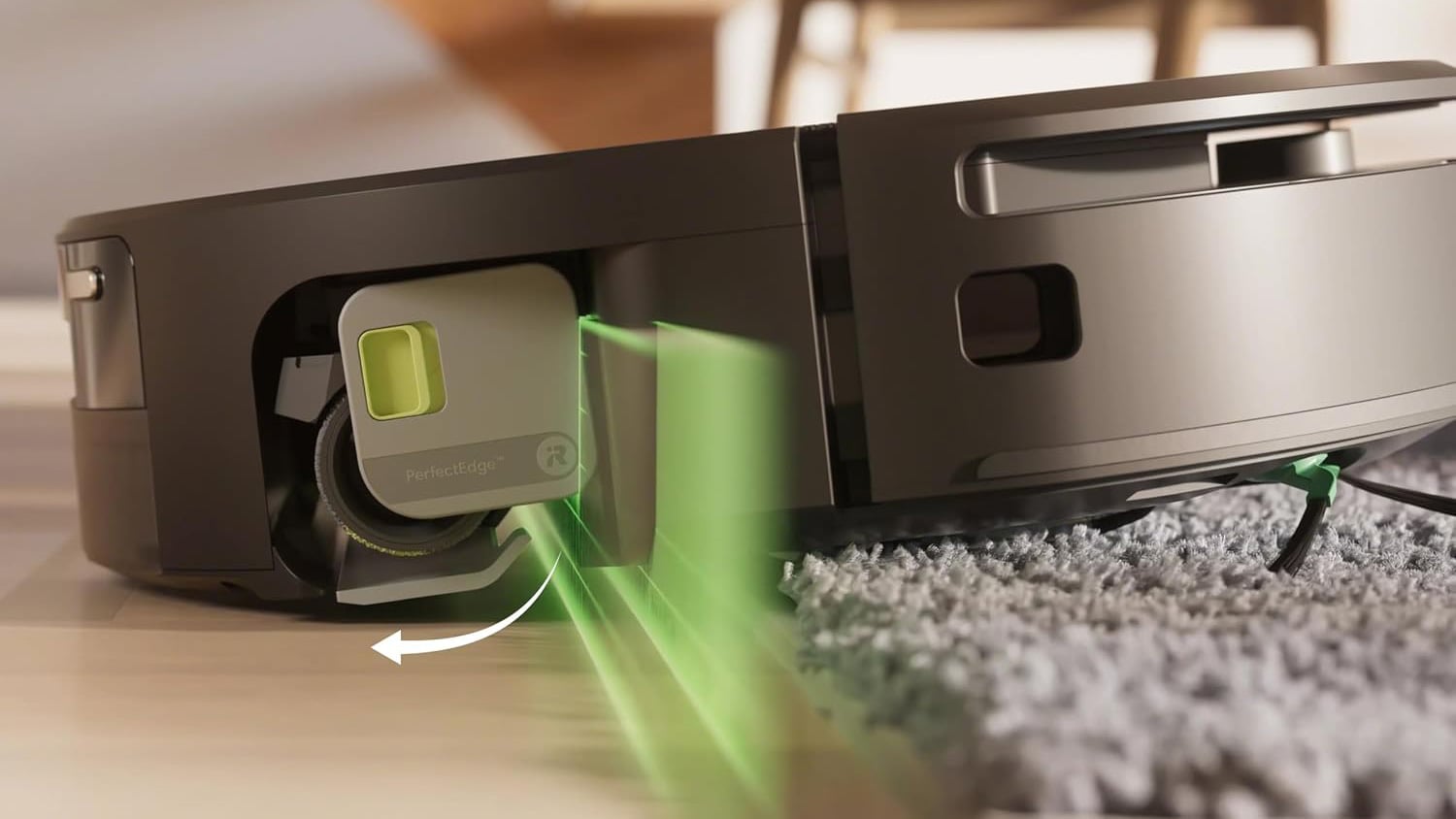
<p>Turning it on takes a minute. In the Instagram app, tap your profile picture in the bottom right, then tap the menu icon (three lines) in the top right to open &quot;Settings and activity.&quot; Tap &quot;Accounts Center,&quot; then &quot;Password and security,&quot; then &quot;Two-factor authentication,&quot; and pick your account. You can choose a text message code, an authentication app, or WhatsApp. An authentication app is the most secure option, but any of them would have stopped this attack. (If you're not already using an authenticator app, read our guide &quot;<a href="https://www.techlicious.com/guide/the-best-two-factor-authentication-apps/" target="_blank">The best authenticator apps to protect your accounts in 2026.</a>&quot;)</p>
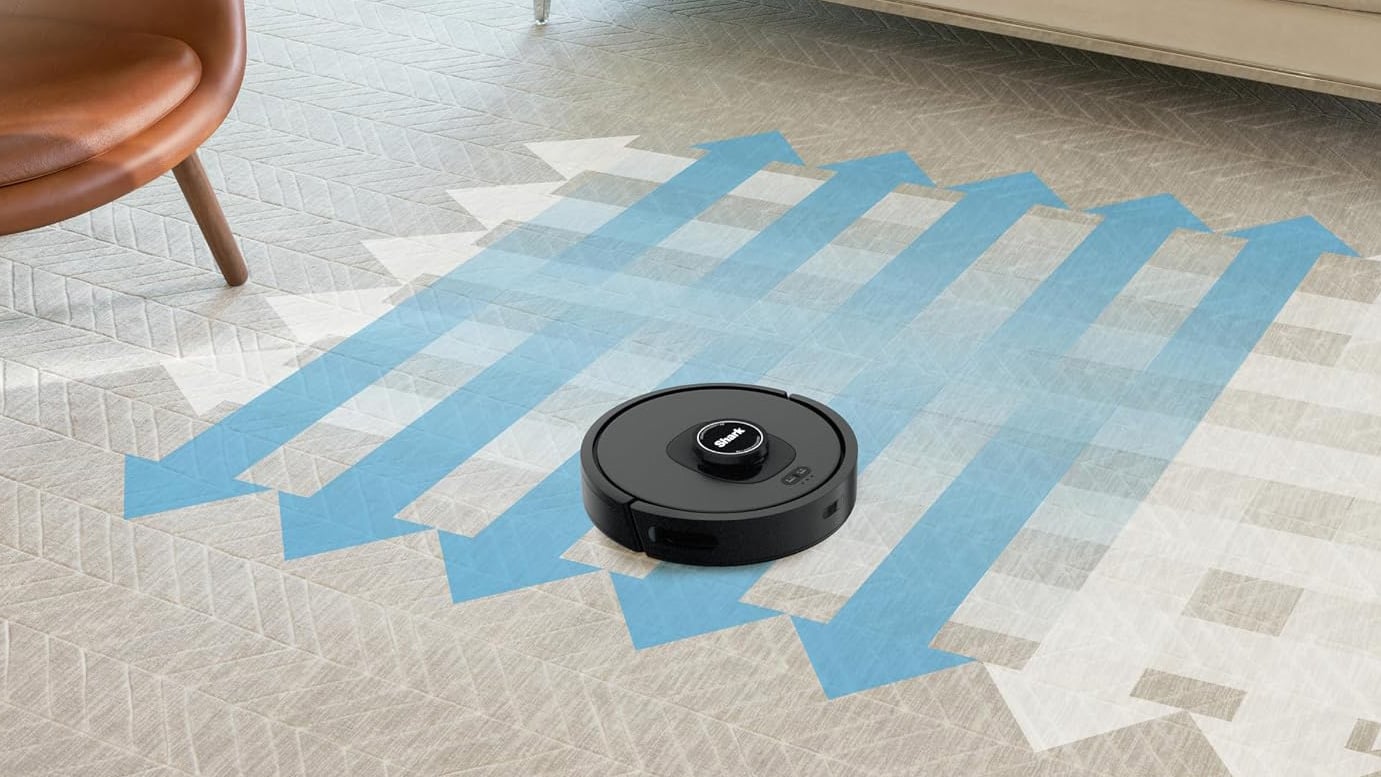

<p>While you are in there, it is worth checking &quot;Where you're logged in&quot; under the same &quot;Password and security&quot; menu. <a href="https://x.com/wongmjane/status/2061456887959474393?s=20" target="_blank">Wong said</a> her password was changed without her knowledge, and that she got repeated password reset attempts and kept getting logged out before she lost the account. If you see logins from places you have never been, that is a warning sign.</p>
<h2>You could not have opted out of this one</h2>
<p>The chatbot that got tricked is Meta's own account recovery support, which the company switched on for every Facebook and Instagram account back in March. This was not the Meta AI assistant you can choose to chat with in your search bar or messages. It was Meta's support system, running on your account whether you wanted it or not, and Meta does not even let you fully turn Meta AI off on Instagram.</p>
<p>So if you have been assuming this does not apply to you because you never touch Meta's AI features, that assumption does not hold. Other than two-factor authentication, nothing in your settings made you safer or more exposed.</p>
<h2>Handing support to a bot was the real mistake</h2>
<p>The deeper problem is that Meta gave one of its most sensitive jobs to a chatbot. Customer support is supposed to be the one place you can reach a person when your account and your personal data are on the line. Meta handed that job to an AI assistant that would change account emails and reset passwords on request, with no real check that the person asking was who they said they were. And it did this while cutting staff in sweeping layoffs and pushing the employees who remain to lean harder on AI tools.</p>
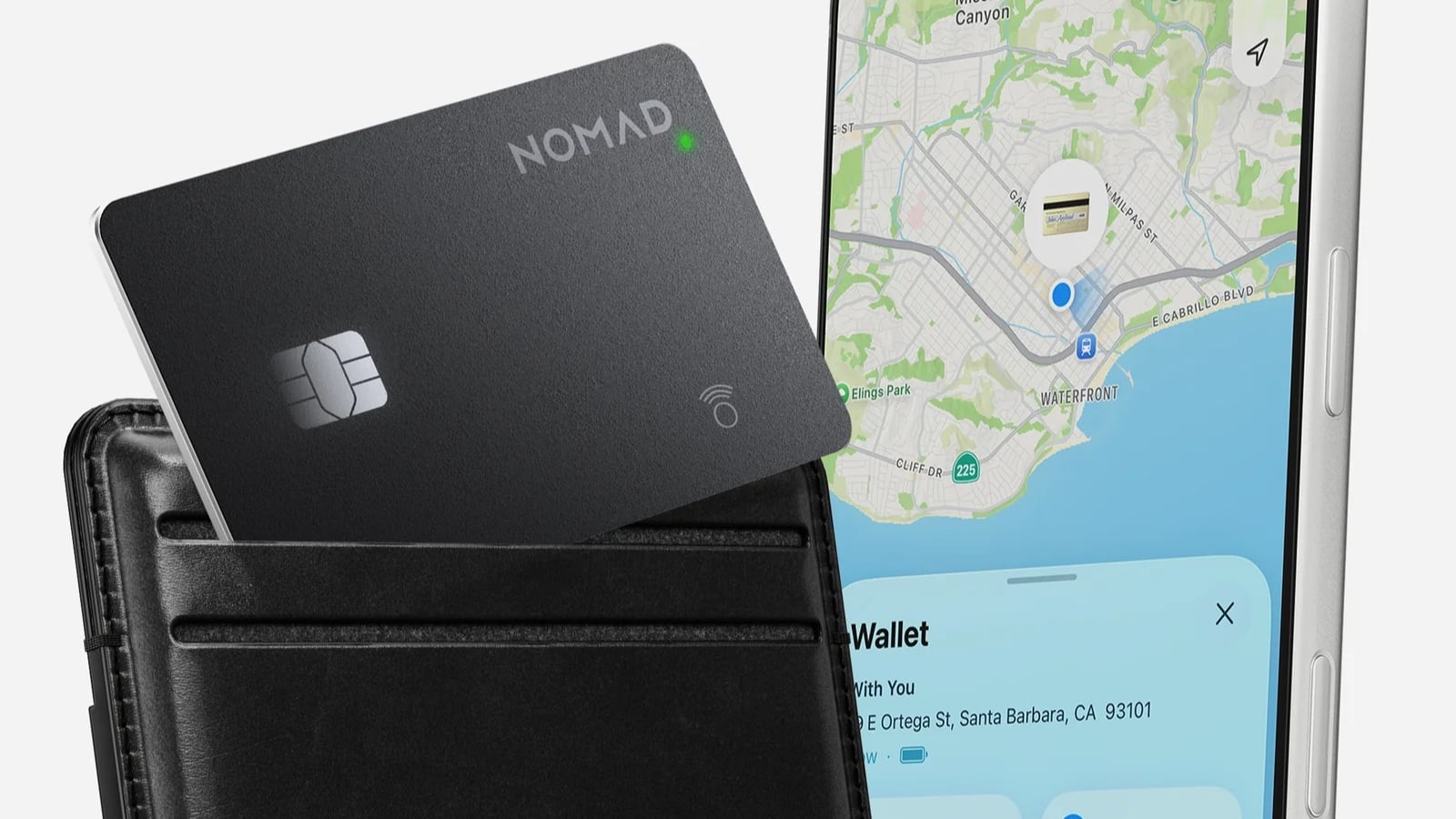
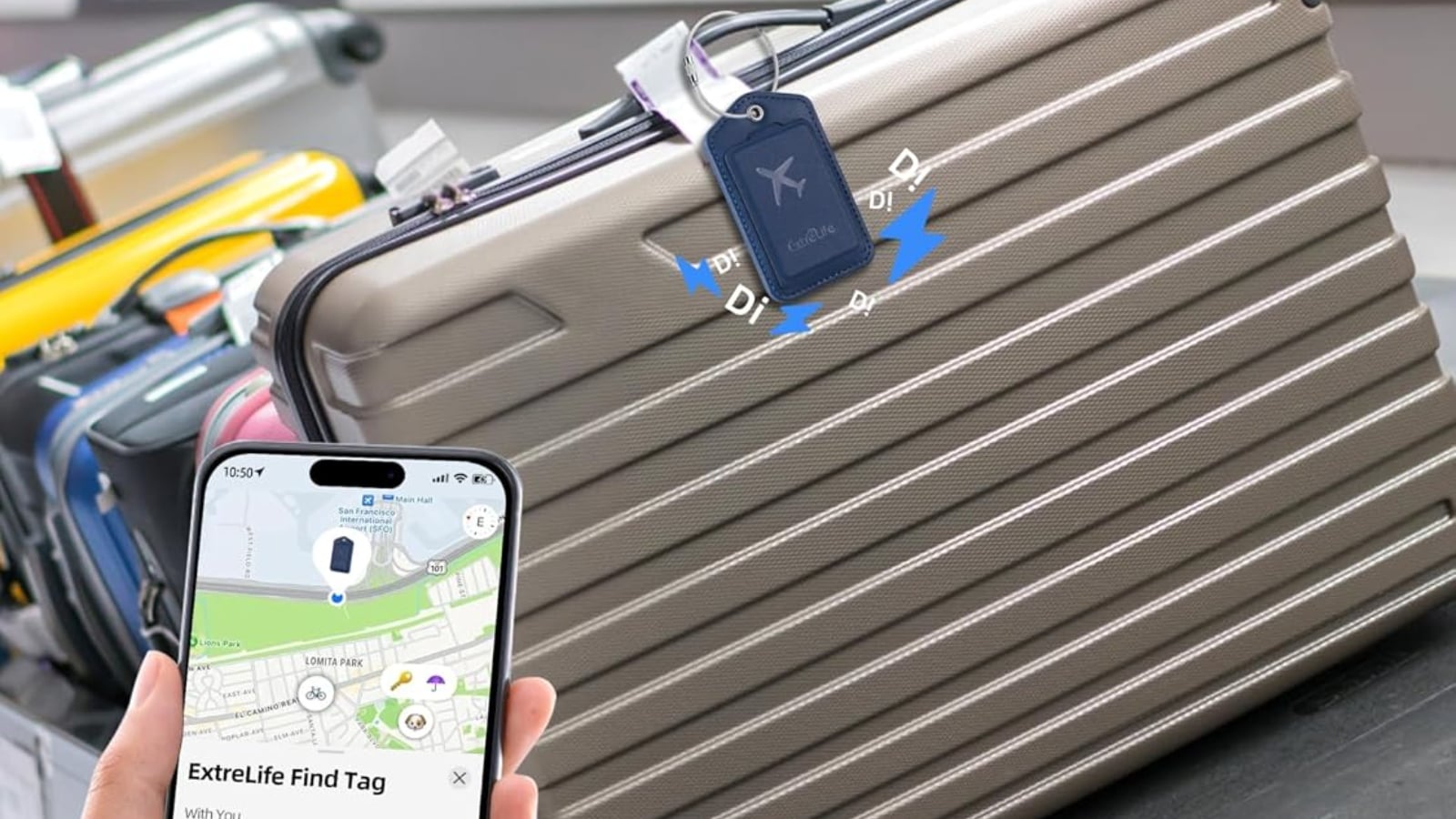
<p>That is the part Meta should be answering for. The company already has a long track record of disabling accounts with little explanation and an appeals process that often leads nowhere. I have very recently watched a friend get his account suspended over a baseless accusation, submit his ID to appeal, and never once reach an actual person. Pushing even more of that work onto AI was a bad call.</p>
<p><a href="https://x.com/andymstone/status/2061486724199379186">Meta says</a> the flaw is fixed and that impacted accounts are being secured. But a patch on one exploit does not undo the bigger decision to put a bot in charge of your account's front door. Either way, two-step verification is the part that is actually in your hands, so you should turn it on.</p>
<p><strong>Read next</strong>: <em><a href="https://www.techlicious.com/tip/facebook-account-cloning/">Facebook account cloning: How to spot it and stop it</a></em></p>
<p>[Image credit: Generated with Google Gemini]</p>
      ]]></content>
    </entry>


    <entry>
      <title>Dyson V16 Piston Animal stick vac solves pet owners&#39; biggest gripes</title>

      <link rel="alternate" type="text/html" href="https://www.techlicious.com/blog/dyson-v16-piston-animal-cordless-vacuum/" />

      <id>tag:techlicious.com,2026:/www.techlicious.com/blog/1.8428</id>
      <published>2026-06-02T19:22:26Z</published>
      <updated>2026-06-02T19:24:27Z</updated>

      <author>
        <name>Andrea Smith</name>
        <uri>https://www.techlicious.com/about/</uri>
      </author>

            <media:content url="https://www.techlicious.com/images/health/dyson-v16-piston-animal-1200px.jpg" medium="image" type="image/jpeg" />
      <media:thumbnail url="https://www.techlicious.com/images/health/dyson-v16-piston-animal-1200px.jpg" />
      

      <category term="News"
        scheme="https://www.techlicious.com/blog/category/news/"
        label="News" />

      <category term="Health and Home"
        scheme="https://www.techlicious.com/blog/category/health-home/"
        label="Health and Home" />

      <category term="Cleaning"
        scheme="https://www.techlicious.com/blog/category/cleaning/"
        label="Cleaning" />

      <category term="Blog"
        scheme="https://www.techlicious.com/blog/category/blog/"
        label="Blog" />

      <summary type="html"><![CDATA[
<p>Dyson's new V16 Piston Animal cordless vacuum compresses debris and fights hair tangles. At $979, here's whether it's worth it for pet owners.</p>
      ]]></summary>

      <content type="html"><![CDATA[
  <p><img alt="Dyson V16 Piston Animal cordless vacuum includes LED illumination to reveal hidden dust on hard floors" class="imagecenter" src="https://www.techlicious.com/images/health/dyson-v16-piston-animal-670px.jpg" style="width: 670px; height: 377px;" /></p>
<p>Hair-wrapped brush rolls and constantly full dust bins are probably the two biggest vacuum complaints among pet owners. Dyson says its new V16 Piston Animal cordless stick vacuum is designed to solve those problems. The company's latest flagship combines powerful cordless suction with a redesigned anti-tangle cleaner head, automatic floor sensing, and a new dust-compressing bin designed to reduce maintenance between cleanings.</p>
<p>Available now, the <a href="https://amzn.to/4dXHV0p" id="Amazon link to buy V16 Piston Animal" target="_blank">Dyson V16 Piston Animal</a> is priced at $979, while the <a href="https://amzn.to/4e2PCCM" id="Amazon link to buy Dyson V16 Piston Animal Submarie">Dyson V16 Piston Animal Submarine</a>, which adds wet-floor washing capabilities, costs $1,099.</p>
<h2>A new cleaner head designed to stop hair tangles</h2>
<p>The big upgrade here is Dyson's new All Floor Cones Sense cleaner head. Instead of a traditional cylindrical brush roll, it uses two conical brush bars designed to move hair toward the outer edges, where it can be pulled directly into the dust bin before wrapping around the brush.</p>
<p>For pet owners like me, it addresses one of the most common vacuum frustrations: hair wrapped around the brush roll.</p>
<p>The cleaner head also automatically adjusts both the suction power and the brush bar speed based on the floor surface. Dyson says the vacuum slows the brush roll on hard floors for quieter operation while increasing agitation on carpeting for deeper cleaning. The goal is to eliminate the need to swap between separate carpet and hard-floor heads during routine cleaning. It also means one less cleaner head to keep track of between cleaning sessions.</p>
<h2>More power and longer runtime</h2>
<p>Powering the V16 Piston Animal is a new 900W Hyperdymium motor that delivers up to 315 air watts of suction, which Dyson says is its most powerful cordless vacuum to date. Dyson also introduced Dynamic Cyclone technology, which activates additional cyclones in Boost mode when extra cleaning power is needed. The V16 claims up to 70 minutes of runtime, a swappable battery and whole-machine HEPA filtration.</p>
<p>Like previous premium Dyson vacuums, the V16 includes LED illumination to reveal hidden dust on hard floors. As someone who uses a Dyson V15 Detect daily, I&rsquo;m a little obsessed with Dyson's little green laser. It's one of those features that sounds gimmicky until you see just how much dust, cat litter, and pet hair it reveals that looked invisible moments earlier. Once you've vacuumed with it, it's surprisingly hard to go back.&nbsp;</p>
<h2>A bigger bin without a bigger vacuum</h2>
<p>With two cats in my house, I empty the dust bin on my <a href="https://amzn.to/4vh6psK" id="Amazon link to buy Dyson V15 Detect" target="_blank">Dyson V15 Detect</a> more often than I'd like. That's why Dyson's new CleanCompaktor bin may be one of the most interesting updates. Rather than simply increasing the size of the bin, Dyson compresses the debris inside it, allowing the vacuum to hold what the company says is up to 30 days of dust. The redesigned emptying mechanism also wipes the inside of the bin as it empties, helping prevent dust and hair from sticking to the walls.</p>
<p><img alt="Rather than simply increasing the size of the bin, Dyson compresses the debris inside it" class="imagecenter" src="https://www.techlicious.com/images/health/dyson-v16-piston-animal-empty-670px.jpg" style="width: 670px; height: 477px;" /></p>
<h2>Is the&nbsp;V16 Piston Animal&nbsp;worth it?</h2>
<p>The V16&rsquo;s most interesting upgrades focus on convenience and maintenance. The dual-cone cleaner head, the debris compression and the automatically adjusting cleaner head all work toward the same goal: reducing the things that make vacuuming feel like a chore.</p>
<p>The standard <a href="https://amzn.to/4dXHV0p" id="Amazon link to buy V16 Piston Animal" target="_blank">V16 Piston Animal</a> is a dry vacuum only. If you want wet cleaning as well, opt for the $1,099 V16 Piston Animal Submarine, which adds Dyson's upgraded Submarine 2.0 roller head for washing hard floors and cleaning spills.</p>
<p>The V16 isn't automatically the right choice for everyone. Shoppers looking for a premium cordless vacuum at a lower price may find the V15 Detect a compelling option, particularly when it's discounted. Those focused on maximum performance over dirt compression should look at <a href="https://amzn.to/4vqg2W1" id="Amazon link to buy Dyson Gen5detect" target="_blank">Dyson's Gen5detect</a>, while the lighter $599 <a href="https://amzn.to/3SfPecE" id="Amazon link to buy Dyson PencilVac " target="_blank">PencilVac</a>&nbsp;is a great option for apartment dwellers and anyone who prioritizes maneuverability and affordability.</p>
<p>I use a <a href="http://amzn.to/4vh6psK" id="Amazon link to buy Dyson V15 Detect" target="_blank">Dyson V15 Detec</a>t as my primary vacuum at home, and one thing I've learned is that today's premium cordless vacuums already offer plenty of cleaning power. What stands out on paper about the V16 isn't necessarily the jump in suction. It's Dyson's focus on reducing maintenance through features like the anti-tangle cleaner head and compressed dust bin, two areas that can become daily annoyances in busy households. As someone who empties the bin on my V15 Detect more often than I'd like, the V16's dust-compression system is one of the features I'm most interested in seeing in action.</p>
<p>Dyson's bet with the <a href="https://amzn.to/4dXHV0p" id="Amazon link to buy V16 Piston Animal" target="_blank">V16</a> is that what pet owners actually want is less maintenance between cleanings. At $979, it's a premium ask. But Dyson has a long track record of backing up its prices with performance, and for pet owners tired of maintaining their vacuum as much as using it, that reputation carries weight. I can&rsquo;t wait to put it to the test.</p>
<p><strong>Read next</strong>:&nbsp;<a href="https://www.techlicious.com/blog/dyson-pencilwash-launch/"><em>Dyson PencilWash is a better stick mopvac for small spaces</em></a></p>
<p>[Image credit: Dyson]</p>
      ]]></content>
    </entry>


    <entry>
      <title>NVIDIA RTX Spark is the PC chip that might actually deliver local AI</title>

      <link rel="alternate" type="text/html" href="https://www.techlicious.com/blog/nvidia-rtx-spark-chip-ai-windows-laptops/" />

      <id>tag:techlicious.com,2026:/www.techlicious.com/blog/1.8426</id>
      <published>2026-06-02T18:25:42Z</published>
      <updated>2026-06-02T22:09:43Z</updated>

      <author>
        <name>Palash Volvoikar</name>
        <uri>https://www.techlicious.com/about/</uri>
      </author>

            <media:content url="https://www.techlicious.com/images/computers/nvidia-rtx-spark-2026-hero-image-1200px.jpg" medium="image" type="image/jpeg" />
      <media:thumbnail url="https://www.techlicious.com/images/computers/nvidia-rtx-spark-2026-hero-image-1200px.jpg" />
      

      <category term="News"
        scheme="https://www.techlicious.com/blog/category/news/"
        label="News" />

      <category term="Computers and Software"
        scheme="https://www.techlicious.com/blog/category/computers-software/"
        label="Computers and Software" />

      <category term="Desktops"
        scheme="https://www.techlicious.com/blog/category/desktops/"
        label="Desktops" />

      <category term="Laptops"
        scheme="https://www.techlicious.com/blog/category/laptops/"
        label="Laptops" />

      <category term="Blog"
        scheme="https://www.techlicious.com/blog/category/blog/"
        label="Blog" />

      <summary type="html"><![CDATA[
<p>NVIDIA's RTX Spark chip brings AI to Windows laptops this fall. Here's what it actually does, who's making these PCs, and whether it's worth your money.</p>
      ]]></summary>

      <content type="html"><![CDATA[
  <p><img alt="Nvidia RTX Spark" class="imagecenter" src="https://www.techlicious.com/images/computers/nvidia-rtx-spark-2026-article-image-670px.jpg" style="width: 670px; height: 377px;" /></p>
<p>NVIDIA has announced a new computer chip called the <a href="https://nvidianews.nvidia.com/news/nvidia-microsoft-windows-pcs-agents-rtx-spark">RTX Spark</a> that can run AI right on your laptop or desktop, instead of sending your requests off to the internet. NVIDIA says it's working with Microsoft to remake the PC for the age of AI.</p>
<p>The chip will show up this fall in laptops and small desktops from Dell, HP, Lenovo, ASUS, Microsoft Surface, and MSI, with brands like Acer to follow. That puts NVIDIA up against the companies that usually make the main chips in your computer, including Intel, AMD, and Apple.</p>
<p><strong>Read More</strong>: <a href="https://www.techlicious.com/blog/surface-laptop-ultra-microsoft-nvidia-chip/"><em>Surface Laptop Ultra is Microsoft's NVIDIA-powered MacBook Pro rival</em></a></p>
<h2>Why this chip is important</h2>
<p>The RTX Spark is built on the same broad family of chip technology, called Arm, that Apple moved its MacBooks to a few years ago. That switch is a big reason <a href="https://www.techlicious.com/blog/apple-macbook-air-m3/" target="_blank">newer MacBooks</a> can be fast while still running cool and lasting all day on a charge, sort of the best of both worlds. Windows laptops have mostly missed out on that mix so far.</p>
<p>Windows has been trying to get there. Back in 2024, Qualcomm's Snapdragon X chips arrived in a wave of Copilot+ laptops, and those are the machines that paved the way for what NVIDIA is doing now. The early going was rough, though. A lot of everyday software wasn't built to run on these Arm-based Windows laptops. When we tested one of the first models, we couldn't use it for day-to-day work because it wouldn't run Dropbox and a few other essential programs.</p>
<p>Over the last two years, compatibility has become a non-issue for most apps with one big exception: Gaming has continued to be hit or miss on Arm-based Windows machines. NVIDIA says it has that solved. At the company's Computex press conference this week, NVIDIA CEO Jensen Huang claimed the RTX Spark PCs can run &quot;every application Windows has ever run.&quot; If that holds up, it would clear the one hurdle that has held these laptops back the most.</p>
<h2>What &quot;AI on your PC&quot; actually means</h2>
<p>Right now, when you ask an AI chatbot a question, your request usually travels to a giant computer somewhere far away, gets an answer, and sends it back. The RTX Spark is built to do that work on your own machine instead.</p>
<p>Your information can stay on your computer; it can keep working without an internet connection, and you don't have to wait on a far-off server. That's the part I like about the idea.</p>
<p>The catch is that the AI you can run on a regular laptop today, including ones powered by RTX Spark, still isn't as smart as the big online versions like ChatGPT. Local AI models are just not that good yet, although they are making solid progress. So the privacy and other offline perks you get from running local AI models are nice; it's just early days.</p>
<p><img alt="Microsoft Surface Ultra laptop" class="imagecenter" src="https://www.techlicious.com/images/computers/Surface-Laptop-Ultra-article-670px.jpg" style="width: 670px; height: 377px;" /></p>
<p>NVIDIA is not alone in making promises about local AI. Qualcomm <a href="https://www.linkedin.com/pulse/year-agents-qualcomm-qthmc/" target="_blank">has been calling 2026 &quot;the year of AI agents,&quot;</a> meaning AI that can quietly handle tasks for you on its own. Maybe. But I've heard this kind of pitch before, and there still isn't an obvious reason for most people to pay extra for it.</p>
<p>Buyers seem to agree. Dell <a href="https://www.pcgamer.com/hardware/dells-ces-2026-chat-was-the-most-pleasingly-un-ai-briefing-ive-had-in-maybe-5-years/" target="_blank">said earlier this year</a> that people weren't buying these AI laptops as much as it had hoped, and a similar trend can be seen with other Windows laptop brands.</p>
<p>What makes me pay a bit more attention this time is NVIDIA itself. It's the company behind the chips that power most of the AI you already hear about, so it knows this stuff better than almost anyone. Its chips are built to give AI access to a big shared pool of memory, which is exactly what running AI on your own machine needs. NVIDIA has also made some solid Arm chips before, so the track record is as good as it can get.</p>
<p>Would I buy an RTX Spark-powered laptop over a MacBook right now? No, not yet. But if I needed a Windows laptop this fall, the RTX Spark would be on my list, and that's more than I can say for the AI PCs that came before it.</p>
<p>[Image credit: NVIDIA, Microsoft]</p>
      ]]></content>
    </entry>


    <entry>
      <title>Surface Laptop Ultra is Microsoft&#39;s NVIDIA&#45;powered MacBook Pro rival</title>

      <link rel="alternate" type="text/html" href="https://www.techlicious.com/blog/surface-laptop-ultra-microsoft-nvidia-chip/" />

      <id>tag:techlicious.com,2026:/www.techlicious.com/blog/1.8424</id>
      <published>2026-06-01T21:59:51Z</published>
      <updated>2026-06-01T22:09:52Z</updated>

      <author>
        <name>Palash Volvoikar</name>
        <uri>https://www.techlicious.com/about/</uri>
      </author>

            <media:content url="https://www.techlicious.com/images/computers/Surface-Laptop-Ultra-hero-1200px.jpg" medium="image" type="image/jpeg" />
      <media:thumbnail url="https://www.techlicious.com/images/computers/Surface-Laptop-Ultra-hero-1200px.jpg" />
      

      <category term="News"
        scheme="https://www.techlicious.com/blog/category/news/"
        label="News" />

      <category term="Computers and Software"
        scheme="https://www.techlicious.com/blog/category/computers-software/"
        label="Computers and Software" />

      <category term="Computers &amp; Accessories"
        scheme="https://www.techlicious.com/blog/category/computers-accessories/"
        label="Computers &amp; Accessories" />

      <category term="Laptops"
        scheme="https://www.techlicious.com/blog/category/laptops/"
        label="Laptops" />

      <category term="Blog"
        scheme="https://www.techlicious.com/blog/category/blog/"
        label="Blog" />

      <summary type="html"><![CDATA[
<div>The first NVIDIA-powered Surface uses the same chip as the company's $4,000 AI desktop, with 128GB of memory to run big AI models right on the laptop.</div>
      ]]></summary>

      <content type="html"><![CDATA[
  <p><img alt="Microsoft Surface Ultra laptop" class="imagecenter" src="https://www.techlicious.com/images/computers/Surface-Laptop-Ultra-article-670px.jpg" style="width: 670px; height: 377px;" /></p>
<p>Microsoft has announced the Surface Laptop Ultra, its most powerful laptop to date, and it is the first Surface built around an NVIDIA chip instead of Intel, AMD, or Qualcomm. The company is pitching it at &quot;world makers,&quot; which is its way of saying creators, developers, and people building AI. It will go on sale later this year, and Microsoft has not announced a price.</p>
<p>The big deal here is the chip, which Microsoft calls RTX Spark. It is the same NVIDIA silicon that powers the DGX Spark, a little desktop AI computer that sells for $3,999 to $4,699. So Microsoft has basically taken NVIDIA's AI machine and turned it into a 15-inch laptop. It has 128GB of memory that the processor and graphics chip share back and forth depending on what your work needs.</p>
<p><strong>Read More</strong>: <a href="https://www.techlicious.com/blog/is-the-m5-chip-really-a-big-upgrade-for-macbooks/" target="_blank"><em>Is Apple&rsquo;s M5 Chip Really a Big Upgrade for MacBooks?</em></a></p>
<h2>A laptop built to run AI on its own</h2>
<p>What that buys you is the ability to run large AI models locally, on the laptop itself, without sending anything off to the cloud. Microsoft says it can handle models up to 120 billion parameters on the device. That is the kind of thing only AI developers and researchers really need, so this is a niche machine despite all the &quot;makers&quot; talk.</p>
<p>It does invite an obvious MacBook Pro comparison, since Apple's top laptop also offers 128GB of memory and is already popular for running AI models at home. The NVIDIA chip's edge is that it works with CUDA, the software that most of the AI world is built on and that Macs can't run. A maxed-out MacBook Pro with 128GB of memory runs $7,349, so I would not expect this Surface to be cheap.</p>
<p>NVIDIA chip aside, the rest looks like a really nice laptop. The 15-inch mini-LED touchscreen hits up to 2,000 nits of brightness, which Microsoft says is the brightest display it has ever shipped. You also get the biggest touchpad on any Surface and a full set of ports: HDMI, USB-C, USB-A, an SD card slot, and a headphone jack. Microsoft also promises all-day battery life, though that is based on its own testing of pre-release units, so I would wait and see whether that claim holds up. The laptop weighs under 4.5 pounds and will come in Platinum and Nightfall.</p>
<p>My hesitation about the Surface Laptop Ultra stems from Microsoft's recent modus operandi: Microsoft is all over the place with its hardware and AI strategy right now, and <a href="https://www.techlicious.com/tip/windows-11-update-bugs-how-to-stay-safe/" target="_blank">Windows itself is in a rough patch</a>&nbsp;with a series of buggy updates. The company can absolutely nail hardware when it wants to, so I am hoping this is the good version of Microsoft showing up. But a lot of the experience will come down to whether the raw power can paper over Windows' rough edges.</p>
<p>[Image credit: Microsoft]</p>
      ]]></content>
    </entry>


    <entry>
      <title>Dell&#39;s new XPS 13 answers the MacBook Neo with better specs</title>

      <link rel="alternate" type="text/html" href="https://www.techlicious.com/blog/dell-xps-13-laptop-macbook-neo-competitor/" />

      <id>tag:techlicious.com,2026:/www.techlicious.com/blog/1.8425</id>
      <published>2026-06-01T20:47:15Z</published>
      <updated>2026-06-01T22:24:16Z</updated>

      <author>
        <name>Palash Volvoikar</name>
        <uri>https://www.techlicious.com/about/</uri>
      </author>

            <media:content url="https://www.techlicious.com/images/computers/dell-xps-13-2026-hero-image-1200px.jpg" medium="image" type="image/jpeg" />
      <media:thumbnail url="https://www.techlicious.com/images/computers/dell-xps-13-2026-hero-image-1200px.jpg" />
      

      <category term="News"
        scheme="https://www.techlicious.com/blog/category/news/"
        label="News" />

      <category term="Computers and Software"
        scheme="https://www.techlicious.com/blog/category/computers-software/"
        label="Computers and Software" />

      <category term="Computers &amp; Accessories"
        scheme="https://www.techlicious.com/blog/category/computers-accessories/"
        label="Computers &amp; Accessories" />

      <category term="Laptops"
        scheme="https://www.techlicious.com/blog/category/laptops/"
        label="Laptops" />

      <category term="Blog"
        scheme="https://www.techlicious.com/blog/category/blog/"
        label="Blog" />

      <summary type="html"><![CDATA[
<p>Dell's new XPS 13 offers a 2.5K 120Hz touchscreen and up to 32GB RAM starting at $599 for students. It's a strong MacBook Neo alternative, Intel chip aside.</p>
      ]]></summary>

      <content type="html"><![CDATA[
  <p><img alt="Woman sitting with a Dell XPS 13 2026" class="imagecenter" src="https://www.techlicious.com/images/computers/dell-xps-13-2026-article-image-670px.jpg" style="width: 670px; height: 377px;" /></p>
<p>Dell has announced a new XPS 13, and it is clearly aimed at the MacBook Neo, Apple's $599 budget laptop. The base model arrives in June 2026, with higher-spec versions coming later in the summer. It starts at $699 for everyone and $599 for students, which is $100 more than the Neo at both tiers. So Dell isn't undercutting Apple on price. What it is doing is throwing a lot more hardware at you for the money.</p>
<p>The standout for me is the display. You get a 13-inch 2.5K touchscreen that runs at up to 120Hz, with 500 nits of brightness, HDR, and Dolby Vision. The Neo's screen is lovely, but it tops out at 60Hz and isn't a touchscreen, so the XPS is sharper and smoother on paper. For a laptop in this price range, that's a really nice panel, and budget Windows laptops have been bad at this for years.</p>
<p><strong>Read More</strong>: <a href="https://www.techlicious.com/blog/apple-macbook-neo-budget-laptop/"><em>Apple just released a $599 MacBook &ndash; Here's the catch</em></a></p>
<h2>Where it beats the MacBook Neo</h2>
<p>The bigger win is RAM. The XPS 13 can be configured with up to 32GB of memory, and storage goes up to 1TB. That matters because the MacBook Neo is stuck at 8GB with no way to upgrade, which was my biggest gripe with it. If you run a lot of apps at once or do heavier work, the Dell gives you room the Neo simply doesn't. It's also light at 2.2 pounds; it's built from CNC-machined aluminum rather than plastic, and Dell claims up to 17 hours of streaming battery, a touch above Apple's 16-hour figure.</p>
<p>The rest is solid too. You get two USB-C ports, Wi-Fi 7, a Windows Hello webcam for face logins, quad speakers, and a backlit keyboard, in Storm or Sky colors. One odd cut: there's no headphone jack, which the cheaper Neo actually keeps. The XPS also uses dual fans, so it won't be silent the way the fanless Neo is.</p>
<h2>Where it doesn't</h2>
<p>The key issue is that the chips are Intel's, and Intel hasn't kept up with Apple's processors in terms of speed or efficiency for a while now. This is also a Windows laptop, and Windows is kind of a mess right now. So even with the better spec sheet, the day-to-day experience may not feel as clean as the Mac, especially for a first-time buyer or a student who just wants things to work.</p>
<p>Still, I'm happy to see this. Decent budget Windows laptops have been hard to find for a long time. If Apple jumping into the low end with the Neo is what's finally pushing companies like Dell to put better screens and more memory in cheap laptops, that's good news for everyone shopping at this price.</p>
<p><strong>Read next:</strong>&nbsp;<a href="https://www.techlicious.com/review/lenovo-ideapad-slim-5x-laptop-review/"><em>Lenovo IdeaPad Slim 5x review: Big value, minor trade-offs</em></a></p>
<p>[Image credit: Dell]</p>
      ]]></content>
    </entry>


</feed>