2682<![CDATA[Digital Camera Review: Samsung NX1000]]>digital-camera-review-samsung-nx10002013-04-14T23:00:13Z2013-04-15T18:06:14Zcameras/samsung-nx1000-100px.jpgcameras/samsung-nx1000-100px.jpgK.T. Bradfordkimberley.bradford@gmail.com1OpenButNotNewThe NX1000 has a 20.3MP sensor and comes bundled with a sharp zoom lens that produces great pictures in all lighting situations
]]>Key Specs
Image Sensor: 20.3 Megapixels (effective), APS-C CMOS sensor Kit Lens: 20-50mm Lit Lens Zoom: 2.5x Optical Zoom Like Lens Aperture Range: f3.5 (W) - f5.6 (T) Display: 3.0" tilt LCD 921K dots Dimension: 4.59" (W) x 2.46" (H) x 1.44" (D) body only Weight: 7.68 oz without battery and SD card, body only
]]>A camera with the features and functionality of a DSLR in a smaller body and with Wi-Fi connectivity? Sign us up. The NX1000 has a 20.3MP sensor and comes bundled with a sharp zoom lens that produces great pictures in all lighting situations. Including night shots.
It's not the fastest camera available, but the ability to send pictures and videos directly to social networks and smartphones makes up for it a little.
]]>0camerascameras2681<![CDATA[Digital Camera Review: Sony Alpha NEX-F3]]>digital-camera-review-sony-alpha-nex-f32013-04-14T21:40:59Z2013-04-15T14:58:00Zcameras/sony-alpha-nex-f3-100px.jpgcameras/sony-alpha-nex-f3-100px.jpgK.T. Bradfordkimberley.bradford@gmail.com1OpenButNotNewThe lens and sensor balance a wide range of contrasts automatically--and manually. Images come out sharp and balanced with rich color.
]]>Key Specs
Image Sensor: 16.1 Megapixels (effective), Exmor APS HD CMOS sensor Kit Lens: 27-82.5mm equivalent in 35mm photography Lit Lens Zoom: 3x Optical Zoom Like Lens Aperture Range: f3.5 (W) - f5.6 (T) Display: 3.0" tilt LCD 921K dots Dimension: 4.63 (W) x 2.63 (H) x 1.69 (D) body only Weight: 11.1 oz with battery and SD card, body only
The Alpha NEX series of cameras straddle two worlds. They have the sensors of DSLR cameras but compact bodies reminiscent of point-and-shoots. The large lenses signal their serious semi-pro nature, though small pancake lenses are available, too. The NEX-F3 proves why compact mirrorless cameras are a great idea. The 16.1MP APS-C image sensor (same as found in most DSLRs) and high ISO settings mean pictures detailed enough to print large without having to put in a lot of effort. The lens and sensor balance a wide range of contrasts automatically, but you still have access to the full range of manual controls (even when shooting video). Images come out sharp and balanced with rich color. The LCD in the back flips up all the way to make self portraits easier. We also like that the built-in flash can be tilted up for softer light bursts.
]]>0camerascameras2680<![CDATA[Digital Camera Review: Olympus XZ-2]]>digital-camera-review-olympus-xz-22013-04-14T21:08:24Z2013-04-15T14:58:26Zcameras/olympus-xz-2-100px.jpgcameras/olympus-xz-2-100px.jpgK.T. Bradfordkimberley.bradford@gmail.com1OpenButNotNewThe XZ-2's 12MP sensor, 4x zoom lens, image processor and fast auto focus speed combine for impressive photo quality from a camera this compact.
]]>Key Specs
Image Sensor: 12 Megapixels (effective) 1/1.7" BSI CMOS Lens: 5.2 - 17.2mm (28-112mm equivalent in 35mm photography) Zoom: 4x Optical Zoom, 2x digital Aperture Range: f1.8 (W) - f2.5 (T) Display: 3.0" swivel touchscreen; LCD 920K dots Dimension: 4.45" (W) x 2.57" (H) x 1.89" (H) Weight: 12.2oz with battery or memory card
]]>The XZ-2's 12MP sensor, 4x zoom lens, image processor and fast auto focus speed combine for impressive photo quality from a camera this compact. The 28-112mm equivalent lens is super fast at f/1.8-2.5 and the resulting pictures have minimal noise, accurate tone and look really good at full size. However, don't look to this camera if you're uncomfortable out of auto mode. This is more for people who know how to work manual settings to their advantage.
]]>0camerascameras2679<![CDATA[Digital Camera Review: Sony Cyber-shot DSC-RX100]]>digital-camera-review-sony-cyber-shot-dsc-rx1002013-04-14T19:10:21Z2013-04-14T23:01:23Zcameras/sony-dsc-rx100-100px.jpgcameras/sony-dsc-rx100-100px.jpgK.T. Bradfordkimberley.bradford@gmail.com1OpenButNotNewSporting an excellent f/1.8 Carl Zeiss lens and 20.2MP sensor, the RX100 produces images that will change what you think is possible with a compact camera.
]]>Key Specs
Image Sensor: 20.2 Megapixels (effective), 1" Exmor CMOS sensor Lens: 28 - 100mm equivalent in 35mm photography Zoom: 3.6x Optical Zoom, 14x Digital Zoom Aperture Range: f1.8 (W) - f4.9 (T) Display: 3.0" LCD 1,229K dots Dimension: 4.0 (W) x 2.38 (H) x 1.44 (D) Weight: 8.5 oz with battery and SD card
]]>✔Editor's Choice: High-End
The RX100 has a lot to live up to given that you can buy plenty of decent interchangeable lens cameras for the same price. Thing is, those cameras don't fit into a pocket and can't be whipped out at a moment's notice–this Cyber-shot can. Sporting an excellent f/1.8 Carl Zeiss lens and a big 20.2MP sensor, the RX100 produces images that will change what you think is possible with a compact camera. It performs well in all conditions even when light is harsh or low and is fast on the trigger.
]]>0camerascameras2678<![CDATA[Digital Camera Review: Samsung EX2F]]>digital-camera-review-samsung-ex2f2013-04-14T18:50:54Z2013-04-14T19:08:55Zcameras/samsung-ex2f-100px.jpgcameras/samsung-ex2f-100px.jpgK.T. Bradfordkimberley.bradford@gmail.com1OpenButNotNewA little bulkier than most compact point-and-shoots, the EX2F makes up for the extra size with extra features that will make getting the perfect shot easier.
]]>Key Specs
Image Sensor: 12.4 Megapixels (effective) 1/1.7" BSI CMOS Sensor Lens: 5.2 - 17.2mm (24-80mm equivalent in 35mm photography) Zoom: 3.3x Optical Zoom, 4x digital Aperture Range: f1.4 (W) - f2.7 (T) Display: 3.0" swivel/rotating; AMOLED 614K dots Dimension: 4.41" (W) x 2.44" (H) x 1.14" (H) Weight: 10.38oz without battery or memory card
]]>A little bulkier than most compact point-and-shoots, the EX2F makes up for the extra size with extra features that will make getting the perfect shot easier. The rear display swivels out so you can frame the shot perfectly even if the camera isn't right in front of you. Though the 3.3x zoom is modest, the f/1.4-2.7 aperture captures a lot of light for very rich and detailed pictures. You'll appreciate this even more when recording full HD video. Like most of Samsung's cameras, the EX2F comes with Wi-Fi on board for sending pictures directly to email and social networks or connecting to Samsung phones for image transfer.
]]>0camerascameras2677<![CDATA[Digital Camera Review: Canon PowerShot SX50 HS]]>digital-camera-review-canon-powershot-sx50-hs2013-04-14T18:39:23Z2013-04-14T18:50:24Zcameras/canon-powershot-sx50-hs-100.jpgcameras/canon-powershot-sx50-hs-100.jpgK.T. Bradfordkimberley.bradford@gmail.com1OpenButNotNewWith this camera you move out of the compact point-and-shoot range and into larger bodied cameras with more DSLR-like features and qualities.
]]>Key Specs
Image Sensor: 12.1 Megapixels (effective), 1/2.3" Lens: 4.3 - 215.0mm (24 - 1200mm equivalent in 35mm photography) Zoom: 50x Optical Zoom, 4x Digital Zoom Aperture Range: f3.4 (W) - f6.5 (T) Display: 2.8" LCD 461K dots Dimension: 4.82 (W) x 3.44 (H) x 4.15 (D) Weight: 21.0 oz with battery and SD card
]]>✔Editor's Choice: Mid-Range
With this camera you move out of the compact point-and-shoot range and into larger bodied cameras with more DSLR-like features and qualities. The most impressive feature of the 12.1MP SX50 HS is its 50x wide angle zoom lens. 50X is a lot of zoom for such a small camera and to get the equivalent on a DSLR or even a Compact Mirrorless Interchangeable Lens camera will set you back a lot more money. And the camera's high-quality image stabilization means you can pull off far away shots without a tripod if you must. The camera also excels in low light and night shooting. Plus, we like the combo of an electronic viewfinder and screen on the back that swivels out for capturing shots at difficult angles.
]]>0camerascameras2676<![CDATA[Digital Camera Review: Samsung WB250F Smart Camera]]>digital-camera-review-samsung-wb250f-smart-camera2013-04-14T18:20:19Z2013-04-14T18:56:21Zcameras/samsung-wb250f-100px.jpgcameras/samsung-wb250f-100px.jpgK.T. Bradfordkimberley.bradford@gmail.com1OpenButNotNewThis camera has everything you'd want in a mid-range shooter, from a megazoom lens (18x) to 1080p video capability to good auto and manual control.
]]>Key Specs
]]>This camera has everything you'd want in a mid-range shooter, from a megazoom lens (18x) to 1080p video capability to good auto and manual control. Samsung adds one significant feature on top: Wi-Fi connectivity. The company's smart camera line keeps getting better, bringing better optics and good image/video quality to the table alongside easy wireless sharing. You can upload directly to social networks or send pictures right to your phone for even more sharing and editing options. The 14.2MP camera also includes some features found on Samsung's smartphones, like Best Face mode to eliminate that one person ruining shots by having their eyes closed. Also fun: Motion Photo creates animated GIFs on the fly.
]]>0camerascameras2675<![CDATA[Digital Camera Review: Panasonic Lumix DMC-ZS20]]>digital-camera-review-panasonic-lumix-dmc-zs202013-04-14T17:22:51Z2013-04-14T18:43:52Zcameras/panasonic-dmc-zs20-100px.jpgcameras/panasonic-dmc-zs20-100px.jpgK.T. Bradfordkimberley.bradford@gmail.com1OpenButNotNewBalancing light weight and a small body with excellent optics is one of Panasonic's strong points, and this Lumix model is the perfect example.
]]>Key Specs
Image Sensor: 15.3 Megapixels (effective), 1/2.33" Lens: 4.3 - 86.0mm (24 - 480mm equivalent in 35mm photography) Zoom: 20x Optical Zoom, 40x Digital Zoom Aperture Range: f3.3 (W) - f6.4 (T) Display: 3.0" LCD 460K dots Dimension: 4.13 (W) x 2.32 (H) x 1.11 (D) Weight: 7.2oz with battery and SD card
]]>✔Editor's Choice: Entry Level
Balancing light weight and a small body with excellent optics is one of Panasonic's strong points, and this Lumix model is the perfect example. The ZS20 14.1MP camera sports a 20x zoom Leica lens that will get you good, stable close up shots from far away. It delivers excellent photos, bright colors, and little noise even in low light. The intelligent Auto settings make it easy to snap pictures without fuss, but if you want more control the ZS20 has plenty of manual settings on offer. You can capture 1080p 60fps videos and record in high quality AVCHD for watching on the big screen or MP4 for web sharing. Battery life isn't the best, thanks to a touchscreen LCD on the back and built-in GPS for geotagging, but rest of the camera's standout features more than make up for it.
]]>0camerascameras2645<![CDATA[Review of the HTC One (Sprint)]]>review-of-the-htc-one-sprint2013-04-08T15:59:14Z2013-04-28T15:01:15Zphones/htc-one-100px.jpgphones/htc-one-100px.jpgMelissa J. Perensonmperenson@gmail.com1openWith its simple moniker and beautiful design, the HTC One is a stylish and capable phone that’s worthy of consideration.
]]>Detailed Specs
Band/Modes: CDMA, LTE 700/850/AWS/1900 MHz (AT&T), 1700/AWS/1900MHz (T-Mobile), 1900MHz (Sprint) , GSM/GPRS/EDGE 850MHz, 900MHz, 1800MHz, 1900MHz OS: Android 4.1.2 Jellybean Weight: 5.04 oz Dimensions: 5.41 x 2.69 x 0.37 inches Battery: 2300 mAh Display: 4.7" 1080p Super LCD3 (1920 x 1080), 468 ppi Video: 1080p Camera: Rear-facing 4.0 megapixel, f/2.0 lens, Auto Focus, LED flash, HDR, optical image stabilization Front-facing Camera: 2.1 megapixel Mobile hotspot: Yes Processor: 1.7GHz Quad Core Qualcomm Snapdragon 600 Memory: 2GB RAM, 32GB onboard storage
]]>HTC One review summary
With its simple moniker and beautiful design, the HTC One is a stylish and capable phone that’s worthy of consideration. HTC goes far to make the phone more about what you want to do, with little customizations that make the phone easier to use. Unless, that is, you’re already very used to the Android experience; then, you’ll need to relearn a few things. Ultimately, though, HTC achieves its goal: An experience that’s distinguished from competing Android phones, and one that’s attractive and intuitive in its own right.
How it feels in the hand
The HTC One represents some of the best, most solid design available on a phone today. The phone’s back has a smooth, matte aluminum finish, with stylish accents and beveled edges along its gently curved sides. Even the way Corning Gorilla Glass tapers around the edge of the display gives this phone a more high-end feel than other phones, with their plastic or polycarbonate back covers.
I wasn’t a fan of the power/sleep button, located along the top edge at left. That button is too flat and its location is a bit awkward for my (admittedly) small hand to reach comfortably while holding the phone one-handed. I much prefer the location of the Apple iPhone 5’s power button, which is towards the top on the right edge.
The volume rocker is also flat, practically flush with the phone’s edges, just like the power button. But I like how the volume rocker has a stylish pattern cut design, which means you can more easily locate the buttons by feel.
Display & sound
The 4.7-inch, display looks lovely. The 1920 by 1080 pixel display packs 468 pixels per inch, which tops the iPhone 5’s 326 ppi and the Samsung Galaxy S4's 441 ppi (the GS4 has the same resolution as the HTC One, but uses a larger, 5-inch display). The display is also optically laminated, which provides greater clarity and contrast. I found text to be sharp and images bright, with accurate colors. On a tricky test photo, whites looked bright, skin tones natural and a purple outfit was rendered as purple, without the blue cast many other phones lean towards.
The only thing on the phone that impressed even more than the display was the audio output. HTC has true stereo speakers, with one speaker running along the top of the display and the other along the bottom. On some test tracks, the audio output sounded terrific, with more nuance and detail than I’ve heard on other phones. The credit for the great audio is split between the front-firing dual speakers, and the inclusion of Beats Audio. By firing towards the front, the audio hits you full-on, unlike on other phones where the speaker ports out the back--not a good plan if you have the phone resting on a table–or out the bottom of the phone (as on Apple’s iPhone).
I did notice that call quality was mixed. The people I called with the HTC One reported clear sound, but on my end, the sound was slightly muffled. Not so much so that I couldn’t understand them, but enough so that it merits being mentioned. The speakerphone, on the other hand, was clear.
Web browsing & network
The HTC One I tested supports Sprint’s 4G LTE networks, but it my San Francisco neighborhood, LTE is not available. Network speed was as expected for Sprint's network, and my expectation is that speeds for LTE would be within the normal range. HTC also offers an LTE version of the phone through AT&T and T-Mobile.
The phone has Bluetooth 4.0, NFC and Wi-Fi 802.11 a/ac/b/g/n to support a variety of wireless connections. And if you don't want to use wireless to connect to your HDTV, there's also the Micro-USB port, which handles HDMI via an MHL (mobile high-definition video link) cable.
Camera & video recording
HTC dubs its camera as “UltraPixel,” even though its actual spec is just 4.1 megapixels. If you're comparing specs to say the Samsung Galaxy S 4 with its 13 megapixel camera, you may take pause at that 4.1 megapixels. HTC stated rationale is its desire to focus on light capture ability (which is better using larger, albeit fewer, pixels on the sensor) over maximum resolution. The drawbacks are that you can't crop your photos as tightly and you might see some artifacts if you enlarge to 100 percent, but otherwise you'll be fine.
The images we captured were crisp with true colors in daylight, though with a little noise; and the camera handled well in low light. Low light photos benefit from optical image stabilization, a maximum aperture of f/2.0, and a maximum ISO setting of 1600. I also liked how quickly the camera focused and readjusted exposure as I moved between different lighting environments. Likewise, video quality was good, with quick exposure adjustments and good low-light capabilities.
Niftier still were all of the built-in photo features. Of particular note is a new feature called Zoe, which captures up to 20 full resolution photos and HD video together, so you can pick your favorite images, and not have to decide between doing video or stills. HTC supplies HTC Share, for sharing Zoe images and photos (albeit lower-resolution versions of those photos) via a web link that’s available for up to 180 days. You can even create a collection of images, videos and add GPS location information, then share the link via social media.
Keyboard & navigation
The HTC One has Android 4.1.2 Jelly Bean loaded, along with HTC’s latest version of its Sense interface, Sense 5.0. The phone’s 1.7-GHz quad-core Qualcomm Snapdragon 600 processor handily sped through my array of tasks, including opening high-resolution images, watching high-definition video and playing graphics-intensive games.
It’s worth noting that the phone reviewed here was still considered a pre-production phone, though l encountered little to suggest that was case beyond some visual glitches and benchmark numbers that were a smidge slower than I’d expected. Still, the phone impressed when viewing benchmark graphics (from Futuremark’s 3DMark and GL Benchmark 2.7); graphics appeared more smooth than on, say a Samsung Galaxy Note II, when viewed side-by-side.
Sadly, the HTC keyboard could stand some improvement. I liked the big pop-over letters when I pressed a key, but it felt a bit cramped, somehow, despite being on a 4.7-inch display. Also, the keyboard still lacks such expected conveniences as placing a space after a word when you select it from the suggestion list, as was noted as an issue in our HTC Droid DNA review.
BlinkFeed is HTC’s latest customization within its Sense 5.0 interface. The BlinkFeed interface becomes your default homescreen, and has tiles, replete with continually updating news feeds and social media, chosen from among 11 categories and 15 sites of your choice. During the Web setup, you can even choose from 20 apps per category to jumpstart your phone—a handy way to download multiple apps in one swoop.
Speaking of which, the HTC One’s new web-assisted setup should appeal to consumers who are getting ramped up on their first smartphone. From the convenience of your computer, you can set up BlinkFeed preferences, and pick apps, ringtones, and wallpaper—all from the convenience of a computer screen—before sending them to the phone.
If you’re already an Android user, though, some of HTC’s new interface tweaks may take some time to get used. For example, the HTC One lacks a dedicated button for accessing the most recently accessed apps. I also found myself continually tapping the HTC logo thinking that was a home or menu button (it wasn’t).
Also new to the interface is the swipe-left concept, as seen in the BlackBerry Z10 introduced earlier this year. For example, in the phone app, you now swipe left to get to call history, and swipe to the right to scroll through contacts, and more. And the app tray, as HTC calls its version of an app menu, is new, with the ability to add folders and to order apps however you wish. Icons and text look clean, and are larger than on comparably sized phones. You can even put a folder of apps onto the lock screen, a nifty and unique convenience.
Storage
As with other HTC phones, the HTC One has no MicroSD card slot. Instead, you’re stuck with the space you buy. The Sprint version I tested has 32GB of storage (of which about 23GB is available for use). AT&T will get the exclusive on a 64GB version, but that will cost $100 more. If you plan to max out your phone’s media capabilities, you’ll likely miss the flexibility offered by a MicroSD card.
Battery life
Sprint says the 2300 mAh battery on the HTC One should last about 19 hours of talk time. I found the battery life to be on par with other leading devices under normal mixed usage, getting through a full day without recharging.
Pricing and availability
The HTC One is available on April 19th from Sprint, for $199.99 with a two-year customer agreement (or $99.99 for new Sprint customers), and is available for pre-order now. AT&T will sell the HTC One for the same price for the 32GB model, and $299.99 for the 64GB model. T-Mobile's new no-contract plans translate into a $99 down payment, with an additional 24 payments of $20, for a total price of $579.
UPDATE 4/28/13: Discount pricing for the HTC One is now available from online sellers. Amazon is offering the AT&T 32GB version for $149.99 and the 32GB Sprint version for $99.99;
Should you buy it?
The HTC One is a well-designed phone with a broad appeal, and it ranks among the best Android phones you can buy today. It will certainly face a challenge from the upcoming Samsung Galaxy S4—also coming out this month, and with a larger, 5.0-inch display—but the HTC One's swanky design, terrific display and full-sounding audio should keep it high on your list of models to consider. Those new to an Android smartphone may appreciate the HTC One’s simplified Sense interface, and its guided PC-based setup, two features that distinguish the HTC experience from other Android phones. On the other hand, those same features may frustrate Android power users used to a pure Google experience, or even the Samsung variant of Android. The one concern I had was with its muffled call quality, something that was noticeable as compared to competing phones.
If the HTC One matches your budget, it's a great choice, particularly for those new to smartphones. But if you're looking for a large display, the upcoming Galaxy S4 will deliver that, and do so in the same footprint—and at a higher price for the same storage capacity as the HTC One.
Rating: Highly Recommended
]]>0tabletsphones2644<![CDATA[Digital Camera Review: Sony Cyber-shot DSC-W710]]>digital-camera-review-sony-cyber-shot-dsc-w7102013-04-06T18:49:20Z2013-04-14T17:23:21ZK.T. Bradfordkimberley.bradford@gmail.com1OpenButNotNewImage quality is very good for a budget shooter.
]]>Key Specs
Image Sensor: 16.1 Megapixels (effective), 1/2.3" Super HAD CCD Lens: 4.2 - 42.0mm (28-140mm equivalent in 35mm photography) Zoom: 5x Optical Zoom + 20x Digital Zoom Aperture Range: f3.2 (W) - f6.5 (T) Display: 2.7" LCD 230K dots Dimension: 3 7/8W x 2 1/4H x 13/16D Weight: 4.0oz
]]>Though the 5x optical zoom on the 16MP Cyber-shot W710 isn't massive, it will give you some extra reach when trying to frame far away subjects. Optical stabilization helps pictures come out sharp. The few features include face detection and panorama and are easy to access and understand, thanks to the simple controls and interface. Image quality is a step up from a camera phone and very good for a budget shooter.
]]>0camerascameras2620<![CDATA[Digital Camera Review: Olympus VR-340]]>digital-camera-review-olympus-vr-3402013-04-05T18:55:23Z2013-04-14T18:38:24Zcameras/olympus-vr-340-16-MP-100px.jpgcameras/olympus-vr-340-16-MP-100px.jpgK.T. Bradfordkimberley.bradford@gmail.com1OpenButNotNewIf you're looking for a small, inexpensive camera for vacations, this budget point-and-shoot will serve you well.
]]>Key Specs
A stand out among budget cameras, the MP VR-340 boasts a metal body and a higher optical zoom than most in this price range. It takes reasonably sharp and color-rich images and 720p HD video both up close (with Macro mode) and far away, thanks to the 10x zoom and image stabilization. Intelligent Auto mode offers the best settings for those who don't know their ISO from aperture and Program mode gives those who know what they're doing deeper control. Once the battery runs down, you can charge it from your computer. The VR-340 is not the fastest shooter, so it's not the best for capturing sporting moments. But if you're looking for a small, inexpensive camera for vacations, it will serve you well.
]]>0camerascameras2583<![CDATA[Review of the Y-Cam BabyPing Baby Monitor]]>review-babyping-baby-monitor2013-03-14T14:13:07Z2013-03-15T20:51:09Zfamily/babyping-100px.jpgfamily/babyping-100px.jpgHeidi Lederc2cmom@gmail.com1openThe easy-to-use Y-cam BabyPing lets you see your baby literally anywhere you have an internet connection.
]]>High-tech baby monitors that make use of your home's Wi-Fi network and your own smartphone or tablet are becoming more popular. What impressed us with the BabyPing Monitor by Y-cam is that it delivers easy out-of-the-box setup and high-quality video.
Set up
The BabyPing is made to work primarily inside your home on your home network, broadcasting video and audio to your iPhone or iPad using the BabyPing app (free in iTunes). You can step up to BabyPing+ app (free in iTunes) to access the camera outside your home network. (Android is coming soon)
Many high tech gadgets have high tech setups, but this was one of the simplest we’ve seen. The instructions are clear and easy to understand and setup takes only a few minutes. It's just a matter of plugging the monitor into your router and opening the BabyPing app to finish setup.
It's so easy, you could take the BabyPing with you to the grandparents’ or friend’s house. Keep in mind you’ll need access to their router to sync the BabyPing on their network along with their password to login to their WiFi connection. If that’s not going to pose any issues, you’re all set.
Some baby monitors can be oddly shaped, with bulky handsets that come with it. The BabyPing packs a lot in a square, compact 3 1/3 x 3 1/3 inch device that’s only a little over an inch deep. A permanent mounting bracket comes in the box, but I found it sits securely without the mount. Your iPhone or iPad act as the viewing monitor, so there’s one less device taking up space on the coffee table.
Video quality
The BabyPing is both a daytime and nighttime monitor which comes equipped with 30 infrared LEDs that display no light, so your baby won’t be disturbed when the room is dark (in fact the only light visible on the BabyPing indicates that it’s functioning properly).
The video resolution is standard definition (640x480) at 30 frames per second without limited pixelization, so any movement or tossing and turning of your baby is noticeable. The microphone is extremely sensitive, although surprisingly the sound comes through a little muffled. We noticed the microphone also picks up everything from trucks rumbling by the house to the TV downstairs. There is BabyPing's SmartFilter technology built in, which removes some extraneous noise, but it clearly picked up a lot of other sounds.
Ease of use
There are only three buttons that appear on the bottom of the screen to take a screenshot of your baby, to switch to audio only mode and to turn the app on/off. There’s also an indicator that shows the strength of the signal from the BabyPing monitor (similar to the bars on your cell phone).
Other nice features are a "Your baby Needs Attention" pop up alert on your device that lets you know when your baby is crying and a persistent red bar that appears across the top of your iOS device letting you know the BabyPing is transmitting. You will get an audible alert if your iOS devices disconnects from your WiFi and breaks the connection with the BabyPing.
Should you get it?
The BabyPing is a well-designed monitor that's easy to set up and delivers high quality video and peace of mind—inside and outside your home. It's great choice for those that have a smartphone and want the flexibility of taking a monitoring system with them.
]]>0family-and-parentingfamily-and-parentingphoto-video-sharingmobile-appsmobile-appshome-security2505<![CDATA[Review of the BlackBerry Z10]]>review-of-the-blackberry-z102013-03-12T14:31:59Z2013-03-26T20:03:00Zphones/blackberry-z10-100px.jpgphones/blackberry-z10-100px.jpgK.T. Bradfordkimberley.bradford@gmail.com1openThe new BlackBerry Z10 has an on screen keyboard and bright, crisp display as well as plenty of power. Is it enough?
]]>Detailed Specs
Talk and Standby Time: Up to 10 hours talk time, up to 13 days standby Band/Modes: GSM/GPRS/EDGE/HSPA+/LTE 850/900/1800/1900/2100MHz, LTE Band 4 and 17 OS: BlackBerry 10 Weight: 4.8 oz Dimensions: 5.12 x 2.58 x 0.35 inches Battery: 1800 mAh Display: 4.2" 1280 x 768 TFT LCD (356ppi) Video: 1080p Camera: Rear-facing 8.0 megapixel, LED flash Front-facing Camera: 2 megapixel Mobile hotspot: Yes Processor: 1.5GHz Dual Core Qualcomm MSM8960 Memory: 2GB RAM, 16GB onboard storage, expandable to 32 with microSD
]]>
When the company formerly known as RIM introduced the BlackBerry Z10, our early impressions were positive, but guarded. No phone can live up to the anticipation and expectations put on it by skeptics and fans alike. Still, the Z10 represents a really good effort on the part of BlackBerry. It can claim a solid design, up-to-date hardware and a modern operating system. But is that enough?
The Z10 might have what it takes to stop BlackBerry's core audience of business customers from abandoning the platform and draw previous users back. Whether it also appeals to the more mainstream audience that currently embraces Android and the iPhone is a different matter. It's not just about the hardware (except when it is) and it's not just about the operating system and apps (except when it really is). It's about what the BlackBerry Z10 is built to do best and if that purpose fits your life.
The look and feel of the Z10
Starting with design, I think it's fair to say that the Z10 looks like an iPhone 5 in a three piece suit. It's easy to mistake one for the other at a glance (and I'm sure many will) until you notice the Z10's logo. However, there are important differences. BlackBerry's device has a soft-touch back that curves at the edges instead of glass and a hard right angle.
Overall, this is a very holdable and comfortable phone thanks to a combination of the light weight, the slight curve on the back edges, and the balance. It's easy to use one-handed, something many people value in a smartphone, large screen or not. Most people will be able to reach across and up near the top of the screen with just a thumb and pull off all the swiping gestures with no problem.
Display & sound
The 4.2-inch display bears a pixel-dense HD resolution of 1280 x 768 that makes everything from web pages to video and pictures look great. Unfortunately, the screen is not as bright or color-rich as the competition, including the iPhone 5, the HTC One series, and the Galaxy S III. It's still bright enough to be used in sunlight.
Keyboard & messaging
The heart of the BlackBerry experience has always been messaging, and in BB10 that's even more true thanks to the BlackBerry Hub universal inbox. The Hub aggregates a multitude of messages ranging from email and BB Messenger to social networks like LinkedIn and Facebook to instant messaging services to texts and calls on the phone itself. All these services in one place could end up looking messy and unorganized -- not so on the Z10. The Hub manages to keep it clean and streamlined so that keeping up with various digital communications is easy and not a chore.
The message-first mentality is only served well if it’s easy for people to write and respond, and that requires a good keyboard. Most BlackBerry offerings of the past went with physical keys. The Z10’s challenge is to offer just as good an experience with an on-screen keyboard.
The Z10's keyboard is among the best for touch devices and clearly designed for both efficiency and speed -- just what message heavy users want. It pulls this off by offering a clean design with plenty of space between keys and offering quick, one swipe ways to delete words, access punctuation, and more. There's a predictive text engine that learns as you type and offers up words you can simply flick into your sentences. In the early days that predictive text probably won't be as much use because the text is tiny and hunting for the right word is slower than actually typing it in most cases. Since the predictions appear on top of the letter you're likely to type next, it's easy to flick them up to choose. As the keyboard learns, you won't need to hunt for the right word and might even compose the bulk of a sentence with just a few taps.
On the narrow Z10, one-handed typing is a possibility, but those who like to do it with two hands won't find the keyboard too cramped.
As good as this typing experience is, it's still only good for a touchscreen device. Physical keyboards are often better for speed and accuracy, and if you have wide fingers, fingernails, or any other thing that usually gets in the way, the Z10's keyboard won't solve those issues.
Navigation
We had no trouble executing BlackBerry 10's swiping gestures, which are key to the Z10's operation. In this touch-only format the lack of Home button feels odd at first but quickly mastered after just a few hours of use. The gestures are easy to remember and efficient, and most of the time I didn't have to do them more than once.
The exception is when the Z10 is in landscape position, swiping "up" (the default gesture) means swiping from the edge. There isn't much bezel on the left and right, which meant that the gesture didn't always register. It would be better to make the movement universal from one specific place; to always swipe from the logo, for instance.
You'll want to keep the touchscreen clean, because it's normal responsiveness and accuracy go down once the smudges start to build up. And they do at an annoying rate, so be prepared to clean it more than occasionally.
Also worth mentioning is the Z10's Voice Commands utility. It includes a speech-to-text engine, giving users another easy way to compose short messages, and can accept basic commands such as Tweet X or Send A Message To Y. It lacks the conversational commands that make Siri so much like an actual personal assistant, though here that doesn't feel like an oversight. After all, Siri sometimes just doesn't work. At least the Z10 isn't over promising in this area.
Inside the phone is a dual-core processor and 2GB of RAM. This combination results in a speedy, responsive device that handles multitasking and resource-intensive apps really well, such as screen sharing in BlackBerry Messenger. With BBM you can show off whatever is on the screen in real time without much lag. And when not sharing the screen, everything from the interface to switching between apps to playing games was smooth. The only issue is that the phone got noticeably hot when taxed.
BlackBerry World & BlackBerry Link
BlackBerry touted a 70,000+ app selection at launch, which is an impressive number. The reality of BlackBerry World, the app store, is less awe-inspiring. There are a lack of quality apps included in that number, and many top apps are currently missing. If you’re not satisfied with what you have on the Z10 out of the box, you might get frustrated trying to fill the holes by searching through BB World.
Browsing the store, I found many apps aimed at mainstream users who do more with phones than just business communication. That can be a good approach, especially since BlackBerry seems bent on appealing to more than just the business customers. But the apps themselves aren’t inspiring. Just like any fledgling market, there are a slew of bad, ill-designed apps, rip-offs of apps from other stores, and overpriced-for-what-they-do apps. It’s easy to forget that these issues plague every new app store, even iTunes way back when. Still, touting quantity over quality will win BlackBerry no fans.
New to BlackBerry World are sections for music and video that take advantage of the Z10’s beautiful screen and decent audio. The selection is better than for apps, but when compared to iTunes, it doesn't compare. Plus, the content can only be played on the Z10–a big drawback. If you want to add your own media to the Z10, BlackBerry makes that easy.
The BlackBerry Link desktop software was designed to go with BlackBerry 10 and will install the first time you plug the Z10 into your computer. For music and video, Link accesses the Windows Media Player or iTunes libraries and makes it easy to transfer non-DRM files back and forth. It also syncs photos and documents, plus backs up data and uploads updates. After you set it up, Link doesn’t even require a wired connection to work—it will also sync over Wi-Fi.
We found Link easy enough to use and simply designed, like BB10 itself. Unfortunately, the software caused our Windows 8 computer to crash several times when we left it open and the Z10 connected. A Windows 7 install did not suffer the same problem.
Camera & video recording
The 8 megapixel camera on the back is capable of taking some great shots. The camera app doesn't offer a lot of help—there are minimal options and settings—though does get shots focused quickly. Photos have good color balance in bright light and a surprising amount of detail in low light. The flash is more helpful than on some competing phones since it doesn't blow out people with lighter skin or light objects in dark spaces. The 1080p video it records is also very crisp and rich. The microphone picks up audio well and can smooth out noisy environments.
The front-facing camera is 2 megapixels, higher than average for smartphones. This is a bonus when video chatting in BlackBerry Messenger. Our chat partner reported that our video came through clearly enough to see detail and color is pretty accurate.
Web browsing & network
The browser offers a mix of good and bad which adds up to a more frustrating experience than we'd like. Overall, the interface is minimal and spare, probably so that it will work well on small screens (like the Q10) as well as big screens on full-touch models. It's at least well-designed, with often used menu items such as Share, Bookmark, and Add Tab just one tap away.
Much of the time websites loaded quickly whether we were on Wi-Fi or on T-Mobile's 4G network. Some websites made the browser hang badly without giving any indication as to why. By default, Adobe Flash support is off and that seemed to be the stumbling block in some cases. In others, the cause was a mystery and the browser would take a minute or more to load everything.
There's no option to force the browser to load only desktop or mobile versions of websites, so when they're available the mobile site loads. Though the browser can handle full sites to an extent, the size of the display necessitates zooming in most of the time. The Reader mode alleviates this problem, stripping out ads and formatting so you can concentrate on content. This is especially nice when reading longer articles and posts.
Storage
The back of the phone is removable to give access to the battery, SIM slot and microSD slot, which takes cards up to 32GB. The Z10 itself has 16GB of internal memory.
Battery life
We found the battery life on our T-Mobile version to be on par with most other smartphone's we've tested. The Z10 easily lasted through the day under "normal" use, which for us meant occasional email, web browsing and a little bit of gaming.
Pricing & availability
The BlackBerry Z10 is available for pre-sale from AT&T for $199.99, with availability on March 22, 2013.
Should you buy it?
Overall, the BlackBerry Z10 is a nice piece of hardware. Comfortable design, decent display, a worthy camera, and speedy performance. Combined with the benefits of BlackBerry 10, including the message heaven that is the Hub, it could be a compelling smartphone. Thing is, there are a million touchscreen smartphones available and the Z10 doesn't do much to stand out from the crowd other than being a BlackBerry. For those of you interested in how BB10 organizes and contextualizes communication, the Z10 provides a good platform. Still, if messaging is important, will a touch keyboard really satisfy?
If messaging isn't that high a priority, what does the Z10 offer that other smartphones don't? Only the new operating system. And right now Android and iOS are more well-rounded in their features and certainly in their app selection. Compared to Windows Phone 8, BlackBerry stands a better chance.
The bottom line is that the BlackBerry Z10 itself is a fine phone and will likely serve those who use it well. It doesn't have much to draw in customers who aren't already partial to BlackBerry or who are looking for a smartphone that serves every aspect of their lives, not just communications.
Rating: Recommended
]]>0tabletsphonesmobile-appsmobile-apps2502<![CDATA[BlackBerry10 Review: Hot or Not?]]>blackberry-10-review-hot-or-not2013-02-12T11:11:02Z2013-02-11T23:22:04Zphones/blackberry-logo-100px.jpgphones/blackberry-logo-100px.jpgK.T. Bradfordkimberley.bradford@gmail.com1openWhile the universal inbox feature is wonderful, the other features are trying hard to catch up to the competition.
]]>Imagine a world in which your technology kept you organized. Not just by keeping all your digital notes, messages and meetings in one place, but actually delivering your information in helpful ways. In this world you can go through life like Tony Stark of Avengers fame, asking out loud about your next appointment, who will be there, how you know them, what you discussed with them prior to the meeting, and whether you have free time after. How about being able to look at your email, texts, calls, social network updates, and chats with one glance and easily sort them in a way that best suits you? Also: Angry Birds
This is the vision of the world BlackBerry 10 offers. Minus the whole talking house and flying red armor. The idea behind this new mobile platform is to give you an easy and efficient way to display your communications as well as organize your digital world. And it does this job really well.
Is BB10 for you?
The answer depends on one important thing: whether messages, emails and texts are your highest priority. Some people love their phones because they want to play games on the go, watch video and listen to music, or know what's going on with everyone on Facebook at all hours of the day. This is all possible with BlackBerry devices, but that doesn't mean this is the best platform for it.
To understand why, let's first get to know BlackBerry 10. This operating system will be available on six devices this year alone, starting with the touchscreen-only BlackBerry Z10 and, a month later, the physical keyboard-bearing BlackBerry Q10. At first glance, BB10 looks very much like many other modern mobile platforms and does utilize some of their best tricks. The thing that makes BB10 stand out is the Hub.
Standout feature: The Hub
The BlackBerry Hub is so important to BB10 that it is accessible from any screen or app with just one swipe. The reason it's central is that BlackBerry is, at heart, all about messaging. Thus, the Hub serves as a universal Inbox where you get email, BlackBerry Messenger, Twitter, Facebook, LinkedIn, texts, calls, and even chats all in one place. And despite how crowded that seems, the way the Hub arranges things it doesn't feel chaotic. It's easy to filter by one service at a time, but looking at everything together has benefits.
The Hub isn't a place for looking at your Facebook Timeline or Twitter feed, it just alerts you to messages and updates specifically for you, such as a Facebook message or @ reply. However, you can post a status update from within the app.
Events and appointments are also available via the Hub, and opening them reveals more information than just time and place. Calendar entries show other participants, who has RSVPed, emails associated with an event, even past events with the same people. This pulls together all the information you need for a meeting and keeps it close at hand.
That weaving together of messages, contacts, and events is something other platforms halfheartedly try to do, but never quite succeed at. For people who need this kind of tight integration in order to stay organized, BlackBerry 10 is very attractive.
Standout feature: Flow interface
The overall interface is called Flow, and it's aptly named. Flow is also all about efficiency, thus it operates on swiping gestures. Swipe up to minimize an app or to peek into the Hub to glance at newly arrived messages. Swipe up and right to fully open the Hub. Swipe down from the top to access settings or menu items. The whole thing does flow together quite nicely and doesn't take long to master.
Each time you minimize an app it becomes an Active Frame, ready for you to pick up where you left off. The full list of apps is just a swipe away. While there are no widgets, as on Android, the Frames update with real-time information where applicable. BB10 handles the multitasking aspects of the interface well.
App selection is spotty
So what might hold a mainstream user back from plunking down money for a BlackBerry device? That depends on how much you need the other features offered by Android and iPhone, starting with good apps.
BB10 comes with some useful apps geared toward productivity, and its app store, BlackBerry World, currently has over 70,000 compatible apps. That number includes some top tier apps, just not that many of them. Overall, BlackBerry World lacks the focus and clarity of the platform as a whole.
And because the platform is technically new, the same problems that plagued Android and Windows Phone in the early days appear here, as well. Those problems include not enough top tier apps and developers, a lot of fluff apps, just plain terrible apps, knock-offs of popular Android and iOS apps, the list goes on.
Corporate functions dominate
For people who need (or want) to keep their work and personal lives separate, BlackBerry offers the Balance feature, which allows users to have two profiles (different apps, different messaging accounts, everything). That is, if you or your company have a Blackberry Enterprise server. If not, Balance isn't available.
In a way, this is the core challenge BB10 faces in luring non-business users. There are some great features here, many that would appeal to anyone, yet they ultimately appeal most to people in corporate environments. Unfortunately, BlackBerry 10 isn't compelling except for the message centralizing feature of the Hub for the general consumer.
If the app selection improves down the road, there is an opportunity for BlackBerry 10 to become more well-rounded, as iOS and Android have become. However, given that the core of the audience is business users in corporate environments, there's little incentive for developers to flock to the platform if the audience doesn't expand.
Bottom line
BlackBerry 10 is a capable, well-designed operating system. If messaging and keeping in contact is your highest priority, then it's worth checking out the new hardware that will run it. If you need your smartphone to do more, this may not be the environment for you.
]]>0tabletsphonesmobile-appsmobile-apps2486<![CDATA[Hands on with the COOKOO Watch]]>hands-on-cookoo-watch2013-02-06T05:02:33Z2013-02-19T17:45:35Zfamily/cookoo-watch-100px.jpgfamily/cookoo-watch-100px.jpgHeidi Lederc2cmom@gmail.com1openWith this watch, you won't miss a single text message, email or Facebook notification again
]]>If the mere thought of missing a text message makes your heart skip a beat, then the innovative COOKOO watch is for you. It’s a Bluetooth-enabled device that's an analog watch, but when paired to your iPhone 4S or iPhone 5 (sorry Android and Windows Phone users), can notify you of new texts, email or Facebook status updates directly through your watch.
The first thing you notice about the COOKOO watch is the creative box design. Clearly some thought went into the packaging – they even suggest reusing the box as a bird house when you’re done with it. Now getting the box open was another story. It actually took a few minutes to figure out exactly how to do it (hint: you can either peel off or cut the label), not as obvious as most packaging. Once I had the watch out of the box, I was able to pair it with my iPhone 5 within a few minutes.
The COOKOO has some worthy features, including a phone call notification feature. While you may think that’s silly, considering I have my cell phone tethered to me nearly 24/7, the reality is there are plenty of times I’ve never heard it ring, and missed plenty of text messages until hours, even days, later.
There's also a “Find my Phone” feature that makes your phone sound like a Cookoo clock and an alert system that lets you know when you’ve walked out of range from your iPhone/iPad. Both are definitely selling points for the watch.
The COOKOO has other cool features, like the ability to use it as a remote control to take pictures using your iOS device. Position your iPhone with a great view and snap away with your watch. You can also get calendar reminders use it as an alarm clock.
I’m still not convinced that I want to use my watch to check into Facebook, but it could come in handy when I don’t have the opportunity to pull my phone out of my tote or pocket to do it.
The COOKOO watch looks pretty basic, but it's water-resistant, shock-resistant and surprisingly useful for those that want to be uber-connected.
The COOKOO comes in five colors (pink, white, silver, green and blue) and retails for $129.99 either on connectedevices.com or directly on the AT&T Store in either white or silver - it's important to note that the COOKOO watch is compatible with devices sold at AT&T.
]]>0tabletsphonesfacebook2495<![CDATA[First Look: BlackBerry Z10 and BlackBerry Q10 Smartphones]]>first-look-blackberry-z10-and-q102013-02-05T16:23:56Z2013-02-05T17:41:58Zphones/blackberry-z10-q10-100px.jpgphones/blackberry-z10-q10-100px.jpgK.T. Bradfordkimberley.bradford@gmail.com1openBlackBerry's new touchscreen Z10 and keyboard-bearing Q10, will be the first two phones for the new BlackBerry 10 OS. My first impressions are mixed.
]]>BlackBerry's new smartphones, the touchscreen Z10 and the keyboard-bearing Q10, will be the first two phones out of the gate for the company's big BlackBerry 10 push. With these devices go the fortunes of the company, and they represent its best foot forward. Are these devices worth waiting for when they release in March (Z10) and April (Q10)? My first impressions are mixed.
BlackBerry Z10
The BlackBerry Z10 is an all-touch smartphone with a 4.2-inch, HD display. The design and dimensions bring the iPhone 5 to mind, and I'm sure that's on purpose. Holding it is a different story since the soft-touch, textured back is more grippable than slick glass and the curve at the edge makes it overall more comfortable. It has a nice weight, good balance, and is still usable with one hand.
Inside, the specs aren't going to set the world on fire, even backed up by Alicia Keys. However, tons of raw power is less important than handware and software that work together efficiently. As long as it's fast enough to support the operating system and apps, the phone doesn't need to be super quad-core. So far, this appears to be the case.
BlackBerry 10 runs smooth as silk on the Z10. The interface design is straightforward and easy to understand yet not too simple or stark. Coming from iOS or Android, some of the unique aspects take getting used to. No Home button, for example. Plus the different gestures. Getting the hang of these didn't take long and, once learned, make navigating the phone feel efficient. I guess that's why they call it Flow.
The BlackBerry Hub is the core of the operating system and important enough that it can be reached from any app or any screen with a simple gesture. It pulls together all messages – email, BBM, Facebook, LinkedIn, and more – into one unified Inbox that somehow doesn't end up looking like a disorganized mess.
Still, no matter how much the BlackBerry Z10 looks like it belongs on the same shelf as an iPhone or Android handset, some aspects are only available to the enterprise set. One feature much touted in the big launch presentation is BlackBerry Balance, which allows owners to separate work and personal. You get two profiles, and each has distinct properties. The Work side has a different app store (controlled by the IT manager), the Personal side is marked by different wallpaper. Thing is, Balance is only available to business users whose companies use Blackberry Server 10 to manage the devices. If you're an independent contractor or a small business unwilling to spring for the server, you can't take advantage of one of the most interesting features.
Things like this show that BlackBerry is more concerned with winning back its core audience and not necessarily grabbing up mainstream users. That's likely a good strategy for the company, but the impression they give with the Z10 is mixed at best.
BlackBerry Q10
But then there's the BlackBerry Q10. I didn't have as much hands-on time with this phone as I've had with the Z10, but I now feel that the Q10 is going to be more emblematic of BlackBerry going forward due to the mixture of old and new. The Q10 has the physical keyboard, an important inclusion for some. Even though the Z10's on-screen keyboard is fast and provides flickable predictive text, for some only real, clickable keys will do.
The keys on the Q10 feel great; easy to press without being mushy and just enough spring to keep you moving. Keys are straight across, no longer curved, yet are large enough and have enough space in between for accurate typing. The predictive text engine is available on the Q10 as well. Words float above the keyboard where you can tap to choose. Tapping is a little awkward, so unless you can construct most of the sentence using this feature, heavy messengers will probably be faster just typing.
Blackberry 10 doesn't suffer from being on a smaller screen – 3.1-inches – and flows just as well as on the Z10. The Hub is even more important on this phone since the people who want it likely do because they message a lot.
Out of these two phones, the BlackBerry Q10 feels more likely to impress individuals curious about the brand. There are a million touchscreen phones available but not so many with a good physical keyboard. The BlackBerry Z10 could still find a place within the core BlackBerry base.
]]>0tabletsphonesmobile-apps2487<![CDATA[Hands on with Sprint Guardian]]>hands-on-with-sprint-guardian2013-02-01T18:24:54Z2013-02-01T19:34:56Zfamily/sprint_locator_icon.jpgfamily/sprint_locator_icon.jpgHeidi Lederc2cmom@gmail.com1openThe Family Safety Essentials bundle helps you keep tabs on your kids and keep them safe, something that appeals to parents of kids of all ages.
]]>If you have family cell service through Sprint, your phone can also afford you a little peace of mind when it comes to your kids. As part of the services included with your Sprint phone and service, there’s a suite of Family Safety Essentials, which we took for a spin over the holidays in NYC and on a recent trip to Las Vegas.
For Kids of all Ages
If you have kids that walk to/from school, or maybe they’re going over to a friend’s house after soccer practice, the Sprint Family Locator gives you some additional peace of mind that your kids are where they’re supposed to be during certain times of the day. There’s safety checks built in that allow you to be automatically notified of your child’s presence specific days and times that you set up.
We tested this feature out specifically while spending Thanksgiving weekend at the Macy’s Thanksgiving Day Parade, and while shopping and holiday sight-seeing around NYC, and also while our son was with his nanny in Las Vegas while we were working. While we were at the convention floor at CES, we could check and set up alerts for if they left the hotel, or if we just wanted to know where they were within the resort complex.
Sprint Family Locator is free to try out for 15 days, and then costs $5/month to track up to four phones.
For Teens
If you have a teenager that’s driving, Sprint, like many other carriers these days are focused on reducing the amount of distracted driving that takes place on the roads today (71% of adults have admitted to texting while driving according to Sprint). The Sprint Drive First program is designed to lock your phone while the vehicle is in motion to deter you from texting.
83% of teens text late at night according to Sprint, so Sprint Mobile Controls give you as the parent the ability to monitor and control usage of your teen’s phone during certain times of the day, like school and late hours.
]]>0tabletsphonesphonesfamily-and-parentingfamily-and-parenting2476<![CDATA[Review of the Roku Streaming Stick]]>review-of-the-roku-streaming-stick2013-01-28T00:24:47Z2013-01-28T00:24:50Zav/roku-streaming-stick-100px.jpgav/roku-streaming-stick-100px.jpgRobert E. Calemrcalem@verizon.net1openThe Roku Streaming Stick offers the features of a streaming-video set-top box in the form of a plug-in stick.
]]>
Roku, a maker of TV set-top boxes that stream video from the Internet, is now offering the option of eschewing its boxes altogether.
Instead, it recently began selling a product named the Roku Streaming Stick ($99.99 on roku.com), the equivalent of a set-top box in the now familiar form of a plug-in stick.
I've been testing it since its release last month and have been pleased with the way it works. But there are some caveats to keep in mind before you run out to buy one––including, perhaps most important of all, the limited number of devices with which it will work.
How it works
Slightly larger than the now ubiquitous USB flash memory stick, the Roku Streaming Stick doesn't use USB at all, but instead incorporates a new kind of connector named MHL or "Mobile High-Definition Link" that also has been adopted by makers of TVs, Blu-ray videodisc players, audio/video receivers and other home entertainment products, including Hitachi, Insignia (Best Buy's subsidiary brand) and 3M.
Visually identical to the already common HDMI connector, the MHL connector is different in two important ways. First, it allows the MHL connected device––such as the Streaming Stick––to draw power from its host device. Second, it allows the connected device to both send and receive commands back and forth with the host. (HDMI connections allow neither of these possibilities.)
Thus, an MHL-connected device doesn't need its own AC power cord nor even a built-in rechargeable battery, and it also doesn't require its own remote control; rather, the remote control from the host device (a TV or Blu-ray Disc player, for example) can be used to control it.
I have used the Streaming Stick with the new palm-size 3M Streaming Projector ($299.99 on shop3m.com, $294.88 on amazon.com), which includes the Roku accessory.
Set-up was simple. The Streaming Stick slides into a compartment on the back side of the projector, which gets plugged into an electrical outlet and then wirelessly connected (via Wi-Fi) to a home network.
From this point forward, the projector's remote control was used to navigate through the more than 600 "channels" Roku offers, which include subscription streaming video services such as Netflix, free streaming video services such as Crackle, and standalone streaming video providers such as HBO or Fox News Channel.
Yet while the Roku stick supplies Full HD (1080p) video quality to whichever display it's ultimately utilizing, the resolution you see will depend upon the best capabilities of that display. The 3M Streaming Projector, for example, projects a lower quality of HD (720p) video.
What else works with it
MHL is an emerging technology standard intended to simplify the connection of mobile phones and other portable devices to HDTVs and other home entertainment products, for the playing of high-definition video and digital audio. According to the MHL Consortium, the industry group behind the standard's development, it is supported by more than 170 companies, and there is a wide variety of MHL-equipped products already available at Best Buy stores, including smartphones, tablets, HDTVs, Blu-ray Disc players, audio-video receivers and accessory adapters.
However, Roku in particular is promoting MHL-equipped HDTVs that work with the Streaming Stick (and with Roku's set-top boxes) as "Roku Ready," and the list is extremely small. There are only two Roku Ready HDTVs currently available from Insignia, and just seven more identified as "coming soon" from Hitachi, according to Roku. Other companies that Roku announced last fall as "Streaming Stick partners" include Mitsubishi Electric, Haier, Onkyo and Integra, and TMAX Digital (which makes Apex Digital TVs). And at this year's CES, Coby Electronics, Harman Kardon, and Westinghouse Digital, among others, joined the ranks. But none of their Streaming Stick compatible products are listed on Roku's website as either available or coming soon.
In addition, Roku offers free remote control apps for iOS and Android mobile devices. The apps work with the Streaming Stick as well as with any of Roku's set-top boxes. And their integrated "Play on Roku" function streams photos and music stored on the mobile device to the Streaming Stick (or set-top box).
Should you buy it?
The Roku Streaming Stick is a simple-to-use, inexpensive device that provides access to a large selection of streaming videos from the Internet and other digital media from mobile devices. For those few people that happen to have an MHL-equipped TV or are planning on buying a set that supports MHL, the Roku Streaming Stick is worthy of consideration.
]]>0home-entertainmenttvsmusic-video-streaming-services2457<![CDATA[Review of the Apple iPod touch (Gen 5) and iPod nano (Gen 7)]]>review-of-the-ipod-touch-gen-5-and-ipod-nano-gen-72013-01-17T13:16:47Z2013-01-17T14:25:49Zav/apple-ipod-nano-touch-100px.jpgav/apple-ipod-nano-touch-100px.jpgRobert E. Calemrcalem@verizon.net1openThe gap narrows between iPod touch and iPhone, making the Gen 5 device a worthy upgrade. The rationale for upgrading to iPod nano Gen 7 is less clear.
]]>Smartphones seem to be everywhere, but for those of us who are still clinging to our good old-fashioned cellphones, there has been and continues to be a very fine alternative: the iPod touch. It's the iPhone without the phone and associated high monthly costs.
Up to the fourth generation of these devices, however, Apple maintained significant differences between them that always made the iPod touch just a little bit less desirable––such as the touch's much worse built-in camera or its scratch-prone shiny metal back cover.
With the new fifth-generation iPod touch, Apple has narrowed the feature gap between it and the iPhone, making it a worthy upgrade for owners of the fourth-generation touch–– and an even better excuse for once again eschewing a smartphone.
Less clear is the rationale for upgrading to the seventh-generation iPod nano from the sixth-generation nano. There is a new design with a larger display and a refined user interface that makes the new nano now much more like the iPod touch and much less like the previous nano. Yet, the nano's essence remains deeply rooted in the iPod past rather than the iPhone present––a digital media player in a smartphone world.
I have had both to test since they debuted in September and repeatedly found the new iPod touch to be much improved compared with its predecessor, but the nano not as much. Here's why...
iPod touch: faster, smarter, more vivid
The most satisfying upgrade in the fifth-generation iPod touch is its much faster processor, the same dual-core A5 chip that powered the iPhone 4S. Compared with the chip in the fourth-generation iPod touch, the A5 is two times as fast at performing tasks and seven times as fast at generating graphics, and it's obvious. Apps load and start faster, e-mails download quicker, and app updates take much less time to complete.
This higher level of intelligence also enables two voice-centric capabilities not available in prior touches: Apple's Siri personal assistant and dictation for e-mails and text messages. These all worked nearly flawlessly for me, with rare misunderstandings of my spoken words by the device, and I found dictating e-mails and messages to be much quicker than typing them on the touch's tiny keyboard.
Visually, the fifth-generation touch's larger Retina display also much more vivid than the display of the old touch. And it is a good pairing with the now much better integrated cameras––a front-facing FaceTime HD camera that captures 1080p video and a rear-facing iSight camera that shoots 5 megapixel )MP) pictures in still or panoramic formats, records 1080p video with image stabilization, and includes autofocus, face detection and an LED flash. Both cameras in the fourth-generation iPod touch were much lower quality; its iSight camera, for example, shot photos with a resolution of less than 1MP.
Finally, the rear case of the new iPod touch is made of the same sort of anodized aluminum that encases the iPad and Apple's various laptop computers, and for me it has proven to be much more durable than the chrome back used on previous iPod touch models.
If there is one drawback to the fifth-generation iPod touch versus the fourth it could be the new model's longer and thinner dimensions, which make it slightly more difficult to pick up from a table top, and perhaps more easily dropped by a clumsy holder. Wrapping it in a protective case could solve this problem. I have had no inclination to use the wrist strap "loop" that came with the new iPod touch and attaches to a retractable holder that pops out from the device when pressed––but rather considered it extraneous and of little value.
To be sure, the fifth-generation iPhone still is a more advanced device than the new iPod touch, incorporating an even faster new processor (A6) and an even better iSight camera. But it is a safe bet that these two devices are not targeted at the same potential customer, and the iPod touch is now an even better device for anyone still strenuously avoiding a smartphone.
Pricing has been set at $299 for a 32-gigabyte model and $399 for a 64-gigabyte model on apple.com. Available for $284.95 on amazon.com.
iPod nano: taller, thinner, more like a touch––but not quite the alternative
Redesigned to resemble an iPod touch, the seventh-generation iPod nano is now outfitted with a home button situated beneath the similar 2.5-inch Multi-Touch display, which is the largest display ever featured in a nano. Like the iPod touch display, it responds to finger taps, swipes and pinches for controlling the device's functions and built-in apps, which include all of the usual choices in a nano: Music; Podcasts; Photos; Audiobooks; Clock; Nike Plus (which utilizes the built-in pedometer); and FM Radio (which is usable only with headphones attached).
Brought back in the new iPod nano is a Video app, which was left out of the previous-generation nano.
Bluetooth was added, too, so the seventh-generation nano can be paired with wireless headphones, a car audio system, a home audio system or any other Bluetooth-enabled accessory.
Additionally, the volume up/down buttons were redesigned and unified into one piece with an indentation between them that functions as a play/pause controller.
This is also the thinnest iPod that Apple ever produced, measuring just 5.4 mm from front to back.
Yet there are caveats to go along with these changes, too.
Firstly, the redesign also eliminated the built-in clip that made the sixth-generation nano ideal to use while exercising, and in keeping with this change Apple also has kept the nano's user interface (UI) stuck in place, vertically oriented to the home screen below; the seventh-generation nano UI won't reorient as the device is rotated vertically and horizontally like the UI of the sixth-generation nano did.
Secondly, video playback is limited to standard-definition (SD) resolution. The new nano won't play videos stored in a high-definition (720p or 1080p) resolution format, which the iPod touch will. Moreover, videos on the iPod nano will play only in widescreen mode (horizontally). These two limitations are not necessarily faults, however; SD resolution looks fine on such a small screen and widescreen is the best way to watch a video on the device.
Thirdly, despite its resemblance to the iPod touch, the nano lacks some of its larger sibling's most compelling features, including Wi-Fi; the ability to sync with iTunes or purchase new music, videos, games and apps from the iTunes Store wirelessly; Game Center integration; an iBooks app; and iCloud support including access to contacts, calendars, notes or reminders available via the iPod touch (or iPhone, iPad and Mac computers).
In the final analysis, the new iPod nano remains a fine choice for anyone who simply wants an iPod to use during exercise or any time the significantly larger iPod touch or iPhone would be a cumbersome nuisance. But owners of the sixth-generation iPod nano who can accept doing without video playback and Bluetooth integration may be better off staying with that smaller, even more convenient model.
Pricing for the seventh-generation iPod nano is set at $149 for a 16-gigabyte model on apple.com. Available for $139.99 on amazon.com
All-New EarPods
Both the fifth-generation iPod touch and the seventh-generation iPod nano come with Apple's new earbud-style in-ear headphones, called EarPods. They fit more comfortably and more securely than Apple's previous generation of iconic white headphones, as well as provide improved sound quality.
But the EarPods included with the iPods don't have an integrated remote control and microphone, which are integrated into the EarPods that come with the iPhone 5. This is an unfortunate omission particularly for iPod touch buyers, who would find the better EarPods immediately useful with the newly integrated Siri, for example.
Apple does sell the better EarPods as an accessory, though, priced at $29 on apple.com. Available for $27.57 on amazon.com
]]>0home-entertainmenttvstvs2448<![CDATA[Review of PlayLater Streaming Video DVR]]>review-of-playlater-streaming-video-dvr2013-01-11T16:40:29Z2013-01-11T16:48:31Zav/playlater-icon-100px.jpgav/playlater-icon-100px.jpgSuzanne Kantrasuzanne@techlicious.com1openPlayLater acts as a DVR for streamed video services like Netflix, Amazon Instant Video and HBO Go, as well as network TV.
]]>
Whether I’m traveling on business or with the family, I like to load up on TV shows and movies for the plane. My usual go to sources for streaming videos—Netflix, Amazon and HBO Go—aren’t available when we’re in the air or, often, even in the car. So I was intrigued by PlayLater, a service that lets you record streaming video services and take those recordings with you for playback on your smartphone, tablet or PC.
PlayLater works with 55 channels, including the popular movie channels I named above (Netflix, Amazon Instant Video and HBO Go), as well as many or the major over-the-air and cable networks, such as ABC, NBC, CBS, PBS, Discovery, Disney, EPSN and Food TV. Finding and recording shows is straightforward for most sources. You simply select the network, find the show and episode you want to watch and hit the record button.
Like other DVRs, PlayLater records video in real time, meaning a 30-minute show takes 30 minutes to record, or save, to your computer. Once the recording is complete, you have an MP4-format video that you can view on any device that can play an MP4 file, including iOS and Android devices. However, you can't watch the video while it's recording and you can't record more than one video at a time. Also, because PlayLater is recording in real time and doesn't have access to the original movie file, the file size of the recordings is very large—assume 250-500 MB per half-hour of recording.
For most subscription services like Amazon Instant Video and Hulu Plus, you'll need to be a subscriber to access the content. You simply supply your account name and password in the PlayLater settings and you're good to go.
However, with HBO Go, you're required to open “settings” and sign in through a pop-up window—every time—before you can record. If you forget, you’ll see the sign-in screen in front of the video content for the duration of the program.
The one snag I ran into during testing was with Netflix. I was unable to record from Netflix, even after trying on multiple PCs and with multiple accounts. So if Netflix is important to you, be sure to test it out during your free one-month trial of PlayLater before you subscribe.
Transferring videos to mobile devices
For Android devices, transferring your recorded shows is easy. You simply connect your device to your computer and then drag and drop the files into the default folder for videos. For instance on the Nexus 4, it’s conveniently labeled “videos.” When you open your device’s video player, your shows will appear in the list.
If you have an iOS device, you can install the PlayLater app (free in iTunes) and sync your recordings through iTunes . You just need to connect your device, go to the “Apps” tab and add the files in the “File Sharing” section. And video playback is enhanced in the app by 15 second skip forward and 5 second skip back buttons.
Video quality
PlayLater will record in whatever resolution the video is streamed, so you can record in HD when available. However, video quality is highly dependent on how good your Internet connection is. Many streaming services will reduce the quality of videos to accommodate a slow connection. So HD, or even standard definition streams, can look pixelated and noisy at times—even within one show. On the whole, though, I found the quality to be acceptable to good.
Since PlayLater is recording a stream, it also records things like black screens as a video loads, as well as ads. If you find them bothersome, you can always fast forward or go in and edit them out with video recording software.
Pricing
You can purchase a lifetime subscription to PlayLater $39.99 or pay $19.99 per year.
Should you buy it?
If you travel and want to watch video where there’s no or slow access to the Internet, PlayLater provides a very cost-effective alternative to purchasing content. You won’t get the same quality as you would if you purchased a show or movie through iTunes or Amazon, but the quality is certainly at least watchable, and often very good. For $39.99, it's certainly a service I'll be using.
]]>0home-entertainmentmusic-video-streaming-servicesmobile-appsmobile-apps2421<![CDATA[Review of the LG Optimus G (AT&T & Sprint)]]>review-of-the-lg-optimus-g-att-sprint2013-01-03T19:33:10Z2013-01-03T23:01:12Zphones/lg-optimus-g-100px.jpgphones/lg-optimus-g-100px.jpgK.T. Bradfordkimberley.bradford@gmail.com1openThe LG Optimus G is a powerful Android phone with some good features and a great screen.
]]>Detailed Specs
Talk and Standby Time: Up to 10 hours talk time, up to 13.5 days standby Band/Modes: GSM/GPRS 900/1800 MHz, HSPA+21 Mbps 850/1900/2100 MHz, LTE Cat. 3 CSFB 700/1700/ MHz OS: Android 4.0 Ice Cream Sandwich Weight: 5.19 oz Dimensions: 5.15 x 2.82 x 0.33 inches Battery: 2100 mAh Display: 4.7" True HD IPS Plus Display (1280 x 768) Video: 1080p Camera: Rear-facing 8.0 megapixel, Auto Focus, LED flash Front-facing Camera: 1.3 megapixel Mobile hotspot: Yes Processor: 1.5GHz Quad Core Memory: 2 GB RAM, 16GB onboard storage and 16GB MicroSD, with support for up to 64GB of expandable memory
]]>LG Optimus G review summary
The LG brand is widespread, gracing products from televisions to microwaves to smartphones. In that last category the cache isn't so high. Though LG has been trying for years to make Android devices that inspire envy, often the handsets fail to capture the attention thanks to uninspiring design and difficult interfaces.
Of late, LG phones have gotten much better, and the LG Optimus G is the result of that climb to a better smartphone. With this phone you get a slick, holdable device that may not have the flash of a Samsung or HTC phone, but isn't just a slab of plastic and glass, either. Available for $199 on both AT&T and Sprint, the Optimus G is out to stand shoulder to shoulder with other large-screen phones like the Galaxy S III and Droid Razr HD.
How does it measure up? I was surprised to find that the answer is: really well. This is a powerful Android phone with some good features and a great screen. My full impressions are below.
How it feels in the hand
The Optimus G is more comfortable to hold than you'd assume by looking at it because LG doesn't do much to minimize the blocky, angular look of the phone. It's a rectangle with rounded edges, nothing more fancy than that. However, the edges have a comfortable, rounded curve to them, so the phone doesn't feel blocky. The buttons are nicely placed as well – power on the upper right and volume on the upper left, both of which are easy to reach without having to shuffle your hand up and down.
The Sprint and AT&T versions have slightly different designs, but the same overall feel. The Sprint one is a little slimmer and lighter, which you can only tell by holding them both at once.
Thanks to a relatively thin bezel, the 4.7-inch display doesn't make the Optimus G feel giant. It's possible to use the phone one-handed, it's just not the most comfortable.
Display & sound
Gorilla Glass 2 protects the display from scratches and some hard knocks, and you definitely don't want to mar this beauty. The IPS Plus screen has a 1280 x 768 pixel resolution and colors that pop. You'd have to hold the phone at an extreme angle to see any color distortion thanks to the excellent display technology. So whether you're watching movies or playing a game that requires tilting, your view won't be hampered by dark or distorted pixels. Sunlight readability is good thanks to a the very bright screen.
On the back sits a small speaker grille that's capable of nice, loud volume for speakerphone calls and music. Unfortunately, once you set the phone down the sound is almost completely muffled. Call quality in itself is very good via the speaker or the earpiece. Callers reported that my voice came through clearly, but the phone didn't eliminate all background noise. I got great quality when calling via Bluetooth headset as well.
Web browsing & network
Both the AT&T and the Sprint versions of the Optimus G are LTE-ready. If you're a Sprint customer in an area where the LTE network is on, then you'll likely experience really fast downloads and web surfing. Since Sprint's LTE coverage is so small right now, most will have to contend with the carrier's 3G network, and that is a sad thing, indeed. Sprint's 3G can be painfully slow. If the phone fell back on 4G WiMax the wait for LTE might not be a big deal. Sadly, that's not the case.
AT&T's 4G LTE network isn't nationwide yet, either, though it is available in more cities than Sprint. When there's no LTE available, the Optimus G models from this carrier fall back on the HSPA+ network. While not as impressive as LTE, it's much faster than 3G and delivers bearable speeds as you wait for AT&T to build out their network.
Both Optimus G's come with the stock Android "Browser" and the newer Google Chrome browser. The latter is the better choice for a variety of reasons, the most prominent being that it's more likely to get regular updates and it can sync with the Chrome on your computer, making it easier to keep track of bookmarks and web history across devices.
Camera & video recording
Another difference between the AT&T and Sprint models is that the Sprint version has a 13-megapixel camera on the back whereas the AT&T one has a more standard 8-megapixel shooter. Extra pixels don't always mean better quality, and in this case the results are mixed. Outdoor shots taken with the Sprint version looked better and had more color depth, though the AT&T version produced crisper photos. AT&T's Optimus G also did better indoors.
Fiddling with the settings on both versions produces better results. The camera app contains a wealth of settings and functions to help make pictures even better, especially if you know what you're doing. You get control over white balance, ISO, and exposure plus scene modes, HDR, and a macro setting. It's nice that LG includes some voice commands, so you can take a picture by just saying Cheese.
Both are capable of recording 1080p video and the results are quite good. Videos are crisp with good audio even in noisy situations.
Keyboard & navigation
The LG Optimus G runs Android 4.0 Ice Cream Sandwich with a user interface "skin" or overlay called Optimus UI 3.0. This skin tweaks the look and functionality of Android a little and makes the icons look somewhat less sophisticated. There are benefits to skins, especially in the form of good widgets for the Home screen. However, if you don't like it when companies mess with how Android looks, the Optimus G won't be your cup of tea.
Optimus UI's additions and tweaks are awfully reminiscent of Samsung's TouchWiz. They say imitation is the sincerest form of flattery, and so perhaps Samsung should feel very flattered. Elements like QuickMemo for drawing notes on the screen or a screen shot, Wise Screen for detecting your face so the display doesn't turn off while you're looking at it, and placing toggles for wireless radios and other settings at the top of the Notification drawer are all things I'm used to from Galaxy S phones. Is it a bad thing that LG is utilizing these good ideas? Not at all.
Optimus UI also offers a fair bit of eye-candy, allowing users to choose the animation for unlocking the phone and swiping between home screens. Thanks to the 1.5 GHz quad-core processor and 2GB of RAM, these extras don't slow the phone down. Overall performance is impressive, with apps opening quickly and gameplay on intense titles smooth.
The LG Keyboard is well-designed and offers word suggestions and the ability to slide a finger continuously to spell words. Punctuation is available via long-press and both the period and comma keys require a single tap, so composing short text is speedy and easy.
Storage
AT&T's Optimus G comes with 16GB of internal storage and a 16GB microSD card is included. Sprint's Optimus G comes with 32GB of internal storage. The microSD slot on the left edge of both models accepts cards up to 64GB.
Battery life
Though we weren't able to test the Sprint model on an LTE network, the phone didn't last much longer than the AT&T version, which was on 4G LTE during testing. Both phones lasted all day with medium-to-heavy usage and without any power-saving tweaks. The AT&T version impressed me by going for a full 12 hours before dropping below 15 percent.
Pricing & availability
The LG Optimus G is only available in one color and from just two carriers.
The Optimus G is one of the best smartphones LG has ever produced. It doesn't wow with looks, opting instead to impress with speed, performance, a beautiful display, and a good user experience. Among the big superphones out there it's not the flashiest, but stands up to the likes of the Samsung Galaxy S III and the HTC One X.
The question is then, Sprint or AT&T? If you already live in a city with Sprint's 4G LTE network, the Optimus G will serve you well. However, for those still waiting, having to deal with 3G during that time may completely frustrate you. This kind of phone begs for a speedy connection so you can enjoy web pages and download apps in a flash.
The AT&T model has the benefit of faster speeds even when LTE isn't available, though you will have to deal with the carrier's usual overload of bloatware. Battery life may be even better than Sprint, which is a big plus.
]]>0tabletsphones2429<![CDATA[Review of the Sprint 4G LTE Tri-Fi Hotspot]]>review-of-the-sprint-4g-lte-tri-fi-hotspot2013-01-03T14:08:43Z2013-01-04T20:36:45Zcomputers/sprint-tri-fi-100px.jpgcomputers/sprint-tri-fi-100px.jpgHeidi Lederc2cmom@gmail.com1openWhile Sprint's Tri-Fi hotspot is an indispensable tool, there are a few things it could do better
]]>We’ve been traveling quite a bit recently, and along the way it was a bare necessity that we stay connected to work and email, and let the kids stream content like movies and TV shows – preferably with the fastest connection we could find. We took the Sprint 4G LTE Tri-Fi Hotspot with us to test the wireless device at airports, on trains, buses, and even on a 12-hour family road trip from NYC to Chicago.
Manufactured by Sierra Wireless, Sprint’s 4G LTE Tri-Fi Hotspot is a “first-ever device” that gives you access to Sprint’s 3G, 4G WiMAX and 4G LTE network for internet connectivity. Depending on the fastest network available at your current location, the Tri-Fi Hotspot will kick in to either 3G or 4G mode automatically. While the Tri-Fi hotspot was indispensable for me to put together last week’s newsletter literally while driving through the Pennsylvania Wilds, there are a few things I wish it did better.
Speed
In major metro areas like New York City and Detroit, the service was blazingly fast and worked perfectly as promised. However, while commuting into New York on the train, at major airports (JFK and Orlando Int’l), and driving the more rural areas between New York and Chicago, the fastest we were able to muster was 3G service.
Coverage
The Tri-Fi had solid coverage everywhere we went, in most cases when the device had spotty reception, the same was true with two of our cell phones - even on a competing network. While the 3G service delivered good performance, the 4G service coverage wasn’t nearly as frequent as we were hoping. To give you an idea, we consumed about 3x the bandwidth on the 3G network as we did on the 4G network (170MB on 3G vs 56MB on 4G). I attribute this to the fact that we were traveling beyond the bounds of major cities – at Walt Disney World and along I-80 through New Jersey, Pennsylvania, Ohio, and Indiana.
Battery
The device was more bulky than I was expecting at about twice the thickness of a current mobile phone– this isn’t something to slip into your jeans pocket. But what it gives up in design it more than makes up in length of use between charging thanks to the removable battery on the back of the device. Combined with an auto power save mode when the Tri-Fi isn’t connected, you can get hours of connection time before you need to plug it back in, even if you’ve forgotten to turn it off after use. This was terrific for long and busy travel days.
Features
In addition to providing 6 menus of information within the built-in screen (like data consumption, battery life, days left in your billing cycle, and active network status), the Tri-Fi can also offer up location-based navigation so you always know where you are.
Price & Availability
Right now you can purchase the 4G LTE Tri-Fi Hotspot for $99 on sprint.com or from Amazon Wireless for $0.01. Data plans range from $34.99 for a 3GB per month plan (which should be sufficient for most people) all the way up to $79.99 for a 12GB plan.
Should You Buy It?
Overall, this was an incredibly useful device to have handy, and despite not having a consistent 4G connection, the speed was strong enough to do what we needed.
Rating: Recommended
]]>0computersinternet-networkingphonesphonesphones2420<![CDATA[Review of the HTC Droid DNA (Verizon)]]>review-of-the-htc-droid-dna-verizon2013-01-03T13:42:48Z2013-03-12T14:42:49Zphones/htc-droid-dna-100px.jpgphones/htc-droid-dna-100px.jpgJosh Kirschnerjoshkirschner@gmail.com1openThe HTC Flagship device for Verizon is impressive, if not quite perfect.
]]>Detailed Specs
Talk and Standby Time: Up to 12.8 hours talk time, up to 14.7 days standby Band/Modes: CDMA, LTE, GSM 850MHz, 900MHz, 1800MHz, 1900MHz, UMTS (850MHz, 900MHz, 1900MHz, 2100MHz) OS: Android 4.1 Jellybean Weight: 5.0 oz Dimensions: 5.55 x 2.78 x 0.38 inches Battery: 2020 mAh Display: 5.0" 1080p Super LCD3 (1920 x 1080) Video: 1080p Camera: Rear-facing 8.0 megapixel, Auto Focus, LED flash Front-facing Camera: 2.1 megapixel Mobile hotspot: Yes Processor: 1.5GHz Quad Core Qualcomm Snapdragon Memory: 2GB RAM, 16GB onboard storage
]]>HTC Droid DNA review summary
Earlier this year, HTC launched three terrific phones based on their HTC "One" line: the HTC One S for T-Mobile, the HTC One X for AT&T and the HTC EVO 4G LTE for Sprint. Notably absent was the nation's largest carrier, Verizon; leaving the field wide open for Samsung's Galaxy S III, Motorola's Droid Razr MAXX HD and, of course, the iPhone 5.
HTC finally filled in that gap with the new Droid DNA. But the Droid DNA isn't just a rebranded One X. It sports a new 5-inch super LCD3 screen that displays full HD resolution (1080p) at a whopping 440 pixels per inch—far higher than any other phone on the market. Add in a quad-core processor and 2GB of RAM, and this is clearly HTC's new flagship device.
It all sounds good on paper. But do these features really make a difference? Read on to find out.
How it feels in the hand
With bigger displays, come bigger phones. And that is not often a positive thing for phone ergonomics. However HTC has done an admirable job at keeping the 5-inch display on the Droid DNA wrapped in a relatively manageable package that is only .38 inches thick and weighing a hair over 5.0 ounces. I didn't find it significantly different to hold than the One X or Galaxy S III, which have 4.7 and 4.8 inch displays, respectively.
The Droid DNA also has a rubberized plastic back that makes for an excellent grip—a welcome change from the slickness of the Galaxy S III.
The buttons on the Droid DNA have a high-quality feel and are well integrated into the red accent strip, with enough separation so you can operate them by touch alone. The one exception to the Droid DNA's excellent overall build quality is a ridiculous little plastic flap that covers the bottom USB jack. It has the dual strikes of feeling cheap and making access to the USB port much more difficult.
Display & sound
The Droid DNA's biggest bragging right is its 5-inch super LCD3 display. With full HD (1080p) resolution and a pixel density of 440 pixels per inch, nothing else even comes close in terms of specs. But how does that play out in practice?
Well, there's no denying that the Droid DNA display is beautiful. Text looks incredibly smooth and it's bright enough to do a good job in sunlight, but it's not exactly a world-changer. Even on 50-inch HDTVs, you would be hard-pressed to notice the difference between a 720p and 1080p set under normal viewing distances. The same holds true for phones. Can you see the difference when you stare hard at the edges of text? Yes. Do you normally stare really hard at the edges of text? No. Is it really cool to know you have the highest pixel density of any phone? You bet.
Call quality on the Droid DNA was very good and the speaker phone was also excellent. The headphones have a built-in amplifier that provides impressive volume. Too often, I find myself cranking up the volume to max on my phones so I can hear music at the gym. I tried that with the Droid DNA and nearly blew my ears out. The Droid DNA also includes Beats Audio, which boosts the volume and bass even further, though I prefer the flatter response with Beats turned off.
Web browsing & network
The Droid DNA uses Verizon's LTE network and delivers very quick speeds. I averaged downloads around 12Mbps in New York City—not as fast as Verizon's LTE network used to be before the onslaught of 4G devices, but still plenty fast.
The Droid DNA's quad core processor made quick work of web pages.
Camera & video recording
The Droid DNA shares the basic underlying camera technology as the HTC One X, and takes similarly excellent shots. In my opinion, the overall combination of picture quality and camera features gives the Droid DNA the best camera of any smartphone on the market.
First off, the 8MP camera has impressive picture quality. And the Droid DNA's HDR mode can work miracles in ultra-low light situations. I've managed more than acceptable shots in dark restaurants where lesser cameras would have produced nothing more than shadows.
Secondly, as with the One X, the Droid DNA has unique camera controls that are actually quite useful. The photo capture and video record button are right next to each other on the main screen—no shuttling between screens to shoot photos and video. You can also capture full resolution images while shooting video. The other useful improvement is a burst capture mode that lets you take up to 99 photos at 4 frames per second—you pick the best one and then the rest are automatically deleted.
The camera also has near-zero shutter lag. Press the button and you have your photo.
Video quality is excellent, as well. And I love the slow motion option for shooting my kids playing sports.
Keyboard & navigation
The Droid DNA ships with Android 4.1 Jellybean and HTC's Sense 4+ skin. Sense 4+ offers new features, such as automatic grouping of photos into event based on time and location, that are helpful. Navigation was quick with no lags.
I'm still not a huge fan of HTC's keyboard and wish they would improve on some obvious deficiencies, such as not placing a space after a word when you select it from the suggestion list and non-intuitive suggestions for common words (how is "it's" not a suggestion when I type "its"?).
Verizon adds in its share of bloatware that can't be uninstalled, including apps like VZ Navigator, which serve no purpose other than to extract even more fees from Verizon customers.
Storage
For a phone which is so media-centric, it's odd that HTC did not include an SD card slot on the Droid DNA. Instead, you're stuck with 16GB of built-in storage, 11GB of which is available for use. That's fine for most users, but it's going to fall short for media junkies.
Battery life
I found the battery life to be excellent under normal usage. I had no trouble getting through the day and into the next, with occasional checking of email, phone calls and web browsing. However, that battery runs down fast if you're doing processor and screen intensive tasks, such as playing games or watching video. And since the battery is not removable, you'll want to keep a portable charger handy.
Pricing and availability
The HTC Droid DNA is available from Verizon for $199.99 with a two-year customer agreement or on Amazon Wireless for $149.99.
Should you buy it?
The HTC Droid DNA is a terrific phone and should be a top choice for Verizon customers. It has a beautiful display, the best camera on the market and plenty of power for games, movies or whatever you throw at it.
For most people, I would recommend the HTC Droid DNA over the Samsung Galaxy S III because of its more useful camera features and less plasticky build quality, but it's a close call. You can read our review of the Galaxy S III and make that determination for yourself.
When you compare it to the iPhone 5, it becomes a matter a size. If you find the Droid DNA too large to hold comfortably (and some will), the iPhone will be the better choice. On the other hand, if you find the iPhone 5 display too small to read easily (and some of us over the age of 40 do), you'll love the Droid DNA.
Rating: Highly Recommended
]]>0tabletsphones2409<![CDATA[Track Santa’s Every Move]]>track-santas-every-move2012-12-21T17:29:53Z2012-12-24T15:04:55Zfamily/santa_tracker_100px.jpgfamily/santa_tracker_100px.jpgHeidi Lederc2cmom@gmail.com1openWe've got a few apps for you to track Santa's path around the globe and into your living room.
]]>With only a couple of days left before Christmas, Santa is on the move. We've got a couple of options for you to track his path around the globe and into your living room.
NORAD Santa.org has been the official tracker of Santa for years now, but now there’s a mobile app to countdown to when Santa takes flight. There’s some fun updates in the form of two games: “Thin Ice” puts you in charge of helping the elves deliver presents, and another game called“Elf Toss”
Price: Free on iTunes, Google Play and Windows Phone
Google's Santa Tracker Google got a lump of coal in their stocking from NORAD who’s decided to partner with Bing this year, so they’ve gone off and come up with their own Santa tracker website, designed as a cute cartoon-like village that has some fun kid-friendly activities and nice features built in. There’s several games you can play including navigating your jetpack-equipped elf to catch gifts, candy and ornaments to collect points, race a reindeer-driven sleigh around a race track, and drop presents down moving chimneys. The best feature is where you can schedule Santa to deliver a personalize phone call. Google's Santa Tracker is available on their website
AT&T U-Verse Santa Tracker AT&T recently launched a fun app for U-Verse subscribers that provides them with a one-stop shop to get holiday movies On Demand, access to their Santa Tracker and Santa News Network, Rudolph Radio and a “Naughty or Nice Meter” for family members among other options The Santa Tracker app can be found on channel 98 or you can launch the app through the Go Interactive button on your U-verse remote control and scroll until you see Santa Tracker app within the menu. A high speed internet account in required.
]]>0tabletsmobile-appsfamily-and-parentingfamily-and-parenting2410<![CDATA[TravelNerd Helps you Fly Smart]]>travelnerd-helps-you-fly-smart2012-12-21T13:58:10Z2012-12-21T19:40:12Zfamily/travel-nerd-100px.jpgfamily/travel-nerd-100px.jpgHeidi Lederc2cmom@gmail.com1open93 million people will travel over the next two weeks according to AAA, and if you’re one of them, you’ll want to have the newly released TravelNerd on your smart phone or tablet.
]]>93 million people will travel over the next two weeks according to AAA, and if you’re one of them, you’ll want to download some of our suggested travel apps to help you navigate your way during the busiest travel time of the year. If you’re one of the millions taking to the skies, you’ll want to have the newly released TravelNerd on your smart phone or tablet.
TravelNerd’s Airport Guide looks to simply things by providing everything from terminal maps, flight status information (delays/cancellations). If you’re stuck at the airport or just have time to kill, there's also restaurant, shopping and lounge locations and hours, not to mention WiFi pricing and availability. If you’re finally reached your destination and don’t have someone picking you up at the airport, you can use TravelNerd’s cab sharing feature to save you some time and money.
]]>0tabletsmobile-appsmobile-appsfamily-and-parenting2405<![CDATA[Review of the Samsung Galaxy Note II]]>review-of-the-samsung-galaxy-note-22012-12-20T17:48:44Z2012-12-24T15:03:46Zphones/samsung-galaxy-note-100px.jpgphones/samsung-galaxy-note-100px.jpgK.T. Bradfordkimberley.bradford@gmail.com1openThe Galaxy Note II is bigger and faster than before and available on every major carrier. It may not be for everyone, but it's best in class.
]]>Detailed Specs
Talk and Standby Time: up to 15 hours talk time, up to 12.5 days standby (AT&T); 15 hours talk time, up to 12.5 days standby (Sprint); 15 hours talk time, up to 12.0 days standby (T-Mobile); 15 hours talk time, up to 12.5 days standby (US Cellular), 22 hours talk time, up to 12.5 days standby (Verizon); Band/Modes: GSM 850/900/1800/1900MHz (AT&T, Sprint, T-Mobile); UMTS 850/900/1900/2100MHz (Sprint), UMTS 850/1900/2100MHz (AT&T), 850/1700/1900/2100 (T-Mobile); CDMA/PCS 800/1900 MHz (Sprint, Verizon); LTE 700 (Verizon, AT&T) 700/850(US Cellular), 1900 (Sprint), 1700/2100 (AT&T) OS: Android 4.1 Jelly Bean Weight: 6.5 oz Dimensions: 5.94 x 3.17 x 0.37 inches Battery: 3100 mAh Display: 5.5" HD Super AMOLED (1280 x 720) Video: 1080p Camera: Rear-facing 8.0 megapixel Front-facing Camera: 1.9 megapixel Mobile hotspot: Yes Processor: 1.6GHz Samsung Exynos quad-core Memory: 2GB RAM, 16GB/32GB onboard storage
]]>When Samsung announced the first Galaxy Note smartphone last year, the device garnered two vastly different reactions. Some took one look and declared that is was too big to be a phone, poo-poohed how ridiculous people would look with it up to their ear, and complained that a person would need to use both hands – the horror! Others took one look and said: Finally. Here was a phone that had a screen big enough for reading web pages and eBooks comfortably, instead of just tolerably. And though the stylus may be old-fashioned, it turned out to be not so obsolete.
Samsung followed that successful phone up earlier this year, releasing the Galaxy Note II. This version has a slightly bigger screen, updated operating system, and a better pen experience. In many ways the Note II is an improvement on the first generation, though there are a few features I could do without.
Still, this is the best big screen phone available on the US market so far. These are my impressions after using the device for several weeks.
Note: The Verizon Wireless version of the Note II went on sale recently and this is the version I used for this review.
How it feels in the hand
If you thought that the first Galaxy Note was almost too big to be a phone, prepare yourself: the Note II is bigger. Samsung added an extra .2 inches to the display, bringing it up to 5.5 inches overall. Good news is that the overall size and weight are about the same. The bezel around the screen is a bit smaller and the corners even more rounded than before. The edges have a nice curve to them that makes the Note II comfortable to hold in one hand. That's important for a phone of this size.
Using the Note II one-handed is still difficult, even with some of the enhancements on the software side. This phone is better for people who don't mind using two hands or who already do so.
The design language here is in line with the Galaxy S III. The Note has a physical Home button plus capacitive Back and Menu buttons that you can't see unless the LEDs behind them light up. Though made from all plastic, the phone doesn't feel cheap. It's light at 6.3 ounces and well-balanced.
The back cover comes off, so you have access to the battery, micro SD card slot, and SIM slot. The only other port is the micro USB on the bottom. There's no dedicated HDMI out, but the USB port is MHL-enabled, meaning you can attach a dongle for wired video connection to an HD TV or monitor.
For all this bigness, does the Note II still feel like a phone? Yes, but just barely. Holding it up to an ear is a bit awkward at first, though I quickly got used to it. People who don't have long phone conversations or prefer headsets won't care. What matters is how it feels when you're looking at and interacting with the screen. Samsung hit the Goldilocks zone here with a design that minimizes the size and maximizes the holdability.
Display & Sound
With a screen this big, it needs to be the best. Otherwise, why bother? It's no surprise that the Super AMOLED display offers bright colors and deep blacks plus wide viewing angles and good visibility out in the sun. The 1280 x 720 pixel resolution isn't as dense the iPhone 5 (267 ppi vs 326 ppi) but still offers a nice HD viewing experience. Everything from text to hi-res video is crisp, even small elements.
Why would you want a screen this big? It's geared toward people who like that tablets offer more screen real estate but don't want to carry both that and a phone. Whether you like to read eBooks or news feeds, play games, or just can't deal with tiny text on a tiny screen, the Note II is just big enough to work for people who prefer small 7-inch tablets.
It's also a great phone for sharing video thanks to the screen. A small speaker in back manages pretty loud volume, so you can share videos even in semi-noisy rooms. The audio quality from these speakers is average for a phone. Plug in earbuds and it gets better; same goes for Bluetooth audio.
S-Pen
The other standout feature of the Galaxy Note II is the S-Pen. Samsung doesn't want you to call it a stylus because it does more than just mimic the press of a finger. This version of the pen and the technology behind it adds a few more tricks, such as increasing the distance at which the screen can detect the S-Pen. This has two consequences: better palm rejection and the ability to hover over elements of the interface.
This hovering capability is quite nice, especially on web pages with menus that require hovering to work. Samsung built some hover tricks into the interface, so it's possible to hover near the top or bottom of the screen to scroll up and down or see the labels on buttons before you tap. Some of these hover capabilities only work in Samsung apps (such as in Email but not in Gmail), though many work anywhere.
You don't need the S-Pen to use the Note II. It does make some things much easier, such as clicking tiny links on the web or writing out notes. Samsung even provides gestures so you don't need to use the Back or Menu buttons. And with the squared shape, this S-Pen both easier to hold than the last generation and less likely to roll away.
If you never take the S-Pen from the port, you won't miss it at all. But, once you start using it, you may find it hard to live without.
Web browsing & network
The Verizon Wireless variant of the Note II was the last to hit the market and it is worth the wait. This carrier's 4G LTE speeds are still impressive even though the network in New York City (where we did most of our testing) is more crowded now than when the first LTE phones came along. I saw blazing speed when browsing the web, downloading apps, and streaming video.
Call quality is average for smartphones. Caller's voices are clear in the earpiece and they reported the same on their end. Since this is such a big phone I usually opted for a wired or Bluetooth headset. In both instances the audio quality remained good. I never experienced dropped calls.
The only complaint I have about the Verizon version versus any of the others – this smartphone is available on AT&T, Sprint, T-Mobile, and U.S. Cellular – is that there are a few missing software features. Verizon has a history of doing this for no good reason (they disabled the Galaxy S III's AllShare cast capability, for instance) and have provided no viable reason for the omissions. They're minor – the absence of a Wi-Fi toggle in the notification drawer, some missing widgets, etc. -- but do point to an odd propensity to take away features that other carriers don't demonstrate. It's something to consider.
Camera & video recording
The 8 megapixel camera on the back of the Note II is the same quality as the one on the Galaxy S III. Outdoor shots are filled with color and crisp, but pictures shot indoors aren't that impressive. The HTC One X remains the favored Android shooter since it can produce more detail and handle low light much better than the Note.
Still, I do like that Samsung packs the camera app with a ton of settings that allow even novice photographers the tools they need to improve shots. I particularly like that users can edit which shortcuts are on the main screen. That way you have quick access to your favorite settings.
The same photo enhancing and sharing features found on the GS III are on the Note II as well. This includes Buddy Share, Best Photo, Best Face, and Share Shot. The Best Photo and Best Face modes allow you to take several pictures in quick succession and either choose the best shot of many or choose the best face in a group shot. Even if the best faces for each individual exist in different shots, the Note will meld them all into one great picture.
These features are useful because of the type of pictures you'll likely to take with the phone. The sharing features are nice, but are sometimes too complex to set up and require others to have Samsung smartphones, which is less useful.
Keyboard & Navigation
The Note II ships with Android 4.1 Jelly Bean. As with all of their other smartphones, Samsung adds their own interface to Android. This "skin" is called TouchWiz, and it has both good and bad points. At its best, TouchWiz makes using Android easier and provides nice extras, such as time-saving gestures, widgets, and handy toggles in the Notification drawer (if Verizon lets you keep them, anyway...). However, sometimes it gets in the way.
For instance, TouchWiz changes the way you add widgets to Home screens and how you uninstall apps from how you'd perform these actions in stock Android. It also changes the way users access the Google Now feature. These modifications might not be annoying if they were done for a better user experience. Instead, it's just confusing.
Still, the good outweighs the bad overall.
Thanks to the quad-core processor and 2GB of RAM inside, the Note II handles all of this even better than the GSIII. Interacting with the phone is fast and smooth, from opening apps to writing on screen with the S-Pen.
Storage
All versions of the Galaxy Note II come with 16GB of internal storage. The microSD card slot takes cards up to 64GB.
Battery life
Verizon Wireless' 4G LTE is a notorious battery hog, but it looks like the Note II's 3100mAh battery is more than capable of handling it. I used the phone heavily for several days and regularly got 13 – 15 hours of battery with 15% or more juice left over. This is without any battery saving tweaks.
Pricing and availability
The Galaxy Note II is available in white and slate gray:
For people who see the appeal of a big screen smartphone, the Galaxy Note II is one of the best specimens of the type available today. The closest competition is the LG Optimus Vu/Intuition, which is too inelegant and blocky to compete with the Note on design and looks. HTC's Droid DNA comes close with a design that feels more phone-like and a far denser display, but can't match Samsung on performance or battery life.
The Note II has everything you'd expect from good phones, including speedy performance on a fast network, a great display, and a decent (if not spectacular) camera. To all this it adds something more substantial in the inclusion of the S-Pen and the improved functionality there. If you want something that can honestly take the place of a smaller tablet yet still work as a phone, the Note II is an excellent choice.
However, if big phones aren't your thing, the Note won't change your mind about that. This isn't the phone for everyone. But for the audience it's aimed at, the Samsung Galaxy Note II is a top pick.
Rating: Highly Recommended
]]>0tabletsphones2389<![CDATA[Review of the Samsung Galaxy Camera]]>review-of-the-samsung-galaxy-camera2012-12-09T16:16:39Z2012-12-10T16:46:41Zcameras/samsung-galaxy-camera-100px.JPGcameras/samsung-galaxy-camera-100px.JPGK.T. Bradfordkimberley.bradford@gmail.com1openThe Galaxy Camera melds a high-end smartphone with a high-end point-and-shoot. Is it a good camera? Is it a good mini-tablet? We explore both.
]]>In the past three years, the quality of smartphone cameras has gone up exponentially thanks to better sensors, lenses and apps. People love taking pictures on their phones not only because it's convenient, but because they can edit or add filters then share photos instantly without connecting to a computer. For many, owning a smartphone means no longer needing a separate camera for everyday use or even vacations.
As good as phone cameras are, they still can't match the quality of high-end point-and-shoots with bigger lenses and sensors. This category of cameras has also undergone some improvements recently with the rise of models bearing Wi-Fi connectivity, offering some of the functionality found in smartphones, though limited and without the ease and versatility. Samsung, a leader in connected camera offerings, aims to solve this problem with the Galaxy Camera.
The $499 Galaxy Camera melds a high-end smartphone with a high-end point-and-shoot to make one pretty slick device. You get the Android operating system, Wi-Fi and even optional AT&T mobile data. However, convergence devices don't always work out. Combining two devices into one sometimes results in a product that can't do either thing well. At this price, the Galaxy Camera can't afford to be mediocre.
Is it a good camera? Is it a good mini-tablet? In this review I'll explore both parts.
Camera
Physical controls
The Galaxy looks like your average point-and-shoot from the front, but turn it around and the first big difference becomes apparent. Instead of having a small 3-inch or so LCD, the entire back is taken up by a 4.8-inch screen. This is the same size display as the Galaxy S III. There are no physical controls except for the shutter button/zoom slider and the pop-up flash button on the side. Everything else is accessible via the screen.
This will throw many users, but Samsung designed the default camera app to make controls easy to access and use, so the learning curve should be short.
Taking pictures
The camera app is simple but not basic. Icons on the right side of the screen make it easy to switch from Auto mode to a pre-set scene (Night, Fireworks, Panorama, etc.). Photographers with more know-how can switch to advanced controls: Program, Aperture, Shutter Speed and Manual.
The Galaxy Camera sports a large, 16MP sensor and a 23mm–483mm zoom lens capable of 21x optical zoom. With a steady hand, zoomed images and videos remain crisp and detailed.
In Auto mode, the camera adjusts to different shooting conditions quickly. In good light, I rarely had to fiddle with settings to get a nice shot. Colors balanced automatically in most situations, though I did wish for more control over white balance.
The two-step shutter button focused quickly, as did double tapping the display. Tapping offers an extra benefit in that you can change the focus from the center of the frame. If you don't want to use the shutter button (I found it awkward in portrait mode) there's an icon on screen that's easily reachable with a thumb.
Most pictures taken in Auto came out crisp and colorful. However, the shutter speed here isn't the fastest. Since the Galaxy is light and my hand none too steady, this resulted in pictures that aren't as crisp as I like. Good thing it's possible to adjust shutter speed and other settings.
Scene modes also benefit photographers who want more control but aren't quite ready to graduate from Auto. The Night mode impressed me particularly, as I was able to capture light-filled images even in unevenly-lit areas, such as a public park. I rarely used the pop-up flash. Sometimes bright light sources overwhelmed the sensor, resulting in glowing blobs instead of distinct lights. Again, with more fine control it's possible to eliminate this problem.
Overall, the Galaxy Camera's pictures are about on par with cameras that have similar specs, such as the Samsung WB850, but costs around the same as high-quality mirrorless compact cameras like the Sony NEX line or the Samsung NX1000. This would be a problem if the Galaxy Camera was merely a souped-up point-and-shoot. However, it's much more than that.
Taking videos
HD video recording is also available with options for 720p or 1080p at 30 fps plus slow motion capture at 120 fps (standard definition only). Videos came out really well, even when I used the zoom function. The image stabilization is good – the videos below would be much shakier without it – and the microphone picked up and balanced the audio around me better than I anticipated.
Android Phone
Now we come to the other aspect: Android. The Galaxy isn't the first camera to run on the Android operating system, but the implementation here is much better than past efforts. Instead of shoehorning Android into a camera's operations, the operating system works pretty much the way it does on a smartphone.
Samsung made a few tweaks due to the camera-first purpose of the device. It boots into the camera app instead of starting on the Home screen. And the default camera app icon is a permanent fixture on all Home screens, sitting on the lower left.
Otherwise, this is Android as you expect it, complete with the Play Store. You get access to any compatible app, including your favorite camera apps. Instagram comes pre-loaded, but there are plenty more to choose from. Plus social networks, cloud file services and even chat and VoIP. The quad-core processor inside can handle pretty much anything.
Because it's a Samsung device, it has the user interface layer TouchWiz over the underlying Android 4.1 Jelly Bean OS. The company also packed in the photo sharing and enhancing services they first debuted on the Galaxy S line of devices. These allow owners to share photos instantly with a select group of friends, choose the best shot out of many (or the best face in a group shot), and even capture a picture with voice commands. There are decent, if simple, photo and video editing apps pre-loaded as well.
Web browsing and network
Obviously, Android is nothing without connectivity. Like many of Samsung's recent cameras, the Galaxy is Wi-Fi capable, meaning it can connect to wireless routers or to other wireless devices via Wi-Fi Direct. Other protocols include Bluetooth and AllShare.
And then there's the 4G.
Yes, the Galaxy Camera has a SIM card slot and, in the U. S., works on AT&T's 4G network, thus accounting for a big chunk of the $499 asking price. The camera is sold unsubsidized, meaning you aren't locked into a 2-year contract with AT&T or even under any obligation to buy and activate the 4G service (just as it is with the iPad). Either way, you're still paying for the 4G radio inside.
There are benefits to having readily-accessible data on a camera. You can upload and share pictures almost wherever you are, regardless of the availability of a Wi-Fi router. Just like a smartphone, you can get email, map data and other information at any time.
The drawbacks are significant, though. AT&T's data plans are limited to just three tiers: $14.99/month for 250MB (easily exceeded if you take a lot of pictures). $30 for 3GB, and $50/month for 5GB. This is on top of whatever you're paying for your phone since the Galaxy Camera isn't yet eligible for the shared plans. Also, AT&T's “4G” is actually HSPA, which is just above 3G speeds, and not by much—Wi-Fi is faster. You don't get access to the lightning fast 4G LTE network.
Mobile data also impacts battery life, just as it does on a phone. I found that the camera could last several days with light usage, partly because it has a deeper sleep mode than phones. After a certain time on idle it will hibernate to conserve battery. But when on, the more I used the 4G the faster the battery drained.
There are some times when having mobile data is useful, but in most situations it's better to connect to available Wi-Fi or to a mobile hotspot (either a MiFi-like device or the one on your smartphone). This won't cost you any extra and is just as effective.
Since the Galaxy Camera does come with 4G capability, you may wonder if it's possible or plausible to use it instead of a smartphone. Especially if you don't make many calls and prefer to text or email, instead.
This device is data only, so it won't get a phone number or be able to send or accept traditional texts. However, you can still make calls using Voice Over IP services like Skype and sign up for free texting from Google Voice or something similar. It's not the most practical, but it can be done. The biggest barrier is in the design.
How it feels in the hand
Design-wise, I found the Galaxy comfortable to hold and carry as a camera. With the battery in, it weighs about 12 ounces—not the lightest, but not too heavy. It's a little too big to carry in a pocket (unless you have big, deep pockets). I wish it came with strap loops on both sides like larger cameras, but at least there's one loop lock so it's possible to hang from a wrist or neck hands-free.
When there's no camera app active, the lens folds up. Still, it's 35mm thick, even then. It's a little awkward to hold for Android usage, though I did find it comfortable to rest my finger between the grip and lens and hold it that way. Again, not the most practical, but not impossible.
The one worry I had while using the camera was the display on the back. After years of doing what I can to protect the front of my smartphone I felt nervous about setting the Galaxy screen down on a table, though it is protected from scratches by Gorilla Glass. Other than this, the Super LCD screen is one of the best aspects of the device. It's bright enough that sunlight doesn't make it unviewable and pixel-dense enough to preview photos accurately and read text without issue.
The battery is removable, but you don't have to do so to charge the camera. The micro USB port on the side will juice it up as well as connect to a computer. Other than this there are just two more ports. The micro HDMI port on the bottom is for connecting to HD monitors or TVs. There's also a headphone/mic jack on the side.
Pricing and availability
The Galaxy Camera is available at AT&T for $499.99.
Should you buy it
Let's break it down. As a camera, the Galaxy has a nice zoom lens and large sensor that produces good but not great images. Owners have access to a decent Auto mode plus a variety of manual controls. All things that signify a camera worth owning.
It also offers the full Android experience, which includes some pretty powerful camera apps and sharing services. That's on top of almost any other app ranging from social networks to games.
Connectivity is key here, with Wi-Fi, Bluetooth, AllShare, and mobile data at your disposal.
The asking price would be high if only the camera aspect were under consideration. With the additional functionality, you almost reach true value. I say "almost" because I wish Samsung made a Wi-Fi only version of this phone for people who don't need the included 4G. It would shave off some of the cost. However, for a device with all of these components in, the price is understandable.
If the concept of a true Android phone excites you, the Galaxy Camera is an excellent choice. If you're just looking for a good camera and the Android elements are a give or take, check out Samsung's NX1000, which is now available for the same price.
]]>0camerascamerastabletsphones2365<![CDATA[Apple Mountain Lion Review]]>apple-mountain-lion-review2012-11-26T14:26:40Z2012-11-30T20:47:42Zcomputers/mountain-lion-icon-100px.jpgcomputers/mountain-lion-icon-100px.jpgRobert E. Calemrcalem@verizon.net1openOS X Mountain Lion lives up to the raves and is well worth the $20 cost of upgrading.
]]>Last July, Apple introduced its newest Mac operating system to mostly upbeat reviews. Now, after several months of real-life usage, it’s easy for me to report that “OS X Mountain Lion”––also known as version 10.8––has certainly lived up to the raves and is well worth the $20 cost of upgrading from previous versions of Apple’s OS X Mac operating system. The price is minimal yet the changes are both numerous and quite useful.
Apple asserts there are more than 200 new features in Mountain Lion. And although the average user would be hard pressed to identify most of these at a glance, some major improvements are quickly apparent because they provide an immediate productivity boost.
Even Mac users who had purchased Apple’s OS X Lion (version 10.7) only one year earlier can benefit from this upgrade.
But every computer operating system is a work in progress, and Mountain Lion is no exception. There is room for improvement, particularly in one of the operating system’s best and most prominent features: “iCloud” integration.
It is easy to imagine, though, that the needed fine-tuning will be coming in future updates to Mountain Lion. Indeed, Apple already has released three updates. One in September (version 10.8.2) added deeply integrated access to Facebook, a feature not found in the initial release. Another recent update modified Mountain Lion slightly for better compatibility with the all-new iMac and the updated Mac Mini desktop computers.
What to look for in Mountain Lion
There are numerous updates that come with Mountain Lion, but make sure you check out these new features.
iCloud Integration
The best new features in Mountain Lion are those that leverage iCloud, an online service that is at once an online repository for a user’s files and a virtual glue that binds OS X to iOS 6, Apple’s other major new operating system, which runs the iPhone, iPod touch and iPad. There are iCloud versions of the same Apple Calendar, Contacts, Mail, Notes and Reminders apps that are built into Mountain Lion and iOS, and all three iterations of these apps are automatically kept in sync by iCloud; an appointment added to Mountain Lion’s Calendar is automatically inserted into the iCloud and iOS Calendar apps or vice versa, for example––so there’s no excuse for losing track of what you have to do when and with whom.
Documents in the Cloud
Documents in the Cloud pairs iWork (Apple’s alternative to Microsoft’s Office suite of productivity apps) with iCloud. All iWork documents created or modified on any Mountain Lion or iOS 6 device (Mac, iPhone, iPod touch, iPad) can be saved to iCloud, which in turn makes the latest version of the document accessible on any of those devices at any time.
Documents in the Cloud allows the flexibility of grouping documents together in iCloud––by dragging one over another in a fashion similar to the way iOS apps form groups on an iPhone, iPod touch or iPad––it falls short on the ability to sort those documents and groups. Only “sort by date” and “sort by name” options are available. No “sort by type” option is offered. So the result is an on-screen mashup of individual documents and document groups, rather than an organized presentation of groups followed by individual documents, which some users may prefer.
Facebook Integration
With the new Facebook integration, personal phone book information stored in Mountain Lion’s Contacts app is merged with contact information for all of a user’s Facebook friends (retrieved from the social media website), and in turn synced with the iCloud and iOS Contacts apps––creating one giant contacts list that simplifies staying in touch.
Sharing
A new “sharing” function simplifies sending Web addresses, photos, files and desktop items to others via e-mail or by posting to Facebook or Twitter––from within apps or from the desktop––and photos shared to Facebook can be placed directly in specific profile albums with designated privacy settings intact.
Notification Center
Notification Center pops an alert onto the computer’s desktop when, for example, Apple’s Mail receives a new message, when the Calendar app needs to remind you about a scheduled event, or when a compatible third-party app or website sends you an alert. This includes Facebook News Feed updates and Twitter messages and mentions. And Notification Center also acts as an outbound portal, a place you can go within Mountain Lion to add posts and “tweets” to your Facebook and Twitter accounts respectively.
Game Center
Game Center, a social gaming network that Apple introduced with its iOS devices, is now accessible with the Mac, via Mountain Lion’s built-in Game Center app. Games are the most popular apps within the Mac App Store, and Game Center lets you keep score against your friends across Apple devices.
Utilities
AirPlay Mirroring makes it easy to use an HDTV as a second screen for your Mac––but only if you also have an Apple TV set-top box as the go-between. Do anything on the Mac connected wirelessly to the Apple TV and watch it happen simultaneously on the TV or your wall. AirPlay Mirroring requires an iMac, MacBook Air or Mac mini from mid-2011 or later, or a MacBook Pro from early 2011 or later, and it requires a second-generation or newer Apple TV box.
Dictation lets you talk any time you’d type. It’s great for creating quick e-mail messages or using Mountain Lion’s built in Notes and Reminders apps.
Gatekeeper is built-in security against malicious apps. It can be set to allow only Mac App Store apps to be installed, or only those plus apps from identified developers.
Power Nap allows a sleeping notebook to still receive software updates, new e-mail messages and calendar invitations. Power Nap works only with a MacBook Air from mid-2011 or later and only those MacBook Pro computers that are equipped with a Retina display.
Should you buy it?
It’s hard to argue against spending merely $20 (on apple.com) for all of the above and more. It's a good deal even for those with older Macs, which won’t be compatible with all of the new features in Mountain Lion.
]]>0computerscomputerscomputers2346<![CDATA[Review of Angry Birds Star Wars App]]>review-of-angry-birds-star-wars-app2012-11-14T05:01:33Z2013-03-26T01:50:35Zsite/Angry_Birds_Star_Wars_100x100.jpgsite/Angry_Birds_Star_Wars_100x100.jpgHeidi Lederc2cmom@gmail.com1openThe Angry Birds Star Wars app launched last week, to the delight of kids (and parents?) everywhere, we have the review.
]]>The Angry Birds Star Wars app launched last week, to the delight of kids (and parents?) everywhere. Melding together perfectly like the peanut butter and chocolate of the app world, the newest and arguably perhaps the best Angry Birds release will have your li’l Angry Birds fans beaming with joy – and enraptured for hours. The birds are cute, the Star Wars references are cleverly integrated, and the characters are reminiscent of the loveable LEGO franchise video game spin-offs.
Angry Birds Star Wars offers 80 levels of Angry Birds decked out in Star Wars character apparel and set against Star Wars backdrops. The game starts on Tatooine, you’ll relive Yoda’s Dagobah and ultimately work through to the Death Star (or should I say “Pig Star?”). There’s a Hoth world currently in development, but each of the current levels bring the iconic Star Wars characters to life (in bird form of course), including a light saber-wielding Luke Skywalker, and blaster-toting Han Solo and Chewbacca. The pigs in this release are dressed as Stormtroopers and Sand People and you get to battle the pig version of Darth Vader.
The game play blends the traditional “ground-based” Angry Birds physics that they became famous for, with the space-based “Zero-G” technology that was introduced with Angry Birds Space. But this isn’t a rehash of prior Angry Birds. The fun and the challenge begins with the Star Wars characters – to solve each level correctly, each Angry Bird has different special skills.
The yellow “Han Solo” can take out piggie Stormtroopers, but he doesn’t accelerate upon swipe, while in mid-air you need to aim his blaster to take out a piggy Tie Fighter. The normal red “Luke Skywalker” wields a lightsaber in later levels, and “Obi-Wan” uses the Force. This adds to the fun and difficulty of the game.
But beware of the Dark Side, as with previous versions of Angry Birds, what used to be the Mighty Eagle, a creature that could level all pigs, has appropriately been replaced by the Mighty (Millennium) Falcon. Getting upwards of 250 Falcons will cost you an additional $19.99. If you want to play this version of the game and rack up medals like the ones given to Han and Luke at the end of the first Star Wars movie and have bragging rights, it will cost you to do it.
Angry Birds Star Wars is on track to become one of the most popular apps of all time. They’ve already made the jump to Light Speed, breaking through all previous records by landing in the #1 spot in the US App Store within only two and a half hours of its release according to Rovio. Angry Birds Star Wars is available on most every platform including iTunes for $.99 and an Android download for FREE.
Angry Birds Star Wars is one of the most cleverly integrated blends of two epic brands, spectacularly fusing what’s great about the Angry Birds franchise of sling-shot birds and pigs with the right blend of Star Wars to make it entertaining and not campy. Kids, teens and parents all may enjoy it.
]]>0tabletsmobile-appsmobile-appsmobile-apps2328<![CDATA[Review of Striiv Play]]>review-of-striiv-play2012-11-02T06:22:44Z2012-11-02T14:39:47Zhealth/striiv-play-100px.jpghealth/striiv-play-100px.jpgSuzanne Kantrasuzanne@techlicious.com1openThe Striiv Play activity tracker makes a game out of getting fit.
]]>I remember testing my first activity monitor a few years ago and realizing that, aside from those days I made it to the gym, I was largely sedentary. It was a big wake-up call, and now I make the effort to walk or take the stairs when I can.
I would call that the "stick" approach—my activity monitor tells me I need to get off my butt, so I do. And that's fine. But I wouldn't mind a little bit of a carrot, too.
That's where a new activity monitor called the Striiv Play ($69.95 on striiv.com) comes in. By using Striiv Play with the free Striiv iPhone app (free in iTunes), it literally turns exercise into a game on your iPhone 4S, iPhone 5, 5th generation iPod touch or new iPad.
So how does that work? The Striiv iPhone app contains a virtual world game called MyLand. You power the game with your energy through steps captured by the Striiv Play activity monitor and use those energy points to develop your virtual world.
The tiny (1.9”x1.1”x.5”) monitor clips to your waistband and captures your movement with its 3-axis accelerometer. Then whenever you fire up the Striiv iPhone app, the Play automatically pairs via Bluetooth with your iOS device and downloads your activity. In my testing, the battery lasted a couple of days between charges. But depending on your activity level, it could last up to a week.
With energy in your MyLand bank, you can exchange energy points for coins to buy plants and buildings. You can’t just buy them, you also have to grow your plants and build your structures, which you can only do with energy points. So you need a constant supply of both. Fortunately plants and buildings start generating cash once they’re complete and there’s always something more exotic and expensive to buy. And many attract animals and mythic creatures that then wander through your world. If that doesn’t inspire you, you can accept in-game challenges to build a number of buildings or collect an amount of coins.
I have to admit that I'm a little addicted to the game. I check in at least a few times a day to check my steps and collect coins and I’ve even found myself running in place to earn more energy points to finish growing a flowering bush or buy a fountain. That’s because Striiv has made earning energy points easy by offering small activity challenges. For instance, taking 100 steps in ten minutes can earn 2,700 energy points, enough to grow a small plant.
I'm sure the novelty of the game will wear off if they don't create more elements to the game. It's not very deep right now. But there’s also a social element; you can connect with friends and family that use Striiv through Facebook, email or text. Then, you can see their daily progress and use it to help challenge each other to achieve your goals. And if you’re into trophies, you can earn those every day for things like having an active start to your day or burning a soda’s worth of calories.
While it’s easier to capture your daily activity with the Striiv Play, you can also use the Striiv iPhone app on its own. The app pulls activity data from your iOS device’s built-in accelerometer.
]]>0homehealth-fitnessfamily-and-parentingmobile-appsmobile-apps2251<![CDATA[Long-term Review of the Samsung Galaxy S III]]>long-term-review-of-the-samsung-galaxy-s-32012-11-01T10:00:01Z2012-11-02T14:12:03Zphones/samsung-galaxy-s-iii-100px.jpgphones/samsung-galaxy-s-iii-100px.jpgJosh Kirschnerjoshkirschner@gmail.com1openWe get a true feel for the Samsung Galaxy S III after three months hands-on.
]]>Detailed Specs
Talk and Standby Time: 8 hours talk time, up to 8.3 days standby (AT&T); 9 hours talk time, up to 8.3 days standby (Sprint); 10 hours talk time, up to 8.3 days standby (T-Mobile); 15 hours talk time, up to 8.3 days standby (Verizon); Band/Modes: GSM 850/900/1800/1900MHz (AT&T/T-Mobile); CDMA 1900MHz (Sprint); 850, 900, 1800, CDMA/PCS 800/1900 MHz (Verizon) OS: Android 4.0 Ice Cream Sandwich Weight: 4.7 oz Dimensions: 5.3 x 2.75 x 0.36 inches Battery: 2100 mAh Display: 4.8" HD Super AMOLED (1280 x 720) Video: 1080p Camera: Rear-facing 8.0 megapixel Front-facing Camera: 1.9 megapixel Mobile hotspot: Yes Processor: 1.5GHz Dual Core Memory: 2GB RAM, 16GB/32GB onboard storage
]]>Samsung Galaxy S III Long-term Review
When the Samsung Galaxy S III launched, it touted many new features — from collaborative photo sharing to a pop-up video player — that we hadn't seen in a phone before. In fact, the reviewer guide from Samsung ran a whopping 48 pages, versus the usually 1-2 pager. Figuring out which of those many functions would actually prove useful in day-to-day use, required patience.
After living with those features for a few months, here are my impressions for where the Galaxy S III really stands out from its competition, especially the HTC One X, and where Samsung still has some work to do for what we all can assume will be the next iteration, the Galaxy S lV.
Note: While network features and color options will be slightly different, the Galaxy S III on all five carriers — AT&T, Sprint, T-Mobile, U.S. Cellular and Verizon — is essentially identical. Most of my review was conducted with the 16GB T-Mobile version.
How it feels in the hand
The Galaxy S III is very similar in size to the One X — that is, it's a big phone (5.38" x 2.78" x 0.34"). That said, the Galaxy S III is not an uncomfortable phone to hold thanks to its slim profile, rounded sides and relatively light weight at only 4.7 ounces (though my wife, with smaller hands, had a different perspective). It also fits well into a pants pocket and, because the power button is on the side rather than the top (as in the One X), didn't have a tendency to turn itself off when I sat down.
The case on the Galaxy S III hasn't evolved much since the original Galaxy was launched in 2010; it's still a cheap feeling, slick plastic which stands in stark contrast to the solid polycarbonate case on the One X or the all aluminum design of the iPhone 5.
Buttons on the Galaxy S III are well-placed, with the power button on the right side for easy thumb access and a volume rocker on the left, and raised slightly to activate by feel..
Display & Sound
The Galaxy S III has a 4.8-inch HD Super AMOLED display (1280x720) that's just a hair larger than the One X's 4.7 inches. That gives you plenty of real estate for browsing the web, watching movies or reading your email with slightly larger text (for those of us in the over-40 crowd).
Generally speaking, the quality of the display is excellent. Like other Samsung AMOLED devices, the Galaxy S III offers rich colors, terrific contrast and crisp fonts. But the display is also noticeably dimmer than other phones, and that becomes quite apparent when it get washed out in bright light, especially sunlight. Users may find themselves manually setting the brightness to maximum, which won't do well for battery life.
Covering the display is Corning's new Gorilla Glass 2, which is advertised as thinner and lighter than the previous version, with the same scratch and break resistance. Unfortunately, I was reminded the hard way that break resistant does not mean break proof, as a short drop onto the sidewalk from my pants pocket shattered the screen into a spiderweb of cracks. Though I've dropped many phones in my testing, this was actually the first one I've ever broken. I suspect that the ultra-thin plastic bezel around the screen may provide less protection than thicker bezels or bezels made from stronger materials, like the aluminum case on the iPhone 5.
Call quality on the Galaxy S III is excellent and the speakerphone offers plenty of volume.
Web browsing & network
The Galaxy S III runs on each carrier's LTE network (except on T-Mobile, where it is HSPA+ 42). My primary test unit was on T-Mobile and I saw a wide variance in speeds, from around 4Mbps all the way into the low 20Mbps—about what I expected on T-Mobile. The GS III has a 1.5GHz 2dual core processor that makes fast work of web browsing.
Camera & video recording
If there is one area where the Galaxy S III takes a great leap froward from its predecessors, it's the new 8MP rear-facing camera. The new sensor takes excellent photos in optimal lighting conditions, with true colors and a very high degree of clarity.
In less than optimal lighting, the Samsung starts to struggle, though much less so than most other phones; colors become muted and motion blur begins to creep in, though noise is still restrained. Between the HTC One X and the GS III, I found the HTC provides better exposure and detail in low light, though the GS III does a better job at maintaining color accuracy. Samsung's HDR mode is also there to help out with tricky lighting, but did not equal the HTC One.
The 1080p video quality was also excellent, though I missed the slow motion capture available on the HTC One line and other phones, such as the Motorola Atrix HD.
To support the excellent quality, Samsung has added a cornucopia of camera features—some useful, some less so. Among the most useful are the ability to take still captures while shooting video (a feature also found on the HTC One line and iPhone 5). Also helpful is the burst shot/best shot mode, which shoots up to 20 photos at a rate of three photos per second, then lets you pick the best photo, while automatically deleting the rest. For those socially inclined, the Buddy Share feature uses facial recognition to tag your photos with names from your contact list and then offers up a number of instant share options.
Less useful, but still interesting, is Share Shot. The idea is that you and a group of friends can link your Galaxy S III phones together at an event (e.g., a wedding or graduation) and then automatically share the photos each of you takes with the rest of the group. While it sounds great in theory, it requires each participant to be using a Galaxy S III and to connect their devices together at the beginning of the event.
Keyboard & Navigation
The Galaxy S III currently runs Android 4.0.4 Ice Cream Sandwich and will likely be upgraded to 4.1 Jelly Bean soon. But in addition to the standard Android features, Samsung throws in a bunch of additional features—again, some useful, some less so.
The feature I appreciated most is also one of the least intrusive—Smart Stay. The concept is simple, the Galaxy S III uses its front-facing camera to determine if you are looking at the screen. If you are, the display won't dim or lock. It's hard to appreciate just how useful this is until you move back to another device and realize how often you are hitting the display to keep your phone from locking or unlocking the phone to reawaken it while you're in the midst of reading a web page or checking up on email. Simple, yet brilliant.
The feature with the least value (I would even argue negative value) is the one most touted by Samsung in its initial marketing—S Voice. Intended to be Samsung's answer to Apple's Siri, offering voice commands for everything from setting calendar appointments to searching the web. Unfortunately, S Voice is almost completely tone deaf, rarely interpreting requests correctly, assuming that it even acknowledges that it heard the request in the first place. And, frankly, even if S Voice did work as intended, it offers little practical functionality beyond Google's already existing (and very good) Voice Actions feature.
Other features, such as the Pop Up Player that allows you to play video in a little window while you use other apps, may have some takers, but are mostly niche enhancements.
The Galaxy S III was generally speedy in most general navigation functions, though it seemed to be just a touch slower than the HTC One X in moving between apps and screens. You probably wouldn't notice the difference unless you were using the two side by side but, having just come off the One X, I noticed.
Storage
The Galaxy S III comes with either 16GB or 32GB of on-board memory and a microSD card slot up to 64GB.
Battery life
The battery life on the Samsung Galaxy S III is terrific—it easily got me through the day and into the next under normal usage. And, the Galaxy S III has a removable battery, unlike the HTC One line.
Pricing and availability
The Galaxy S III is available in a variety of colors:
The Galaxy S III is a great phone that is roughly on par with the HTC One X (AT&T), HTC One S (T-Mobile) and HTC EVO 4G LTE (Sprint) for the best phones on the market. The HTC One line has a slightly better camera, while the Samsung Galaxy S III has more sharing options. Samsung's Smart Stay feature is extremely practical, yet is counteracted by a number of unnecessary Samsung apps, such as S Voice. Ultimately, I think most buyers will make their decision on whether they prefer the design of the GS III over one of the HTC phones. However, if you're on Verizon, the Galaxy S III is definitely our pick.
And then, of course, there's the iPhone 5. My feeling is that the momentum has shifted and now it's Apple's turn to play catch-up. Yes the screen has grown to 4 inches, but that's still quite a bit smaller than its Android rivals—helpful for holding in the hand, but not nearly as friendly for browsing the web, reading emails or just about anything else. And the two areas where iPhone had the clear lead a year ago—it's camera and app selection—have become a toss up. And the Android operating system itself has improved dramatically, offering a number of features Apple's iOS does not.
In any case, the Galaxy S III is a terrific phone. And with Samsung predicting they will sell 30 million Galaxy S III phones before the end of this year, there are plenty who agree.
Rating: Highly Recommended
]]>0tabletsphones2300<![CDATA[RollerCoaster Tycoon Now in 3D]]>roller-coaster-tycoon-now-in-3d2012-10-18T23:03:47Z2012-10-19T16:57:48Zphones/roller-coaster-tycoon-100px.jpgphones/roller-coaster-tycoon-100px.jpgHeidi Lederc2cmom@gmail.com1openConstruct your own coaster and then sit in first person to enjoy the ride.
]]>
The long running series RollerCoaster Tycoon adds a whole new dimension to the game when it launches this week for the Nintendo 3DS. The 3D immersive experience virtually puts you right into the seat of whatever your imagination holds by allowing you to construct your own coaster and then sit in first person to enjoy the ride.
There’s much more to the game of course, and if you’ve never played RollerCoaster Tycoon before, the Coaster Story mode is a good walkthrough to get you acquainted to the fundamentals of how to run your very own theme park, and some very basic tutorials on how to start building your own coaster, including some practical challenges and unlockable content. If you’re also looking for a quick refresher, it’s worth the time to spend time in Coaster Story mode, although banter between your character and your “mentor”, an old coaster builder named doesn’t really add any value to the experience.
There are some other clever features of the game including adding a camera at points on the ride, so you can take a snapshot of yourself “on the ride” which you can then share with friends, and gyroscope abilities that allow you to look around the park by tilting the Nintendo DS.
While RollerCoaster Tycoon is rated “E” for Everyone, the game is tougher than it looks and is really designed for teens and older. First off, there’s a fair amount to manage just within the park, including building rides, making sure they’re maintained, hiring security to handle hooligans around the park, and employees to clean up the mess from “peeps” who might get sick from riding high intensity rides (no joke).
As for the coasters themselves, while there’s an auto-complete mode for finishing your roller coaster if you get stuck/frustrated, there’s no guarantee that you’ve got your own initial loops, curves and daredevil plummets correct to ensure your coaster has steam to finish the ride. Getting it right is a good challenge, and there’s some things that work against you, like not having height perspective of inclines, turns and drops relative to the ground (although segments of your track will turn red if you lay a piece that won’t work), making it a little harder than it needs to be to build a successful coaster. It definitely takes some finesse and some base understanding of gravity, but once you get it right you can take a cool 3D ride through your creation and enjoy your work and share it with others via StreetPass.
If you’re not a fan of roller coasters, then the 3D coaster may still be more than you can handle. But if you are a fan, and want a challenging game that constantly moves at real time, you can check out RollerCoaster Tycoon for the Nintendo 3DS. It’s available for $29.99 on amazon.com.
]]>0family-and-parentingfamily-and-parentingmobile-apps2263<![CDATA[Review of the iPhone 5]]>iphone-5-review2012-09-24T10:00:12Z2012-09-24T15:47:15Zphones/apple-iphone-5-100px.jpgphones/apple-iphone-5-100px.jpgStewart Wolpinsw@stewartwolpin.com1openThere is only one improvement you need to consider when pondering the purchase of an iPhone 5: Speed.
]]>Detailed Specs
Talk and Standby Time: Up to 8 hours talk time, up to 9.4 days standby Band/Modes: AT&T: UMTS/HSPA+/DC-HSDPA (850, 900, 1900, 2100 MHz); GSM/EDGE (850, 900, 1800, 1900 MHz); LTE (Bands 4 and 17)
Sprint and Verizon: CDMA EV-DO Rev. A and Rev. B (800, 1900, 2100 MHz); UMTS/HSPA+/DC-HSDPA (850, 900, 1900, 2100 MHz); GSM/EDGE (850, 900, 1800, 1900 MHz); LTE (Bands 1, 3, 5, 13, 25) OS: iOS 6 Weight: 3.95 oz Dimensions: 4.87 x 2.31 x 0.30 inches Battery: 1440 mAh Display: 4-inch IPS LCD (1136 x 640) Video: 1080p Camera: Rear-facing 8.0 megapixel, Auto Focus, HDR, Face detection, Panorama, LED flash Front-facing Camera: 1.2 megapixel Mobile hotspot: Yes Processor: Apple A6 Memory: 1GB RAM, 16GB, 32GB or 64GB of onboard storage
]]>
You'll read about the iPhone 5's bigger 4-inch screen and how remarkably slim and light and stylish it is, and about the pros (Facebook/Twitter integration, panorama camera, VIP email, improved Siri, voice-prompted turn-by-turn directions) and cons (the new Maps app) of the new iOS 6 operating system, but there is only one improvement you need to consider when pondering the purchase of an iPhone 5: Speed.
The iPhone 5, now with 4G LTE connectivity from AT&T, Sprint, Verizon and, maybe early next year, T-Mobile (finally), and a new custom-designed by Apple A6 processor, speeds up everything you do on this phone to blink-of-an-eye fast.
Current iPhone users will find themselves (as I did) grinning like a lottery winner at how quickly Web pages now fill, how photos now transmit faster than it took to take them, how the blue progress bar on app downloads zips across in seconds and how quickly Siri responds to an expanded number of voice commands over LTE.
Discovering how speedily my iPhone 5 now conducts all its smartphone business – considering that midtown Manhattan, like many other dense metro areas, is practically an iPhone dead zone – has been my most satisfying tech moment since getting my first iPhone back in 2007.
But there's more to the iPhone 5 than speed – some good, some bad and some…meh.
How it feels in the hand
Technically, the iPhone 5 is less than two millimeters thinner (7.6 vs. 9.3mm) than the nearly identical iPhone 4 and 4S, a difference difficult to detect unless standing them side-by-side. But iPhone 5 is a far more noticeable 20 percent lighter (112 grams vs. 140 grams) than its predecessor, and naturally lighter than the giant 4.8-inch Samsung Galaxy S III (133 grams). The iPhone 5 is nearly the same weight as the now empty box it came in, despite being solidly constructed of glass and aluminum and despite its now larger 4-inch display.
The iPhone 5 is now far less bulgy if you want to stick it in your pants pocket rather than your pocketbook. But, like all iPhones, it's a slippery little devil and, along with its lack of mass, I found myself gripping it extra hard to keep it from flying out of my hand, which is a problem. After gripping it harder than you did the iPhone 4/4S, you'll soon realize its edges are a little sharp.
But these edge and handling issues – along with its lack-of-girth and aesthetic advantages – can be muted with a case.
Display
A new display technology called "in-cell" removes a layer in the panel construction, which has resulted in a thinner screen (the primary reason why iPhone 5 is so anorexic) and more sensitive touch reaction.
The iPhone 5's new 4-inch display also boosts improved color saturation, as you may be able to see in the photo (check the increased depth of colors in the curtains and the dresses).
But it's not necessarily the size of iPhone 5's screen that's the improvement here, but the shape.
The iPhone 5's 4-inch screen is longer – you get enough room for an extra row of app icons and more content (and, therefore, less scrolling). This means you get a screen with a 16:9 aspect ratio, the same shape as your HDTV when you hold iPhone 5 horizontally (which you should for all video shooting, not vertically – seriously, who ever heard of a tall movie?). As a result, videos are not letterboxed as they are on previous iPhones, enabling a much larger viewing space.
But it's hard not to admit a huge feeling of inferiority exhibiting the iPhone 5 – most new Android screens are at least a half-inch larger. You even get a 4.3-inch display on Motorola's new $100 baby Droid M handset.
Sound
At the bottom of the phone, next to the relocated headphone jack (which I'm still getting used to) are slightly larger speakers and additional mics designed to improve iPhone's aural capabilities.
Both treble and bass are boosted by iPhone 5's larger speakers, which improves group listening and speakerphone conversations and the aural side of FaceTime chats.
But I really couldn't detect much of a difference in the vocal quality through the earpiece compared to the 4S. As always, I recommend using earphones when chatting, especially in noisy environments.
Web browsing & network
Surfing the Internet or performing any connected task such as downloading apps, uploading photos, checking a map on an older 3G iPhone is akin to walking to a destination. Upgrading to 4G HSPA+ on AT&T (Verizon and Sprint's iPhone 4S is still 3G) on the iPhone 4S is more like running or taking a bicycle to your virtual destination.
The boost to 4G LTE is like using Star Trek's transporter. It's a whole new connectivity experience (at least for iPhone users), with the added benefit of getting a data connection to begin with in overloaded downtown metro areas such as New York or San Francisco.
The iPhone 5's warp speed Internet performance gets an assist from Apple's new custom-designed A6 processing chip. After conducing benchmark tests, PC Magazine proclaimed the iPhone 5 not only the "The Fastest Smartphone in the Land" but "the fastest handheld computer sold in the U.S."
There have been reports of poor Wi-Fi connections for all Apple iPxxx devices upgraded to iOS 6, but here's a fix:
Go to Settings, tap "Wi-Fi," then tap the blue arrow to the right of the network you're connected to. Scroll down to the bottom of this page to "HTTP Proxy." Tap "Auto," the third option on the right. Your iOS 6 Wi-Fi connection will now stay connected.
Camera & video recording
Apple did not upgrade the 8 MP rear camera from the iPhone 4S, but with the new iOS 6 operating system iPhone 5 now has an insanely simple panoramic mode. Open the camera app, click "Options" at the top and tap "Panorama." Hit the now larger shutter release icon, then scan across the scene you want to capture by following the on-screen line. Click the shutter release when you're done, then tap "Done" and iPhone 5 creates a startlingly seamless ultra-widescreen vista.
Because these panoramic shots retain iPhone 5's high resolution (many panoramic features reduce image density), you can end up with a hefty file three or four times larger than a normal photo.
iOS 6 also adds a multitude of integrated photo sharing and usage options, including Facebook and Twitter, and even printing if you have an AirPrint-compatible wireless printer.
The iPhone 5's front camera is now 1.2 MP and capable of 720p video. Plus, FaceTime video chatting can now be conducted over LTE cellular (but check with your carrier to make sure you have a compatible data plan) in addition to Wi-Fi. Video calls now look nearly as good as the fictional ones portrayed on TV with a lot less buffer stall, pixelation or lag (although if your video co-conversationalist is on a previous iPhone, they won't look that good to you).
But FaceTime chats do soak up the data – a two-minute call consumed 6 MP, about as much as transmitting three photos. If you're on a capped monthly bucket of data minutes, monitor your data usage if you're a heavy FaceTime user.
Keyboard & Navigation
Both LTE and the A6 processor boost Siri's productivity. Remember, Siri has to communicate with the Internet to obey your spoken commands. With more processing and a faster connection, she can now instantly open apps that you've buried in some forgotten folder or screen and otherwise respond with increased alacrity.
The iPhone's long 4-inch screen is the same width as previous iPhones, so the iPhone 5's portrait-mode keyboard remains the same width as on previous models. But in widescreen mode, the keyboard is wider, which means fewer adjacent key tap errors. Of course, you could use Apple's excellent dictation mode and save all the tapping headaches – just don't forget to speak your punctuation.
Apple seems to have tripped up on its new Maps app – the company has dumped Google Maps in its on-going war over Android. The Web is rife with reports of Maps' many missing, misplaced or non-existent places. Apple has apologized for Maps Version 1.0 bugs and promises to rectify the situation. Personally, I was annoyed it no longer indicates New York City's subways stops. But the 3D flyover satellite imagery is pretty cool.
Storage
iPhone 5 is available in the same memory configurations – 16 GB, 32 GB and 64 GB – as the 4S was last year.
Connecting jacks
Apple has replaced its bulky and annoyingly one-way 30-pin connector with a new tiny 9-pin Lightning connector, that can be slipped into the iPhone 5 in either direction. It took me a bit to get used to not checking which side was which, as you still have to do with a micro USB jack.
But this new jack voids every iPhone accessory you own. While a USB-to-Lightning cable is included with iPhone 5, a 30-pin-to-Lightning adapter is not – an extra cheap omission in my view. Worse, 30-pin-to-Lightning adapters ($29) and extra Lightning USB cables ($19) won't be available for at least another couple of weeks, surprisingly poor planning by Apple.
Earphones
Instead of the previous iconic flat stick earbuds, you get new and improved rounder EarPods. And instead of hanging limply from your lobes, EarPods fit more reassuringly and comfortably without sonically cutting off the outside world.
EarPods come wrapped around a cable management case that you'll likely never use, but is a nice touch.
Battery Life
Apple claims you'll get 8 hours of talk time on LTE (and Apple is nearly always spot-on with its battery estimates) – the same chatting time as the 4/4S on 3G. That's far less, though, than the boost that Motorola gave its new Android Droids, which provide twice as much LTE talk time.
I recommend either a battery case when one appears for the iPhone 5 in about six weeks, or a spare power source such as the myCharge Peak 9000 or Summit 3000 to which you can connect Apple's USB-to-Lightning cable for a late-day power fill-up
Pricing and availability
The iPhone 5 is priced identically to the what 4S was less than a year ago ($199/16 GB, $299/32 GB, $399/64 GB) from the same carriers (AT&T, Sprint, Verizon) in both black and white.
Superficially, the real bargain here is the 4S – now just $99. That sounds like a great deal, except there are many $100 Android models with 4G LTE connectivity.
Should you buy it?
If you are an iPhone 3G S or 4 owner, yes, no doubt about it. LTE connectivity is a paradigm usage shift – with such a speedy connection you're able to, and will want to, do so much more much faster on the iPhone 5.
Unfortunately, iPhone 4S owners will have to wait. Since you bought your 4S less than a year ago, it's likely not eligible for iPhone's 5 full subsidized price.
If you're a BlackBerry owner or a feature phone user thinking of switching to your first smartphone, I'd recommend iPhone 5 over a comparable Android device only because iOS is easier on the smartphone neophyte than Android, and Apple's support network is superior.
But if buying into Apple's restrictive ecosystem is a concern, wait for one of the new Windows Phone 8 phones from Nokia (Lumia 920) or HTC (8X) – I find Microsoft's new smartphone OS even easier to grasp for smartphone newbies than iOS.
Rating: Highly Recommended
]]>0tabletsphones2222<![CDATA[Motion Math: Hungry Guppy App Review]]>math-motion-hungry-guppy-app-review2012-08-17T15:19:28Z2012-08-17T16:07:30Zfamily/hungry-guppy-icon-100px.jpgfamily/hungry-guppy-icon-100px.jpgJen Rabulan-Bertramjen@nextkidthing.com1openA bright and visually appealing math app for pre-schoolers that's just as educational as it is fun.
]]>Motion Math: Hungry Guppy for iOS devices is a bright and visually appealing app for pre-schoolers that's just as educational as it is fun. Instead of solely focusing on number recognition to introduce addition, Hungry Guppy uses dots.
By combining dots to create the same number as the Hungry Guppy, the player can feed the fish. When dots are added correctly, the guppy is well fed; but when the dots are added incorrectly, the player is reminded about the task at hand.
What makes this app different from other math games geared to pre-schoolers is that there's an emphasis on the dots as well as number recognition. As the player progresses by visually representing number values with dots, numbers are added to the mix. But if the player is ready at the outset for numbers, there's an option to play with number combinations. And since we're talking preschoolers, there's no win or lose scenario. Hungry Guppy's size goes up as he's fed with correct answers, but then he gets smaller when dots are counted incorrectly.
So how does an educational math game keep preschoolers engaged? When dots are added incorrectly or if a player gets distracted, there's a vocal prompt to remind the player of what's being counted. And because preschoolers appreciate rewards and personalization, players can earn color pearls to customize their guppy's colors.
I appreciate that Hungry Guppy teaches the foundation of math in a way that doesn't put so much weight on numbers up front, so even a precocious toddler can feed the guppy while unknowingly learning math. The dots serve as training wheels, in that it builds a foundation for the preschooler's math knowledge while creating a sense of comfort with numbers and the simple everyday act of feeding a guppy. Feed the fish the right amount of dots, he gets full, and cool, we're learning math, too! By combining dots the preschooler learns to add, but they're also learning that there are different ways to create quantities. (Adding two dots to three dots gets you five dots, so does adding one dot to four dots.)
Hungry Guppy is one of the first math apps that truly engaged my four year old. He enjoyed the colors and feel of the game, as well as the overall premise. When I kept telling him that he was doing math, he was unfazed; but when we talked about feeding the Guppy dots, he was quite proud of his progression and how big his fish was getting. Earning the ability to personalize the color of his Guppy was a motivating factor too.
The fifteen levels and various play options give this app a great range for player ability and progression. The colorful graphics and tropical music are solid features that keep preschoolers entertained. Overall, Hungry Guppy is a fun way to learn the foundations of math and number recognition with a simple concept that keeps preschoolers engages.
The Motion Math: Hungry Guppy app is available for $2.99 on iTunes. For older kids ready for multiplication concepts, check out Motion Math: Wings.
]]>0family-and-parentingfamily-and-parenting2184<![CDATA[Tivoli Silenz Headphones Review]]>tivoli-silenz-headphones-review2012-07-13T15:14:21Z2012-07-13T15:56:22Zphones/tivoli-radio-silenz-100px.jpgphones/tivoli-radio-silenz-100px.jpgRobert E. Calemrcalem@verizon.net0openRadio Silenz headphones performed well, but there is room for improvement with the package overall.
]]>
One of the best accessories for airplane travel is a pair of active noise canceling headphones. They drown out much of the engines' roar as well as lower the volume on nearby conversations, while effectively raising the volume of any audio you're playing on a portable device or seat-back TV––and they may even help you to sleep more soundly in your seat.
But conversely, using noise canceling headphones also could make it difficult to hear announcements from the pilot (or the flight attendant offering drinks and cookies). Moreover, some of the leading models––including those from category pioneer Bose––won't work as regular headphones without the noise canceling feature enabled, so you can't continue to watch that TV or inflight movie during final descent when electronic devices must be switched off.
Audio quality varies widely among noise-canceling headphones, too, and usually correlates with price; if you want better sound reproduction you'll likely have to spend more money.
It was with these tradeoffs in mind that Tom DeVesto, the founder, CEO and designer at tabletop radio maker Tivoli Audio, says he finally devised his own ideal pair of noise canceling headphones, the Radio Silenz ($159.99 on tivoli.com)––which debuts in stores this month, and which I tested myself during a recent round-trip flight between Newark, NJ, and Detroit.
Like Tivoli's radios, the Radio Silenz are distinguished by their real wood encasements, here used for the outside of the ear cups, which DeVesto says contributes to better sound reproduction as well as enhances appearance. A module built inline with the connector cord contains an on/off switch for the noise cancellation function, a volume control, and a "defeat" button. Keeping the last pressed not only temporarily disables noise cancellation, but also interrupts audio playback and engages the noise cancellation function's integrated microphones to amplify ambient sounds (such as the pilot's announcement).
The inline module also holds a single AAA-size battery that will power the noise cancellation function for 50 hours, according to Tivoli. While it's working, it will cancel up to 85 percent of ambient noise, the company says. Even after the battery dies or noise cancellation is switched off, however, the Radio Silenz will continue to play audio like ordinary headphones.
During my own test, the Radio Silenz headphones performed well. The audio quality was very good, and the defeat button was a particularly welcome feature when the flight attendant appeared with the food and beverage cart.
These are Tivoli's first pair of headphones, and also the only ones the company will sell, DeVesto says. No other models are planned.
As is often the case with first attempts, however, there is room for improvement with the Radio Silenz package overall.
Although I find that 85-percent noise cancellation is effective in my home for vanquishing the sound of my air conditioner, on the airplane I would have liked more noise cancellation to better muffle the engines' roar. In addition, I was disappointed with the flimsy vinyl storage bag Tivoli includes with the headphones; I would have preferred a protective hard case, especially one that features a compartment for the cord and its inline module, which potentially could flop around in the bag and damage the headphones' wood. Ditto for the two-pronged airplane audio adapter that comes with the Radio Silenz but also has no place to call its own within the bag. (A Tivoli spokeswoman says the company will be including a leather travel bag with all Radio Silenz starting in late August or early September, rather than the vinyl bag included with earlier units, but no hard case is planned at this time.)
Those are minor quibbles, though, when compared with the total value offered by Tivoli's Radio Silenz––a good looking, high quality and convenient pair of noise-canceling headphones, selling for about half the price of high-end competitive models.
]]>0tabletsheadphones2167<![CDATA[Renew SleepClock by Gear4 Review]]>renew-sleepclock-by-gear4-review2012-06-25T19:34:19Z2012-07-02T21:22:20Zphones/renew-sleepclock-100px.jpgphones/renew-sleepclock-100px.jpgRobert E. Calemrcalem@verizon.net0openThis motion sensing iOS-device docking station-clock radio has a dedicated app that both wakes you and tracks your sleep habits over time.
]]>Nothing refreshes the body like a good, long session of deep sleep. But many of us often wake up groggy even after sleeping many hours, and one reason, according to sleep experts, is how we wake up. If the alarm clock goes off and we open our eyes and trudge out of bed when the body has just begun a deep sleep cycle, they say, the effect is a sleep inertia that can hobble us for the rest of the day.
Now there's a new alarm clock available that was designed to help you avoid sleep inertia by monitoring your sleep cycles—without a wearable sensor—and waking you up only when you're sleeping most lightly. It's called the Renew SleepClock by Gear4 ($199.95 on gear4.com) and combines a motion sensing iOS-device docking station-clock radio with a dedicated app that both wakes you and tracks your sleep habits over time.
The hardware transmits two channels of 10GHz radio frequency signals in a 45-degree beam. These signals bounce off your body and are received back at the device by a sensor, which then processes them and passes the data to the app. The app uses the data to discern your breathing pattern and monitor your movements. Based on these interpretations, the app knows when you've fallen asleep, how long you've slept, when you're sleeping lightly or deeply, and when your sleep has been interrupted (for example, when you get out of bed for a 2 AM bathroom break). In the morning, the app uses all the captured data to determine the best time to wake you up within a one-hour time slot that you've preset in one of two built-in alarms.
Seven different alarm sounds are built in to the app––chirping birds, garden creature sounds, mellow music, crashing waves and the call of seagulls, falling rain and bird chirps, folk guitar music and the sounds of animals in an Australian rain forest––or you can choose to wake to the sound of either the built-in FM radio or your own iTunes music. All of your sleep data for the previous day, week, month or year is available in the app's Sleep Stats section, as well.
Fortunately, none of the functions requires you to wear any sort of sensor-transmitter that itself could disturb your sleep, unlike the other sleep monitors Techlicious has tested. Moreover, the signal beam sent out by the clock-radio has a range of about four feet, so it will only capture data for the person closest to it and not confuse the breathing and motions of two people who are in bed together. And its low-power radio-frequency emissions are 1/1,000th that of a Bluetooth headset, so it also won't interfere with pacemakers, brain shunts or CPAP machines, says Gear4.
Updated 6/26/2012:
In my own week-long test, using a beta-test version of the newest Renew app (version 1.4, which was just released in the iTunes App Store this week), everything about the Renew SleepClock worked well. I awoke to the sound of chirping birds feeling more refreshed and awake than I usually would on my own.
When I began testing the Renew SleepClock, the current version of the app was 1.3.1. It lacked certain features now available in version 1.4, including a personalized sleep quality score based on your total time in bed, total sleep time and total deep sleep time; a personalized sleep target based on the norm for your age; a bedtime reminder that suggests the best time to go to bed to meet your sleep target; recommendations to guide you to better sleep patterns; and a daily journal section, where you can record your activities to help identify those that may be interfering with your sleep.
Future versions of the app are expected to include a white noise generator that works until a person falls asleep or plays sound all night (according to the user's preference), and an audio recorder that can help identify other noises that may be interfering with sleep throughout the night.
The Renew SleepClock promises help in attaining both a better night's sleep and a more energy-filled day. Through an innovative combination of hardware and an app, it delivers on that promise.
In my own tests over a four-night period everything about the Renew SleepClock worked well...when it worked. Unfortunately for me, that was only half the time.
On two nights the app autonomously quit tracking my movements at some point while I slept and failed to record any data, although one morning-after it did wake me within the one-hour time slot I had specified. (The other morning I awoke and closed the app before the alarm would sound.)
With the help of a Gear4 troubleshooter, I traced the app's failure on both of these nights to the Apple iOS "iCloud Backup" function, which "jettisoned" the app to free up memory for itself. But users now should not face the same problem. A fix for this conflict was released this week in a new version of the app (1.4).
There are additional features in that new version of the app, too: a personalized sleep quality score based on your total time in bed, total sleep time and total deep sleep time; a personalized sleep target based on the norm for your age; a bedtime reminder that suggests the best time to go to bed to meet your sleep target; recommendations to guide you to better sleep patterns; and a daily journal section, where you can record your activities to help identify those that may be interfering with your sleep.
Also on the roadmap for the app are a white noise generator that works until a person falls asleep or plays sound all night (according to the user's preference), and an audio recorder that can help identify other noises that may be interfering with sleep throughout the night.
]]>0tabletsmobile-appsmobile-appshomehealth-fitness2160<![CDATA[AfterShokz Bone-conduction Headphones Review]]>aftershokz-bone-conduction-headphones-review2012-06-21T00:35:47Z2012-06-21T01:35:50Zphones/aftershokz-lifestyle-100px.jpgphones/aftershokz-lifestyle-100px.jpgMikael Hansonenhancesports@aol.com1openAfterShokz bone-conduction headphones deliver clear sound while keeping outdoor athletes safe.
]]>As an endurance athlete who logs many hours cycling and running, I often listen to music while training to help get me through those longer sessions. However, living in NYC wearing those ear buds is equivalent to putting your life in the hands of the thousands of distracted NYC motorists.
VoxLinc AfterShokz headphones ($40.28 on Amazon.com) solve this problem with their bone-conduction technology. There's no speaker to cover your ear or bud to stick into it. The AfterShokz have two circular conductors (about the size of a nickel) that sit directly in front of the ears and send sound waves through the bone directly into your inner ear.
I recently spent a week trying them out in a variety of scenarios from long lonely rides on quiet roads to riding in NYC traffic to running in hot conditions with the sweat flying. Here are my observations:
The Positives
I love the small sleek design of the headset, which fits comfortably behind the neck and over the ears.
The sound was incredibly clear and crisp, yet I was still able to easily hear surrounding sounds (such as the cab who did not like me riding in his lane and let me know with his horn).
Where I really noticed an improvement was on my long, hot run. For me, normal ear buds easily fall out of the ear once the heavy sweating begins – often leading me to actually use surgical tape over the ears to keep them in place! Not so with the AfterShockz, that remains in place just in front of the ear – not affected at all by my overactive sweat glands!
The Negatives (small, yet worth mentioning)
I was not a huge fan of the size of the volume control box located on the cord running from headset to plug in. While it was not too noticeable while riding, it was a tad annoying running as it is not ideally located to clip onto the bottom or top of a shirt or jersey (kinda in the middle).
Additionally, while the behind the neck and over the ear design of the headset is ideal when wearing a bike helmet, there is no size adjustment on it for smaller heads (such as my wife), making the fit a tad sloppy.
As one who relies on some musical entertainment to push myself through those longer workouts, the AfterShokz are the perfect answer to fulfill my needs and keep me safe in the big city.
]]>0tabletsheadphoneshomehealth-fitness2150<![CDATA[Review of the HTC EVO 4G LTE (Sprint)]]>review-of-the-htc-evo-4g-lte-sprint2012-06-18T04:28:12Z2012-06-20T21:00:14Zphones/htc-evo-4g-lte-100px.jpgphones/htc-evo-4g-lte-100px.jpgJosh Kirschnerjoshkirschner@gmail.com1openThe HTC EVO 4G LTE is a fantastic phone that outpaces the Sprint network it's paired with.
]]>Detailed Specs
Talk and Standby Time: Up to 7.5 hours talk time Band/Modes: CDMA 800/850/1900 MHz OS: Android 4.0.4 Ice Cream Sandwich Weight: 4.7 oz Dimensions: 5.31 x 2.72 x 0.35 inches Battery: 2000 mAh Display: 4.7" HD Super LCD (1280 x 720) Video: 1080p Camera: Rear-facing 8.0 megapixel, Auto Focus, LED flash Front-facing Camera: 1.3 megapixel Mobile hotspot: Yes Processor: 1.5GHz Dual Core Snapdragon Qualcomm MSM8960 Memory: 1GB RAM, 16GB onboard storage with microSD expandable to 32GB, plus 25GB Dropbox storage
]]>HTC EVO 4G LTE review summary
The HTC EVO 4G LTE is a fantastic phone. It offers everything we loved about its sister phones the HTC One S and One X, while adding meaningful new ones, such as an external microSD card slot and HD Voice capabilities. In fact, we liked the HTC EVO 4G LTE so much, we awarded it the Best Smartphone at CTIA.
So it must be a shoo-in for our Editor's Choice Award on Sprint, right? Not exactly.
In the same way the best sports cars are only as good as the tires they run on, a cell phone is only as good as the network it's paired with. And today, the Sprint network is unable to do this phone justice. Read on to learn why.
Case Design & Build
The EVO 4G LTE shows off what a great job HTC did making a very large phone comfortable to hold, with a slim profile and rounded edges. I still prefer the 4.3-inch display on the HTC One S to the 4.7-inch display on the EVO 4G LTE, but I would be very happy with either.
Buttons are easy to locate (though the top power button could be raised a little more) and the EVO 4G LTE offers a dedicated camera shutter button that the One S and One X do not.
The case design, with its mixture of matte black aluminum, glossy black plastic and red racing stripe, is definitely masculine. I like the look, but the glossy plastic is more prone to fingerprints.
The racing stripe contains a convenient pop-out piece of aluminum that acts as a kick-stand for movie watching or as a desktop alarm clock.
Display & Sound
The EVO 4G LTE has the same 4.7-inch HD (1280 x 720) Super LCD screen as the One X, using Gorilla Glass to protect against scratches and breakage. Colors were rich, contrast was excellent and the phone offered plenty of brightness, even in sunlight. For those interested in pixel density comparisons, the EVO 4G LTE pixel density of 312ppi is just a hair below the iPhone 4S at 326ppi.
Call quality on the EVO 4G LTE was very good, as was the speakerphone, but what really makes the EVO 4G LTE stand out is its support of HD Voice. HD Voice is a wideband voice technology that results in clearer more natural voice transmission and can greatly reduce background noise.
When I demoed HD Voice on the EVO 4G LTE back in April, I was blown away by the improvement it offered over standard voice.transmission. But there's no way to experience that difference for yourself now. Sprint won't begin rolling out HD Voice until late 2012, and it won't appear in most markets until sometime in 2013. Even then, HD Voice requires both users to have an HD Voice capable device, which is probably only likely to occur in 2014 and beyond.
Web browsing & network
The one big letdown on the HTC EVO 4G LTE is Sprint's network. Contrary to what's promised in its overly acronymed moniker, the HTC EVO 4G LTE doesn't offer either LTE or any other variant of 4G (e.g., WiMAX), at least not yet. The phone is perfectly capable of LTE, but Sprint will only have LTE upgrades in six markets—Atlanta, Baltimore, Dallas, Houston, Kansas City and San Antonio—by mid-2012. The rest of us will need to wait, until later this year or sometime in 2013.
Until that 4G rollout takes place, we're stuck with Sprint's painfully slow 3G network. In my testing across three cities, I rarely broke the 1Mbps barrier for downloads—about 20x slower than phones on AT&T's or Verizon's LTE networks and 5-8x slower than phones on Sprint's own WiMAX network. Though if you usually have access to Wi-Fi (e.g., at home, work or Starbucks, for you caffeine junkies), the lack of LTE will not be as much of an issue. And Sprint is the only carrier that still offers unlimited data.
Camera & video recording
The HTC EVO 4G LTE has the same camera as on the HTC One S and One X, which I was a big fan of in my review of those devices. The more I use these new cameras from HTC, the more impressed I am. Here's the rundown on the camera (largely cribbed from my One S review).
It is clear that someone at HTC asked the question, "What can we add to the camera to actually make it more useful, not just more complicated?"
To answer that question, HTC gives us a handful of new features that facilitate photo and movie taking.
The first is simple—combine the photo capture and video record button in one place. No more shuttling between screens to shoot photos and video. In the same vein, you can now also capture full resolution images while shooting video. The other useful improvement is a burst capture mode that lets you take 20 or more photos, at 5 frames per second—you pick the best one and then the rest are automatically deleted.
The 8MP camera also sports superfast capture—an estimated 0.7-second shot time and a 0.2-second autofocus—and an f/2.0 lens that HTC says captures 40% more light than other smartphone cameras and should offer better low light performance.
The HDR mode delivers incredible results in low light (better than the low light mode, in fact). HDR doesn't work well for moving subjects—you'll end up with odd double-exposure artifacts—but for still subjects, it can be nothing short of miraculous. The "Group portrait" mode also works as advertised to reduce closed eyes and frowning in group shots.
In addition to the scene modes, the EVO 4G LTE has numerous Instagram-like effects for adding a little artistry to your shots.
The quality of the 1080p video was excellent, as well. Possibly the best on any smartphone I've tested. The EVO 4G LTE slow motion video feature actually comes in quite handy—I used it quite a bit to help my son analyze his batting stance in little league and my daughter review her Tae Kwon Do kicks (flashes in the video are from a separate camera taking still shots).
Keyboard & Navigation
The EVO 4G LTE runs Android 4.0.4 Ice Cream Sandwich with HTC's Sense 4 skin. Those new to Ice Cream Sandwich and Sense 4 will appreciate the improvements, such as the ability to see mini-icons of apps in folders and unlock the phone with face detection. Engadget has a full review of HTC Sense 4 for those that want to dive into the details.
The 1.5 GHz dual core processor and 1GB of RAM had no problems handling navigation without lag. For those complaining about the HTC phones not using the quad core processors available on the European variants, I say, "meh."
The lack of bloatware on the HTC EVO 4G LTE is worth a mention. Thank you, Sprint, for not following in the footsteps of your competitors and loading up our devices with useless crap that can't be uninstalled.
Storage
One of the significant benefits the HTC EVO 4G LTE offers over the One line is an external microSD care slot, in addition to the 16GB of onboard memory. Plus, you get 25GB of free Dropbox storage for two years. Definitely a boon for media junkies.
Battery life
The EVO 4G LTE has a 2000mAh battery that provides excellent battery life. I had no problem getting through the day and into the next under normal usage. The battery is not removable.
Pricing and availability
The HTC EVO 4G LTE is available from Sprint for $199.99 or Amazon Wireless for $149.99, with a new, two-year customer agreement.
Should you buy it?
The HTC EVO 4G LTE is a fantastic phone. From its camera to its battery life to its display, the EVO 4G LTE really shines. And it includes features such as HD Voice and an external microSD card that even put it ahead of the HTC One S & One X. It really does deserve our best of CTIA Award.
But buying a phone is also about the network. And here, you're sure to be disappointed. LTE will only be available in a handful of cities for most of this year, and HD Voice won't be fully implemented until late 2013, and then you'll still need to be talking with another HD Voice device to get the quality benefits. In the meantime, you don't even get access to Sprint's somewhat speedy WiMAX network; you're stuck at 3G speeds that are 10-20x slower than the fastest networks on AT&T, T-Mobile and Verizon.
So, if you're in Atlanta, Baltimore, Dallas, Houston, Kansas City and San Antonio, where LTE should be in place soon, the EVO 4G LTE is the best thing going right now on Sprint (and probably any carrier). But if you're not, purchasing an EVO 4G LTE today is a gamble on the future—a future where Sprint has not yet revealed the odds. It would be better to wait and see what happens before committing (prices will almost certainly come down), unless the excellent camera and battery life sway you otherwise.
Rating: Highly Recommended or Neutral, depending on where you live
]]>0tabletsphones2131<![CDATA[Yahoo Axis: A New Visual Way to Search]]>yahoo-axis-offers-new-visual-way-to-search2012-05-30T14:00:56Z2012-05-30T14:27:57Zcomputers/yahoo-axis-app-100px.jpgcomputers/yahoo-axis-app-100px.jpgChristina DesMaraiswrittenbycd@gmail.com1openYahoo Axis returns thumbnails of web pages when you perform an Internet search on computers, but really shines on the iPad.
]]>Regardless of which browser you use—whether it’s Google Chrome, Internet Explorer, Firefox, Safari, or another—you can usually initiate an Internet search right inside the address bar. That’s because several years ago Google merged the address bar and the search bar in Chrome and called it an “omnibox.” If you needed to look something up you didn’t have to visit Google.com, you could input your query in the same place you’d type a specific web page address.
Now most of the popular browsers let you search from the address bar, or if you prefer, from the search bar located to the right of the address bar.
Depending on which browser you use and how it’s configured, you could be using one of many search engines to perform your search—Google, Bing and Yahoo Search being the three most popular. Whichever one you use, though, your search results show up in largely the same format—as a list of links with a short word description underneath.
But now there’s an interesting new option.
Calling it a “search browser,” Yahoo recently released a browser plug-in and iPhone and iPad app called Axis that gives you a new and visual way to perform Internet searches.
Axis on the Desktop is a Novelty
The desktop version of Axis is for Firefox 7 and above, Safari version 5 and up, Internet Explorer 9 and all versions of Chrome. Once you download Axis to your computer, a small black search bar appears permanently on the bottom left of your browser window.
Put your cursor inside the bar and the Yahoo Axis widget pops up to take up about the bottom third of your screen. Start typing a search query and Axis starts suggesting topics before you’re even done entering your search terms.
Instead of giving you a list of search results as other search engines do, Axis displays thumbnails along the bottom of your screen for the web pages it suggests. If a page doesn’t have a thumbnail, you receive a text box that describes the page. To peruse the thumbnails you click on right and left arrows on the sides of the page to scroll horizontally.
When I played around with Axis on my PC, I was able to keep all my Chrome tabs open and partially viewable on the top of the page while Axis stayed down on the bottom, which makes for a lot of useful information on the screen at once. I right-clicked on Axis thumbnails to open them in a new Chrome tab, but if you want the thumbnail to open and take up your entire screen you can just click on it to do so.
Even so, aside from the novelty of search results being more visual, honestly, I’ll probably stick with Chrome for performing search. That’s because Google recently improved its search with Knowledge Graph, a tool that adds an area on the right of your regular search results that offers other related topic results, such as maps or Wikipedia entries related to what you’re looking for.
Axis is Fabulous on the iPad
But Axis is really optimized for use on the iPad and iPhone (free on iTunes), with Android compatibility coming at some point.
The mobile browser app has a simple interface and on the iPad’s larger screen it’s a fantastic and intuitive search tool. It syncs activity between your computer and Apple devices so if you leave the desktop you can continue your search on the go without having to start from scratch. It also lets you create a home page that saves all your favorite sites, save results into a read later folder and share items via email, Pinterest and Twitter.
It’s worth checking out. Axis is a refreshing and visually satisfying alternative to regular search. To watch a video that shows how it works, visit axis.yahoo.com where you can also download the software to your PC, laptop, iPhone or iPad.
]]>0computers2130<![CDATA[Review of the New Facebook Camera App]]>facebook-camera-app2012-05-29T16:20:18Z2012-12-05T15:04:19Zphones/facebook-camera-icon-100px.jpgphones/facebook-camera-icon-100px.jpgKelly Lucaskellelucas@gmail.com1openJust like Instagram, you can edit your photos by cropping them and add filters.
]]>Last month, Facebook bought Instagram for $1 billion. Now we know one of the reasons why: the Facebook Camera for iOS devices (free on iTunes).
Facebook Camera is basically Instagram. You can see your friends’ photos, like and comment on them (with so much ease!), and upload your own photos. Just like Instagram, you can also edit your photos by cropping them and add filters—but not the same filters that are available on Instagram.
The effects are basic and add a simple touch of genius to your photos. They include light, emerald, copper, coffee, black and white, (my favorite) neon, and more. Most importantly, they enhance your photo, not change it, like I’ve felt some of the Instagram filters do.
The app works fantastically. It’s fast, it’s easy and my friends’ photos load faster than I’ve ever seen on the Facebook app. Posting is easy, too. Pick your photos—yes, photos—add a comment and post. If you’ve ever tried to upload an album with the Facebook app, you know it can be a hassle. This is much easier.
The one big downside for me is that you can only add photos to your Mobile Uploads album. After a day of taking lots of pictures, I want to create a new album, not just post them onto my wall and into an album full of random pictures. It’s great for that one or two photo upload, not a whole multitude of pictures.
Overall, I like Facebook Camera. I will keep using it to look at my friends’ photos and will probably post a photo here or there. Until I can add and change albums, though, I’ll have to do my uploading the old-fashioned way, on my computer.
]]>0camerasphoto-video-sharingmobile-appsmobile-appsfacebook2116<![CDATA[Review of the HTC One X (AT&T)]]>review-of-the-htc-one-x-att2012-05-19T12:34:40Z2013-01-02T21:47:42Zphones/htc-one-x-100px.jpgphones/htc-one-x-100px.jpgJosh Kirschnerjoshkirschner@gmail.com1openThe HTC One X is one of the best phones on the market and our Editor's Choice for AT&T.
]]>Detailed Specs
Talk and Standby Time: Up to 8.5 hours talk time, up to 12.6 days standby Band/Modes: HSPA/WCDMA 850/900/1800/1900 MHz OS: Android 4.0.3 Ice Cream Sandwich Weight: 4.6 oz Dimensions: 5.3 x 2.75 x 0.36 inches Battery: 1800 mAh Display: 4.7" HD Super LCD (1280 x 720) Video: 1080p Camera: Rear-facing 8.0 megapixel, Auto Focus, LED flash Front-facing Camera: 1.3 megapixel Mobile hotspot: Yes Processor: 1.5GHz Dual Core Memory: 1GB RAM, 16GB onboard storage and 25GB Dropbox storage
]]>✔ Editor's Choice May 2012: Best Smartphone (AT&T)
HTC One X review summary
Recently, I reviewed the HTC One S for T-Mobile and called it "the best Android phone on the market." The HTC One X for AT&T is a very similar device, so would it impress me, too? It certainly did.
However, while similar, the HTC One S and One X are not identical. The One X sports an HD 4.7-inch display (1280 x 720) versus the 4.3-inch qHD display (960 x 540) on the One S. Whether you see that as an advantage or a drawback, depends on your hand size. And the One X works on a "true" 4G network, AT&T's LTE, whereas the One S uses T-Mobile's "3.5G" HSPA+ 42 network. Does that make a difference? Read on to find out.
How it feels in the hand
The HTC One X is a very large phone, yet HTC did a marvelous job at keeping that size manageable with a slim, lightweight design (only .36 inches thick and 4.6 ounces). The polycarbonate case gives a grippy feel. Nonetheless, for my hand size, I find 4.7-inch display a little too large to easily navigate the entire display using my thumb. And while the phone easily slipped into my front pants pocket, the long case caused the power button to be depressed accidentally when I sat down, shutting off the phone. I definitely prefer the 4.3-inch display of the One S.
The polycarbonate case should also do well at minimizing the appearance of scratches since the white color runs all the way through. Though during my time with the One X, the case showed nary a nick.
Buttons on the One X felt solid and were slightly raised to find by feel. But again, I found the reach trickier on the One X than on smaller phones.
Display & Sound
The HTC One X steps up the display over the One S with a 4.7-inch HD (1280 x 720) Super LCD screen. As with the One S, colors were rich, contrast was excellent and the phone offered plenty of brightness, even in sunlight.
Those stepping up to the One X over the One S for the HD display should be aware that the differences between the two are very, very subtle. Head-to-head, it was almost impossible to distinguish the resolution differences in most uses. For those interested in pixel density comparisons, the One X pixel density of 312ppi is just a hair below the iPhone at 326ppi.
Like the One S, the One X uses Gorilla Glass to protect against scratches and breakage.
Call quality on the HTC One X is excellent—I had no complaints on my end or the other side—and the speakerphone is loud and clear. As on the One S, HTC touts its Beats Audio technology on the One X. I found that it provides a slightly better musical experience, which was very good, overall.
Web browsing & network
The One X runs on AT&T's LTE network and provided very good speeds during my tests. Downloads ranged from 7Mbps to a whopping 34Mbps. Speeds were less consistent on the higher end than I found with Verizon, but it's clear that AT&T's network is capable of great things.
The fast network speeds combined with a powerful 1.5GHz dual core processor made web browsing a pleasure, with fast page loading and scrolling.
Camera & video recording
The HTC One X has identical camera technology to the One S, and in my testing performed equally as well, So I'm replicating my One S write-up below.
Almost every phone we test comes with a marketing sheet touting the quality of its camera. Very few live up to that promise. Let me just say that the HTC One S has the best camera I've used on any Android phone, and I would argue it outclasses the iPhone 4S as the best in the US market.
When I first saw the HTC One at a press event, it was clear that someone at HTC asked the question, "What can we add to the camera to actually make it more useful, not just more complicated?"
To answer that question, HTC gives us a handful of new features that facilitate photo and movie taking.
The first is simple—combine the photo capture and video record button in one place. No more shuttling between screens to shoot photos and video. In the same vein, you can now also capture full resolution images while shooting video. The other useful improvement is a burst capture mode that lets you take 20 or more photos, at 5 frames per second—you pick the best one and then the rest are automatically deleted.
The 8MP camera also sports superfast capture—an estimated 0.7-second shot time and a 0.2-second autofocus—and an f/2.0 lens that HTC says captures 40% more light than other smartphone cameras and should offer better low light performance.
All phones have scene modes, but those on the One X really work. The HDR mode, especially, delivered incredible results in low light (better than the low light mode, in fact). Shots that came out as dark blobs on other phones, were more than acceptable on the One S, delivering well exposed subjects and accurate colors. HDR doesn't work well for moving subjects—you'll end up with odd double-exposure artifacts—but for still subjects, it can be nothing short of miraculous. The HTC One X "Group portrait" mode also worked as advertised to reduce closed eyes and frowning in group shots.
In addition to the scene modes, the One X has numerous Instagram-like effects for adding a little artistry to your shots.
Given the fine quality of the camera, it should be no surprise that the quality of the 1080p video was excellent, as well. And it was, possibly the best on any smartphone I've tested. The one bug I found was that using the anti-shake mode caused the video to stutter (see video below). The One X also includes a slow motion video—my kids had a blast with it and it came in handy for filming my son's baseball swing to help him improve his technique.
Keyboard & Navigation
The HTC One X runs Android 4.0.3 Ice Cream Sandwich with HTC's Sense 4 skin. Those new to Ice Cream Sandwich and Sense 4 will appreciate the improvements, such as the ability to see mini-icons of apps in folders and unlock the phone with face detection. Engadget has a full review of HTC Sense 4 for those that want to dive into the details.
I wish HTC had included Swype with the One X, rather than their own version. Omissions, such as lack of alternatives when highlighting a previously spelled word and inferior handling of punctuation and spacing, make editing less efficient.
The 1.5 GHz dual core processor and 1GB of RAM had no problems handling navigation without lag.
Naturally, AT&T loads up the One X with plenty of useless bloatware which can't be uninstalled.
Storage
The One X comes with 16GB of onboard memory, but no microSD card slot. HTC makes up for this omission with 25GB of free Dropbox storage when you purchase a One X. For some users, the Dropbox storage will be more useful than the SD card. You can set the One X to automatically upload photos you take to Dropbox, and those photos can be synced to your personal computers—just be sure you're doing your big uploads and downloads via Wi-Fi.
Battery life
Like the One S, the battery life on the One X is superb. On a recent trip, I used the phone heavily all day for calls, email and as a personal hotspot and the One X still had 25% left at 10pm. The battery is not removable, though.
Pricing and availability
The HTC One X is available from AT&T for $199.99 with a new, two-year customer agreement. Or, you can save $50-$70 and purchase it from Amazon Wireless for $19.99 in white and $19.99 in gray (Amazon Wireless pricing current as of 9/24/2012). That's a darn good price for a phone of this quality.
Should you buy it?
The HTC One X is a great all around phone. I called its smaller sibling, the HTC One S, the "best Android phone on the market" and One X is a step up in terms of display resolution and true 4G LTE speeds. So is it the new "best on the market"?
Performance-wise, yes. Though the ergonomics, as good as they are, are best suited to those with larger hands. If size really doesn't matter, the Samsung Galaxy Note, with its 5.3-inch display, is a very close second place for AT&T.
It will be interesting to see how the performance of the new Samsung Galaxy S III compares with the One X when it hits the market this summer. From what I saw with a quick hands-on at CTIA, it's going to be a close race. But for now, the HTC One X is our Editor's Choice for AT&T.
Rating: Highly Recommended
]]>0tabletsphones2118<![CDATA[4moms Origami Stroller Review]]>4moms-origami-stroller-review2012-05-16T04:10:54Z2012-05-16T05:21:56Zfamily/origami-pink-100px.jpgfamily/origami-pink-100px.jpgJen Rabulan-Bertramjen@nextkidthing.com1openWith a power fold, 4-wheel suspension, generator and charging station, the 4moms Origami Stroller is like a Transformer.
]]> With a power fold, four-wheel suspension, generator and charging station, it's no wonder the 4moms Origami Stroller ($850 on Amazon.com) has been likened to a Transformer. But this isn’t an imaginary transforming robot-vehicle, the Origami is a reality and unlike any stroller on the market.
4moms, the same brains behind the mamaRoo, developed a way to make a stroller open with just the push of a button. This feature, combined with an LCD dashboard, power generator and stroller lights, among other incredibly cool features, make the Origami perhaps the most technologically advanced stroller yet.
As a mom who has struggled to fold a full-sized stroller while carrying an infant—while an uncooperative cabbie waited impatiently—I totally get it. Push a button, and the Origami neatly folds to a smaller footprint in length, height, and width. In fact, 4moms’ idea to streamline the way a stroller folds is the namesake and main feature of the Origami.
As if the one-button power fold wasn't enough, the LCD dashboard and ability to charge cell phones adds to this stroller's geek factor. The LCD displays pertinent information, such as the time and whether or not a baby is in the stroller. If a baby is seated in the stroller, an icon is displayed on the screen, and the stroller cannot fold.
The self-generating rear wheels charge the stroller's ability to fold, charge your phone and light up that LCD. In case you don't do enough walking to charge up the stroller, rest assured, the stroller can be plugged in.
The lights at the foot of the stroller are genius details. Whether it's a late night at the amusement park, stroll in the park at dusk or an evening walk to get ice cream, the lights on the Origami light the path.
The Origami is a smooth ride, sleek in appearance and packed with function. As amazing as this stroller of the future is, I must admit, for the $850 price tag, I was expecting its traditional functionality to be on par with high-end full-feature strollers.
Due to its design and folding feature, the basket space was understandably minimal. As a city mom turned suburban mom, that space is crucial. Many city moms need their strollers to be workhorses as they motor around the city and up and down floors, so the lack of carrying space was a feature that I missed seeing on the Origami.
The overall weight of the stroller is another aspect I can't ignore. At 29 pounds, it's 9 pounds heavier than the Bugaboo Cameleon and 6 pounds heavier than the Stokke Xplory. The Origami did take up less than half the space in our spacious trunk. But this wouldn’t likely be a good choice for someone navigating cabs and trains, getting on and off public transportation with a baby in one hand and this hefty stroller in the other.
Conclusion
The Origami stroller has an abundance of cool features and provides a glimpse into the future of high end strollers. It's a fun luxury, and one that my husband and older son loved folding and unfolding over and over again. My favorite features on this stroller were the cell charging ability and the generator. When I find myself working with the kids in tow, the charging function can be invaluable. The rear wheels that regenerate power as you walk? Now, that's just brilliant. If you appreciate tech and don't mind making conversation over this newcomer to the stroller space, the Origami's cutting edge features and functionality is definitely for you.
The Origami retails for $850 on Amazon.com. Color inserts in black, red, blue, pink and green are available for $99.99 on shop4moms.com.
]]>0family-and-parentingfamily-and-parenting2097<![CDATA[Review of the HTC One S (T-Mobile)]]>review-of-the-htc-one-s-tmobile2012-05-01T12:44:00Z2012-05-01T14:58:02Zphones/htc-one-s-100px.jpgphones/htc-one-s-100px.jpgJosh Kirschnerjoshkirschner@gmail.com1openThe HTC One S fires a big shot across the bow of the iPhone as the best camera phone on the market.
]]>Detailed Specs
Talk and Standby Time: Up to 10.5 hours talk time, up to 13.2 days standby Band/Modes: HSPA/WCDMA 850/900/1800/1900 MHz OS: Android 4.0.3 Ice Cream Sandwich Weight: 4.3 oz Dimensions: 5.15 x 2.55 x 0.31 inches Battery: 1650 mAh Display: 4.3" qHD Super AMOLED (960 x 540) Video: 1080p Camera: Rear-facing 8.0 megapixel, Auto Focus, LED flash Front-facing Camera: .3 megapixel Mobile hotspot: Yes Processor: 1.5GHz Dual Core Memory: 1GB RAM, 16GB onboard storage and 25GB Dropbox storage
]]>✔ Editor's Choice May 2012: Best Smartphone (T-Mobile)
HTC One S review summary
It's not easy standing out in the crowd of Android phones. LG, Samsung and HTC are all making terrific phones (along with their share of clunkers). But the new HTC One S for T-Mobile manages to differentiate itself from the Android competition both in its design and features. And while T-Mobile may not have the iPhone, I would gladly take the One S over an iPhone 4S. Since I will no doubt spark some disagreement with this last statement, read on to learn why.
How it feels in the hand
The HTC One S is a perfect balance of size and comfort. Even though it sports a 4.3-inch display, the One S is the thinnest phone ever from HTC at only .31". That puts it just shy of the Motorola Droid Razr (Verizon) at .28". But the One S is far more comfortable to hold thanks to its better balance and narrower profile.
The One S also stands out with its medium-grey anodized aluminum case that is both very attractive and easy to grip. Over time, I expect the aluminum to hold up better than the plastic on many other Android phones, as well as the all-too-fragile glass back on the iPhone 4S.
And now that I've mentioned the iPhone, let me also point out that though the iPhone has a much smaller 3.5-inch display, it is thicker (.37") and considerably heavier (4.9 ounces for the iPhone vs 4.3 ounces for the One S). Though if you have small hands, reaching across the display for typing and navigation will be easier on the iPhone.
Buttons on the One S felt solid. The volume rocker is well placed for easy access, though the relatively flush top-mounted power button requires more effort to find.
Display & Sound
The HTC One S has a beautiful 4.3-inch qHD (960x540) Super AMOLED display. Colors pop (sometimes a little too much), there's plenty of brightness and contrast is excellent. The display resolution is a step down from the HD displays on the flagship devices from its competitors (and its big brother the HTC One X), but it's still quite good. The One S uses Gorilla Glass to protect against scratches and breakage.
The iPhone resolution of 960x640 nudges out slightly the One S, as does its pixel density (326ppi vs 256ppi). However, for watching movies, viewing photos or browsing the web, the larger display on the One S is definitely the better experience. And I found the One S performed slightly better in direct sunlight.
Call quality on the HTC One S was very good, and the speakerphone was loud and clear. HTC touts its Beats Audio technology for providing significantly better music sound quality through your headphones. I found that it provides a slightly better musical experience, which was very good, overall.
Web browsing & mobile hotspot
The One S runs on T-Mobile's 42Mbps HSPA+ network. My experience in New York City resulted in download speeds between 5mbps and 14Mbps, with typical speeds in the 7Mbps range. That's fast, but not a match for the "true 4G" LTE networks on AT&T and Verizon, which regularly deliver speeds north of 20Mbps in my testing.
Like pretty much every Android phone, the HTC One S can act as a mobile hotspot for other devices.
Camera & video recording
Almost every phone we test comes with a marketing sheet touting the quality of its camera. Very few live up to that promise. Let me just say that the HTC One S has the best camera I've used on any Android phone, and I would argue it outclasses the iPhone 4S as the best in the US market.
When I first saw the HTC One at a press event, it was clear that someone at HTC asked the question, "What can we add to the camera to actually make it more useful, not just more complicated?"
To answer that question, HTC gives us a handful of new features that facilitate photo and movie taking.
The first is simple—combine the photo capture and video record button in one place. No more shuttling between screens to shoot photos and video. In the same vein, you can now also capture full resolution images while shooting video. The other useful improvement is a burst capture mode that lets you take 20 or more photos, at 5 frames per second—you pick the best one and then the rest are automatically deleted.
The 8MP camera also sports superfast capture—an estimated 0.7-second shot time and a 0.2-second autofocus—and an f/2.0 lens that HTC says captures 40% more light than other smartphone cameras and should offer better low light performance.
All phones have scene modes, but those on the One S really work. The HDR mode, especially, delivered incredible results in low light (better than the low light mode, in fact). Shots that came out as dark blobs on other phones, were more than acceptable on the One S, delivering well exposed subjects and accurate colors. HDR doesn't work well for moving subjects—you'll end up with odd double-exposure artifacts—but for still subjects, it can be nothing short of miraculous. The HTC One S "Group portrait" mode also worked as advertised to reduce closed eyes and frowning in group shots.
In addition to the scene modes, the One S has numerous Instagram-like effects for adding a little artistry to your shots.
Given the fine quality of the camera, it should be no surprise that the quality of the 1080p video was excellent, as well. And it was, possibly the best on any smartphone I've tested. The one bug I found was that using the anti-shake mode caused the video to stutter (see video below). The One S also includes a slow motion video—my kids had a blast with it and it came in handy for filming my son's baseball swing to help him improve his technique.
Keyboard & Navigation
The HTC One S runs Android 4.0.3 Ice Cream Sandwich with HTC's Sense 4 skin. Those new to Ice Cream Sandwich and Sense 4 will appreciate the improvements, such as the ability to see mini-icons of apps in folders and unlock the phone with face detection. Engadget has a full review of HTC Sense 4 for those that want to dive into the details.
The 1.5 GHz dual core processor and 1GB of RAM had no problems handling navigation without lag.
Storage
The One S comes with 16GB of onboard memory, but no microSD card slot. HTC makes up for this omission with 25GB of free Dropbox storage when you purchase a One S. For many users, the Dropbox storage will be much more useful than the SD card. You can set the One S to automatically upload photos you take to Dropbox, and those photos can be synced to your personal computers.
Battery life
The HTC One S battery life is superb. The 1650mAh battery easily lasted me through the day and well into the next under normal usage.
Pricing and availability
The HTC One S is available from T-Mobile for $199.99 with a new, two-year customer agreement. Or, you can save $50 and purchase it from Best Buy for $149.99.
Should you buy it?
The HTC One S is the best Android phone on the market and, in my opinion, easily beats out the iPhone 4S as well. It has excellent ergonomics, a terrific camera, a big, bright display and long battery life. Yes, it could have an HD display, instead of a qHD. But when compared side-by-side with the HD display of its big brother the One X, the One S is every bit as clear.
The one drawback that matters is the lack of an LTE network on T-Mobile. The HSPA+ 42 network is far from slow, yet still delivered less than half the speed, on average, of the AT&T and Verizon LTE networks. In practice, that meant web pages loaded a hair slower. If you're into streaming video, though, those speed difference will make a difference.
Rating: Highly Recommended
]]>0tabletsphones2099<![CDATA[The New 4moms mamaRoo Review]]>new-4moms-mamaroo-review2012-05-01T12:00:13Z2013-04-08T20:18:14Zfamily/4moms-mamaroo-baby-100px.jpgfamily/4moms-mamaroo-baby-100px.jpgJen Rabulan-Bertramjen@nextkidthing.com1openIs it a bouncer? Is it a swing? Whatever you want to call it, the mamaRoo from 4 Moms is what we'd call "smart baby gear."
]]>Is it a bouncer? Is it a swing? Whatever you want to call it, the new mamaRoo from 4 Moms is what I'd call smart baby gear.
The original mamaRoo was designed to mimic mom and dad's motion, with smoother sways and repetition. It resembles a sleek baby-sized papasan seat perched on an axis, but with a motorized base that controls the movement, as well as emits sleepy nature-inspired sounds. The mamaRoo also features an output to connect to an mp3 player or ipod, perfect for those baby playlists.
Launching today, the new mamaRoo model ($200-$240 on 4moms.com) boasts faster speeds, new colors and patterns, a locking toy bar and a one year warranty.
With a 3 month old of my own, I was eager to put this new mamaRoo model to the test. Could this gorgeous baby device replace the clunky swing that takes up way too much space? But more importantly, could this swing soothe my sometimes inconsolable baby?
The mamaRoo is a streamlined infant seat that merges technology and nature to offer an alternative to traditional bouncers and baby swings. Whether it's to calm a colicky baby, entertain a growing infant or soothe a hospitalized baby, the mamaRoo is at the forefront of modern baby gear.
Smart Design
The design of the frame and seat, which can be zipped on and off for easy cleaning, are both key. As opposed to two or three defined positions, the seat has a variety of positions--from laying down to almost upright--with its axis connection and lock.
Compared to our cradle swing, which also has a papasan-type design, the mamaRoo is trimmer and appears a little more shallow. My 15-lb, 3 month old fills the seat comfortably, yet I felt the classic nylon version was lacking the cushioning I was expecting. This could be remedied by going with the plush version. The mamaRoo was designed for babies up to 25 lbs., but for those of you like me, who have bigger babies, longevity of use may be limited.
With curved lines and no evidence of a motor, the base is just as aesthetically pretty as the seat. I love the small footprint of the mamaRoo, which can easily be tucked into a corner in a small space, just as it could be displayed in a larger living room.
Move it
The movement of the mamaRoo is, perhaps, the selling point of this high end infant seat. 4moms researched parents' natural movements when interacting with babies and put that into consideration when designing the mamaRoo. With five speeds and several types of motions to choose from, such as tree swing, rock-a-bye and car ride, the base is the brain of this device.
The newest mamaRoo is said to have faster speeds, but in comparison to what we're used to, it's not as fast as the pendulum-like motion that our swing offers. I've noticed the mamaRoo does keep my little one comforted; however, I can't ignore the fact that it doesn't always put him to sleep...which is totally fine. The mamaRoo's cyclical motions entertain and soothe my baby for short periods, but when I need the extra help to put the baby down for a nap to meet a deadline, I found myself relying on the mesmerizing, but faster motions of the cradle swing.
Added Extras
The toy bar securely dangles three plush, interchangeable balls above the seat. The bar, itself, can be repositioned, making for easy access when picking baby up from the mamaRoo. Of all the features on the mamaRoo, the toy bar was the most understated. Even though the toy bar doesn't rotate on its own, it still managed to engage my baby.
The updated interface and LCD screen is easy to control, read and change, even with one hand or toe--whatever the frenzied situation may require. There are five nature sounds, but my preference is the lullaby station on Pandora, easily accessed via the output from my iPhone. A small cut out on the base is perfectly suited to sit my phone while playing tunes for the baby. A different kind of plug and play feature, I'd be remiss without pointing out that the mamaRoo's power source is supplied via an AC adapter and plugs into the wall, unlike most baby gear that devour batteries.
Conclusion
Though not ready to completely ditch the clunky swing, the mamaRoo is a welcomed fixture into my living room. Starting today, the mamaRoo is available in a myriad of solid colors in the classic nylon material ($200 on 4moms.com), and chic modern prints in the softer, plus version ($240 on 4moms.com).
]]>0family-and-parentingfamily-and-parenting2093<![CDATA[Recalls Plus App Delivers Food Safety & Product Recall Alerts]]>recalls-plus-app-delivers-food-safety-product-recall-alerts2012-04-25T13:30:26Z2012-04-25T14:38:31Zfamily/recalls-plus-products-100px.jpgfamily/recalls-plus-products-100px.jpgChristina DesMaraiswrittenbycd@gmail.com1openYou may be surprised how many product recalls and food safety alerts are issued every week. This app makes sure you know about them.
]]>Germaphobes, parents of young children or anyone with food allergy concerns take note: There’s a free Apple iOS, Android and Facebook app called Recalls Plus that you can use to get the latest news on product and food safety recalls.
In the U.S., more than 50,000 children under the age of 5 are treated each year in emergency rooms for injuries from recalled products and 87 children die from these injuries, according to the Consumer Product Safety Commission. And that's just products. 1 in 6 Americans gets sick from contaminated foods each year.
Food makers neglect to list common allergens like nuts, eggs and milk on their ingredient lists. Government agencies determine that dangerous bacteria have colonized in foods on store shelves. Manufacturers realize a product they’re selling can harm people. It happens all the time, but often consumers don’t hear about these problems unless they pay close attention to what the media is reporting but even then it can be difficult to stay informed.
It can’t be denied that recalls can save lives, so it’s no wonder that software giant SAP recently released Recalls Plus as its first-ever mobile app for consumers.
The app is worth perusing for several reasons.
The interface features a stream of alerts as its main component. A few recent posts warn about things like 3,000 lbs of sausage that was mislabeled, sandwich products that may be contaminated with Listeria, 756 cases of lettuce that may cause Salmonella poisoning, plus many more.
It also lets you create custom lists of brands and products you want to watch such as car seats, cribs and strollers. But what's especially slick is how you can set up these lists based on the ages of your children so in mere seconds you can be set up to receive alerts based on the products, gear and other stuff you're using every day with your infant or toddler.
You can also track allergen-related recalls, an important and valuable feature for anyone with serious food allergy concerns. Again, you can’t imagine how often food packaging doesn’t list ingredients that could be harmful to some people.
And if you see an alert you want to share with others you can post the recall information to your Facebook wall in two clicks.
]]>0tabletsmobile-appsmobile-appsmobile-appsfamily-and-parentingfamily-and-parenting2089<![CDATA[Review of the LG Lucid (Verizon)]]>review-of-the-lg-lucid-verizon2012-04-21T13:15:07Z2012-04-21T04:47:11Zphones/lg-lucid-100px.jpgphones/lg-lucid-100px.jpgJosh Kirschnerjoshkirschner@gmail.com1openThe LG Lucid is a solid, all-around performer, at a very reasonable price.
]]>Detailed Specs
Talk and Standby Time: Up to 8 hours talk time, up to 14.6 days standby Band/Modes: CDMA Dual band/LTE OS: Android 2.3 Gingerbread Weight: 5.0 oz Dimensions: 5.69 x 2.45 x 0.45 inches Battery: 1700 mAh Display: 4" NOVA IPS LCD (800 x 480) Video: 1080p Camera: Rear-facing 5.0 megapixel, Auto Focus, LED flash Front-facing Camera: .3 megapixel Mobile hotspot: Yes, up to ten devices Processor: 1.2GHz Dual Core Memory: 1GB RAM, 8GB onboard storage and microSD card slot expandable to 32GB
]]>LG Lucid review summary
The LG Lucid is being targeted to first-time smartphone buyers, so I didn't have high expectations for its performance. Especially, after the lackluster experience I had with the Lucid's big brother on Verizon, the LG Spectrum. But boy was I pleasantly surprised. The Lucid was a solid all-around performer, and one of the best bargains on any carrier.
How it feels in the hand
The Lucid is targeted to the average phone buyer, so forgoes a massive display in favor of a far more hand-friendly 4-inch size. It fits nearly perfectly in my hand, with all the curves in just the right places. It's not the lightest phone out there at 5.0 ounces, but feels solid. The Lucid has a somewhat slick back cover, but given the Lucid's otherwise excellent ergonomics, it wasn't a big issue.
LG also did a nice job with button placement and size. The raised power button is right where you thumb sits on the upper right side, making it simple to find, yet offering enough resistance to avoid accidental presses. The volume buttons sit opposite on the left, and are also easy to manipulate without hunting.
Display & Sound
The LG Lucid's 4-inch display (800 x 480) doesn't stand out from the pack, but it provides nice contrast and bright colors and will serve most users just fine. It doesn't hurt that it's covered in Gorilla Glass for extra durability.
Call quality was only average and the speakerphone was less so—voices sounded tinny and distant.
Web browsing & mobile hotspot
It's nice to see Verizon's 4G LTE making its way into budget phones. The Lucid's speeds were typical for an LTE phone—which means very fast. It delivered downloads speed in the low 20Mbps range. Web browsing was speedy, naturally.
The Lucid can act as a mobile hotspot for up to 10 devices.
Camera & video recording
After being disappointed with the high-end LG Spectrum's camera performance, I assumed its cheaper cousin would be worse. Not the case. Even though the Lucid "only" sports a 5MP camera, it delivered very good shots, with natural colors, good contrast, clear images and fast shutter response. In other words, everything I want in a smartphone camera.
Video was also impressive in both 720p and 1080p. As with the photos, image quality was excellent, and the Lucid refocused quickly with moving subjects. There is no anti-shake feature.
Keyboard & Navigation
The Lucid runs Android 2.3 Gingerbread. It's too bad they didn't go with Android 4.0 (Ice Cream Sandwich), but most purchasers of the Lucid probably won't be put out.
The 1.2 GHz dual core processor was another treat at this price point and provided snappy navigation. Swype comes pre-installed.
Storage
The LG Lucid has 8GB of onboard memory and includes a microSD card slot expandable to 32GB.
Battery life
The Lucid has a 1700mAh battery that would last me through the day and into the next under normal usage—one of the benefits of a smaller display.
Pricing and availability
The LG Lucid is available from Verizon for $79.99 with a new, two-year customer agreement. Or, you can purchase it from AmazonWireless for only $.01.
Should you buy it?
Verizon and LG are positioning the Lucid as an entry-level phone for smartphone novices. And it serves that purpose well. But even veterans will find plenty to like: LTE speeds, very good photos and excellent ergonomics.
It's not a perfect phone—call quality could be better and a higher resolution display wouldn't hurt. But for a phone that you can pick up on AmazonWireless for only a penny, it's a great buy.
Rating: Highly Recommended
]]>0tabletsphones2069<![CDATA[Review of the Nokia Lumia 900 (AT&T)]]>review-of-the-nokia-lumia-900-att2012-04-10T13:30:22Z2012-04-13T14:16:24Zphones/nokia-lumia-900-100px.jpgphones/nokia-lumia-900-100px.jpgSuzanne Kantrasuzanne@techlicious.com1openThe Nokia Lumia 900 is a beautiful but flawed device that does little to advance the cause for Windows Phone.
]]>Detailed Specs
Talk and Standby Time: Up to 7 hours talk time, up to 12.5 days standby Band/Modes: GSM 850/900/1800/1900 MHz, WCDMA 850/900/1900, LTE 700/1700/2100 OS: Windows Phone 7.5 Mango Weight: 5.6 oz Dimensions: 5.03 x 2.7 x 0.45 inches Battery: 1830 mAh Display: 4.3” AMOLED (800 x 480) with Gorilla Glass Video: 720p Camera: 8.0 megapixel, Auto Focus, Touch Focus, dual LED flash, Manual white balance, Carl Zeiss Optics Front-facing Camera: 1 megapixel Mobile hotspot: Up to 5 devices Processor: 1.4GHz Single Core Memory: 512MB RAM, 14.5GB available onboard storage
]]>The Nokia Lumia 900 has a lot riding on it. It's not just question of whether it's a good phone, but if this is the phone that will make people want to switch to Windows Phone 7.
Since the launch of Windows Phone 7 in the fall of 2010, there has been little innovation from a phone perspective. Last fall, with the release of Windows Phone 7.5, there were a few introductions, including the sleek little HTC Radar, 4.7-inch HTC Titan and Samsung Focus S. None, however, broke new ground from a technology or style perspective.
The hope for a breakthrough device has come from the recent Nokia-Microsoft partnership, leveraging Nokia's experience building high-quality phones and Microsoft's solid, but underappreciated operating system.
The most promising offspring of this partnership is the Lumia 900 that we first saw as a design concept last year. The bold styling and colorful design gave us reason to believe that Microsoft may be able to grow into a true challenger to iOS and Android.
Now that the Lumia 900 is here, we finally get a chance to evaluate the full package. It has a familiar AMOLED 4.3-inch display, decent battery life, is peppy enough to easily run any apps you'd want to install and the blue case is quite striking. However, its camera underperforms and the phone's sharp edges make it uncomfortable to hold. In short, it's a beautiful but flawed device that, in my opinion, does little to advance the cause for Windows Phone.
Read on to find out more.
How it feels in the hand
The Nokia Lumia 900 is an attractive looking phone, with its 4.3-inch AMOLED display and colorful case (comes in blue, black and (soon) magenta). However, the phone’s sharp corners keep it from being comfortable to use, especially with one hand. And the phone is quite long at 5.03 inches, which makes it unwieldy for smaller hands (like mine) to hold.
The volume rocker is easy to find and use, as is the dedicated camera button. However the power button placement is problematic. It lies between the volume rocker and camera buttons in the place I would naturally hold the phone, so I found myself constantly hitting it by accident.
Display & Sound
The display on the Nokia Lumia 900 is what you'd expect from a 4.3-inch 800x480 AMOLED display: It's bright and has crisp text. With so many AMOLED displays out there, though, it's not a standout. And many Android phones are now shipping with 960x540 qHD resolution, so the Lumia 900 is already behind the ball. I do like the fact that it's protected by scratch-resistant Gorilla Glass.
The speakerphone on the Nokia Lumia 900 did a fine job and call quality and volume was good.
Web browsing & mobile hotspot
The Nokia Lumia 900 uses Microsoft's Internet Explorer 9 browser, with no support for Adobe Flash. Lack of Flash continues to be an issue for many sites, which makes the browsing experience somewhat limited. While the iPhone also suffers this limitation, Android devices do not.
The AT&T LTE network delivers data at high speeds, making the experience on most sites snappy and video playback on Netflix quite smooth. I'm not able to provide specific speed readings because our standard measurement app, Speedtest, isn't available for Windows Phone and the web version speedtest.net uses Flash.
The Lumia 900 can act as a mobile hotspot for five other devices.
Camera & video recording
The 8MP camera on the Nokia Lumia 900 was disappointing, especially considering the Carl Zeiss optics and Nokia's reputation for excellent cameras. There was a lot of noise in large blocks of color, images were soft and the colors lacked depth.
There are more than the usual number of manual controls— white balance, exposure, ISO, metering, contrast and color saturation—plus a number of scene modes and special effects. And, you can preview them all before applying. If you like your results, you can save your settings so the camera will default to them when it's turned on.
Video was acceptable for a smartphone. There was a lack of detail, noise in solid color areas and colors were somewhat muted, but there was no stuttering and the camera acquired focus easily. There are very few smartphones with decent 1080p video, so I'm not dinging the Nokia Lumia 900 for being just 720p.
Keyboard & Navigation
The Nokia Lumia 900 runs Window Phone 7.5 Mango, which rolled out to devices last fall. Updates included multitasking, email improvements (including an integrated mailbox for all your email accounts) improved search, support for mobile hotspot and integration with more social networks, including Twitter.
The home screen features a selection of apps and even elements of programs. Called Live Tiles, these icons can show information like the current temperature, your next appointment, a favorite contact, or recent photos. You can pin tiles to your heart's content, but you can't create folders and there's just one home screen. So finding apps, if you have a lot of them, can be challenging.
Preloaded on the device, you'll find Windows Phone 7 versions of Word, Excel, PowerPoint and OneNote. Opening an attachment from email and viewing the document were about as easy as can be expected from a mobile phone and creating documents is easy. You'll find a few more apps pre-loaded including AT&T Code Scanner, AT&T Navigator, AT&T Radio AT&T U-verse Mobile, Tango (video chat) and ESPN. Nokia also provides free of charge Nokia Drive (complete with international maps), Nokia Transit, Nokia Maps, Contacts Transfer, 100th Day of School (a Sesame Street game), CNN, Univision, which you can download from the Marketplace.
The Windows Phone Marketplace continues to lag behind iTunes and Google Play, with 70,000 versus hundreds of thousands of apps. You'll find many of the most popular apps, including Netflix and Angry Birds, but some are missing. You won't find Pandora, Words with Friends (or any Zynga apps) or any of the Google apps. And while Skype is coming, you're stuck with Tango for video call for now.
The Lumia 900's 1.4Ghz single core processor isn't impressive from a spec perspective, but it has plenty of power to run the apps and games I threw at it.
The keyboard is well spaced and responsive. I especially enjoyed using the landscape version, where I could thumb type quite quickly.
Storage
The Nokia Lumia 900 has 16GB of onboard memory available and no microSD slot for expansion. That's not enough for media addicts.
Battery life
Battery life on the Nokia Lumia 900 was fine for an LTE phone, but not outstanding. It would last me through the day under normal usage, but would be pretty close to dead by the next morning.
Pricing and availability
The Nokia Lumia 900 is available for $99.99 from AT&T or for $49.99 from Amazon Wireless with a new, two-year customer agreement. That's about on par with similarly spec'd Android phones.
Should you buy it?
Unless you're specifically looking for a Window Phone device, I have a hard time recommending the Nokia Lumia 900. The camera is lacking and the sharp edges make it uncomfortable to hold. Plus, there are plenty of other great options for AT&T, including Apple iPhone 4S, Motorola Atrix 2, Samsung Galaxy Note, and the HTC One X.
If you do want a Window Phone device, the Lumia 900 makes a distinct style statement. And it does have enough processing power for most users, a decent battery and fast downloads on AT&T's speedy LTE network. But I was really hoping for so much more.
Rating: Neutral
]]>0tabletsphones2070<![CDATA[Instagram for Your Android Smartphone]]>instagram-for-your-android-smartphone2012-04-09T13:03:30Z2012-04-09T14:08:33Zmisc/Instagram_Icon_Small.pngmisc/Instagram_Icon_Small.pngChristina DesMaraiswrittenbycd@gmail.com1openThis photo sharing app turns regular people into creative photographers and makes taking everyday photos a fun social experience.
]]>Android users: There’s a new app you may have heard about from your iOS-wielding friends: Instagram. Named App of the Year for 2011 by Apple, it's has been in the hands of millions of Apple mobile device users for a year and half. and finally it can be yours.
The free app, which only hit Google Play a few days ago has already garnered more than a million downloads. What’s with all the hype?
It Makes Boring Shots Not So Boring
First, it lets you make any average photo look interesting. You can snap a photo using the app or choose one from your camera roll and apply one of 18 photographic filters that do things like make the image black and white or sepia as well as change coloring, contrast and brightness.
Take a look at this photo of my daughter’s art area, for example. Imagine this as a regular shot—not an impressive photo, right? Add the “Earlybird” filter and now I’ve got a sepia-toned image that looks like it was hand colored—not unlike what I used to do in my darkroom back in the pre-digital days. And, it’s framed up square-like just like an old Polaroid with a vintage frame to boot.
While this is fun and easy to play around with, there are plenty of good photo editing apps you can install on your phone. So, obviously, people like more than just Instagram’s filters.
The Social Component is Where Instagram Truly Succeeds
What Instagram users really like, however, are its social features.
It was a year ago when I first joined Instagram on my iPhone. After now signing in on my Galaxy Nexus, I see in that time I’ve somehow picked up more than 70 followers.
Because I’m really only interested in the photos of people I know (although you’re certainly welcome to follow celebrities or any other stranger), I checked my followers for friends or acquaintances and found only two. Then I asked the app to check my Facebook friends for Instagram users, which yielded a dozen or so. Next Instagram combed my contacts (with my permission) and found about 25 more people I know using the app.
Now whenever I open Instagram on my phone, I can see the images uploaded by those people, like them or comment on them—and the process of going social took all of about a minute.
It’s important to note that if you don’t want your photos viewable by anyone, you can change your settings to private so only you see them. Then, if you want to share with friends on Facebook, Twitter, Tumblr or Foursquare, you can with only one tap.
Use Instagram in Tandem With Other Apps
You should also know that in some cases it’s a good idea to edit a photo using your native Android camera app first, then move it over to Instagram. That’s because Android’s photo editing capabilities are quite good and (at least with Ice Cream Sandwhich like I’m using) it’s several notches better than Instagram’s.
I took this photo of my son a few weeks ago. You can see the bright background made my son a veritable shadow in the foreground.
To compensate, I used the “fill light” adjustment and saturation filter in the Android photo editor first. This lightened up my son’s face and body and allowed me to exaggerate colors in the photo. Then I saved a copy of the edited image and sent it over to Instagram using Android’s share feature.
Once in Instagram, I used the Lo-Fi filter to increase the contrast and bump up color saturation even more. The result is a much improved image. Used along with the optional vintage frame and I’m looking at a photo fit for the scrapbook.
Speaking of scrapbooking, if you want your beautiful Instagram images on paper you either need to export them from your phone using a USB connection or use a handy service like Instaport, which, if you give it permission to access your Instagram account, will let you download a .zip file of the last 10 photos you took, the photos you snapped between given dates, other people’s photos that you liked or photos tagged with a given word.
Caveats
A couple of caveats. The Android version of Instagram isn’t exactly like its iOS counterpart. It’s missing the tilt shift feature which lets you focus on one area of the photo while distorting the rest of it.
And if you’re using it on a newer version of Android, you might find some bugs. I tested it on Android 4.0.2 and the app crashed several times, although I wouldn’t say that’s an experience I only have on Instagram. Other apps I’ve tested haven’t been quite ready for Ice Cream Sandwich.
In all, it’s a slick, easy-to-use app that makes taking photos a fun social experience.
]]>0camerasphoto-video-sharingtabletsmobile-appsmobile-apps2058<![CDATA[Review of the Samsung Galaxy S Blaze 4G (T-Mobile)]]>review-of-the-samsung-galaxy-s-blaze-4g-tmobile2012-03-31T07:51:03Z2012-04-02T04:52:08Zphones/samsung-galaxy-s-blaze-4g-100px.jpgphones/samsung-galaxy-s-blaze-4g-100px.jpgJosh Kirschnerjoshkirschner@gmail.com1openThe Samsung Galaxy S Blaze 4G offers solid performance in a mid-priced phone.
]]>Detailed Specs
Talk and Standby Time: Up to 7 hours talk time, up to 9.6 days standby Band/Modes: GSM 850/900/1800/1900 MHz OS: Android 2.3.6 Gingerbread Weight: 4.5 oz Dimensions: 4.79 x 2.48 x 0.44 inches Battery: 1750 mAh Display: 3.97” Super AMOLED (800 x 480) Video: 720p Camera: Rear-facing 5.0 megapixel, Auto Focus, LED flash Front-facing Camera: 1.3 megapixel Mobile hotspot: Up to 5 devices Processor: 1.5GHz Dual Core Memory: 1GB RAM, 1.4GB available onboard storage and 4GB microSD card (expandable to 32GB)
]]>The Samsung Galaxy S Blaze 4G is a mid-priced phone with a handful of high-end features, including a 1.5GHz dual core processor for snappy navigation and compatibility with T-Mobile's fastest network (HSPA+42). Those who find the latest batch of super-sized displays too bulky will be very pleased with its 4-inch (well, 3.97-inch, technically) display.
All in, it's a very good device that makes it onto our highly recommended list. But it's not without some flaws. Read on to find out more.
How it feels in the hand
The trend in smartphones has clearly been to bigger displays, capped off with Samsung's massive 5.3-inch Galaxy Note. The Galaxy S Blaze 4G refreshingly bucks that trend with a 4-inch display that many feel (myself among them) is the perfect balance between screen size and comfort. Samsung also wisely avoided the slick plastic of previous Galaxy S models in favor of a grippy textured back panel. And at 4.5 ounces, it's light, too.
The volume rocker on the top left side is easy to access, as is the power button on the right. Though having them opposite each other makes it too easy to accidentally push one when you while steadying the phone to push the other.
Display & Sound
The display on the Galaxy S Blaze 4G isn't breaking any new ground. It's essentially the same 4-inch 800x480 Super AMOLED display that was on the Galaxy S 4G that launched over a year ago. But that's not a knock against it. The display is bright, with vibrant colors crisp text. Though media junkies will appreciate the 4.3-inch display of devices like the HTC Sensation and Samsung Galaxy S II.
The speakerphone on the Blaze 4G did a fine job and call quality and volume was very good.
Web browsing & mobile hotspot
The biggest selling point of the Galaxy S Blaze 4G is its compatibility with T-Mobile's HSPA+42 network. While you'll never see the 42Mbps theoretical top speed, the Blaze 4G did deliver the fastest data speeds by far I've experienced with T-Mobile. In New York City, I consistently received download speeds in the 6-10Mbps range, with uploads of 2-3Mbps. Reviewers in other areas report speeds of 20Mbps or more — that's very impressive and nearly on par with Verizon's LTE network.
All that speed naturally makes for very snappy web browsing and video streaming.
The Blaze 4G can act as a mobile hotspot for your other devices and also offers Wi-Fi calling, enabling you to receive and make calls via a Wi-Fi connection in areas with poor cellular coverage.
Camera & video recording
The Galaxy S Blaze 4G continues the trend of excellent cameras from Samsung. Even though it is "only" 5MP, pictures were detailed, with accurate colors and limited noise. The touch to focus feature also helps ensure you're getting the best shot.
My one big complaint with the camera is the lag time between pressing the shutter button and taking a shot. The Blaze 4G can take more than a second to focus and capture your subject. Not so cool for objects in perpetual motion, like my kids. Pre-focusing speeds up that time considerably.
Video was underwhelming. There was a lack of detail, even at 720p, and artifacts, such as blotchiness in solid color areas. At least colors were accurate, if slightly muted, and there was no stuttering.
Keyboard & Navigation
The Blaze 4G runs Android 2.3.6 Gingerbread, which is disappointing now that Android 4.0 has been out for a few months. T-Mobile says an update is coming, but with no date, I prefer not to hold my breath.
With a 1.5GHz dual core processor, navigation on the Blaze 4G was seamless and apps popped open quickly. There is clearly more than enough power for the typical user, especially considering that media and game enthusiasts will likely opt for models with larger screen sizes.
The keyboard is well spaced and the Blaze 4G comes pre-loaded with Swype. But I did miss having a 4.3-inch display when it came time to pound out messages.
What is overall very smooth navigation is marred by the incredible amount of bloatware apps T-Mobile loads on the phone, none of which can be removed. The list includes 411 & More, VIP Bonus Apps, Game Base, Highlight, Lookout Security, MobileLife Contacts, MobileLife Family Organizer, Slacker, Pro Apps, T-Mobile Mall, T-Mobile Name ID, T-Mobile TV, T-Mobile Video Chat, Talk, TeleNav GPS, Yahoo Finance, Yahoo News, Yelp, Zinio. Some of these apps can be useful, like Lookout Security, others I can't figure out what the heck they do. But it should be up to users whether to keep them or not.
Another disturbing issue I had was receiving advertising spam in the notification bar from T-Mobile's Web2Go service. Other T-Mobile customers have been reporting the same experience. According to a T-Mobile spokesperson, these notifications were "not intentional", though I'm still waiting for an explanation of why they are occurring. UPDATE 4/1/12: T-Mobile says, "During a recent software update, a message to promote T-Mobile's free VIP Zone was mistakenly sent to certain customers and appeared on the notification bar for some Android devices. After T-Mobile was made aware of this mistake, the company stopped the notifications. T-Mobile apologizes for the inconvenience this may have caused customers."
Storage
The Galaxy S Blaze 4G only has 1.4GB of onboard memory available, plus an included 4GB microSD card (expandable to 32 GB). That's not enough for media addicts; Samsung must be assuming (probably correctly) that those folks will naturally gravitate to the larger screen devices.
Battery life
Battery life on the Blaze 4G was fine, yet not outstanding. It would last me through the day under normal usage, but would be pretty close to dead by the next morning. Given it's 1750mAh battery and smaller screen size, I was hoping for more. I suspect the battery life may be harmed by the 1.5 GHz processor, which would be a shame. This isn't a device intended for gamers, and I suspect most owners would be much happier with a marginally slower 1.2GHz or even 1GHz processor and more battery life.
Pricing and availability
The Galaxy S Blaze 4G is available for $119.99 from T-Mobile with a new, two-year customer agreement. If past experience holds true, we'll soon see even lower prices on Amazon Wireless.
Should you buy it?
The Galaxy S Blaze 4G has a lot going for it—near perfect ergonomics, beautiful display, very fast network speeds and a very nice camera. And at $119.99, there's no question it's a solid device that is an excellent choice for many purchasers.
I really wish they had stepped back the processor in favor of more battery life and sped up that camera. You can decide how important those issues are to you.
If you plan to use it heavily for video watching, gaming and extensive web browsing, you may be happy stepping up to a 4.3-inch phone, like our highly recommended HTC Sensation 4G or waiting for the new HTC One S, coming soon.
The final conclusion: the Galaxy S Blaze 4G makes our highly recommended list for T-Mobile.
Rating: Highly Recommended
]]>0tabletsphoneshttps://www.techlicious.com/json/reviews/3002040<![CDATA[Review of the New iPad (Generation 3)]]>review-of-the-new-ipad-generation-32012-03-19T20:11:42Z2012-03-20T03:26:44Zcomputers/ipad-3-hands-on-100px.jpgcomputers/ipad-3-hands-on-100px.jpgStewart Wolpinsw@stewartwolpin.com1openAfter two packed days of new iPad immersion, I have come to appreciate the new iPad's many new attributes.
]]>While not exactly the most romantic getaway, I spent a weekend with the new iPad (Generation 3) in more-or-less real-world usage to move beyond my mere first impressions posted last Friday.
After two packed days of new iPad immersion, I have come to appreciate the new iPad's many new attributes. But I also can say it's high-resolution 2048 x 1526 Retina display is really the only reason to upgrade. All of iPad's other "improvements" are designed to maintain iPad's performance level and compensate for this new processor power- and battery life-sucking display.
This sounds like faint praise, but it isn't. It's more like saying the only reason to move from dial-up internet to a cable modem is because of the speed improvement. It's a big reason.
Whether or not you should upgrade or become an iPad initiate, then, becomes largely an economic issue, and if you have kids.
The display
The answer to the "how much sharper is the new iPad's screen compared to previous iPads" question is, the upgrade is similar to the difference between DVD and Blu-ray. In both cases, the resolution quadrupled from one step to the other, but does require an optometrist-like "this…or this" comparison to really appreciate fully.
For most casual tablet users, however, I admit the improvements will be subtle. But the more I used the new iPad, the more I am star-struck by its precise, razor-sharp, clean edges.
What makes some text more readable is brighter whites – sort of the difference between the faded white of old athletic socks and a shiny whiteness of a brand new pair. This neon-like white brightness is most noticeable on the names of apps cast against a dark-colored wallpaper, or any white-on-black text.
Plus, the screen now glows with a subtle cool bluish tinge, which is detectable when you compare the gray backgrounds of the various Settings screens. On iPad 2, this gray is a dull, well, gray, like an overcast afternoon. On the new iPad, the bluish hue make these Settings screen less, well, dull.
More practically, this cooler tint makes reds and greens really pop, and yellows seem more yellow and less gold/orange as they are on iPad 2.
While iPad's native apps, and especially newly Retina-optimized apps (or which there are now around 50, with more added every day), come into more precise focus, Retina's biggest benefits are to iPhone-only apps – such as Apple's own Apple Store app (I was surprised the company doesn't have a separate iPad app to front its own retail operation).
These iPhone apps can be viewed in normal small iPhone size/resolution, or zoomed 2x to nearly fill iPad's screen. On iPad 2, these 2x'ed iPhone apps become as fuzzy as an image covered by gauze. But the new iPad's Retina screen removes nearly all the "jaggies" – the jagged edges caused by too few pixels – from these 2x iPhone apps, make them seem less cheap, nearly as clean as native iPad 2 apps.
Physical
As I noted last week, it's nearly impossible to perceive the new iPad's added .07 ounce weight – that's just about the weight of an SD card, and I'm sure you never notice a gadget gaining heft after you've slid a memory card into it.
More practically for potential upgraders, your iPad 2 cases may still fit, especially rubbery silicon ones, which will stretch to accommodate the new iPad's less-than-a-millimeter extra thickness. The only potential casualty will be hard-shell snap-on cases.
For instance, I managed to squeeze my new iPad into my "old" iPad 2 ZeroChroma Vario-SC case (the best iPad case, IMHO). The new iPad will certainly fit into a loose slipcase, including those with a Bluetooth keyboard, designed for the iPad 2 or even the far thicker original.
4G LTE
In practical usage, Verizon 4G LTE speed lagged only a second or two behind Wi-Fi. For instance, Huffington Post took 7.5 seconds to load via Wi-Fi, 10 seconds via LTE; a Netflix movie required 6.5 second to start play via Wi-Fi, 7.5 seconds via LTE. For some reason, the Techlicious site took 8 seconds to load via Wi-Fi, but 15 seconds via LTE.
The 4G LTE speed certainly wasn't a surprise, given that we've pegged speeds as high as 47 Mbps on an LG Spectrum. However, the 3G Verizon service was also relatively zippy, lagging only a few seconds behind LTE. But the Map app suffered severely without LTE; while wandering the hinterlands of mid-New Jersey, the map stubbornly refused to completely load, while accessing it via AT&T's 4G HSPA on my iPhone 4S was no issue at all.
As in all things cellular, connection veracity depends solely on 4G LTE availability, but it's certainly better than no connection at all. And, as I noted last Friday, the monthly 4G LTE fee could easily be recouped by the savings from needing daily Wi-Fi hotel fees.
Although, Verizon has been slow to enable the hotspot feature. For instance, the Settings option for hotspotting has yet to show up on my Settings page after numerous restarts.
UPDATE 3/19/12: In order to get the free hotspot, you have to sign up for service through Verizon, not by entering a credit card when activating service on the iPad itself. By signing up through Verizon, you're not committing to two years – you're simply agreeing to a month-to-month deal which you can cancel at any time.
Voice dictation
Being able to dictate you text is a great boon for those uncomfortable with a touch tablet keyboard.
You have to be connected to the Internet to use the new iPad's speech-to-text feature – all the transcription is done in the cloud. You tap the microphone key, squeezed between the alpha/numeric toggle and the spacebar on the lower left of the keyboard on all apps, and start speaking normally.
The system can accept up to around 70 words – it'll audibly cut you off and start transcribing automatically once it's reached its limit – and you have to remember to dictate punctuation and carriage returns ("new paragraph"). If you don't reach 70 words, you have to hit the now pink microphone key to initiate the transcription.
Results magically pop-up nearly instantaneously – even 70-word bursts showed up as text in around a second. You'll need to have quiet surroundings or the system will interpret ambient conversation, and speak at a normal speed and tone. Quick New Yorker speech caused some unintentional compound words.
Unscientifically, I'd say the speech-to-text (which you'd have to ungainly dictate as "speech dash to dash text") was more than 95 percent accurate. Dictating The Gettysburg Address into several apps, it rendered "forth" as "fourth" a couple of times, and it turned "engaged" into "engagement" on one occasion. But as long as I remembered to enunciate and dictate punctuation, I found it much faster – and even a bit entertaining – to dictate.
Processor
While the new iPad includes a new, more powerful processor, it enhancements are now obvious.
Yes, apps load a hair faster, maybe a second or two depending on their sophistication. But the faster processor is there not to speed iPad up, but to power the quadrupled pixels in the display. Accurately firing those extra pixels requires a huge amount of processing horsepower.
But overall, you won't perceive any appreciable speed enhancements.
Camera
The new iPad has the same camera as the iPhone 4 (not the 4S, as it turns out), and does take slightly better photos and video than the iPad 2.
But who cares. I certainly don't.
Snapping photos with either iPad is just dumb. Yes, it has a lovely over-sized viewfinder, and the screen holds its own in direct sunlight. But either iPad makes a ridiculously awkward camera. Quite frankly, you'll feel like an idiot manipulating this wall with a lens.
For instance, the lens is located in the same low corner by the volume control, which means you have to grip the iPad in the correct orientation (Home key on your right or down) to not accidentally cover it with your hand.
You then have to hold, or remove, the smart cover to keep it from flapping down and/or falling off. You have to tap the on-screen shutter control to take a picture, which often means holding the iPad in one hand or reaching to tap the button with your thumb. In either event, you can – and most likely will – end up with a blurry shot indoors, or shaky starts and ends to videos.
Worse, manipulating this slippery, ungainly thing could cause you to drop it. Not what you had in mind.
iPad should be used as a camera only in a pinch, when no other image capture devices are available, and only when you can maintain a steady grip on it.
Battery
Like the processor, iPad's new larger battery – the prime reason for its slightly extra girth and heft – is designed to maintain iPad 2 battery levels in the face of increased demand from the Retina screen.
As a result, I squeezed 9.5 hours out of the new iPad running on Wi-Fi and screen constantly on, about a half hour-45 minutes less than on iPad 2, and 5.5 hours running on Verizon's cellular service, 3G and 4G.
iPad's cellular lifespan is actually quite impressive given the demands of the screen; 4G is a notorious battery hog. It also bodes well for the potential 4G LTE battery life of the iPhone 5, due later this year.
Summary
Depending on your economic circumstances and your perceptiveness when it comes to screen resolution, indulging in the new iPad is best advised for heavy users.
Causal users, and especially parents with kids, should either consider sticking with or buying a now $100 cheaper (or $150 cheaper for a refurbished) iPad 2. The new iPad's sharper tiny text is useless for largely larger-type, image-based kid activities, and their finger smudges are likely to further mar its screen resolution improvements.
In most family environments, an iPad 2 is a far more fiscally responsible – and perfectly satisfactory – option. After all, iPad 2 was pretty much state-of-the-art a week ago.
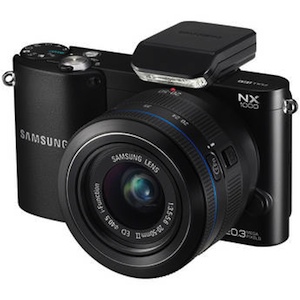 A camera with the features and functionality of a DSLR in a smaller body and with Wi-Fi connectivity? Sign us up. The NX1000 has a 20.3MP sensor and comes bundled with a sharp zoom lens that produces great pictures in all lighting situations. Including night shots.

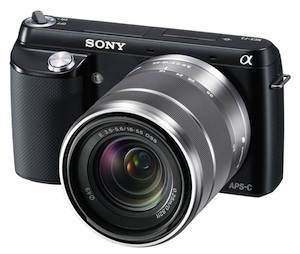 The Alpha NEX series of cameras straddle two worlds. They have the sensors of DSLR cameras but compact bodies reminiscent of point-and-shoots. The large lenses signal their serious semi-pro nature, though small pancake lenses are available, too. The NEX-F3 proves why compact mirrorless cameras are a great idea. The 16.1MP APS-C image sensor (same as found in most DSLRs) and high ISO settings mean pictures detailed enough to print large without having to put in a lot of effort. The lens and sensor balance a wide range of contrasts automatically, but you still have access to the full range of manual controls (even when shooting video). Images come out sharp and balanced with rich color. The LCD in the back flips up all the way to make self portraits easier. We also like that the built-in flash can be tilted up for softer light bursts.
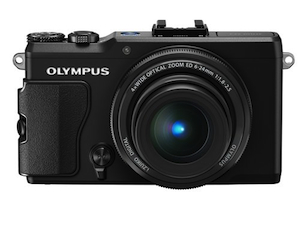 The XZ-2's 12MP sensor, 4x zoom lens, image processor and fast auto focus speed combine for impressive photo quality from a camera this compact. The 28-112mm equivalent lens is super fast at f/1.8-2.5 and the resulting pictures have minimal noise, accurate tone and look really good at full size. However, don't look to this camera if you're uncomfortable out of auto mode. This is more for people who know how to work manual settings to their advantage.

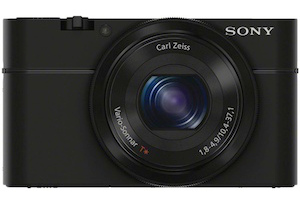 The RX100 has a lot to live up to given that you can buy plenty of decent interchangeable lens cameras for the same price. Thing is, those cameras don't fit into a pocket and can't be whipped out at a moment's notice–this Cyber-shot can. Sporting an excellent f/1.8 Carl Zeiss lens and a big 20.2MP sensor, the RX100 produces images that will change what you think is possible with a compact camera. It performs well in all conditions even when light is harsh or low and is fast on the trigger.
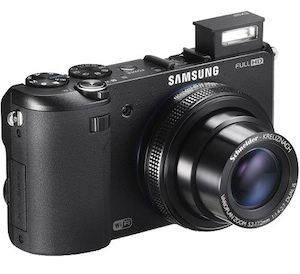 A little bulkier than most compact point-and-shoots, the EX2F makes up for the extra size with extra features that will make getting the perfect shot easier. The rear display swivels out so you can frame the shot perfectly even if the camera isn't right in front of you. Though the 3.3x zoom is modest, the f/1.4-2.7 aperture captures a lot of light for very rich and detailed pictures. You'll appreciate this even more when recording full HD video. Like most of Samsung's cameras, the EX2F comes with Wi-Fi on board for sending pictures directly to email and social networks or connecting to Samsung phones for image transfer.

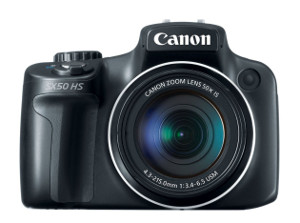 With this camera you move out of the compact point-and-shoot range and into larger bodied cameras with more DSLR-like features and qualities. The most impressive feature of the 12.1MP SX50 HS is its 50x wide angle zoom lens. 50X is a lot of zoom for such a small camera and to get the equivalent on a DSLR or even a Compact Mirrorless Interchangeable Lens camera will set you back a lot more money. And the camera's high-quality image stabilization means you can pull off far away shots without a tripod if you must. The camera also excels in low light and night shooting. Plus, we like the combo of an electronic viewfinder and screen on the back that swivels out for capturing shots at difficult angles.
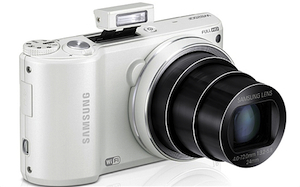 This camera has everything you'd want in a mid-range shooter, from a megazoom lens (18x) to 1080p video capability to good auto and manual control. Samsung adds one significant feature on top: Wi-Fi connectivity. The company's smart camera line keeps getting better, bringing better optics and good image/video quality to the table alongside easy wireless sharing. You can upload directly to social networks or send pictures right to your phone for even more sharing and editing options. The 14.2MP camera also includes some features found on Samsung's smartphones, like Best Face mode to eliminate that one person ruining shots by having their eyes closed. Also fun: Motion Photo creates animated GIFs on the fly.

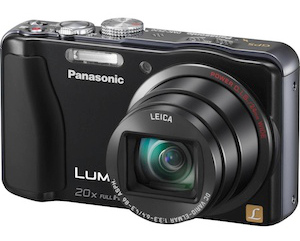 Balancing light weight and a small body with excellent optics is one of Panasonic's strong points, and this Lumix model is the perfect example. The ZS20 14.1MP camera sports a 20x zoom Leica lens that will get you good, stable close up shots from far away. It delivers excellent photos, bright colors, and little noise even in low light. The intelligent Auto settings make it easy to snap pictures without fuss, but if you want more control the ZS20 has plenty of manual settings on offer. You can capture 1080p 60fps videos and record in high quality AVCHD for watching on the big screen or MP4 for web sharing. Battery life isn't the best, thanks to a touchscreen LCD on the back and built-in GPS for geotagging, but rest of the camera's standout features more than make up for it.
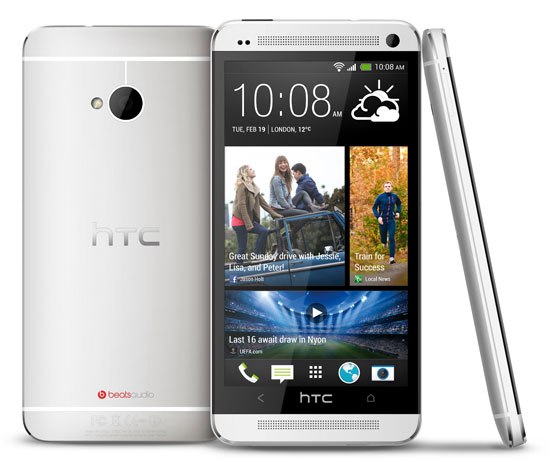
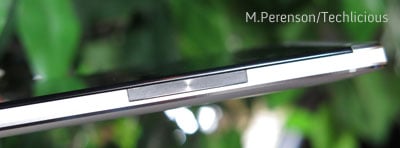 I wasn’t a fan of the power/sleep button, located along the top edge at left. That button is too flat and its location is a bit awkward for my (admittedly) small hand to reach comfortably while holding the phone one-handed. I much prefer the location of the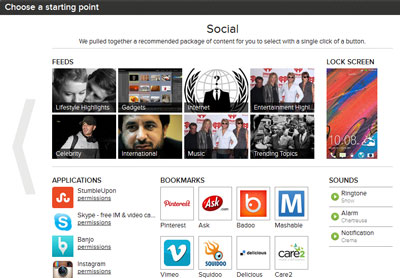
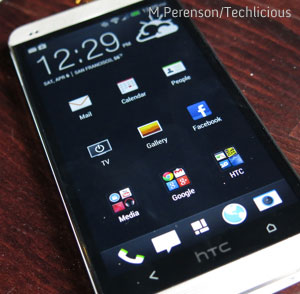 If you’re already an Android user, though, some of HTC’s new interface tweaks may take some time to get used. For example, the HTC One lacks a dedicated button for accessing the most recently accessed apps. I also found myself continually tapping the HTC logo thinking that was a home or menu button (it wasn’t).
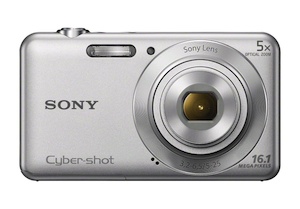 Though the 5x optical zoom on the 16MP Cyber-shot W710 isn't massive, it will give you some extra reach when trying to frame far away subjects. Optical stabilization helps pictures come out sharp. The few features include face detection and panorama and are easy to access and understand, thanks to the simple controls and interface. Image quality is a step up from a camera phone and very good for a budget shooter.

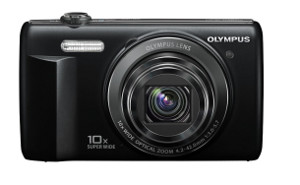 A stand out among budget cameras, the MP VR-340 boasts a metal body and a higher optical zoom than most in this price range. It takes reasonably sharp and color-rich images and 720p HD video both up close (with Macro mode) and far away, thanks to the 10x zoom and image stabilization. Intelligent Auto mode offers the best settings for those who don't know their ISO from aperture and Program mode gives those who know what they're doing deeper control. Once the battery runs down, you can charge it from your computer. The VR-340 is not the fastest shooter, so it's not the best for capturing sporting moments. But if you're looking for a small, inexpensive camera for vacations, it will serve you well.
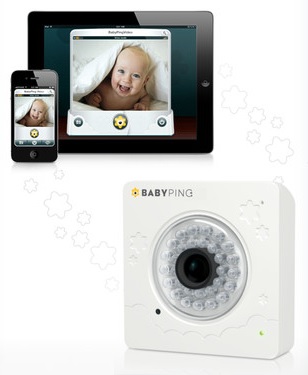 High-tech baby monitors that make use of your home's Wi-Fi network and your own smartphone or tablet are becoming more popular. What impressed us with the BabyPing Monitor by Y-cam is that it delivers easy out-of-the-box setup and high-quality video.
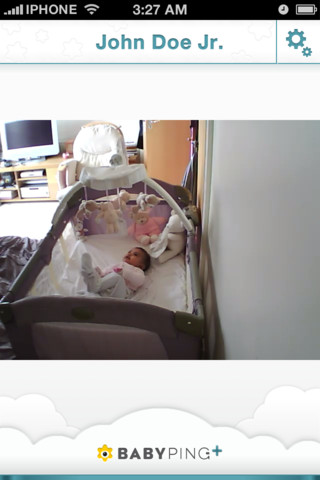 The BabyPing is both a daytime and nighttime monitor which comes equipped with 30 infrared LEDs that display no light, so your baby won’t be disturbed when the room is dark (in fact the only light visible on the BabyPing indicates that it’s functioning properly).
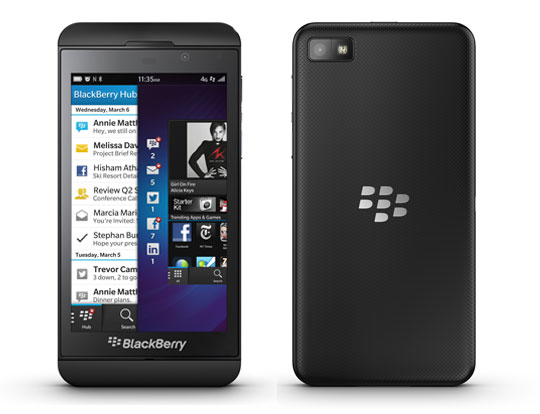
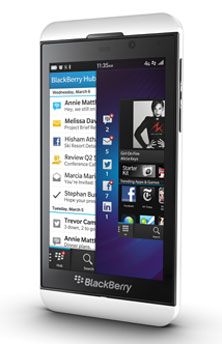 The look and feel of the Z10
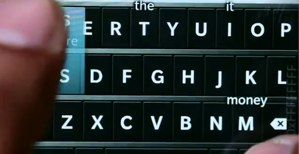 Keyboard & messaging
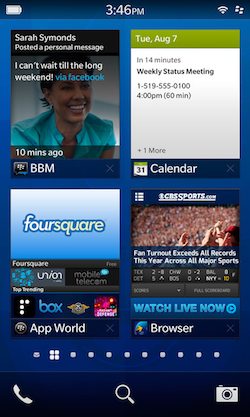 BlackBerry World & BlackBerry Link
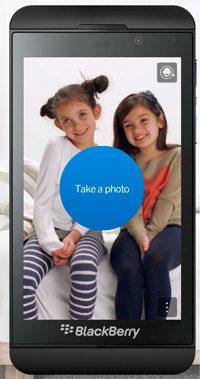 Camera & video recording
 Imagine a world in which your technology kept you organized. Not just by keeping all your digital notes, messages and meetings in one place, but actually delivering your information in helpful ways. In this world you can go through life like Tony Stark of Avengers fame, asking out loud about your next appointment, who will be there, how you know them, what you discussed with them prior to the meeting, and whether you have free time after. How about being able to look at your email, texts, calls, social network updates, and chats with one glance and easily sort them in a way that best suits you? Also: Angry Birds
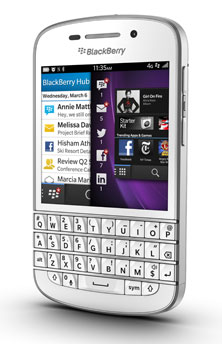 Is BB10 for you?
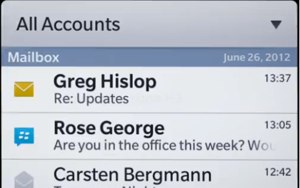 Standout feature: The Hub
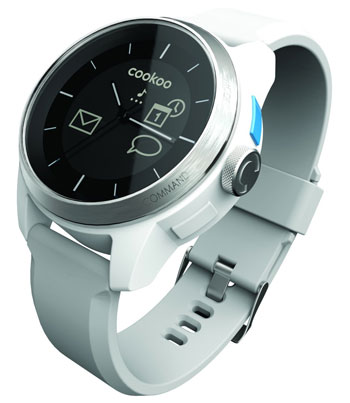 If the mere thought of missing a text message makes your heart skip a beat, then the innovative COOKOO watch is for you. It’s a Bluetooth-enabled device that's an analog watch, but when paired to your iPhone 4S or iPhone 5 (sorry Android and Windows Phone users), can notify you of new texts, email or Facebook status updates directly through your watch.
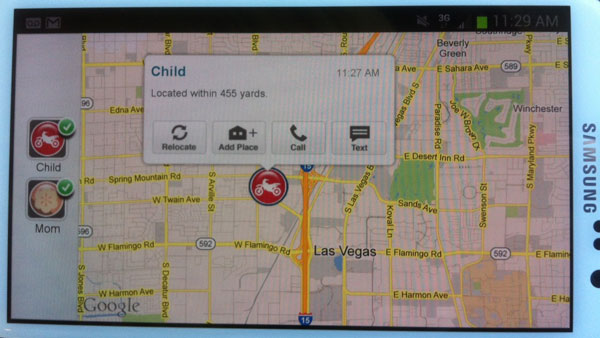
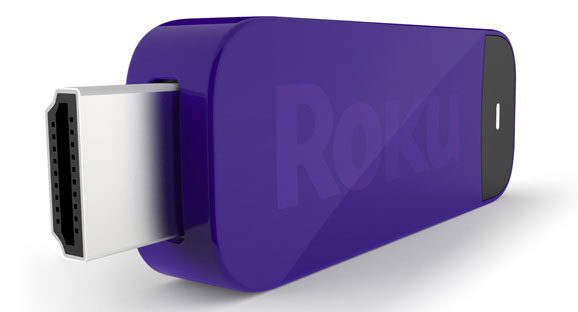
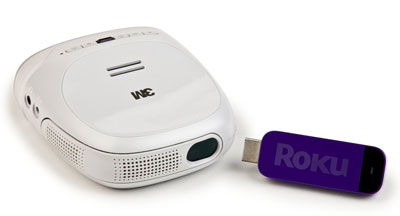 I have used the Streaming Stick with the new palm-size 3M Streaming Projector ($299.99 on
  ), which includes the Roku accessory.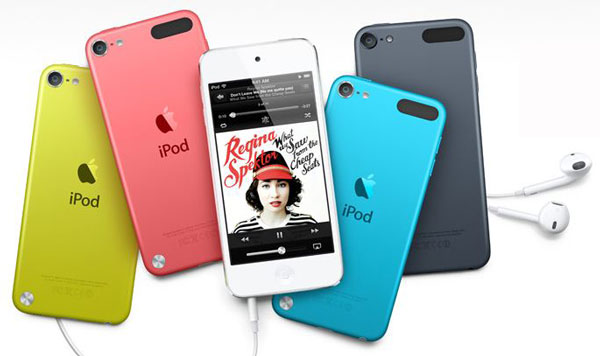
 .
.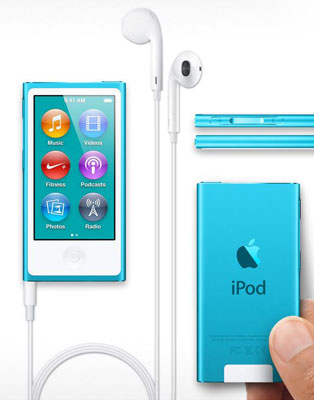 Redesigned to resemble an iPod touch, the seventh-generation iPod nano is now outfitted with a home button situated beneath the similar 2.5-inch Multi-Touch display, which is the largest display ever featured in a nano. Like the iPod touch display, it responds to finger taps, swipes and pinches for controlling the device's functions and built-in apps, which include all of the usual choices in a nano: Music; Podcasts; Photos; Audiobooks; Clock; Nike Plus (which utilizes the built-in pedometer); and FM Radio (which is usable only with headphones attached).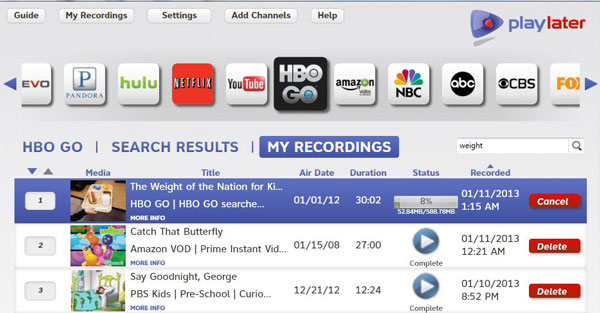
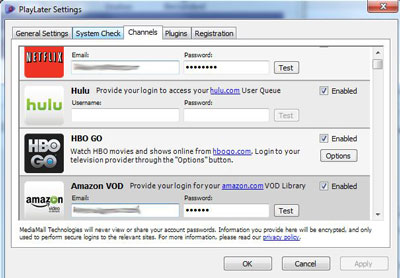 However, with HBO Go, you're required to open “settings” and sign in through a pop-up window—every time—before you can record. If you forget, you’ll see the sign-in screen in front of the video content for the duration of the program.
 Transferring videos to mobile devices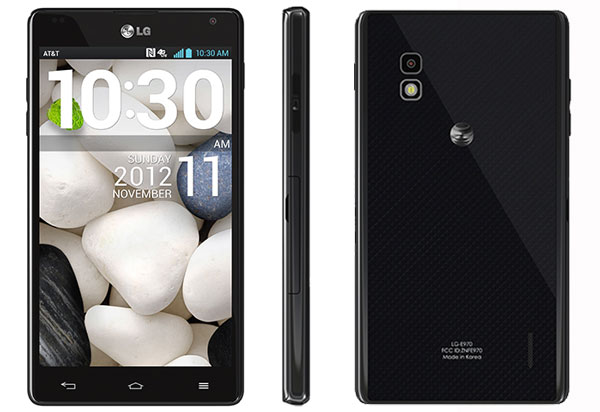
 )
) )
) Manufactured by Sierra Wireless, Sprint’s 4G LTE Tri-Fi Hotspot is a “first-ever device” that gives you access to Sprint’s 3G, 4G WiMAX and 4G LTE network for internet connectivity. Depending on the fastest network available at your current location, the Tri-Fi Hotspot will kick in to either 3G or 4G mode automatically. While the Tri-Fi hotspot was indispensable for me to put together last week’s newsletter literally while driving through the Pennsylvania Wilds, there are a few things I wish it did better.
 for $0.01. Data plans range from $34.99 for a 3GB per month plan (which should be sufficient for most people) all the way up to $79.99 for a 12GB plan.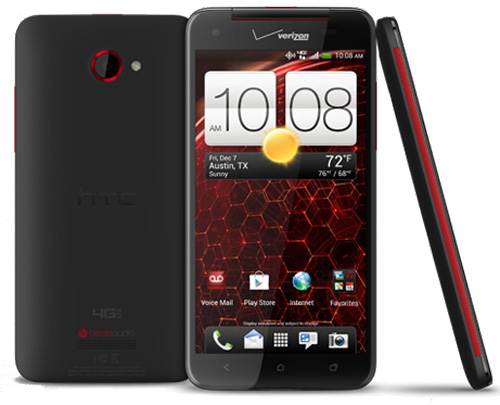
 Santa.org has been the official tracker of Santa for years now, but now there’s a mobile app to countdown to when Santa takes flight. There’s some fun updates in the form of two games: “Thin Ice” puts you in charge of helping the elves deliver presents, and another game called“Elf Toss”
 Google got a lump of coal in their stocking from NORAD who’s decided to partner with Bing this year, so they’ve gone off and come up with their own Santa tracker website, designed as a cute cartoon-like village that has some fun kid-friendly activities and nice features built in. There’s several games you can play including navigating your jetpack-equipped elf to catch gifts, candy and ornaments to collect points, race a reindeer-driven sleigh around a race track, and drop presents down moving chimneys. The best feature is where you can schedule Santa to deliver a personalize phone call. Google's Santa Tracker is available on their
  AT&T recently launched a fun app for U-Verse subscribers that provides them with a one-stop shop to get holiday movies On Demand, access to their Santa Tracker and Santa News Network, Rudolph Radio and a “Naughty or Nice Meter” for family members among other options The Santa Tracker app can be found on channel 98 or you can launch the app through the Go Interactive button on your U-verse remote control and scroll until you see Santa Tracker app within the menu. A high speed internet account in required.
  93 million people will travel over the next two weeks according to AAA, and if you’re one of them, you’ll want to download some of our suggested travel apps to help you navigate your way during the busiest travel time of the year. If you’re one of the millions taking to the skies, you’ll want to have the newly released TravelNerd on your smart phone or tablet.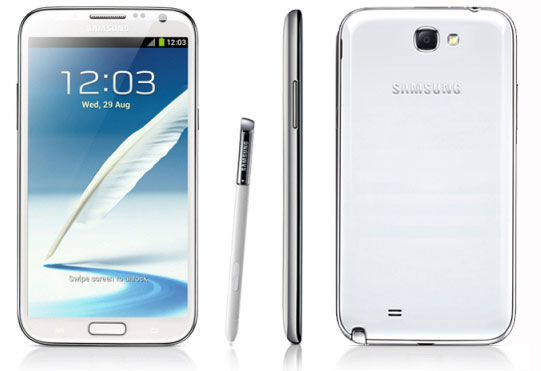
 )
) )
)  )
) 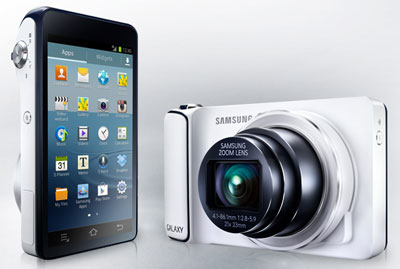 In the past three years, the quality of smartphone cameras has gone up exponentially thanks to better sensors, lenses and apps. People love taking pictures on their phones not only because it's convenient, but because they can edit or add filters then share photos instantly without connecting to a computer. For many, owning a smartphone means no longer needing a separate camera for everyday use or even vacations.
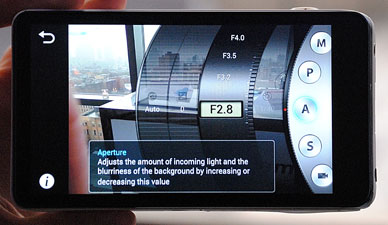 Taking pictures
 Last July, Apple introduced its newest Mac operating system to mostly upbeat reviews. Now, after several months of real-life usage, it’s easy for me to report that “OS X Mountain Lion”––also known as version 10.8––has certainly lived up to the raves and is well worth the $20 cost of upgrading from previous versions of Apple’s OS X Mac operating system. The price is minimal yet the changes are both numerous and quite useful.
 The Angry Birds Star Wars app launched last week, to the delight of kids (and parents?) everywhere. Melding together perfectly like the peanut butter and chocolate of the app world, the newest and arguably perhaps the best Angry Birds release will have your li’l Angry Birds fans beaming with joy – and enraptured for hours. The birds are cute, the Star Wars references are cleverly integrated, and the characters are reminiscent of the loveable LEGO franchise video game spin-offs.
 The game play blends the traditional “ground-based” Angry Birds physics that they became famous for, with the space-based “Zero-G” technology that was introduced with Angry Birds Space. But this isn’t a rehash of prior Angry Birds. The fun and the challenge begins with the Star Wars characters – to solve each level correctly, each Angry Bird has different special skills.
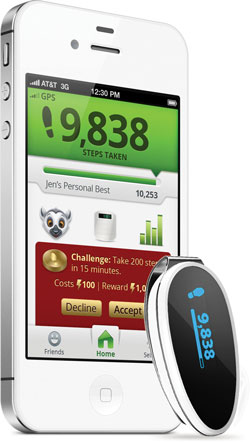 I remember testing my first activity monitor a few years ago and realizing that, aside from those days I made it to the gym, I was largely sedentary. It was a big wake-up call, and now I make the effort to walk or take the stairs when I can.
 With energy in your MyLand bank, you can exchange energy points for coins to buy plants and buildings. You can’t just buy them, you also have to grow your plants and build your structures, which you can only do with energy points. So you need a constant supply of both. Fortunately plants and buildings start generating cash once they’re complete and there’s always something more exotic and expensive to buy. And many attract animals and mythic creatures that then wander through your world. If that doesn’t inspire you, you can accept in-game challenges to build a number of buildings or collect an amount of coins.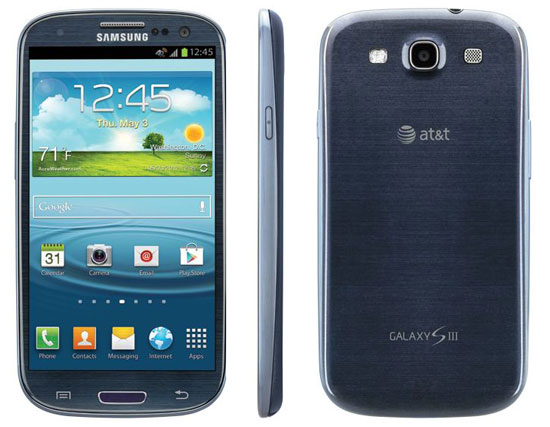
 .
.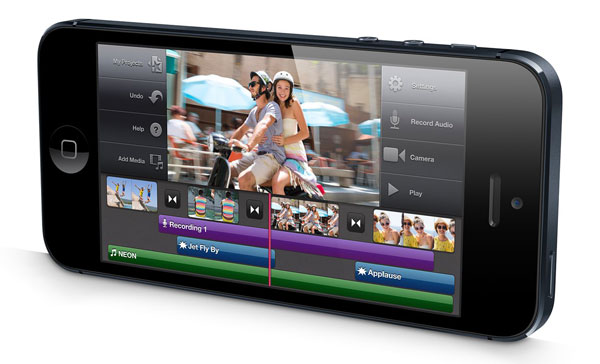
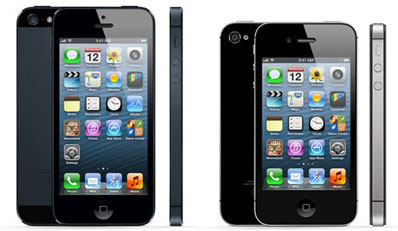 Technically, the iPhone 5 is less than two millimeters thinner (7.6 vs. 9.3mm) than the nearly identical
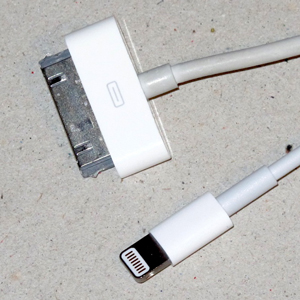 Apple has replaced its bulky and annoyingly one-way 30-pin connector with a new tiny 9-pin Lightning connector, that can be slipped into the iPhone 5 in either direction. It took me a bit to get used to not checking which side was which, as you still have to do with a micro USB jack.
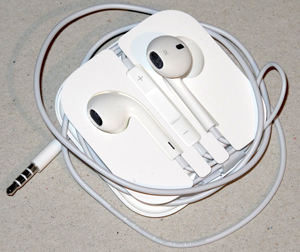 Instead of the previous iconic flat stick earbuds, you get new and improved rounder EarPods. And instead of hanging limply from your lobes, EarPods fit more reassuringly and comfortably without sonically cutting off the outside world.
 Motion Math: Hungry Guppy for iOS devices is a bright and visually appealing app for pre-schoolers that's just as educational as it is fun. Instead of solely focusing on number recognition to introduce addition, Hungry Guppy uses dots.
 I appreciate that Hungry Guppy teaches the foundation of math in a way that doesn't put so much weight on numbers up front, so even a precocious toddler can feed the guppy while unknowingly learning math. The dots serve as training wheels, in that it builds a foundation for the preschooler's math knowledge while creating a sense of comfort with numbers and the simple everyday act of feeding a guppy. Feed the fish the right amount of dots, he gets full, and cool, we're learning math, too! By combining dots the preschooler learns to add, but they're also learning that there are different ways to create quantities. (Adding two dots to three dots gets you five dots, so does adding one dot to four dots.)
 Like Tivoli's radios, the Radio Silenz are distinguished by their real wood encasements, here used for the outside of the ear cups, which DeVesto says contributes to better sound reproduction as well as enhances appearance. A module built inline with the connector cord contains an on/off switch for the noise cancellation function, a volume control, and a "defeat" button. Keeping the last pressed not only temporarily disables noise cancellation, but also interrupts audio playback and engages the noise cancellation function's integrated microphones to amplify ambient sounds (such as the pilot's announcement).
 Although I find that 85-percent noise cancellation is effective in my home for vanquishing the sound of my air conditioner, on the airplane I would have liked more noise cancellation to better muffle the engines' roar. In addition, I was disappointed with the flimsy vinyl storage bag Tivoli includes with the headphones; I would have preferred a protective hard case, especially one that features a compartment for the cord and its inline module, which potentially could flop around in the bag and damage the headphones' wood. Ditto for the two-pronged airplane audio adapter that comes with the Radio Silenz but also has no place to call its own within the bag. (A Tivoli spokeswoman says the company will be including a leather travel bag with all Radio Silenz starting in late August or early September, rather than the vinyl bag included with earlier units, but no hard case is planned at this time.)
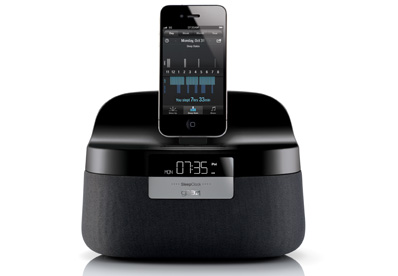 Nothing refreshes the body like a good, long session of deep sleep. But many of us often wake up groggy even after sleeping many hours, and one reason, according to sleep experts, is how we wake up. If the alarm clock goes off and we open our eyes and trudge out of bed when the body has just begun a deep sleep cycle, they say, the effect is a sleep inertia that can hobble us for the rest of the day.
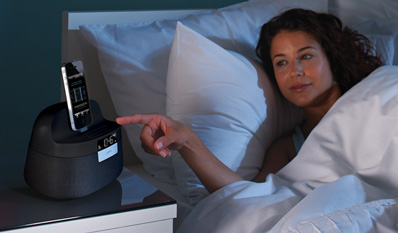 The hardware transmits two channels of 10GHz radio frequency signals in a 45-degree beam. These signals bounce off your body and are received back at the device by a sensor, which then processes them and passes the data to the app. The app uses the data to discern your breathing pattern and monitor your movements. Based on these interpretations, the app knows when you've fallen asleep, how long you've slept, when you're sleeping lightly or deeply, and when your sleep has been interrupted (for example, when you get out of bed for a 2 AM bathroom break). In the morning, the app uses all the captured data to determine the best time to wake you up within a one-hour time slot that you've preset in one of two built-in alarms.
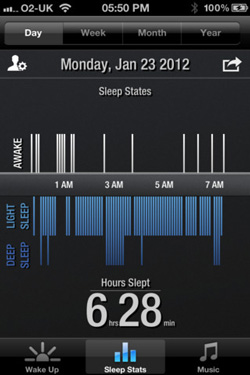 Seven different alarm sounds are built in to the app––chirping birds, garden creature sounds, mellow music, crashing waves and the call of seagulls, falling rain and bird chirps, folk guitar music and the sounds of animals in an Australian rain forest––or you can choose to wake to the sound of either the built-in FM radio or your own iTunes music. All of your sleep data for the previous day, week, month or year is available in the app's Sleep Stats section, as well.
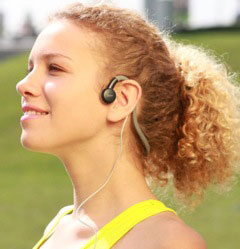 As an endurance athlete who logs many hours cycling and running, I often listen to music while training to help get me through those longer sessions. However, living in NYC wearing those ear buds is equivalent to putting your life in the hands of the thousands of distracted NYC motorists.
 ) solve this problem with their bone-conduction technology. There's no speaker to cover your ear or bud to stick into it. The AfterShokz have two circular conductors (about the size of a nickel) that sit directly in front of the ears and send sound waves through the bone directly into your inner ear.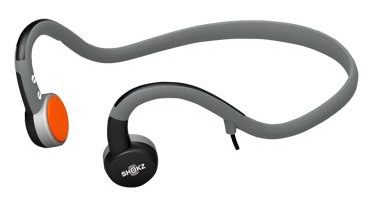
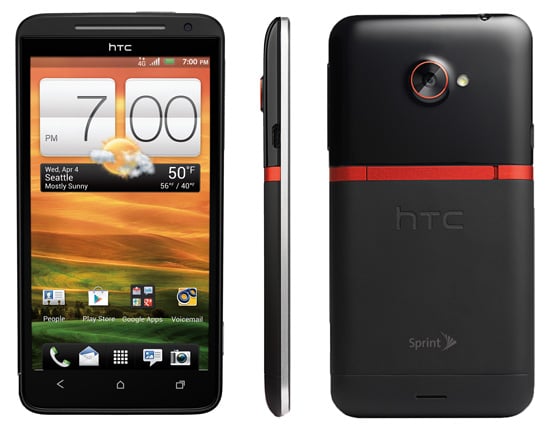
 The case design, with its mixture of matte black aluminum, glossy black plastic and red racing stripe, is definitely masculine. I like the look, but the glossy plastic is more prone to fingerprints.
 for $199.99 or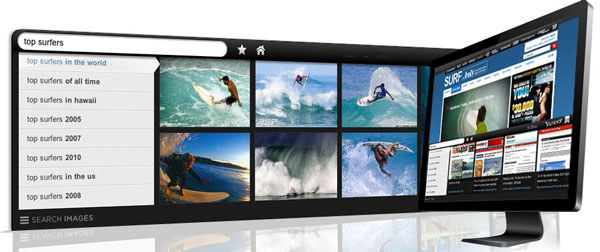
 But Axis is really optimized for use on the iPad and iPhone (free on
  Last month, Facebook bought Instagram for $1 billion. Now we know one of the reasons why: the Facebook Camera for iOS devices (free on iTunes).
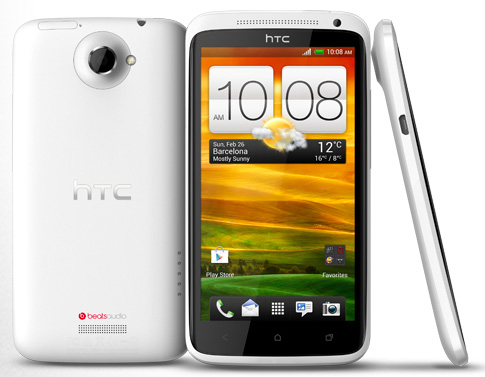
 With a power fold, four-wheel suspension, generator and charging station, it's no wonder the 4moms Origami Stroller ($850 on Amazon.com
 ) has been likened to a Transformer. But this isn’t an imaginary transforming robot-vehicle, the Origami is a reality and unlike any stroller on the market.
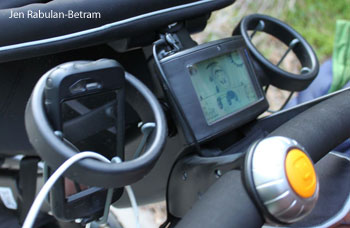 As if the one-button power fold wasn't enough, the LCD dashboard and ability to charge cell phones adds to this stroller's geek factor. The LCD displays pertinent information, such as the time and whether or not a baby is in the stroller. If a baby is seated in the stroller, an icon is displayed on the screen, and the stroller cannot fold.
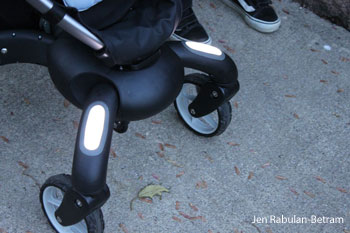 The lights at the foot of the stroller are genius details. Whether it's a late night at the amusement park, stroll in the park at dusk or an evening walk to get ice cream, the lights on the Origami light the path.
 The overall weight of the stroller is another aspect I can't ignore. At 29 pounds, it's 9 pounds heavier than the Bugaboo Cameleon and 6 pounds heavier than the Stokke Xplory. The Origami did take up less than half the space in our spacious trunk. But this wouldn’t likely be a good choice for someone navigating cabs and trains, getting on and off public transportation with a baby in one hand and this hefty stroller in the other.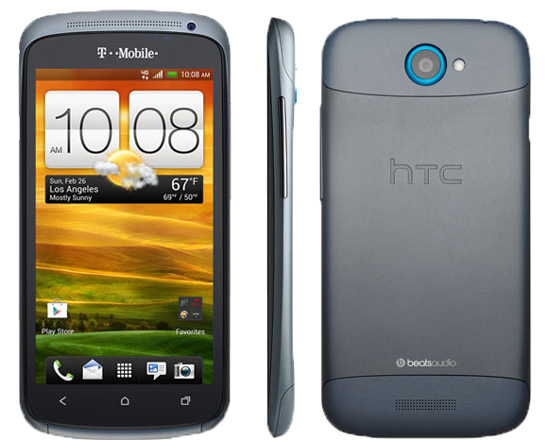
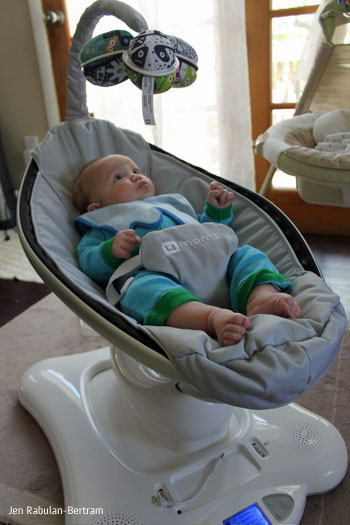 Is it a bouncer? Is it a swing? Whatever you want to call it, the new mamaRoo from 4 Moms is what I'd call smart baby gear.
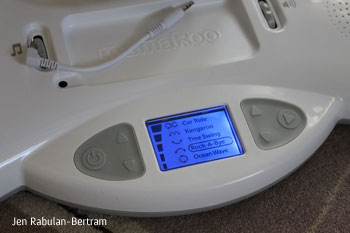 The movement of the mamaRoo is, perhaps, the selling point of this high end infant seat. 4moms researched parents' natural movements when interacting with babies and put that into consideration when designing the mamaRoo. With five speeds and several types of motions to choose from, such as tree swing, rock-a-bye and car ride, the base is the brain of this device.
 The toy bar securely dangles three plush, interchangeable balls above the seat. The bar, itself, can be repositioned, making for easy access when picking baby up from the mamaRoo. Of all the features on the mamaRoo, the toy bar was the most understated. Even though the toy bar doesn't rotate on its own, it still managed to engage my baby.
 Germaphobes, parents of young children or anyone with food allergy concerns take note: There’s a free Apple iOS, Android and Facebook app called Recalls Plus that you can use to get the latest news on product and food safety recalls.
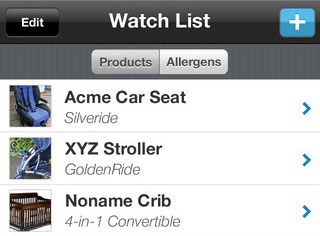 It also lets you create custom lists of brands and products you want to watch such as car seats, cribs and strollers. But what's especially slick is how you can set up these lists based on the ages of your children so in mere seconds you can be set up to receive alerts based on the products, gear and other stuff you're using every day with your infant or toddler.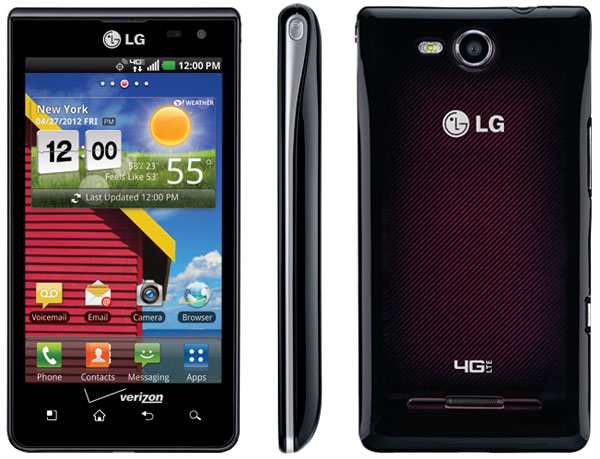
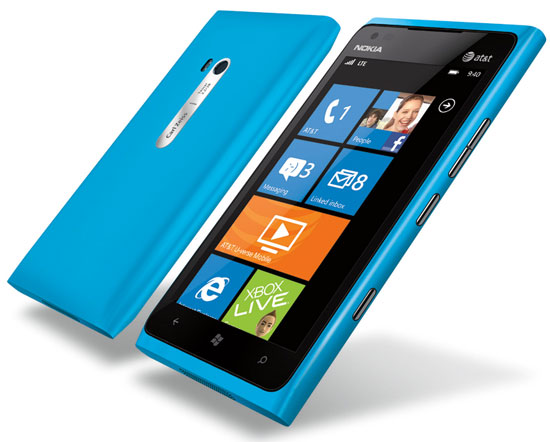
 with a new, two-year customer agreement. That's about on par with similarly spec'd Android phones.
 First, it lets you make any average photo look interesting. You can snap a photo using the app or choose one from your camera roll and apply one of 18 photographic filters that do things like make the image black and white or sepia as well as change coloring, contrast and brightness.

 Use Instagram in Tandem With Other Apps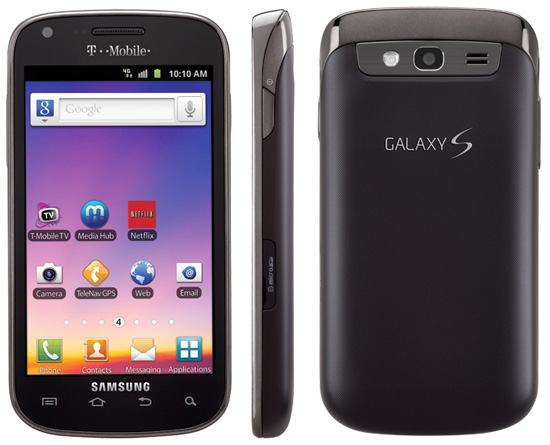
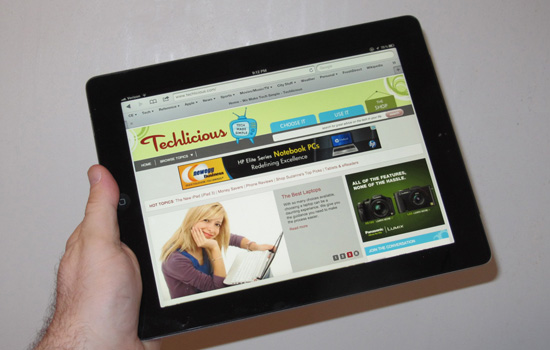
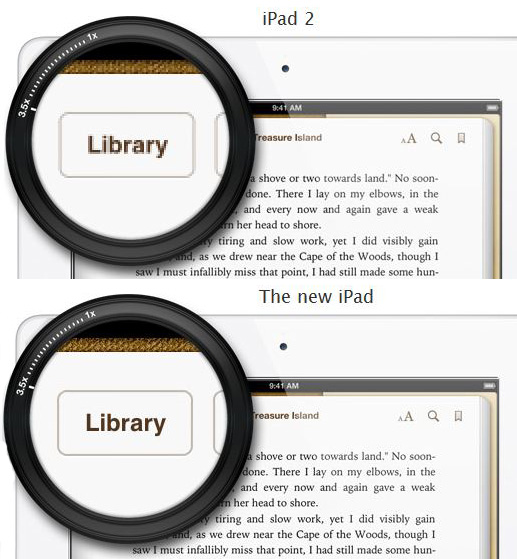 The display
 The new iPad has the same camera as the iPhone 4 (not the 4S, as it turns out), and does take slightly better photos and video than the iPad 2.